
Cobolt
This is a cross-platform desktop application that allows you to chat with locally hosted LLMs and enjoy features like MCP support
- desktop-chat
About
What is Cobolt?
Cobolt is a cross-platform desktop application that runs locally on your device, using local AI models via Ollama to provide answers and perform actions on your data without sending it to external servers. It supports the Model Context Protocol (MCP) to connect to tools and data sources.
How to use Cobolt?
Install the appropriate binary for your operating system (macOS, Windows, or Linux) from the releases page. Ensure required system dependencies are installed (Homebrew on macOS, Winget on Windows, or run the linux_deps.sh script on Linux). Then download and configure Ollama models (default is llama3.2:3b for inference, nomic-embed-text for embedding) and add MCP integrations through the app’s JSON configuration file, using the same format as Claude Desktop.
Key features of Cobolt
- Local AI models via Ollama, data never leaves your device
- Model Context Protocol (MCP) integration for external tools and data
- Native memory support for personalized, context-aware responses
- Cross-platform support (macOS, Windows, Linux)
- Open source under Apache 2.0 License
- Customizable model selection for inference, tool use, and embedding
Use cases of Cobolt
- Get answers and perform actions based on your local data without uploading to cloud
- Connect to favorite tools and data sources using MCP servers
- Use a locally running AI that remembers important details about you for personalized responses
- Choose from various open-source Ollama models for different tasks
FAQ from Cobolt
What models does Cobolt support?
Cobolt uses Ollama and supports any Ollama model that supports tool calls. Default inference model is llama3.2:3b, default embedding model is nomic-embed-text. You can change models via app settings or by editing the config JSON file.
Is my data sent to external servers?
No. Cobolt only stores data on your device and uses locally running AI models. It does not send your data or queries to any external server.
How do I add MCP integrations?
Add new MCP servers through the application, which directs you to a JSON file using the same format as Claude Desktop. After adding servers, restart the application or reload integrations.
What platforms are supported?
Cobolt supports macOS (DMG), Windows (EXE), and Linux (AppImage). Downloads are available on the releases page.
Is Cobolt free?
Yes, the project is open source under the Apache 2.0 License. It is currently in early release (v0.0.6) and may be unstable and change significantly.
Details
- Author
- platinum-hill
- GitHub stars
- 214
- Category
- desktop-chat
- Website
- img.shields.io/badge/License-Apache_2.0-blue.svg
- Docs
- Official docs
- Repository
- platinum-hill/cobolt
<div align="center">







</div>
<div align="center">
<h3>📥 Download Latest Release</h3>



<sub>This is an early release which is expected to be unstable and change significantly over time.
For other platforms and previous versions, visit our Releases page</sub>
</div>
🎯 Overview
Cobolt is a cross-platform desktop application that enables you to get answers, and perform actions on the data that matters to you. Cobolt only stores data on your device, and uses locally running AI models. Cobolt can also remembers important details about you, and use it to give you personalized responses.And yes! your memories are stored on your device.
You can connect to your favourite tools and data sources using the Model Context Protocol (MCP).
Feel like every query to a big tech AI is an automatic, non-consensual donation to their 'Make Our AI Smarter' fund, with zero transparency on how your 'donation' is used on some distant server farm? 💸🤷
We believe that the AI assistants of the future will run on your device, and will not send your data, or queries to be used by tech companies for profit.
Small language models are closing the gap with their larger counterparts, and our devices are becoming more powerful. Cobolt is our effort to bring us closer to that future.
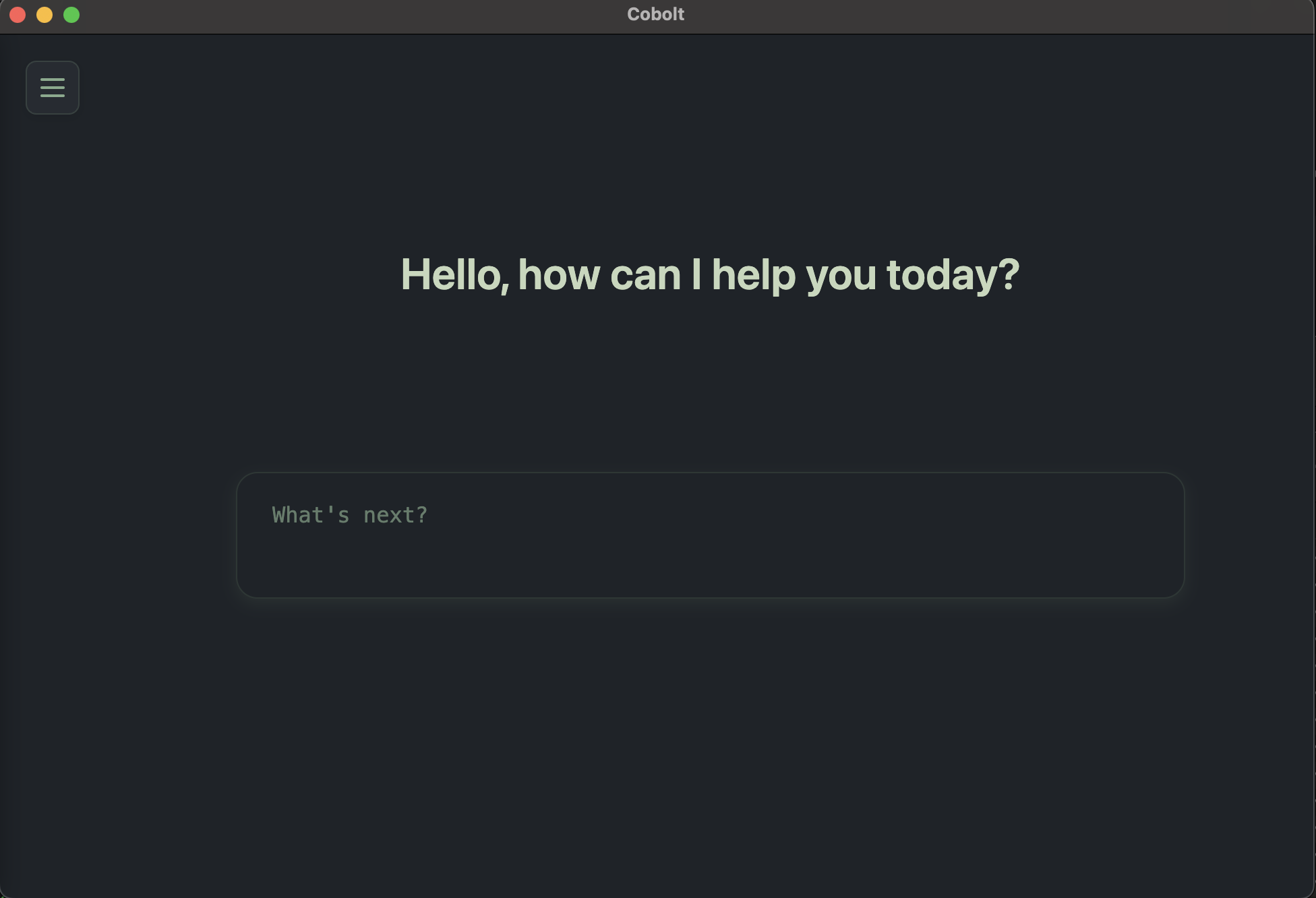
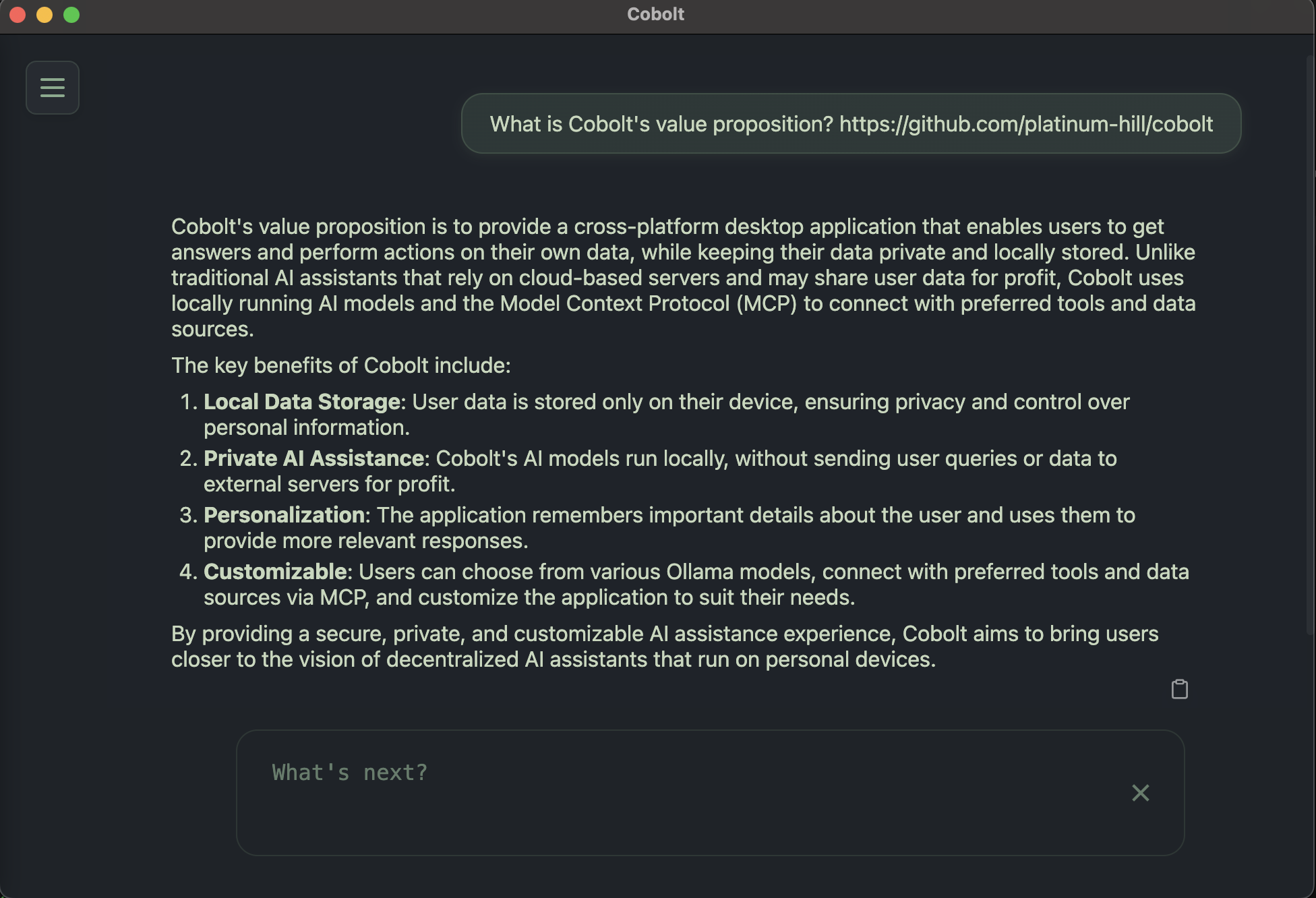
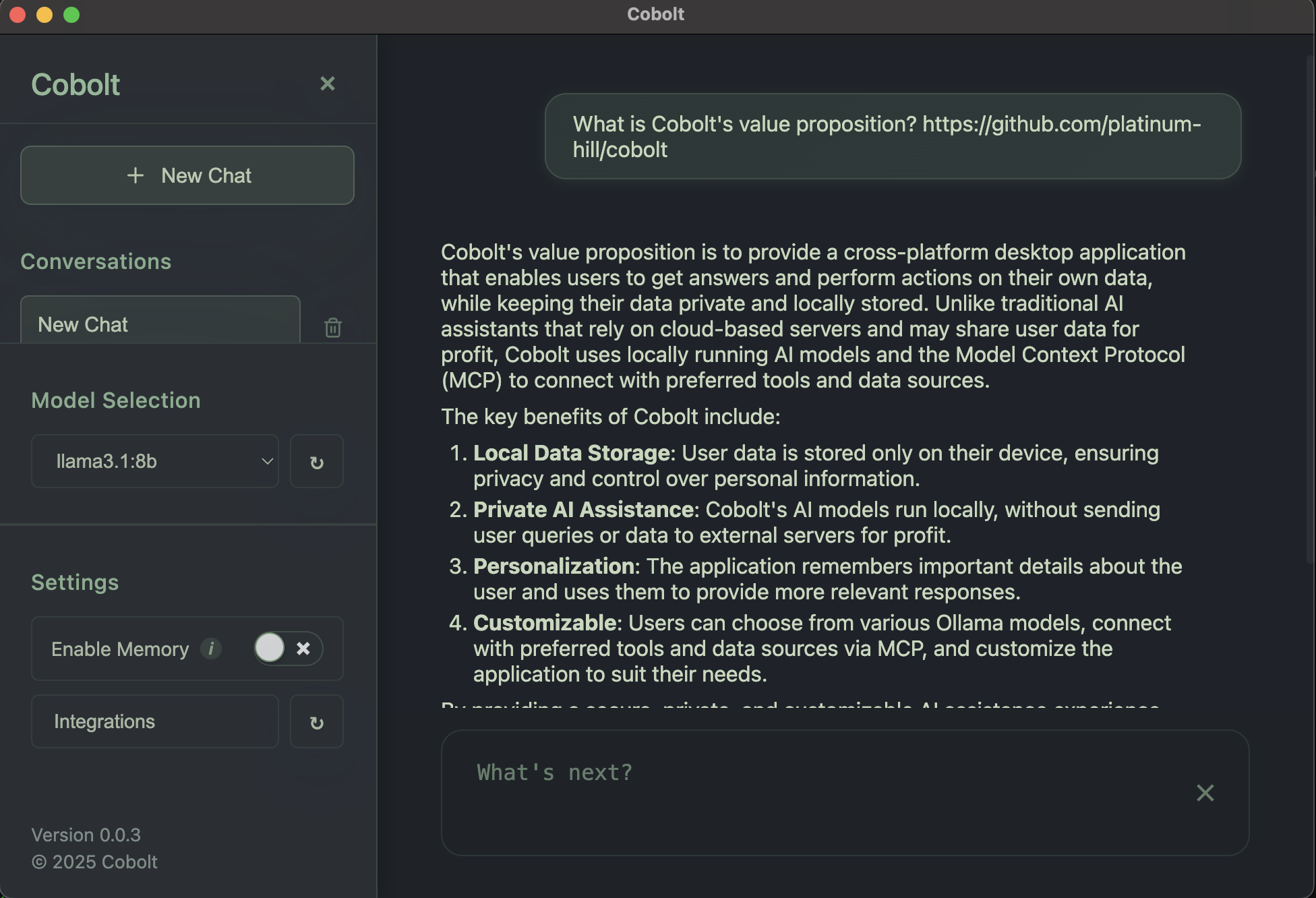
Cobolt enables you to get answers based on your data, with a model of your choosing.
<div align="center">
<br>
</div>
Key Differentiators
- Local Models: Ensures that your data does not leave your device. We are powered by Ollama, which enables you to use the open source model of your choosing.
- Model Context Protocol Integration: Enables you to connect to the data sources, or tools that matter the most to you using MCP. This enables your model to access relevant tools and data, providing more useful, context aware responses.
- Native Memory Support: Cobolt remembers the most important things about you, and uses this to give you more relevant responses.
Getting Started
Before installing the appropriate binary from the releases, follow the below steps based on your operating system,MacOS
On macOS, Homebrew is used to install dependencies. Ensure Homebrew is installed. To install it, run the following command in the Terminal:/bin/bash -c "$(curl -fsSL https://raw.githubusercontent.com/Homebrew/install/HEAD/install.sh)"
Linux:
Before running the linux app, please install the required dependenciescurl -O https://raw.githubusercontent.com/platinum-hill/cobolt/refs/heads/main/assets/scripts/linux_deps.sh
chmod +x linux_deps.sh
sudo ./linux_deps.sh
Windows
On Windows, Winget (the Windows Package Manager) is utilized. If you need to install Winget, run the following powershell command as an administrator:Install-Module -Name Microsoft.WinGet.Client -Repository PSGallery -Confirm:$false -AllowClobber; Repair-WinGetPackageManager;
You can confirm winget is present using powershell with winget -v
How to?
How to change the model?
By default we use llama3.2:3b for inference, and nomic-embed-text for embedding.If your device is capable of running larger models, we recommend llama3.1:8b, or qwen3:8b
You can use any Ollama model that supports tool calls listed here.
To download a new model for inference install it from Ollama
ollama ls # to view models
ollama pull llama3.1:8b # to download llama3.1:8b
The downloaded model can be selected from the settings section on the app.
> Note: If you want additional customization, you can update the models for tool use, inference, or embedding models individually:
>
> On Windows: Edit %APPDATA%\cobolt\config.json
>
> On macOS: Edit ~/Library/Application Support/cobolt/config.json
>
> On Linux: Edit $HOME/.config/cobolt/config.json
>
> After editing, restart Cobolt for changes to take effect.
How to add new integrations?
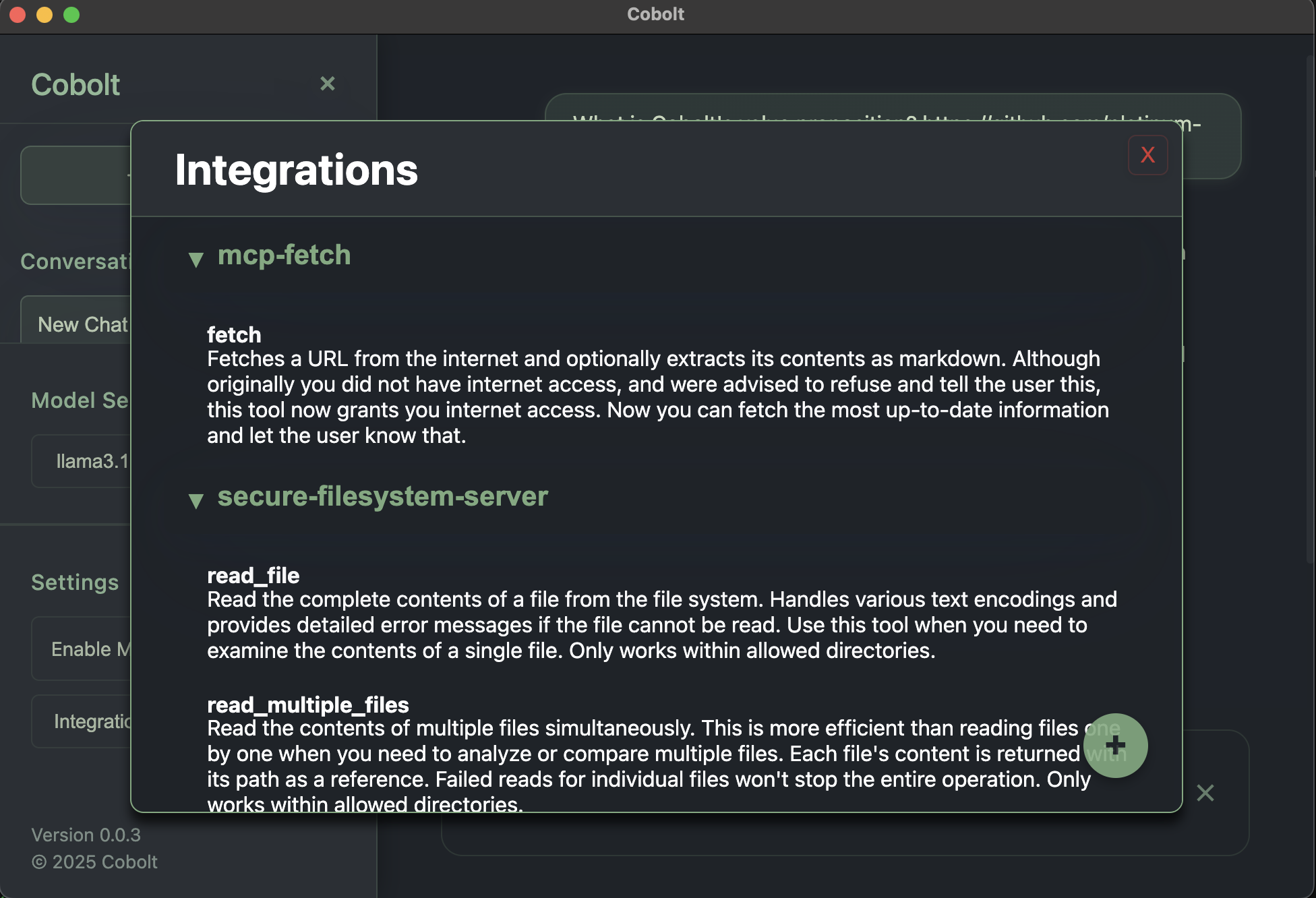
You can find the most useful MCP backed integrations here. Add new MCP servers by adding new integrations through the application. The application will direct you to a JSON file to add your MCP server. We use the same format as Claude Desktop to make it easier for you to add new servers.Some integrations that we recommend for new users are available at sample-mcp-server.json.
Restart the application, or reload the integrations after you have added the required servers.
🤝 Contributing
Contributions are welcome! Whether it's reporting a bug, suggesting a feature, or submitting a pull request, your help is appreciated.
Please read our Contributing Guidelines for details on how to setup your development environment and contribute to Cobolt.
You can also:
Report a Bug
Request a Feature
📄 License
This project is licensed under the Apache 2.0 License - see the LICENSE file for details.
Acknowledgements
Cobolt builds upon several amazing open-source projects and technologies:
- Ollama - The powerful framework for running large language models locally
- Model Context Protocol - The protocol specification by Anthropic for model context management
- Mem0 - The memory management system that inspired our implementation
- Electron - The framework that powers our cross-platform desktop application
We're grateful to all the contributors and maintainers of these projects for their incredible work.
---
<div align="center">
<sub>Built with ❤️ by the Cobolt team</sub>
</div>











