
HyperChat
HyperChat is a Chat client that strives for openness, utilizing APIs from various LLMs to achieve the best Chat experience, as well as implementing productivity tools through the MCP protocol.
- desktop-chat
About
What is HyperChat?
HyperChat is an open-source chat client that supports the Model Context Protocol (MCP) and can use various LLM APIs to deliver an advanced chat experience and productivity tools. It runs on Windows, macOS, and Linux, and is also accessible via command line, Docker, or web browser.
How to use HyperChat?
Configure your API key (any OpenAI‑compatible LLM service), then ensure you have uv (or uvx) and nodejs (with npx) installed. Run npx -y @dadigua/hyper-chat to start a local web server on port 16100 with default password 123456. Alternatively, pull the Docker image with docker pull dadigua/hyperchat-mini:latest.
Key features of HyperChat
- Supports OpenAI, Claude, Qwen, Deepseek, Gemini, and more LLMs
- Fully supports MCP for tools, resources, and prompts
- WebDAV incremental synchronization with hash‑based speed
- HyperPrompt syntax with variables and real‑time preview
- Agents with preset prompts and permitted MCP selection
- ChatSpace for simultaneous multi‑dialogue chats
Use cases of HyperChat
- Automate repetitive tasks by defining agents with specific prompts and MCP tools
- Compare model outputs side‑by‑side in the same chat session
- Render interactive content like Artifacts, SVG, HTML, and Mermaid diagrams
- Schedule agents to run periodic tasks and monitor completion status
- Create a knowledge base using MCP‑based RAG (retrieval‑augmented generation)
FAQ from HyperChat
What platforms does HyperChat run on?
HyperChat runs on Windows, macOS, and Linux. It also offers a web interface accessible from any device with a browser.
Which LLMs are supported?
HyperChat supports all OpenAI‑style APIs, including OpenAI, Claude, Qwen, Deepseek, GLM, Ollama, xAI, Gemini, and more.
Does HyperChat support MCP?
Yes, HyperChat fully supports MCP, including Resources, Prompts, and Tools. You can install third‑party MCP servers and select individual tools.
Is HyperChat free and open source?
Yes, HyperChat is open source (see its GitHub repository). The README does not mention any paid tiers or licenses beyond its disclaimer that it is for learning and communication.
Are there any known limitations?
The README does not list specific limitations. It notes that the project is for learning and communication only and that users are responsible for their own actions when using it.
Details
- Author
- bigsweetpotatostudio
- GitHub stars
- 708
- Category
- desktop-chat
- Website
- img.shields.io/npm/v/%40dadigua%2Fhyper-chat
- Repository
- bigsweetpotatostudio/hyperchat
Introduction
HyperChat is an open-source chat client that supports MCP and can use various LLM APIs to achieve the best chat experience, as well as implement productivity tools.



Supports OpenAI-style LLMs, OpenAI, Claude, Claude(OpenAI), Qwen, Deepseek, GLM, Ollama, xAI, Gemini.
Fully supports MCP.
DEMO
HyperChat on Nodejs
Docker on ClawCloud
Features:
- [x] 🪟Windows + 🍏MacOS + Linux
- [x] Command-line run, npx -y @dadigua/hyper-chat, default port 16100, password 123456, Web access http://localhost:16100/123456/
- [x] Docker
Command-line version docker pull dadigua/hyperchat-mini:latest
Ubuntu desktop + Chrome + BrowserUse version (coming soon)
- [x] WebDAV supports incremental synchronization, fastest synchronization through hash.
- [x] HyperPrompt prompt syntax supports variables (text + js code variables), basic syntax checking + Hover real-time preview.
- [x] MCP extensions
- [x] Supports dark mode🌙
- [x] Resources, Prompts, Tools support
- [x] Supports English and Chinese
- [x] Supports Artifacts, SVG, HTML, Mermaid rendering
- [x] Supports defining Agents, allowing preset prompts and selecting permitted MCP
- [x] Supports scheduled tasks, specifying Agents to complete tasks on schedule, and viewing task completion status.
- [x] Supports KaTeX, displays mathematical formulas, code rendering increases highlight and quick copy
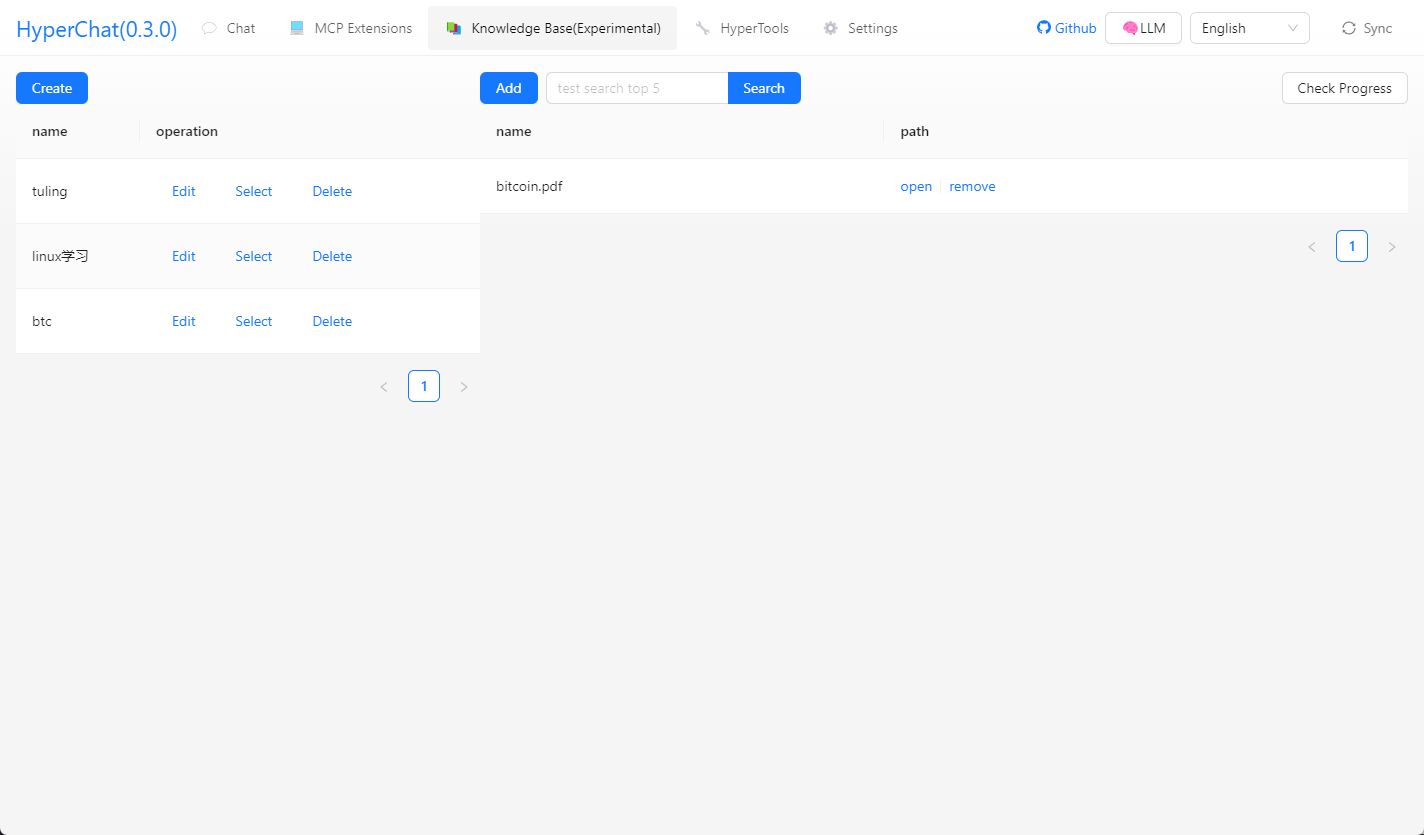
- [x] Added RAG, based on MCP knowledge base
- [x] Introduced the ChatSpace concept, supports simultaneous chats across multiple dialogues
- [x] Supports chat model selection comparison
TODO:
- Implement multi-Agent interactive system.
LLM
| LLM | Usability | Remarks |
| -------- | ------ | ---------------------------- |
| claude | ⭐⭐⭐⭐⭐⭐ | No explanation |
| openai | ⭐⭐⭐⭐⭐ | Also perfectly supports multi-step function calls (gpt-4o-mini can also) |
| gemini flash 2.5 | ⭐⭐⭐⭐⭐ | Very easy to use |
| qwen | ⭐⭐⭐⭐ | Quite useful |
| doubao | ⭐⭐⭐ | Feels okay to use |
| deepseek | ⭐⭐⭐⭐ | Recently improved |
Usage
1. Configure APIKEY, ensure your LLM service is compatible with OpenAI style.
2. Ensure you have uv + nodejs etc. installed in your system.
uvx & uv
Install using the command line, or check the official GitHub tutorial uv
# MacOS
brew install uv
Windows
winget install --id=astral-sh.uv  -e
npx & nodejs
Install using the command line, or go to the official website to download, official site nodejs
# MacOS

brew install node

Windows

winget install OpenJS.NodeJS.LTS
Development
cd electron && npm install
cd web && npm install
npm install
npm run dev
HyperChat User Communication
Super input, supports variables (text + js code variables), basic syntax checking + Hover real-time preview
Chat supports model selection comparison
Supports clicking tool names for direct debugging
MCP calling Tool prompts + dynamically modifying LLM calling Tool parameters
Supports @ quick input + calling Agent
Supports rendering Artifacts, SVG, HTML, Mermaid
Supports MCP selection + selecting partial Tool
You can access from anywhere and any device via the web, and set a password
Calls terminal MCP to automatically analyze asar files + helps me unzip
Calls terminal, compiles and upgrades nginx
Gaode Map MCP
One-click webpage creation, and publish to (cloudflare)
Calls Google search, asks what the TGA Game of the Year is
What are the limited-time free games? Please visit the website to call the tool
Opens a webpage for you, analyzes the results, and writes to a file
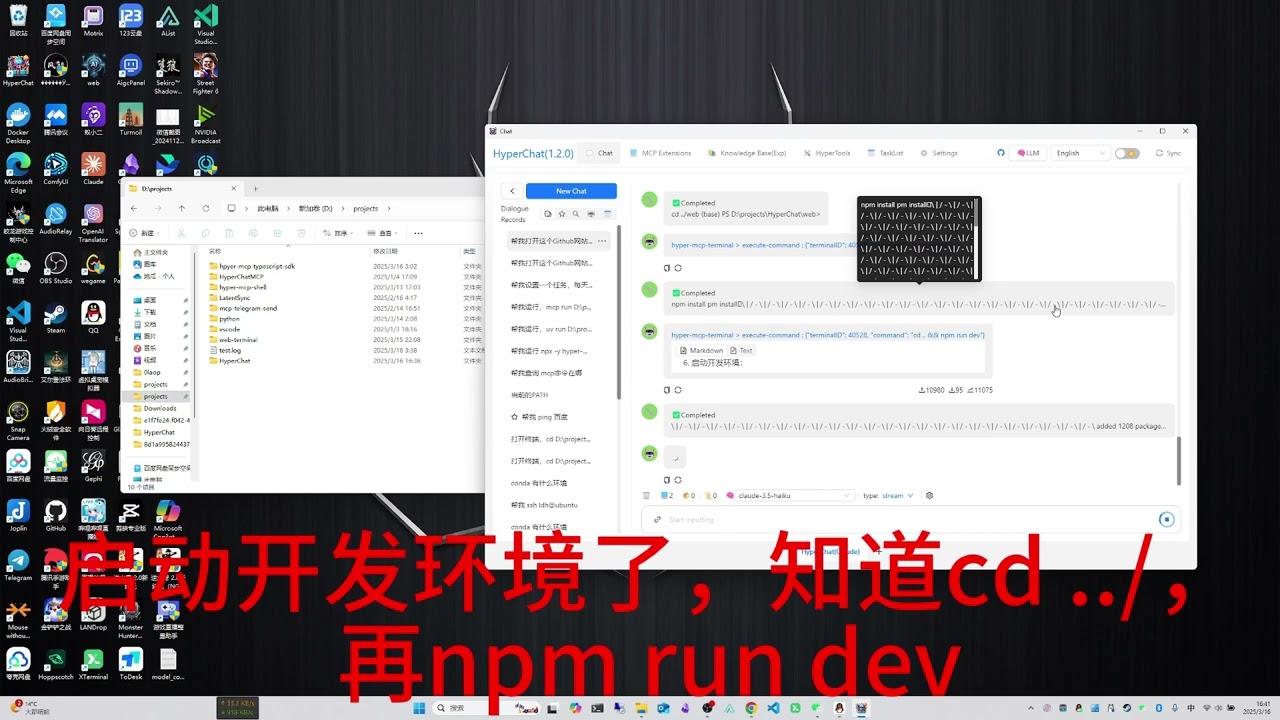
Through web tools + command line tools, opens GitHub README to learn + GIT clone + set up development environment
Multi-chat Workspace + Night Mode
Scheduled task list + schedules messages to be sent to Agent to complete tasks
Install MCP from third parties (supports any MCP)
H5 interface
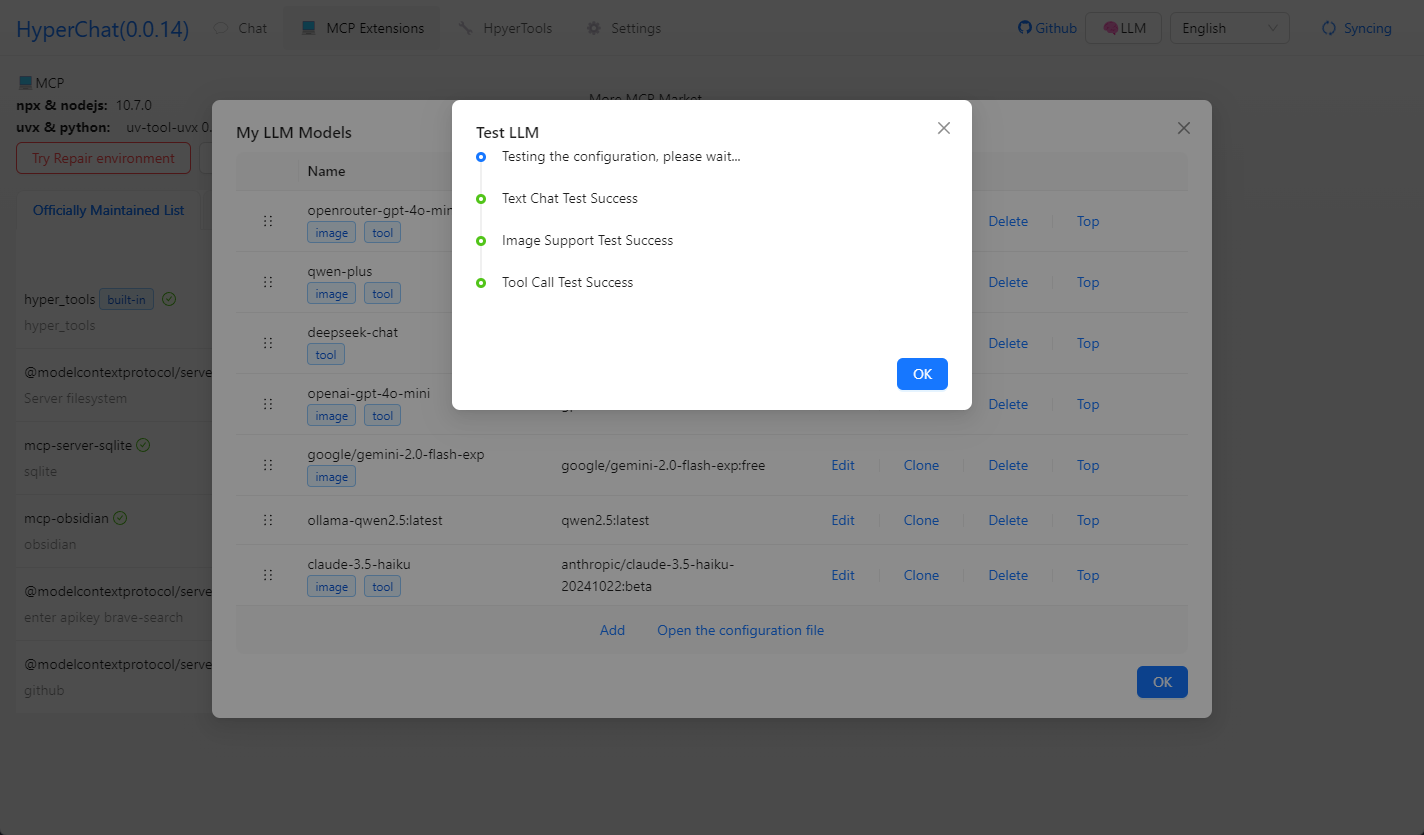
Testing model capabilities
Knowledge base
Disclaimer
- This project is for learning and communication purposes only. If you use this project for any operations, such as crawling behavior, it has nothing to do with the developers of this project.