MCP Web Client
MCP Web Client project
- other
About
What is MCP Web Client?
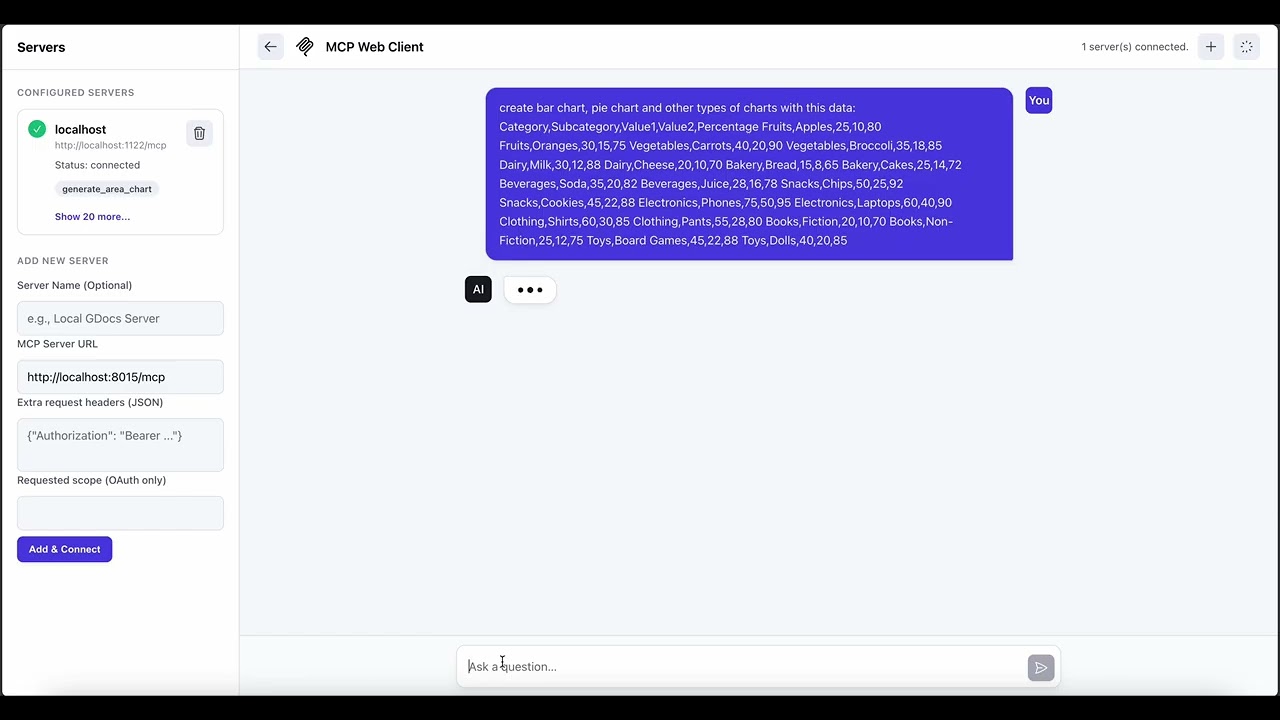
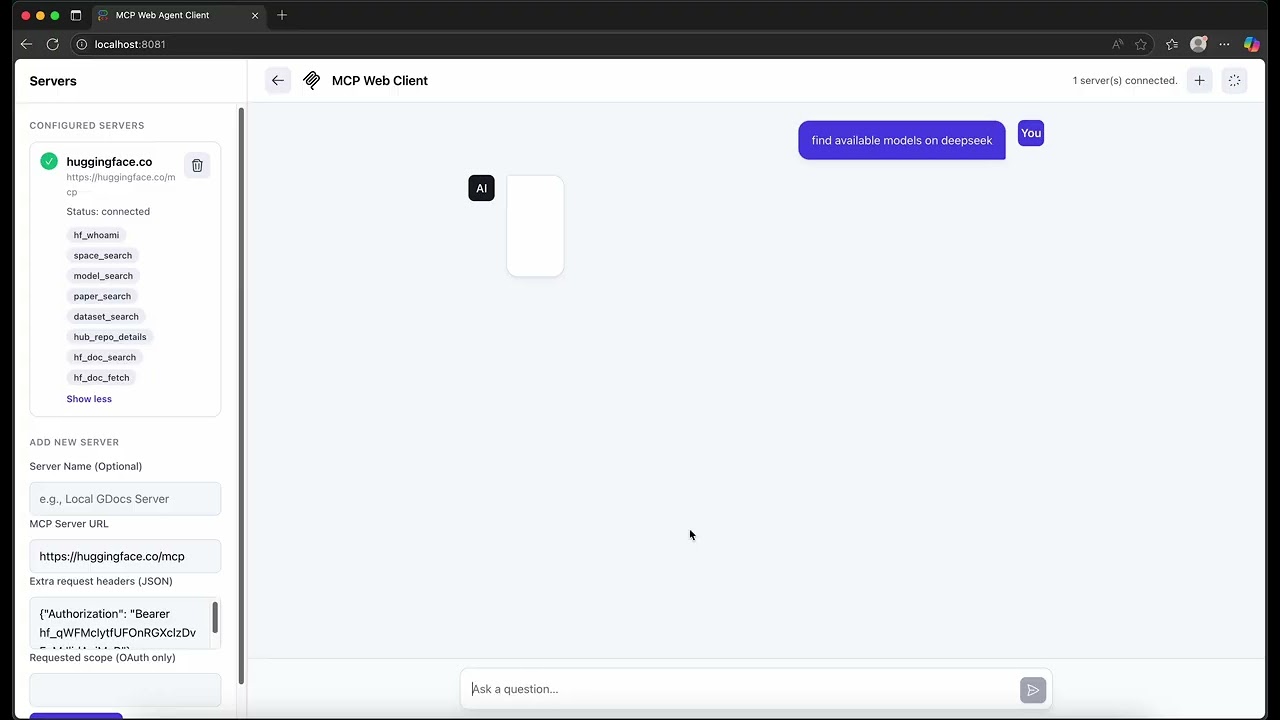
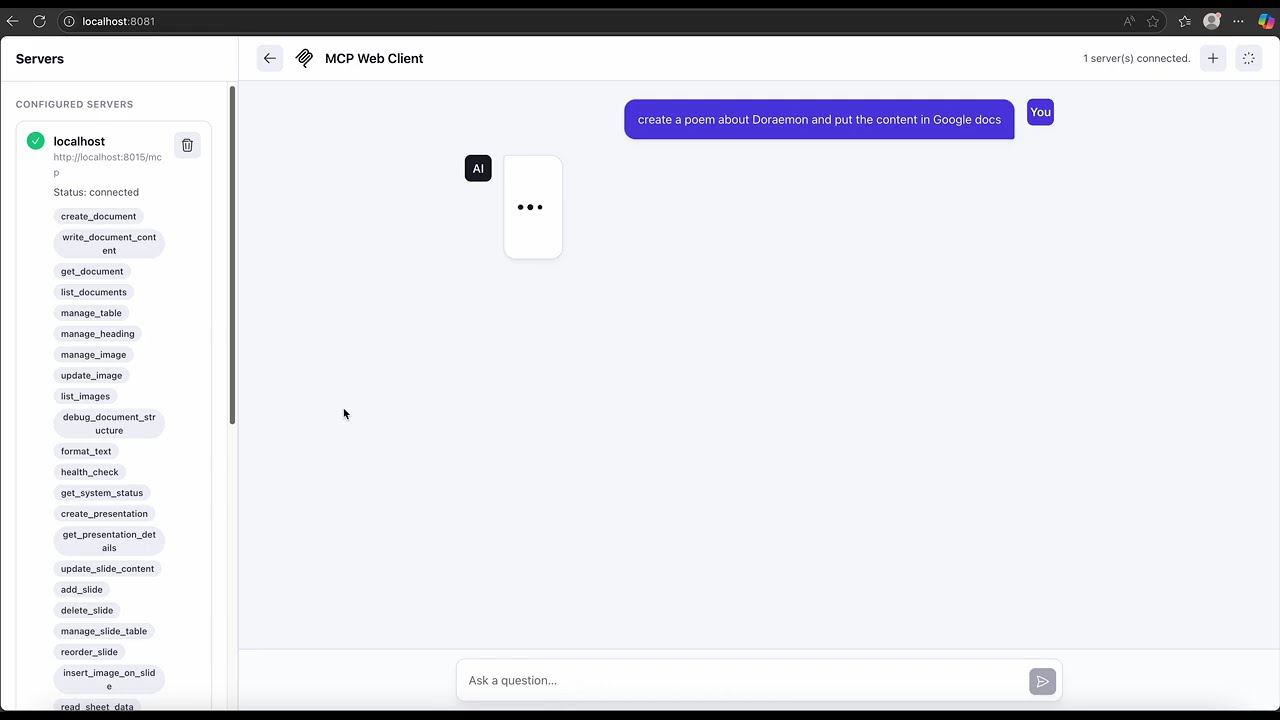
MCP Web Client is a web‑based client for the Model Context Protocol (MCP) that lets you create and manage advanced Chatbot applications. Built with a Node.js backend (Express) and a Next.js/React frontend, it integrates with backend MCP servers via Server‑Sent Events (SSE). It is designed for developers who need a lightweight, real‑time tool to manage multiple Chatbots and connect to custom MCP servers.
How to use MCP Web Client?
To set up the development environment, clone the repository, install frontend and backend dependencies using pnpm install, and configure the required .env files based on the provided examples. Start the application with docker-compose up from the project root and open your browser at http://localhost:3000. This launches both the frontend and backend services.
Key features of MCP Web Client
- Manage multiple Chatbots through Dify integration.
- Connect to multiple MCP servers via SSE using supergateway.
- Real‑time chat and tool invocation with SSE.
- Modern, responsive UI with Markdown and code highlighting.
- Lightweight deployment powered by SQLite database.
Use cases of MCP Web Client
- Building custom Chatbot applications backed by external MCP servers.
- Testing and prototyping MCP‑based tools and workflows.
- Quickly setting up a multi‑Chatbot environment for development or demos.
FAQ from MCP Web Client
What MCP servers can be integrated?
The client integrates with any MCP server that exposes an SSE endpoint. It uses the
Details
- Author
- jinruoxinchen
- GitHub stars
- 20
- Category
- other
- Website
- localhost:3000
- Repository
- jinruoxinchen/mcp-web-client
一个基于 Web 的 MCP (Model Context Protocol) 客户端,用于创建和管理高级 Chatbot 应用,并通过 SSE 与后端 MCP 服务器集成。
特性
- 多 Chatbot 管理:集成 Dify 进行 Chatbot 的创建和管理
- MCP 服务器集成:通过 SSE 连接和管理多个 MCP 服务器
- 实时交互:使用 SSE 进行实时聊天和工具调用
- 直观的用户界面:现代化、响应式的用户界面,支持 Markdown、代码高亮等
- 轻量级部署:使用 SQLite 数据库,便于快速部署和测试
架构
MCP Web Client 采用前后端分离的架构:
- 前端:使用 Next.js 和 React 构建的单页应用
- 后端:使用 Node.js 和 Express 构建的 RESTful API 和 SSE 服务
- MCP 集成:使用 supergateway 连接各种 MCP 服务器
- Chatbot 管理:集成 Dify 的 API 进行 Chatbot 的管理
快速开始
环境需求
- Node.js >= 20.0.0
- npm 或 pnpm
- Docker 和 Docker Compose(用于开发和部署)
开发环境设置
1. 克隆仓库
git clone https://github.com/yourusername/mcp-web-client.git
cd mcp-web-client
2. 安装前端依赖
cd frontend
pnpm install
3. 安装后端依赖
cd ../backend
pnpm install
4. 配置环境变量
创建前端和后端的 .env 文件,根据 .env.example 填写必要的环境变量。
5. 启动开发服务器
# 启动前后端(在项目根目录执行)
docker-compose up
6. 访问应用
打开浏览器访问 http://localhost:3000
许可证
本项目采用 MIT 许可证。