Slack MCP Client
A Slack bot and MCP client acts as a bridge between Slack and Model Context Protocol (MCP) servers. Using Slack as the interface, it enables large language models (LLMs) to connect and interact with various MCP servers through standardized MCP tools.
- agent-framework
About
What is Slack MCP Client?
A Slack bot with an MCP client built in TypeScript, enabling users to execute MCP server tools directly from Slack conversations. It runs locally and requires Node 22, pnpm 10, an OpenAI API key, and at least one MCP server accessible via stdio, SSE, or streamable HTTP.
How to use Slack MCP Client?
Install dependencies with pnpm install, copy configuration files from mcp-example.json to mcp.json and .env.example to .env, then populate with Slack tokens (signing secret, bot token, app-level token) and the auth redirect URL. Optionally expose localhost via ngrok or enable socket mode. Run pnpm run dev and open a new thread with the bot to start interacting.
Key features of Slack MCP Client
- Supports HTTP Streamable MCP servers (protocol 2025-03-26)
- Supports Stdio MCP servers (protocol 2025-03-26)
- OAuth‑based authorization flow (protocol 2025-03-26)
- SSE MCP servers (previous protocol version)
- MCP Tools support (more capabilities coming soon)
- Runs as a Slack AI app using the Bolt framework
Use cases of Slack MCP Client
- Execute MCP server tools (e.g., LinkedIn actions) directly from Slack threads
- Automate workflows by connecting internal MCP servers to Slack conversations
- Prototype and test MCP servers with an interactive Slack interface
FAQ from Slack MCP Client
What does Slack MCP Client do?
It acts as a client for MCP servers, allowing users to invoke tools exposed by those servers via a Slack bot interface.
Which MCP transport protocols are supported?
HTTP streamable and stdio as defined in protocol version 2025-03-26, plus SSE from the previous protocol version.
Do I need an OpenAI API key?
Yes, the bot requires an OpenAI API key to function.
Is Slack MCP Client free?
The project is MIT licensed, so the software is free to use. You do need your own OpenAI API key and a Slack workspace.
What are the system requirements?
Node 22 (LTS/Jod) and pnpm 10. You also need a Slack app configured with appropriate tokens and scopes.
Are there any known limitations?
Currently only MCP Tools are supported; support for resources and prompts is planned but not yet implemented.
Details
- Author
- csonigo
- GitHub stars
- 17
- Category
- agent-framework
- Website
- localhost:3000
- Docs
- Official docs
- Repository
- csonigo/slack-mcp-client
Current support for:
- HTTP Streamable, Stdio MCP servers as defined in version 2025-03-26
- The Oauth based authorization flow defined in version 2025-03-26
- SSE MCP servers as defined in the previous version of the protocol.
- MCP Tools only (more coming soon)
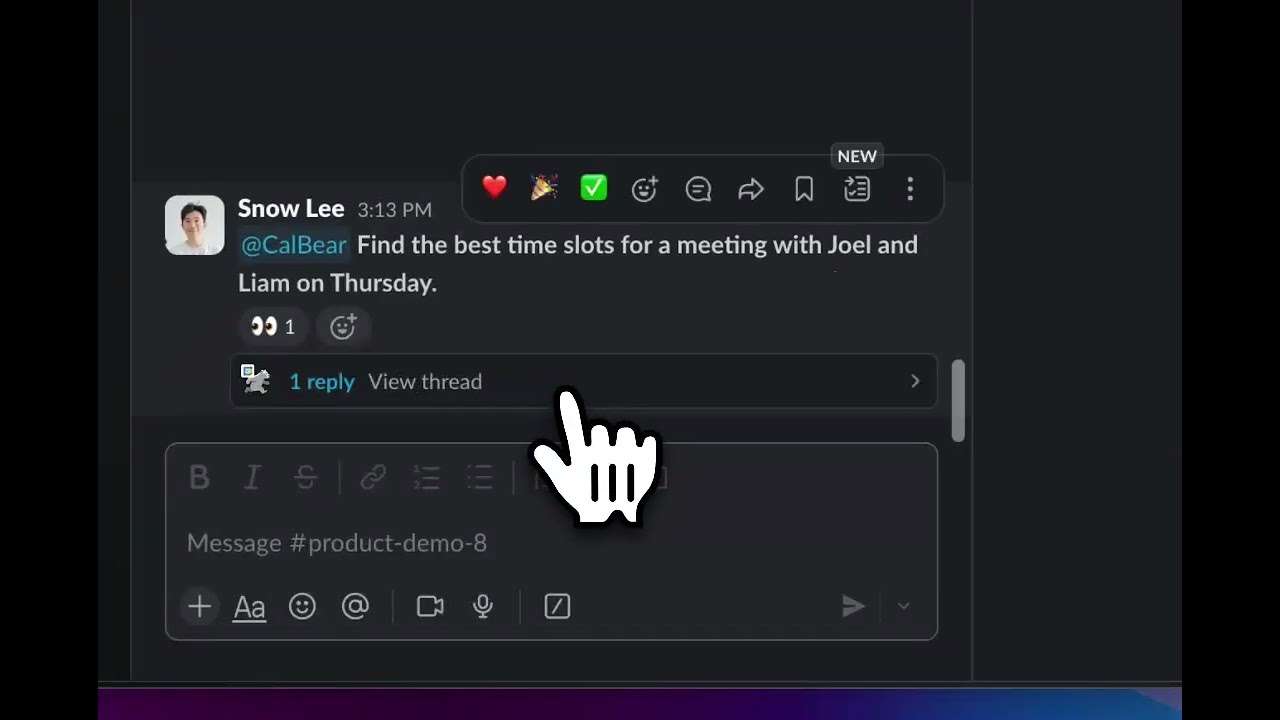
Check out the video for a brief overview of what it can do! The video is using this linkedin-mcp-server which supports the latest authentication specification of the protocol.
https://github.com/user-attachments/assets/1232d292-4a30-44c4-a05d-bf07d7c5c882
Installation
Follow those instructions to run it locally.
Setup ngrok to run the app locally
- Expose your http://localhost:3000 to the web: https://ngrok.com/docs/getting-started/
- You can also use the socketMode of slack apps if you do not want to use ngrok. You'll need to set socketMode to true when instanciating the bolt App, and activate the socketMode of your app in the slack App management dashboard.
Setup the Slack App
- Edit the slack-app-manifest.json: copy your ngrok url in the request_url fields.
- Add a new App in your slack workspace, you can configure it with the slack-app-manifest.json file.
- Create an .env file from the env.example file
cp .env.example .env
Requirements
- Node 22 (lts/jod)
- pnpm 10
- an OpenAI API key
- Some MCP servers running accessible over stdio, sse or streamable http. You can checkout this list if you need!
Instructions
- Install dependencies:
pnpm install
- Create the mcp.json file and add your mcp servers config. Check this list of MCP servers if you need.
cp mcp-example.json mcp.json
- Run the client:
pnpm run dev
- Open a new thread of discussion with your bot and have fun.
Useful Doc
- Bolt AI Assistant Apps: https://tools.slack.dev/bolt-js/concepts/ai-apps/
License
This project is licensed under MIT License - see the LICENSE file for details.
Contributing
Contributions are welcome! Please feel free to open an issue or to submit a pull request 🚀!