
TouchDesigner MCP
About
Control and operate TouchDesigner projects with AI agents using the Model Context Protocol.
Details
- License
- MIT
Explore
- Create, delete, and modify TouchDesigner nodes
- Execute arbitrary Python scripts in TouchDesigner
- Query node parameters and project structure
- Get Python help documentation for TouchDesigner classes
- Check for errors on nodes and their children
- Update parameters of specific nodes
Install the server via npm, configure your AI client (e.g., Claude Desktop) to point to the server, and ensure TouchDesigner is running with the mcp_webserver_base.tox WebServer DAT (default port 9981). For full setup steps, refer to the Installation Guide.
Control and operate TouchDesigner projects with AI agents using the Model Context Protocol.
This is an implementation of an MCP (Model Context Protocol) server for TouchDesigner. Its goal is to enable AI agents to control and operate TouchDesigner projects.
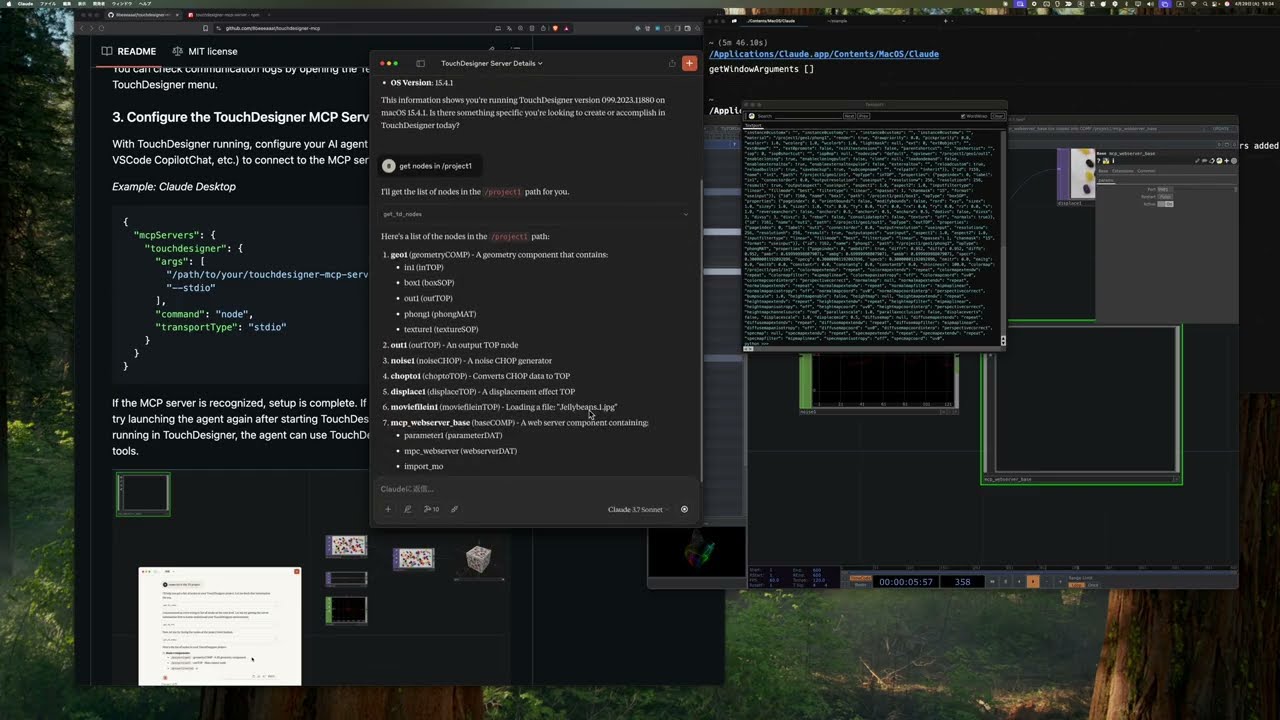
TouchDesigner MCP acts as a bridge between AI models and the TouchDesigner WebServer DAT, enabling AI agents to:
- Create, modify, and delete nodes
- Query node properties and project structure
- Programmatically control TouchDesigner via Python scripts
Please refer to theInstallation Guide.
If you are updating, please refer to the procedure in theLatest Release.
This server enables AI agents to perform operations in TouchDesigner using the Model Context Protocol (MCP).
Tools allow AI agents to perform actions in TouchDesigner.
Prompts provide instructions for AI agents to perform specific actions in TouchDesigner.
Looking for local setup, client configuration, project structure, or release workflow notes? See theDeveloper Guidefor all developer-facing documentation.
The MCP server and the TouchDesigner component are versioned ontwo independent axes: the npm package version and theAPI version(the contract between the MCP server and the.toxcomponent). Each release declares the API version it ships with (expectedApiVersion) and the minimum it supports (minApiVersion, currently 1.3.0). The connected component's API version is compared against those two values —the npm package version itself never gates compatibility, so updating the MCP server alone never invalidates a supported component.
- Download the latesttouchdesigner-mcp-td.zipfrom the releases page.
- Delete the existingtouchdesigner-mcp-tdfolder and replace it with the newly extracted contents.
- Remove the oldmcp_webserver_basecomponent from your TouchDesigner project and import the.toxfrom the new folder.
- Restart TouchDesigner and the AI agent running the MCP server (e.g., Claude Desktop).
For developers:When developing locally, runnpm run versionafter editingpackage.json(or simply usenpm version ...). This keeps the Python API (pyproject.toml+td/modules/utils/version.py),mcpCompatibility.expectedApiVersion, MCP bundle manifest, and registry metadata in sync so that the runtime compatibility check succeeds.
For a deeper look at how the MCP server enforces these rules, seeVersion Compatibility Verification.
- TouchDesignerClientcaches failed connection checks for60 seconds. Subsequent tool calls reuse the cached error to avoid spamming TouchDesigner and automatically retry after the TTL expires.
- When the MCP server cannot reach TouchDesigner, you now get guided error messages with concrete fixes:
- ECONNREFUSED/ "connect refused": start TouchDesigner, ensure the WebServer DAT frommcp_webserver_base.toxis running, and confirm the configured port (default9981).
- ETIMEDOUT/ "timeout": TouchDesigner is responding slowly or the network is blocked. Restart TouchDesigner/WebServer DAT or check your network connection.
- ENOTFOUND/getaddrinfo: the host name is invalid. Use127.0.0.1unless you explicitly changed it.
- Fork the repository.
- Create a feature branch (git checkout -b feature/amazing-feature).
- Make your changes.
- Add tests and ensure everything works (npm test).
- Commit your changes (git commit -m 'Add some amazing feature').
- Push to your branch (git push origin feature/amazing-feature).
- Open a pull request.
Please always include appropriate tests when making implementation changes.
This is a web browser that enables your coding agent, such as Claude Code, to visit websites on your behalf and assist you in identifying bugs or creating UI test cases.
Create crafted UI components inspired by the best 21st.dev design engineers.
Bring agent evaluations, observability, and synthetic test set generation directly into your IDE for free with Galileo's new MCP server
An MCP server to help AI assistants to answer questions and generate AccelByte Extend SDK code more effectively .
MCP server for AI Diagram Maker — generate beautiful software engineering diagrams directly inside Cursor, Claude Desktop, Claude Code, or any MCP-compatible AI agent
ALAPI MCP Tools,Call hundreds of API interfaces via MCP
AI-powered SVG animation generator that transforms static files into animated SVG components using the Allyson platform
MCP server that gives AI assistants on-demand access to 1,500+ amCharts docs, ~300 code examples, and 1000+ class API references.
APIMatic MCP Server is used to validate OpenAPI specifications using APIMatic. The server processes OpenAPI files and returns validation summaries by leveraging APIMatic’s API.
One shared context layer for AI agents and humans — live API specs, DB schemas, and versioned contracts across repos so every agent and teammate works from the same source of truth.
Build and deploy full-stack Next.js apps with 98 tools for React, AWS, and MongoDB
Sign in to leave a review
Use Google, GitHub, or an email account so ratings stay tied to real people.
No reviews posted yet.