AI Gateway
About
Labs to explore AI Models, MCP servers, and Agents with the AI Gateway powered by Azure API Management and Microsoft Foundry 🚀
Details
- License
- MIT
Explore
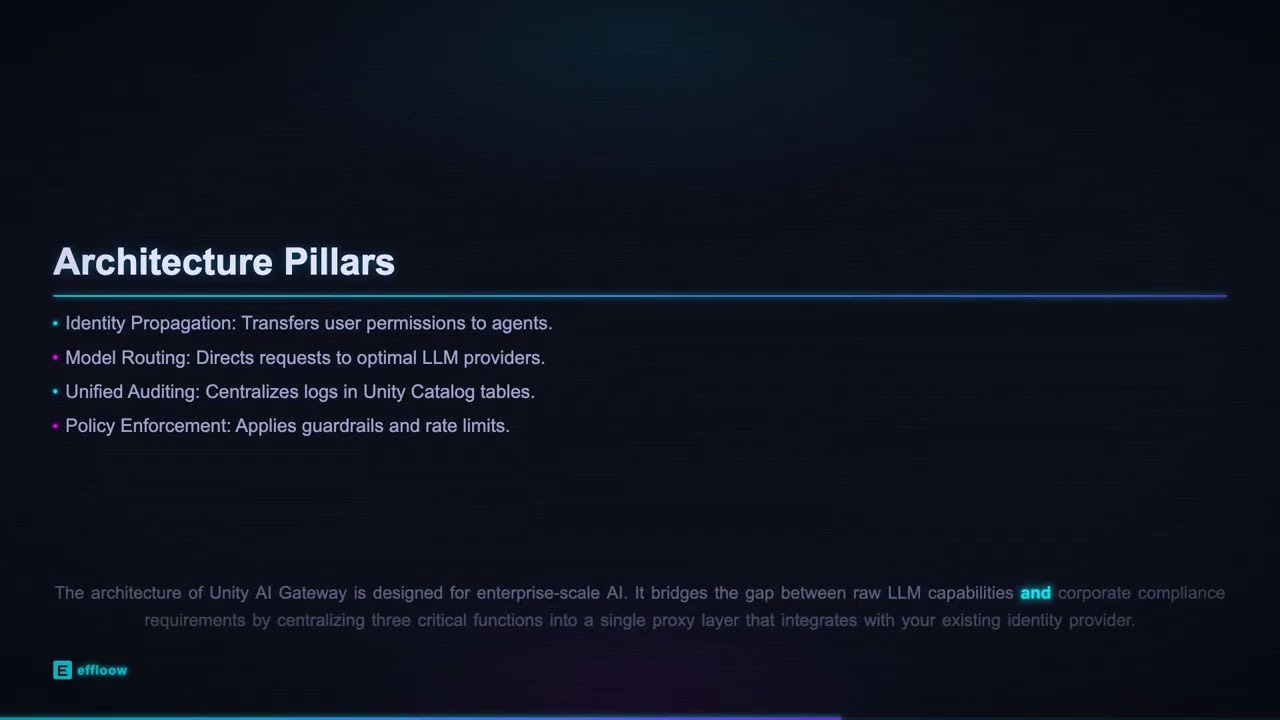
- 🔐 Security via OAuth 2.0, managed identities, and content safety filtering
- ⚡ Performance with load balancing, semantic caching, and request routing
- 📊 Observability through token metrics, built-in logging, and tracing
- 💰 Cost control using rate limiting, quota management, and FinOps framework
- 🔌 Extensibility with MCP protocol support, function calling, and multi-model routing
- 🏛️ Labs follow Azure Well-Architected Framework pillars (security, reliability, performance, operations, cost)

Setting up with Highlight
This MCP is not yet compatible with Highlight’s one-click setup. However, you can still use it with Highlight by following these steps:
- Download and install Highlight from highlightai.com/download
- Navigate to the plugins tab and select "Add Custom Plugin"
-
Configure the plugin with the settings below
Plugin Name
AI GatewayCommand (node, npx, python, etc.)Please refer to the README for specific instructions on how to obtain API keys or other required environment variables.
- Enable "Start Automatically" if you want the plugin to start when Highlight launches





From the repository
- Python 3.12+
- uv (fast Python package manager) — install via curl -LsSf https://astral.sh/uv/install.sh | sh (Linux/macOS) or powershell -c "irm https://astral.sh/uv/install.ps1 | iex" (Windows)
- VS Code with Jupyter extension
- Azure Subscription with Contributor + RBAC Administrator roles
- Azure CLI authenticated to your subscription
uv sync
uv pip install -r pyproject.toml
Lab
Description
<br/>

</div>
> 📰 New! The AI Gateway Dev Portal is now live — A starting point for building your own developer portal on top of Azure API Management AI Gateway's. Fork it, open it in VS Code with GitHub Copilot (or any coding agent), and shape it to fit your needs!
Enable secure tool access with MCP protocol and function calling capabilities.
| Lab | Description |
|-----|-------------|
| Model Context Protocol (MCP) | Plug & play tools with OAuth credential management |
| MCP Client Authorization | Implement MCP with the client authorization flow |
| Function Calling | Use OpenAI function calling with Azure Functions backend |
| Realtime Audio + MCP | Combine realtime voice API with MCP tools |
The tools/ folder provides utilities for testing and development:
| Tool | Description |
|------|-------------|
| Tracing | Invoke AI Foundry APIs with tracing enabled |
| Streaming | Test streaming responses from AI models |
| Rate Limit Tester | Validate rate limiting configurations |
| Mock Server | OpenAI API mock for local development and testing |
| OAuth Client | Test OAuth authentication flows |
Claude Desktop / Cursor
Paste into your MCP client config file to install this server.
{
    "mcpServers": {
        "ai gateway": {
            "AI-Gateway": {
                "command": "uv",
                "args": [
                    "sync"
                ]
            }
        }
    }
}McpServers
{
    "AI-Gateway": {
        "command": "uv",
        "args": [
            "sync"
        ]
    }
}



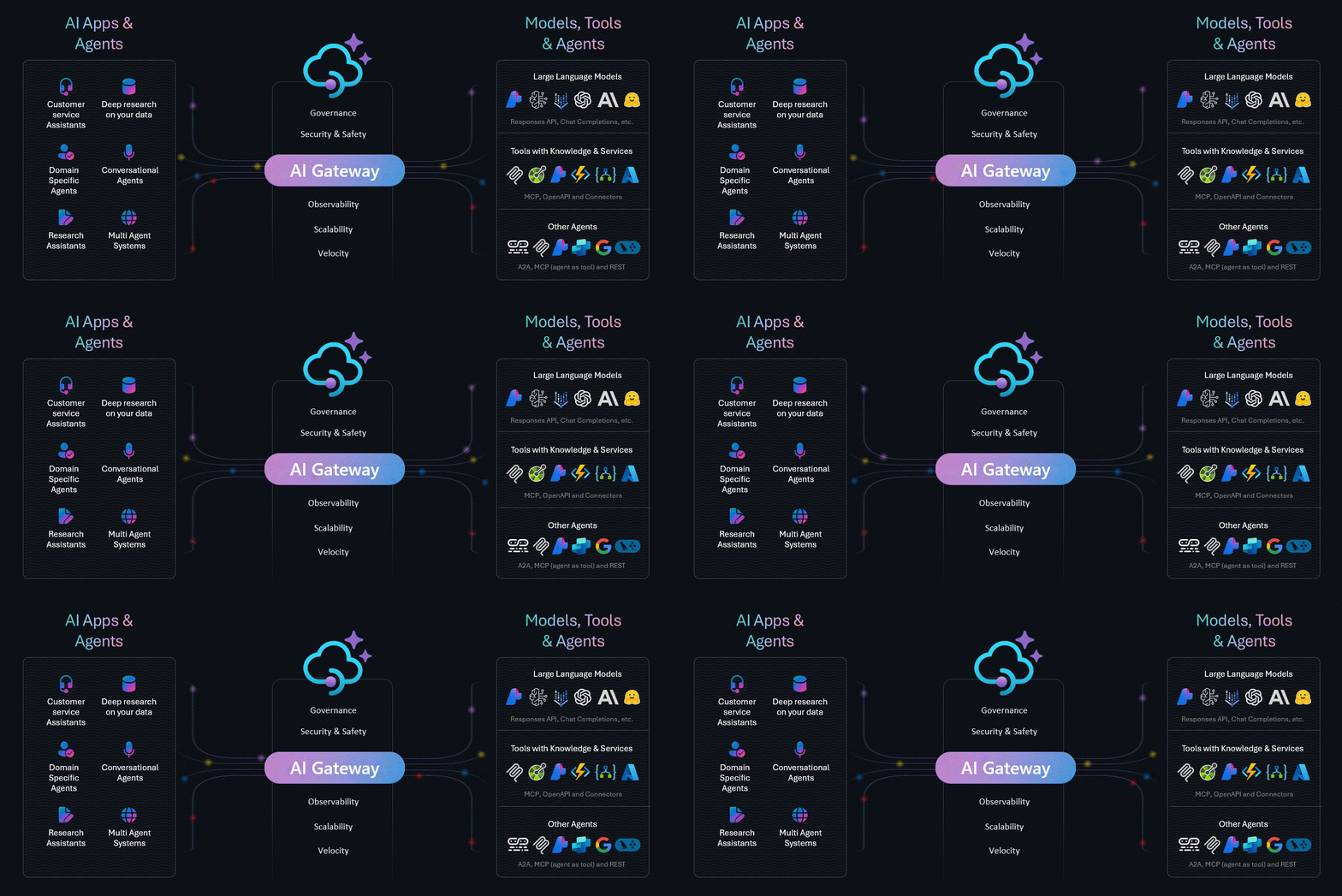
Explore the enterprise-grade gateway for managing AI Models, Tools, and Agents
<br/>
</div>
> 📰 New! The AI Gateway Dev Portal is now live — A starting point for building your own developer portal on top of Azure API Management AI Gateway's. Fork it, open it in VS Code with GitHub Copilot (or any coding agent), and shape it to fit your needs!
Why AI Gateway?
Building production-ready AI applications requires more than just calling model APIs. You need security, reliability, observability, and cost control—without slowing down innovation.
AI Gateway powered by Azure API Management provides:
- 🔐 Security — OAuth 2.0, managed identities, content safety filtering
- ⚡ Performance — Load balancing, semantic caching, request routing
- 📊 Observability — Token metrics, built-in logging, tracing
- 💰 Cost Control — Rate limiting, quota management, FinOps framework
- 🔌 Extensibility — MCP protocol support, function calling, multi-model routing
📚 Explore the Labs
> 🔗 Browse all 30+ labs at aka.ms/ai-gateway/labs
Each lab is a hands-on Jupyter notebook with step-by-step instructions, Bicep infrastructure templates, and APIM policies you can deploy to your Azure subscription.
🧠 AI Gateway for Models
Manage and control access to Large Language Models with enterprise-grade policies.
| Lab | Description |
|-----|-------------|
| Backend Pool Load Balancing | Distribute requests across multiple model endpoints |
| Token Rate Limiting | Control token consumption with rate limiting policies |
| Semantic Caching | Cache responses using vector similarity for faster, cheaper completions |
| Model Routing | Route requests to different backends based on model and version |
| FinOps Framework | Manage AI budgets with automated quota controls |
🔧 AI Gateway for Tools
Enable secure tool access with MCP protocol and function calling capabilities.
| Lab | Description |
|-----|-------------|
| Model Context Protocol (MCP) | Plug & play tools with OAuth credential management |
| MCP Client Authorization | Implement MCP with the client authorization flow |
| Function Calling | Use OpenAI function calling with Azure Functions backend |
| Realtime Audio + MCP | Combine realtime voice API with MCP tools |
🤖 AI Gateway for Agents
Build and control agentic applications with orchestration frameworks.
| Lab | Description |
|-----|-------------|
| AI Agent Service | Explore Foundry Agent Service with multi-service control |
| OpenAI Agents SDK | Use OpenAI Agents with Azure OpenAI and APIM-managed tools |
| Gemini MCP Agents | Integrate Google Gemini models with MCP tools |
| A2A Enabled Agents | A2A-enabled Agents with models and MCP plug & play tools |
🚀 Quick Start
Prerequisites
- Python 3.12+
- uv (fast Python package manager) — install via curl -LsSf https://astral.sh/uv/install.sh | sh (Linux/macOS) or powershell -c "irm https://astral.sh/uv/install.ps1 | iex" (Windows)
- VS Code with Jupyter extension
- Azure Subscription with Contributor + RBAC Administrator roles
- Azure CLI authenticated to your subscription
Get Started
```bash
Sign in to leave a review
Use Google, GitHub, or an email account so ratings stay tied to real people.
No reviews posted yet.