
ComfyUI_MCP Server(ComfyUI的ModelContextProtocol 服务端 | ModelContextProtocol Server for ComfyUI)
About
CmfyUI_MCP Server is a loosely coupled, extensible, and configuration-driven ModelContextProtocol (MCP) server designed for ComfyUI.
Details
- License
- MIT
Explore
- Loosely coupled and configuration-driven MCP server for ComfyUI
- Auto-registers tools from the tools/ directory using @mcp.tool() decorator
- Config-driven parameters via JSON templates with default values
- Supports resource registration via @mcp.resource() decorator
- Default streamable-http transport; configurable in config.ini
- Extensible with custom tools and workflows without modifying the main entry
python install.py # install(check item 2~3) & config(check item 1)
run_mcp.bat #run on windows

./run_mcp.sh #run on linux
- 默认以流式HTTP(streamable-http)模式运行 | Runs in streamable-http mode by default
- 自动注册 tools/ 目录下所有工具模块 | Automatically registers all tool modules in the tools/ directory
---
文生图(txt2img)| Text-to-Image (txt2img)
- 每个 MCP服务(tool) 的参数签名、类型、注释均可通过同名 JSON(如 tools/txt2img_api.json)配置生成。在被调用的ComfyUI的自定义工作流导出同名API,加后缀_api。
- 所有参数均为可选,未传时自动取模板默认值,支持递归 seed 随机化、模型白名单、batch_size 限制等业务规则。
- 新增MCP服务(tool)的JSON模板需在被调用的ComfyUI自定义工作流导出同名API,加后缀_api,并放置于tools目录。
- Each API's parameter signature, type, and docstring can be auto-generated via a same-named JSON (e.g., tools/txt2img_api.json).

- MCP service(tool) parameters are optional; if not provided, default values from the template are used. Supports recursive seed randomization, model whitelist, batch_size limit, and other business rules.

- For new MCP service(tool), the JSON template should be exported from the custom workflow of the target ComfyUI instance, with the same API name and the suffix _api, and placed in the tools directory.
示例片段 tools/txt2img_api.json| Example snippet:
{
"5": {
"inputs": {
"width": 512,
"height": 512,
"batch_size": 1
},
"class_type": "EmptyLatentImage"
}
}
run_mcp.bat --inspector #run on windows
./run_mcp.sh --inspector #run on linux
```
- Inspector 可以连接本地 MCP 服务,支持工具、资源、提示词等全方位交互测试。
- 可在 Inspector 的 Tools 面板中查看所有自动注册的 API 工具,测试参数、查看返回、调试异常。
- Inspector can connect to the local MCP server, supporting full interactive testing of tools, resources, prompts, etc.
- You can view all auto-registered API tools in the Inspector's Tools panel, test parameters, view results, and debug exceptions.
更多用法详见 官方 Inspector 指南 | See more in the official Inspector guide。
---
mcpserver.py
会自动遍历 `tools/` 目录下所有 `.py` 文件(如 `txt2img.py`),并调用其中的 `register_xxx_tool(mcp)` 注册函数。
以 txt2img 为例,扩展新工具只需:
- 新增 tools/myapi.py,实现 register_myapi_tool(mcp) 并注册 MCP服务(tool)
- 新增 tools/myapi_api.json,定义参数模板(在被调用的ComfyUI的自定义工作流导出同名API,加后缀_api)
- 无需修改主入口,自动生效
To add a new tool (e.g., txt2img):
- Add tools/myapi.py, implement register_myapi_tool(mcp) and register the MCP service(tool)
- Add tools/myapi_api.json to define the parameter template (export the same-named API with _api suffix from the custom workflow of the target ComfyUI instance)
- No need to modify the main entry, it will take effect automatically
def register_txt2img_tool(mcp):
async def comfyui_txt2img_impl(prompt: str, pic_width: str, pic_height: str, negative_prompt: str, batch_size: str, model: str) -> str:
...
- mcpserver.py 会自动遍历 tools/ 目录下所有 .py 文件(如 txt2img.py),并调用其中的 register_xxx_tool(mcp) 注册函数。
- 每个工具模块需实现 register_xxx_tool(mcp),并通过 @mcp.tool() 装饰器注册 MCP服务(tool)。
- mcpserver.py will automatically traverse all .py files in the tools/ directory (such as txt2img.py) and call their register_xxx_tool(mcp) registration function.
- Each tool module must implement register_xxx_tool(mcp) and register the MCP service(tool) via the @mcp.tool() decorator.
示例 | Example:
```python
项目简介 | Project Introduction
ComfyUI_MCP Server 是为 ComfyUI 设计的松耦合、可扩展、配置驱动的模型上下文协议(ModelContextProtocol)服务端。支持依据客户定制工作流可扩展MCP服务(tool) 如: txt2img、img2img,每个MCP服务(tool)的参数和行为均可通过 JSON初始化和MCP工具装饰器模块灵活扩展,适合 AI 绘图、推理等场景的自动化与集成。
ComfyUI_MCP Server is a loosely coupled, extensible, and configuration-driven Model Context Protocol (MCP) server designed for ComfyUI. It supports the extension of MCP services (tools) such as txt2img and img2img, based on user-customized workflows. The parameters and behaviors of each MCP service (tool) can be flexibly extended through JSON initialization and MCP tool decorator modules, making it ideal for automation and integration in AI image generation, inference, and similar scenarios.
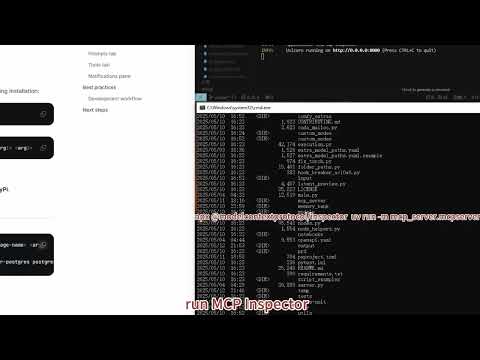
视频演示 | Video Demo
<details open>
<summary>🎬 ComfyUI_MCP Server 功能演示 Demo(YouTube)</summary>
<p align="center">
<a href="https://youtu.be/vXZOBZ_FsA8" target="_blank">
</a>
</p>
</details>
---
目录结构 | Directory Structure
mcp_server/
├── mcp_server/
│   ├── mcpserver.py         # 主入口,自动注册 tools 目录下所有工具 | Main entry, auto-registers all tools in the tools directory
│   ├── tools/               # 工具模块与mcp tool配置(每个mcp tool一个py和json)| Tool modules and configs (one .py and .json per mcp tool)
│   │   ├── txt2img.py
│   │   ├── txt2img_api.json
│   │   ├── img2img.py
│   │   ├── img2img_api.json
│   │   ├── {xxxx}.py        # 配合被调用的ComfyUI的工作流。可任意添加MCP工具配置,工具自动注册与API扩展机制。
│   │   ├── {xxxx}_api.json  # Used in conjunction with the workflows of the callable ComfyUI, allowing for the addition of MCP tool configurations, with automatic registration and API extension mechanisms.
│   │   ├── ......
│   │   └── __init__.py
│   ├── utils.py             # 配置、模板、随机种子等通用工具 | Utilities for config, templates, random seed, etc.
│   ├── config.ini           # mcp服务与被调用的ComfyUI地址配置 | Service and ComfyUI address config
│   ├── logger.py & decorator.py                # 日志系统 | logs sys
│   └── __init__.py
├── workflows/               # MCP工具可实现的ComfyUI工作流json,与tools/对应。 | The "ComfyUI workflow json" that the "MCP tool" can achieve. Corresponding to "tools/".
│   ├── txt2img.json
│   ├── img2img.json
│   ├── {xxxx}.json
│   ├── ......
├── pyproject.toml           # 构建配置与依赖 | Build config and dependencies
└── README.md                # 使用说明(本文件)| User guide (this file)
---
安装 & 配置 & 运行 | Installation & Configuration & Run
python install.py # install(check item 2~3) & config(check item 1)
run_mcp.bat #run on windows

./run_mcp.sh #run on linux
- 默认以流式HTTP(streamable-http)模式运行 | Runs in streamable-http mode by default
- 自动注册 tools/ 目录下所有工具模块 | Automatically registers all tool modules in the tools/ directory
---
ComfyUI_MCP工具自动注册与API扩展机制 | Tool Auto-Registration & API Extension
1. 新增自定义MCP工具和方法实现 | Add Custom MCP Tools and Method Implementations
以 txt2img 为例,扩展新工具只需:
- 新增 tools/myapi.py,实现 register_myapi_tool(mcp) 并注册 MCP服务(tool)
- 新增 tools/myapi_api.json,定义参数模板(在被调用的ComfyUI的自定义工作流导出同名API,加后缀_api)
- 无需修改主入口,自动生效
To add a new tool (e.g., txt2img):
- Add tools/myapi.py, implement register_myapi_tool(mcp) and register the MCP service(tool)
- Add tools/myapi_api.json to define the parameter template (export the same-named API with _api suffix from the custom workflow of the target ComfyUI instance)
- No need to modify the main entry, it will take effect automatically
典型方法实现与返回格式 | Typical Usage & Return Format
文生图(txt2img)| Text-to-Image (txt2img)
```python
Sign in to leave a review
Use Google, GitHub, or an email account so ratings stay tied to real people.
No reviews posted yet.



