MaxMSP-MCP Server
About
MCP (Model Context Protocol) Server for Max (Max/MSP/Jitter)
Details
- License
- MIT
Explore
- Lets LLMs understand and explain existing Max patches.
- Enables LLMs to generate new Max patches from descriptions.
- Provides access to official documentation of each Max object.
- Reads objects in the current patch and subpatch windows.
- Supports debugging and verifying LLM-generated actions.
- Python 3.8 or newer
- uv package manager
- Max 9 or newer (because some of the scripts require the Javascript V8 engine), we have not tested it on Max 8 or earlier versions of Max yet.
1. Install uv:
``
Use or copy from MaxMSP_Agent/demo.maxpat. In the first tab, click the script npm version message to verify that npm is installed. Then click script npm install to install the required dependencies. Switch to the second tab to access the agent. Click script start` to initiate communication with Python. Once connected, you can interact with the LLM interface to have it explain, modify, or create Max objects within the patch.
This project uses the Model Context Protocol (MCP) to let LLMs directly understand and generate Max patches.
Understand: LLM Explaining a Max Patch
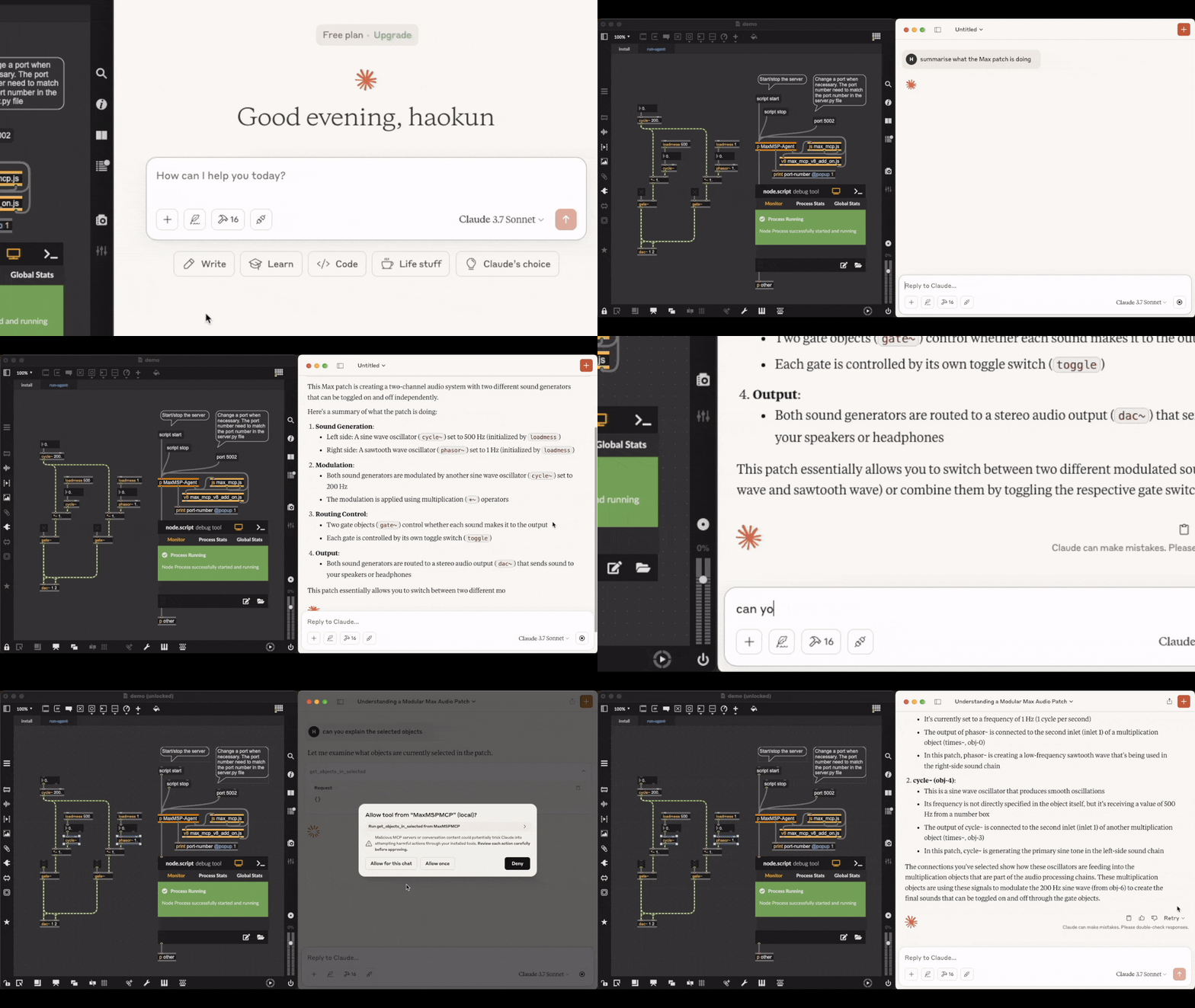
Video link. Acknowledgement: the patch being explained is downloaded from here. Text comments in the original file are deleted.
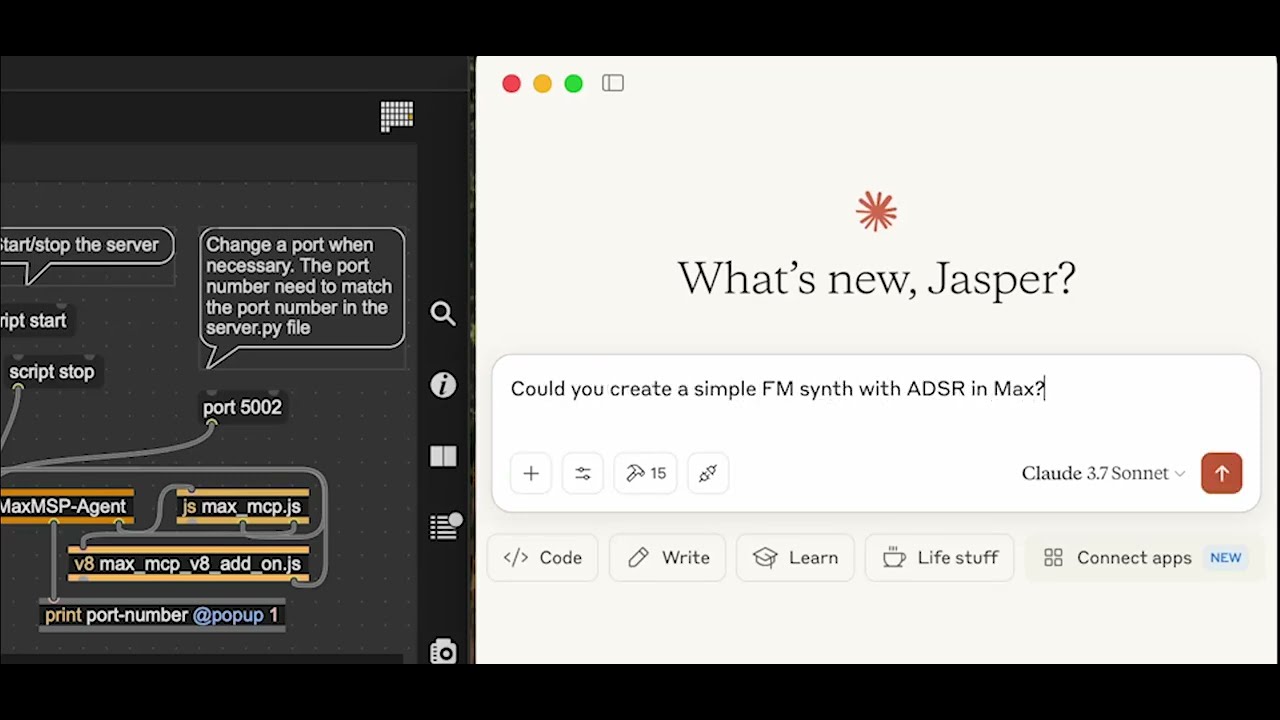
Generate: LLM Making an FM Synth

Check out the full video where you can listen to the synthesised sounds.
The LLM agent has access to the official documentation of each object, as well as objects in the current patch and subpatch windows, which helps in retrieving and explaining objects, debugging, and verifying their own actions.
Installation
Prerequisites
- Python 3.8 or newer
- uv package manager
- Max 9 or newer (because some of the scripts require the Javascript V8 engine), we have not tested it on Max 8 or earlier versions of Max yet.
Installing the MCP server
1. Install uv:
```
Sign in to leave a review
Use Google, GitHub, or an email account so ratings stay tied to real people.
No reviews posted yet.