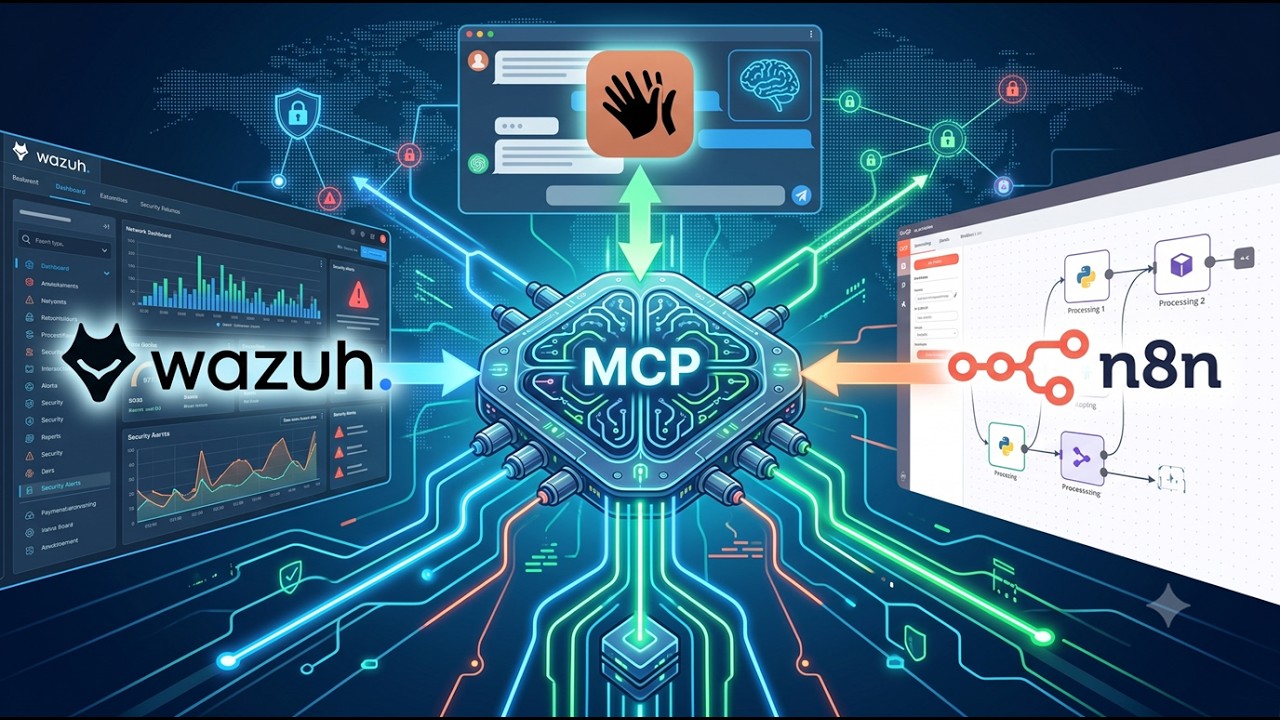
Wazuh MCP Server
About
AI-powered security operations for Wazuh SIEM—use any MCP-compatible client to ask security questions in plain English. Faster threat detection, incident triage, and compliance checks with real-time monitoring and anomaly spotting. Production-ready MCP server for conversational S
Details
- License
- MIT
Explore
- 54 security tools across alerts, agents, vulnerabilities, compliance, and active response
- Works with cloud LLMs (Claude, GPT) and local LLMs (Llama, Qwen)
- Fully air-gappable — data never leaves your network with local mode
- RBAC with opt-in wazuh:write scope for state‑changing tools
- Audit logging for every destructive action
- Rate limiting, circuit breakers, and input validation

Setting up with Highlight
This MCP is not yet compatible with Highlight’s one-click setup. However, you can still use it with Highlight by following these steps:
- Download and install Highlight from highlightai.com/download
- Navigate to the plugins tab and select "Add Custom Plugin"
-
Configure the plugin with the settings below
Plugin Name
Wazuh MCP ServerCommand (node, npx, python, etc.)Please refer to the README for specific instructions on how to obtain API keys or other required environment variables.
- Enable "Start Automatically" if you want the plugin to start when Highlight launches





From the repository
- Docker 20.10+ with Compose v2
- Wazuh 4.8.0–4.14.4 with API access enabled
``bash
go install github.com/mark3labs/mcphost@latest
cat > ~/.mcphost.yml << 'EOF'
mcpServers:
wazuh:
type: remote
url: http://localhost:3000/mcp
headers: ["Authorization: Bearer ${env://MCP_API_KEY}"]
EOF
Open WebUI v0.6.31+ connects to our /mcp` endpoint natively. Add it as an MCP tool server in Admin Settings, and your entire team gets AI-powered SIEM analysis with conversation history, RBAC, and a web UI.
---
Category
Tools
Every tool is validated, rate-limited, scope-checked, and audit-logged.
| Category | Tools | What They Do |
|----------|-------|-------------|
| Alerts (5) | get_wazuh_alerts get_wazuh_alert_summary get_alerts_aggregated analyze_alert_patterns search_security_events | Query, filter, search, and aggregate alert data via the Indexer. Timestamps accept ISO 8601 or relative date math (now-24h); get_alerts_aggregated summarizes a whole period with no document limit |
| Agents (6) | get_wazuh_agents get_wazuh_running_agents check_agent_health get_agent_processes get_agent_ports get_agent_configuration | Monitor agent status, running processes, open ports, and configs |
| Vulnerabilities (3) | get_wazuh_vulnerabilities get_wazuh_critical_vulnerabilities get_wazuh_vulnerability_summary | Query CVEs by severity, agent, and package |
| Security Analysis (5) | analyze_security_threat check_ioc_reputation perform_risk_assessment get_top_security_threats generate_security_report | Threat analysis, IOC lookup, risk scoring, security reports |
| Compliance (6) | run_compliance_check get_iso27001_dashboard get_iso27001_control_detail get_iso27001_gap_analysis get_iso27001_alerts get_sca_policy_checks | Compliance scoring for PCI-DSS, HIPAA, SOX, GDPR, NIST, and ISO 27001:2022 (Annex A control mapping, gap analysis, SCA detail) |
| System (10) | get_wazuh_statistics get_wazuh_cluster_health get_wazuh_cluster_nodes get_wazuh_rules_summary search_wazuh_manager_logs get_wazuh_manager_error_logs get_wazuh_log_collector_stats get_wazuh_remoted_stats get_wazuh_weekly_stats validate_wazuh_connection | Cluster health, rules, manager logs, stats, connectivity |
| Active Response (9) | wazuh_block_ip wazuh_isolate_host wazuh_kill_process wazuh_disable_user wazuh_quarantine_file wazuh_firewall_drop wazuh_host_deny wazuh_active_response wazuh_restart | Block IPs, isolate hosts, kill processes, quarantine files |
| Verification (5) | wazuh_check_blocked_ip wazuh_check_agent_isolation wazuh_check_process wazuh_check_user_status wazuh_check_file_quarantine | Verify active response actions took effect |
| Rollback (5) | wazuh_unisolate_host wazuh_enable_user wazuh_restore_file wazuh_firewall_allow wazuh_host_allow | Undo active response actions |
The 14 state-changing tools (Active Response + Rollback) require the wazuh:write scope; everything else needs only wazuh:read. ISO 27001 also adds an iso27001_assessment guided prompt (5 prompts total).
---
Claude Desktop / Cursor
Paste into your MCP client config file to install this server.
{
    "mcpServers": {
        "wazuh mcp server": {
            "Wazuh-MCP-Server": {
                "command": "docker",
                "args": [
                    "compose",
                    "up",
                    "-d"
                ]
            }
        }
    }
}McpServers
{
    "Wazuh-MCP-Server": {
        "command": "docker",
        "args": [
            "compose",
            "up",
            "-d"
        ]
    }
}



Talk to your SIEM. Query alerts, hunt threats, check vulnerabilities, and trigger active responses across your entire Wazuh deployment — through natural conversation with any AI assistant.
> v4.2.1 | 54 security tools | Wazuh 4.8.0–4.14.4 | Changelog
---
What This Does
Your Wazuh SIEM generates thousands of alerts, vulnerability findings, and agent events daily. Investigating them means juggling dashboards, writing API queries, and manually correlating data across tools.
This MCP server turns that workflow into a conversation:
You:    "Show me critical alerts from the last hour"
AI:     [calls get_wazuh_alerts] Found 3 critical alerts:
        1. SSH brute force from 10.0.1.45 → agent-003 (Rule 5712, Level 10)
        2. Rootkit detection on agent-007 (Rule 510, Level 12)
        3. FIM change /etc/shadow on agent-001 (Rule 550, Level 10)
You:    "Block that source IP on agent-003"

AI:     [calls wazuh_block_ip] Blocked 10.0.1.45 via firewall-drop on agent-003.
You:    "Which agents have unpatched critical CVEs?"

AI:     [calls get_wazuh_critical_vulnerabilities] 3 agents with critical vulnerabilities...
It works with Claude Desktop, Open WebUI + Ollama (fully local, air-gapped), mcphost, or any MCP-compliant client.
---
Works With Cloud AND Local LLMs
This is a standard MCP tool server. It doesn't care what LLM you use — it just executes tools and returns results.
| Mode | LLM | Client | Data leaves your network? |
|------|-----|--------|--------------------------|
| Cloud | Claude, GPT, etc. | Claude Desktop, any MCP client | Yes (to LLM provider) |
| Local | Llama, Qwen, Mistral via Ollama | Open WebUI, mcphost, IBM/mcp-cli | No. Fully air-gappable. |
For security teams that can't send SIEM data to cloud APIs (compliance, air-gapped networks, data sovereignty), the local mode with Ollama keeps everything on-premises. Both modes coexist — same server, same tools, same API.
Quick Start: Local LLM with mcphost
```bash
Sign in to leave a review
Use Google, GitHub, or an email account so ratings stay tied to real people.
No reviews posted yet.