
Getting Started
About
YingDao RPA MCP Server is an MCP (Model Context Protocol) implementation that bridges YingDao AI Power and MCP hosts (such as Claude Desktop, Cursor). It enables AI agents to leverage YingDao RPA capabilities for automation. The server supports both SSE Server and Stdio Server…
Details
- License
- MIT license
Explore
- Dual mode support: local and Open API
- Query RPA application parameters with queryRobotParam
- List available RPA applications with queryApplist
- Run RPA applications locally with runApp
- Upload files to the RPA platform (Open API only)
- Start and query RPA jobs (Open API only)
There are two ways to run YindDao RPA:
AI Power client configuration:
{
  "mcpServers": {
    "YingDao RPA MCP Server": {
      "url": "http://localhost:3000/sse",
      "description": "Yingdao RPA MCP Server"
    }
  }
}
The default port is 3000
There are two ways to run YindDao RPA:
Local Mode
Set environment variables:
RPA_MODEL=local
SHADOWBOT_PATH={your_shadowbot_path} //Path to YindDao RPA executable
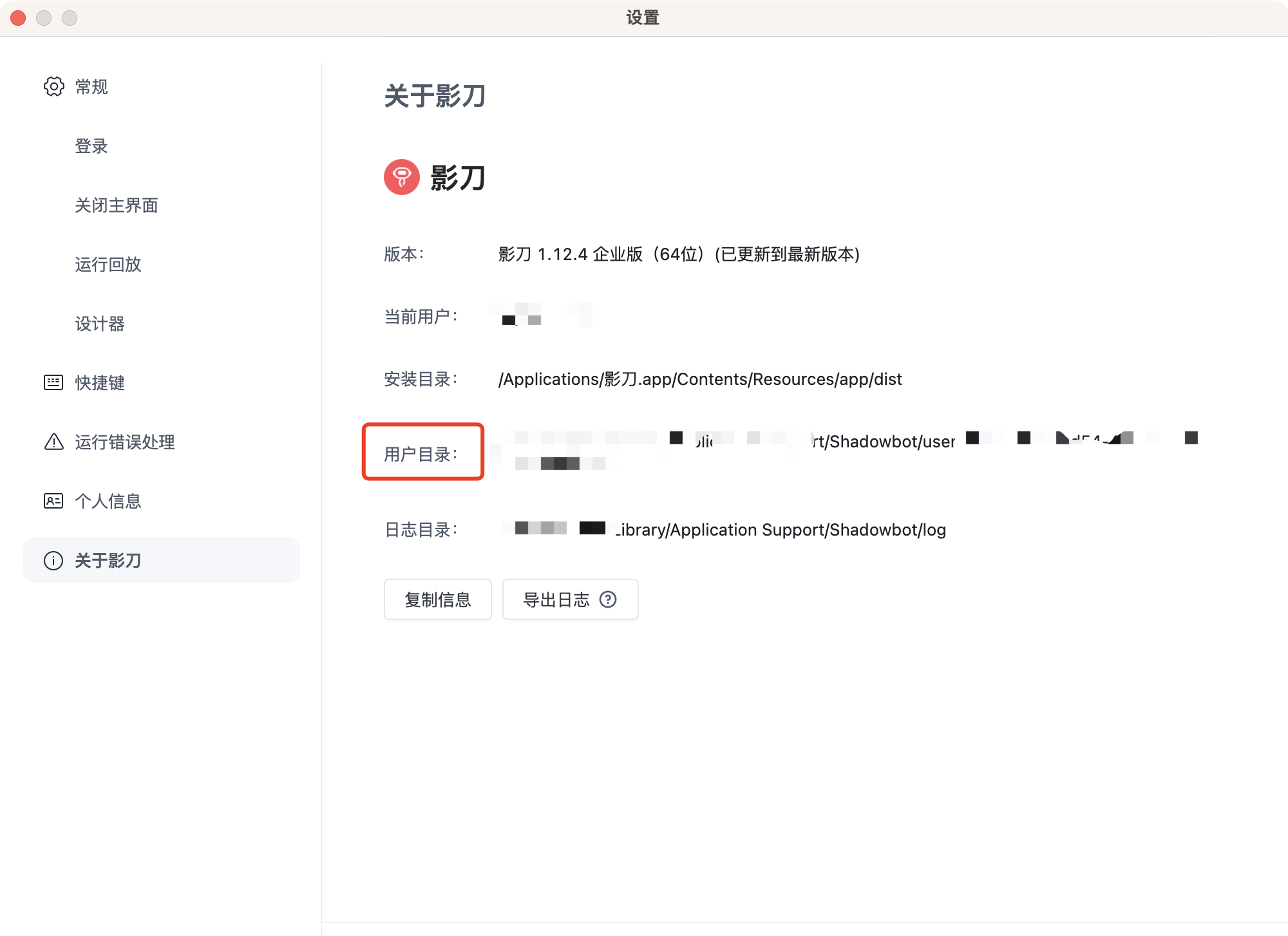
USER_FOLDER={your_user_folder}       //Path to YindDao RPA user folder
Path to YindDao RPA executable
Windows
D:\Program Files\{installation directory}\ShadowBot.exe
Mac
/Applications/影刀.app
Path to YindDao RPA user folder
Find the user folder option in YindDao RPA settings
Open API Mode (Enterprise users only)
Set environment variables:
RPA_MODEL=openApi
ACCESS_KEY_ID={your_access_key_id}
ACCESS_KEY_SECRET={your_access_key_secret}
How to obtain
Enterprise administrators can obtain this by logging into the YindDao RPA console. Please refer to YindDao RPA Help Documentation - Authentication
Sign in to leave a review
Use Google, GitHub, or an email account so ratings stay tied to real people.
No reviews posted yet.



