
Anyquery
About
Connect to more than 40 apps with a single binary
Explore
- SQL query engine for files, databases, and apps
- Plugin-based architecture with an official plugin registry
- Connects to LLMs via MCP or function calling
- Acts as a MySQL-compatible server
- Can load any SQLite extension
- Available on multiple package managers
The documentation provides detailed instructions on how to install Anyquery on your system. You can install anyquery from Homebrew, APT, YUM/DNF, Scoop, Winget and Chocolatey. You can also download the binary from the releases page.
The documentation provides detailed instructions on how to run queries with Anyquery.
But let's see a quick example. Type anyquery in your terminal to open the shell mode. Then, run the following query:
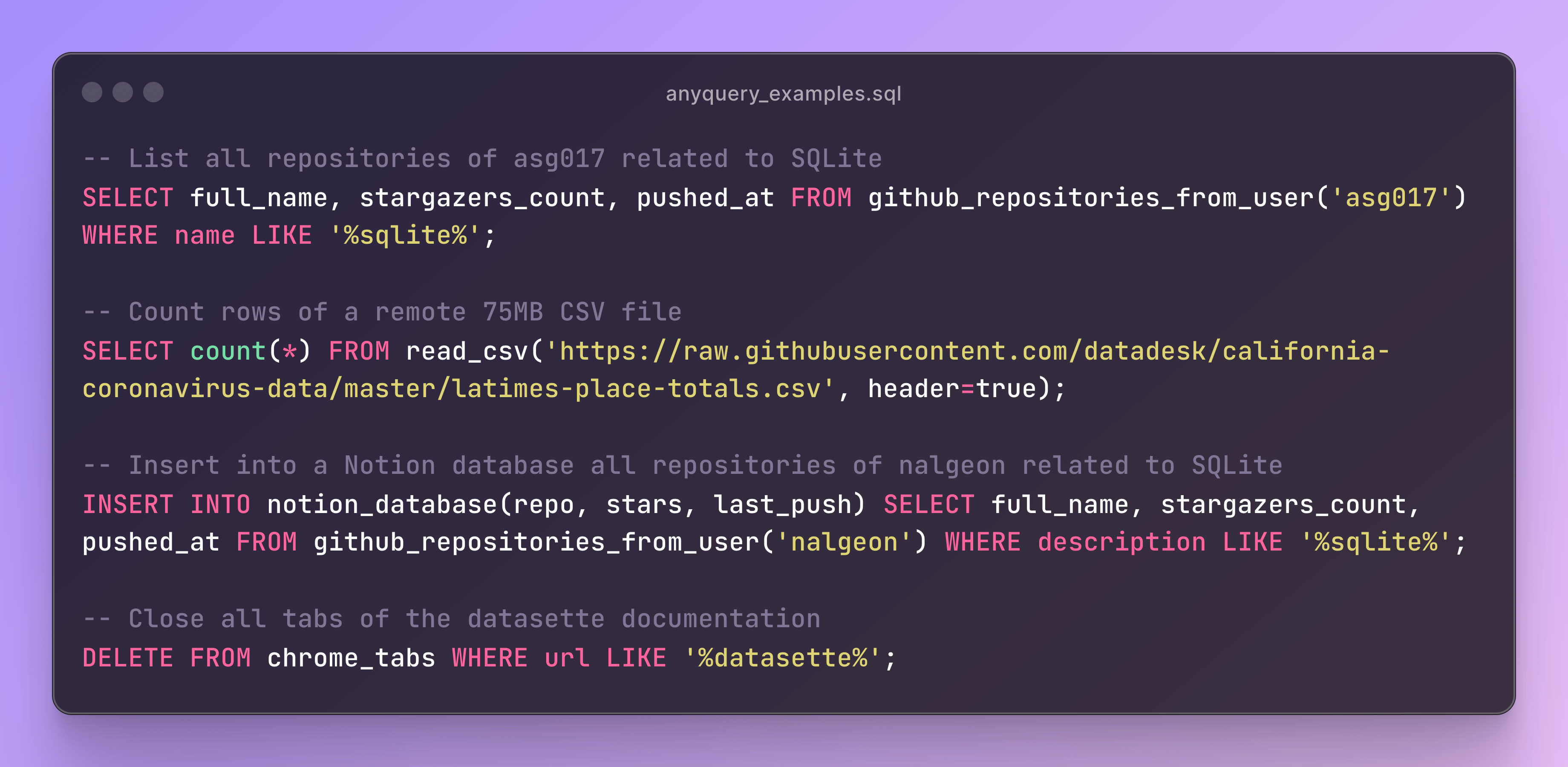
You can also launch the MySQL server with anyquery server and connect to it with your favorite MySQL-compatible client.
anyquery server &
mysql -u root -h 127.0.0.1 -P 8070
 </img>







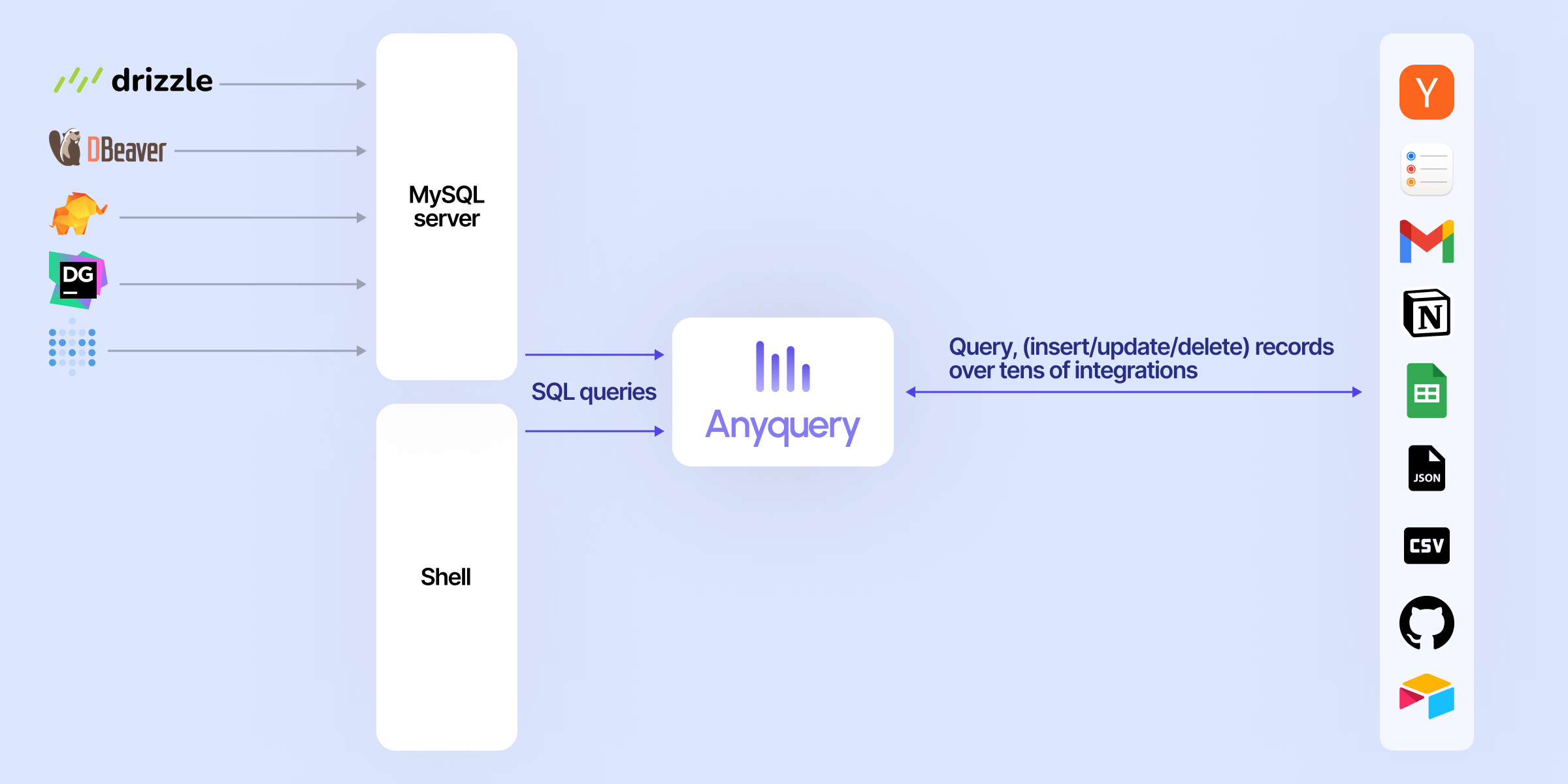
Anyquery is a SQL query engine that allows you to run SQL queries on pretty much anything. It supports querying files, databases, and apps (e.g. Apple Notes, Notion, Chrome, Todoist, etc.). It's built on top of SQLite and uses plugins to extend its functionality.
It can also connect to LLMs (e.g. ChatGPT, Claude, Cursor, TypingMind, etc.) to allow them to access your data.
Finally, it can act as a MySQL server, allowing you to run SQL queries from your favorite MySQL-compatible client (e.g. TablePlus, Metabase, etc.).
Usage
Connecting LLM
LLMs can connect to Anyquery using the Model Context Protocol (MCP). This protocol provides context for LLMs that support it. You can start the MCP server with the following command:
```bash
Sign in to leave a review
Use Google, GitHub, or an email account so ratings stay tied to real people.
No reviews posted yet.



