
MetaTrader MCP Server
About
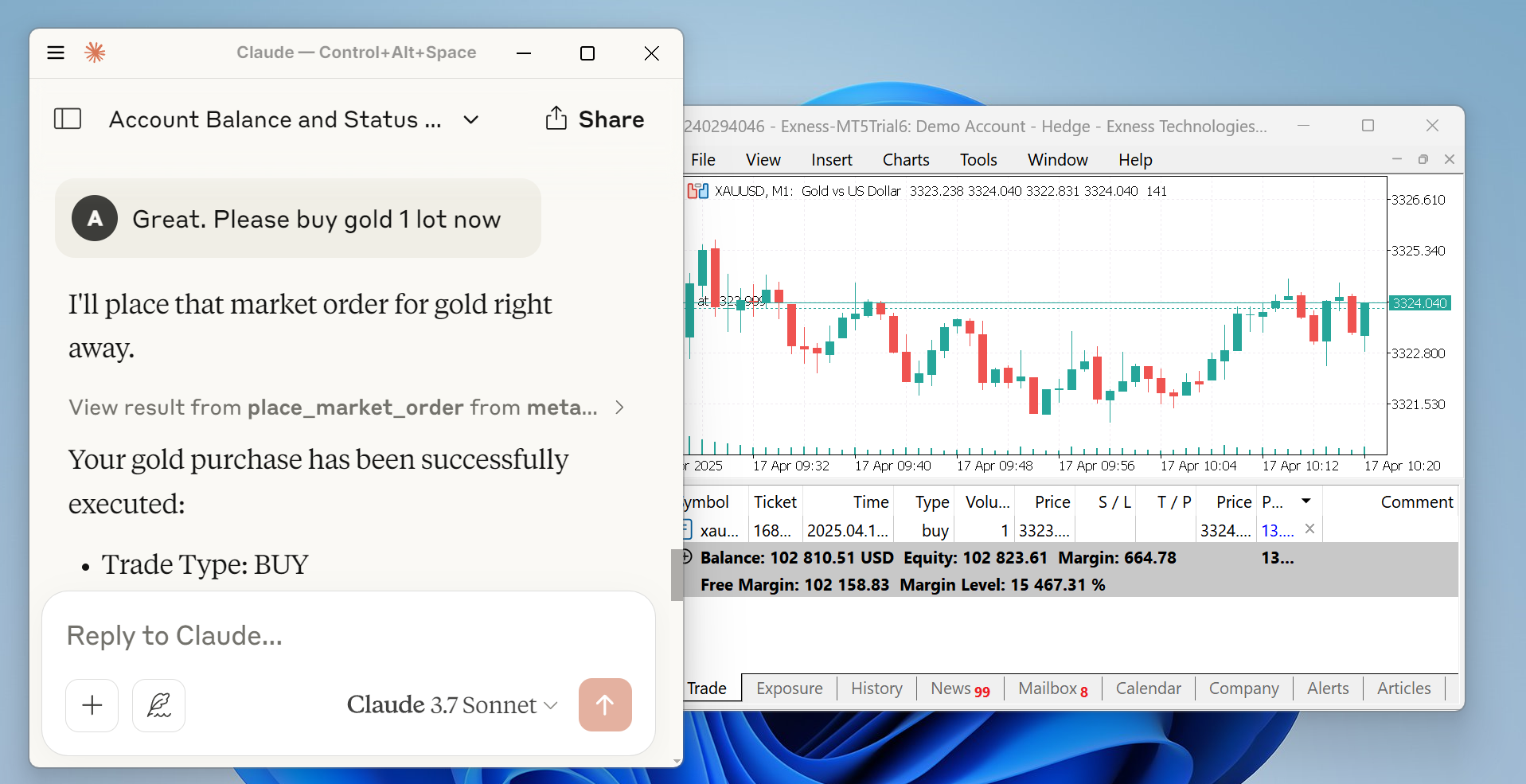
A Model Context Protocol (MCP) server built with Python that enables AI LLMs to trade using the MetaTrader platform. It integrates with MetaTrader 5 to execute trades programmatically through AI assistants like Claude and Open WebUI.
Details
- License
- MIT license
Explore
- Connects AI LLMs to MetaTrader 5 for trade execution
- Integrates with Claude Desktop and Open WebUI
- Provides MCP tools for automated trading operations
- Supports HTTP server for OpenAI/Open WebUI use
- Broker-based filling modes (v0.2.5)
- Published on PyPI for simple installation
Make sure you have Python version 3.10+ and MetaTrader 5 terminal installed in your workspace. Then install the package:
pip install metatrader-mcp-server
Then you need to enable algorithmic trading on MetaTrader 5 terminal. Open Tools > Options and check Allow algorithmic trading.

This is a Model Context Protocol (MCP) server built with Python to enable AI LLMs to trade using MetaTrader platform.
Disclaimer
Financial trading involves significant risk, and the developers of this package disclaim any liability for any losses or profits; this package is provided solely to facilitate MetaTrader 5 trade executions via AI LLMs using the Model Context Protocol (MCP). By using this package, you assume all risks and agree not to hold the developers liable or to initiate any legal action for any damages, losses, or profits.
Updates
- May 5, 2025: Use broker-based filling modes (0.2.5)
- April 23, 2025: Published to PyPi (0.2.0)
- April 16, 2025: We have our first minor version release (0.1.0)
Installation Guide
Make sure you have Python version 3.10+ and MetaTrader 5 terminal installed in your workspace. Then install the package:
pip install metatrader-mcp-server
Then you need to enable algorithmic trading on MetaTrader 5 terminal. Open Tools > Options and check Allow algorithmic trading.
Claude Desktop Integration
To use this package to enable trading operations via Claude Desktop app, please add this into your Claude Desktop configuration:
{
  "mcpServers": {
    "metatrader": {
      "command": "metatrader-mcp-server",
      "args": [
        "--login",    "<YOUR_MT5_LOGIN>",
        "--password", "<YOUR_MT5_PASSWORD>",
        "--server",   "<YOUR_MT5_SERVER>"
      ]
    }
  }
}
Other LLMs using Open WebUI
You can use this MCP server with other LLMs such as OpenAI's GPT by using its HTTP server and Open WebUI.
To start, make sure you have installed the package. Then, run the server:
metatrader-http-server --login <YOUR_MT5_LOGIN> --password <YOUR_MT5_PASSWORD> --server <YOUR_MT5_SERVER> --host 0.0.0.0 --port 8000
It will launch HTTP server locally on port 8000 and automatically launch MetaTrader 5 terminal.
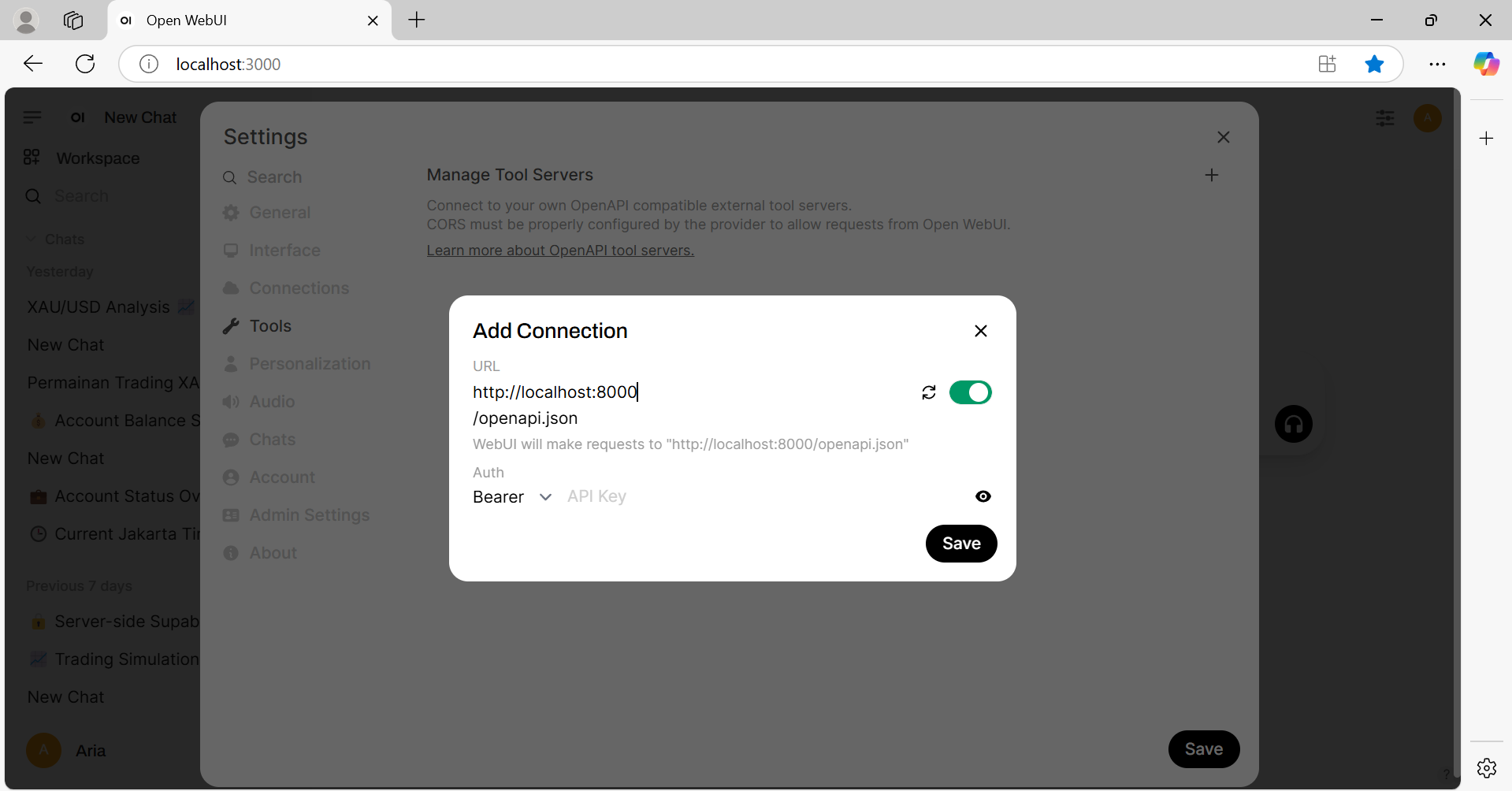
On Open WebUI settings page, navigate to Tools menu. Then click plus button on "Manage Tool Servers". Add http://localhost:8000 (or whatever you set your port is).
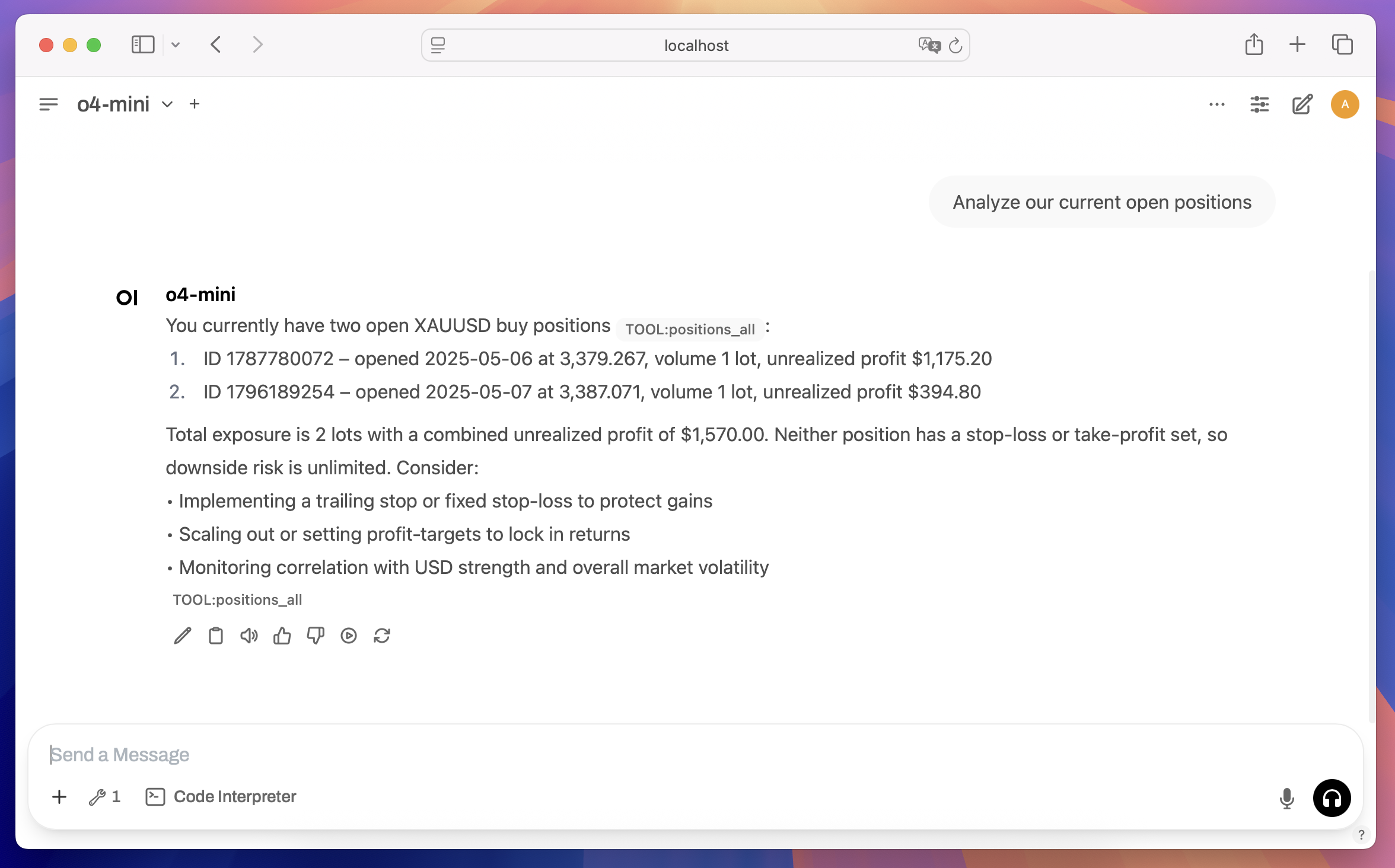
If all is well, you can now access the tools via chat using available models, such as gpt-4o or o4-mini.
Project Roadmap
For full version checklist, see version-checklist.md.
| Task | Status | Done | Tested |
|------|--------|------|--------|
| Connect to MetaTrader 5 terminal | Finished | ✅ | ✅ |
| Develop MetaTrader client module | Finished | ✅ | ✅ |
| Develop MCP Server module | Finished | ✅ | ✅ |
| Implement MCP tools | Finished | ✅ | ✅ |
| Publish to PyPi | Finished | ✅ | ✅ |
| Claude Desktop integration | Finished | ✅ | ✅ |
| OpenAPI server | Finished | ✅ | ✅ |
| Open WebUI integration | Finished | ✅ | ✅ |
| Google ADK integration | On progress | - | - |
Developer Documentation
For developers, see Developer's Documentation.
Sign in to leave a review
Use Google, GitHub, or an email account so ratings stay tied to real people.
No reviews posted yet.



