
AWS Knowledge Base MCP Server
About
# AWS Knowledge Base MCP Server ## Usage <table><tr><td>Claude Desktop</td><td>GitHub Copilot</td></tr><tr><td> ```json { "mcpServers": { "knowledge-base": { "command": "npx", "args": [ "mcp-remote", "https://aws-knowledge-base-mcp-server.daohoangson.workers.dev/sse" ] } } } ``` </td><td> ```json { "servers": {…
Explore
- Provides a search_knowledge_base tool for AI assistants.
- Integrates with AWS Bedrock Knowledge Base for document retrieval.
- Supports both SSE and streamable HTTP transports.
- Runs on Cloudflare Workers with Node.js compatibility.
- Includes infrastructure as code via AWS CDK.
- Comes with a demo client using AI SDK by Vercel.

Setting up with Highlight
This MCP is not yet compatible with Highlight’s one-click setup. However, you can still use it with Highlight by following these steps:
- Download and install Highlight from highlightai.com/download
- Navigate to the plugins tab and select "Add Custom Plugin"
-
Configure the plugin with the settings below
Plugin Name
AWS Knowledge Base MCP ServerCommand (node, npx, python, etc.)Please refer to the README for specific instructions on how to obtain API keys or other required environment variables.
- Enable "Start Automatically" if you want the plugin to start when Highlight launches





From the repository
<table><tr><td>Claude Desktop</td><td>GitHub Copilot</td></tr><tr><td>
{
"mcpServers": {
"knowledge-base": {
"command": "npx",
"args": [
"mcp-remote",
"https://aws-knowledge-base-mcp-server.daohoangson.workers.dev/sse"
]
}
}
}
</td><td>
{
"servers": {
"aws-knowledge-base": {
"type": "sse",
"url": "https://aws-knowledge-base-mcp-server.daohoangson.workers.dev/sse"
}
}
}
</tr><tr><td>
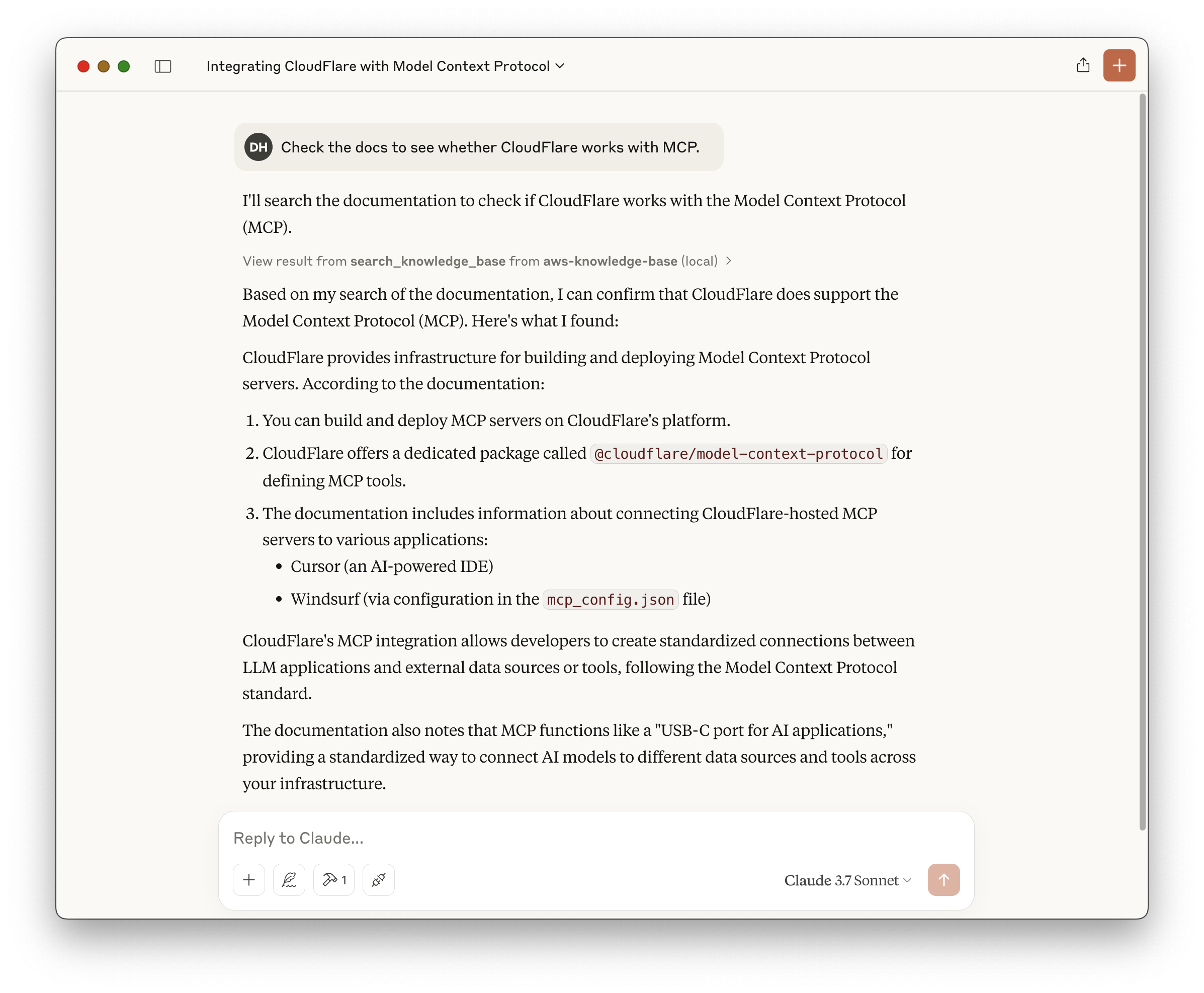
</td><td>
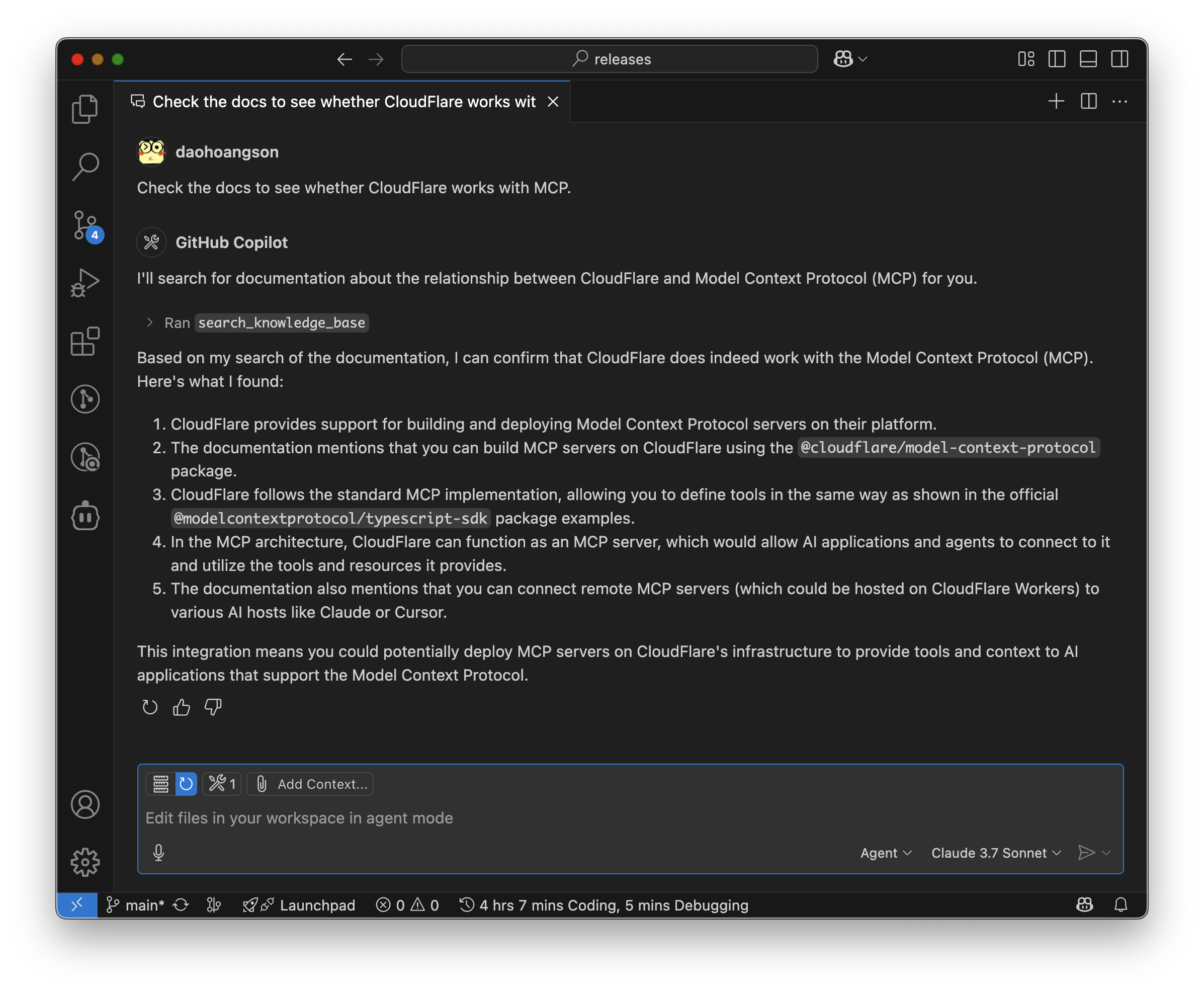
</td></tr></table>
A Model Context Protocol (MCP) server implementation that enables AI assistants to search through Knowledge Base using AWS Bedrock and Cloudflare Workers. This project consists of three main components:
npx cdk deploy
export DATA_SOURCE_ID="OD6LTXXUNH"
export DOCS_BUCKET_NAME="docsmcpserver-docsbucketa5ce02e3-gg8g3crhlo1j"
export KNOWLEDGE_BASE_ID="GZUYX1EGMF"
npm run deploy
Claude Desktop / Cursor
Paste into your MCP client config file to install this server.
{
    "mcpServers": {
        "aws knowledge base mcp server": {
            "aws-knowledge-base-mcp-server": {
                "command": "npx",
                "args": [
                    "cdk",
                    "deploy"
                ]
            }
        }
    }
}McpServers
{
"aws-knowledge-base-mcp-server": {
"command": "npx",
"args": [
"cdk",
"deploy"
]
}
}Usage
<table><tr><td>Claude Desktop</td><td>GitHub Copilot</td></tr><tr><td>
{
  "mcpServers": {
    "knowledge-base": {
      "command": "npx",
      "args": [
        "mcp-remote",
        "https://aws-knowledge-base-mcp-server.daohoangson.workers.dev/sse"
      ]
    }
  }
}
</td><td>
{
  "servers": {
    "aws-knowledge-base": {
      "type": "sse",
      "url": "https://aws-knowledge-base-mcp-server.daohoangson.workers.dev/sse"
    }
  }
}
</tr><tr><td>
</td><td>
</td></tr></table>
A Model Context Protocol (MCP) server implementation that enables AI assistants to search through Knowledge Base using AWS Bedrock and Cloudflare Workers. This project consists of three main components:
Architecture
1. Infrastructure (/cdk): Sets up the resources including:
- AWS Bedrock Knowledge Base for document embeddings
- Pinecone for efficient document search
- AWS S3 bucket for storing documentation files
- AWS Lambda function for MCP server with streamable HTTP transport
- AWS IAM user and policies for API access
2. MCP Server (/cloudflare-mcp-server): Implements the MCP server that:
- Provides a search_knowledge_base tool for AI assistants
- Integrates with AWS Bedrock for document retrieval
- Supports both SSE (deprecated) and streamable HTTP transports
- Runs on Cloudflare Workers with Node.js compatibility
3. MCP Client (/ai-sdk-mcp-client): A demo client that:
- Uses AI SDK by Vercel with Nova Pro model
- Acts as a MCP client, supporting both SSE and streamable HTTP transports
- Streams text responses with tool calls
graph TD
  subgraph AWS
    S3[S3 Bucket] -->|Stores Documents| KnowledgeBase
    TitanModel[Titan Embed Text V2] -->|Embedding Model| KnowledgeBase
    Lambda -->|Retrieve API| KnowledgeBase
    NovaPro[Nova Pro]
  end
subgraph Pinecone

    KnowledgeBase[Bedrock Knowledge Base] -->|Vector Embeddings| PineconeDb[Vector Database]

  end
subgraph Cloudflare

    Worker -->|Retrieve API| KnowledgeBase

  end
Demo -->|InvokeModel API| NovaPro

  Demo -->|MCP<br />Streamable HTTP| Lambda

  Demo -->|MCP<br />Server Sent Event| Worker

  Demo -->|MCP<br />Streamable HTTP| Worker
Infrastructure
Setup
```bash
cd cdk
npm install
Sign in to leave a review
Use Google, GitHub, or an email account so ratings stay tied to real people.
No reviews posted yet.



