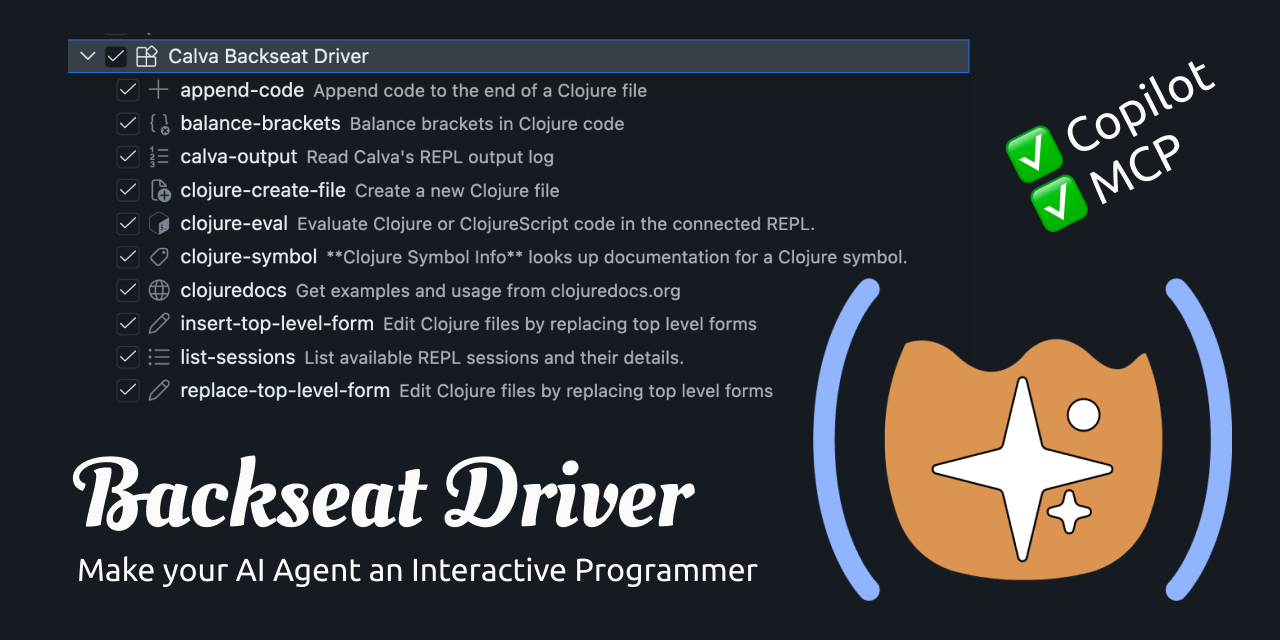

Calva Backseat Driver
About
An MCP server for the Calva VS Code extension, allowing AI assistants to interact with a live Clojure REPL.
Details
- License
- MIT
Explore
- Evaluate Code – access the Clojure REPL to evaluate code on any active session
- Structural editing – insert, replace, and format top-level forms with bracket balancing
- Bracket Balancer – helps the model maintain correct bracket balance (powered by Parinfer)
- Symbol info lookup – retrieve doc strings, argument info, and more for any symbol
- clojuredocs.org lookup – fetch docs, examples, and see also info for core symbols
- Skills – discoverable, specialized instructions for the AI agent to use tools effectively
Install VS Code, the Calva extension, and the Calva Backseat Driver extension. Connect Calva to your Clojure or ClojureScript project. Then ask Copilot to use the REPL—it works with zero configuration for Copilot and Cursor. For other AI harnesses, you need to configure an MCP server per project. You can also task subagents to investigate and implement code in parallel.
Enabling Native AI Interactive Programming in VS Code
Clojure Tools for VS Code Agent harnesses. (Such as Copilot and Cursor.)
Backseat Driver gives VS Code AI harnesses access toCalva's Clojure tools these ways:
- Copilot: Zero config. (UsingVS Code LM Tools.).
- Cursor, Zero config. (Using Cursor add-MCP-server API).
- Other AI harnesses: MCP (Requiringsome configurationper project).
- Tool:Evaluate CodeAccess to the Clojure REPL to evaluate code at will. All active REPL sessions in Calva are available for targeting (and with shadow-cljs, also builds and runtime).
- Tool:Create Clojure FileCreates Clojure files with automatic bracket balancing
- Tool:Append CodeAppends code to Clojure files with automatic bracket balancing
- Tool:Replace Top Level FormStructural editing, including formatting, bracket balancing and linting
- Tool:Insert Top Level FormStructural editing, including formatting, bracket balancing and linting
- Tool:Bracket BalancerHelps the model get the bracket balance right (powered byParinfer)
- Tool:Load FileLoad/evaluate an entire Clojure file through Calva's connected REPL
- Tool:Symbol info lookup, the AI can look up symbols it is interested in, and will get doc strings, argument info etcetera
- Tool:clojuredocs.org lookup, docs, examples, andsee alsoinformation on Clojure core-ish symbols
- Resource:Symbol info lookup, (a bit experimental) same as the tool
- Resource:clojuredocs.org lookup, (a bit experimental) same as the tool
- Resource:Skills, specialized instructions discoverable viaresources/listand readable viaresources/read
Please note that for the editing tools there is no UI for reviewing the edits. I suggest using the source control tools, and VS Codes'sTimelineview, for this.
Agent Instructions: Leveraging Backseat Driver
Backseat Driver gives the AI agent the tools for Clojure Interactive Programming and the skills for using the tools. To allow you to keep the control of how your agents hold Clojure and the REPL, the extension does not provide much in the way of Clojure knowledge, philosophy, nor for REPL methodology.
For truly effective agent Clojure work to happen, it needs to know how you prefer Clojure to be written and how to use the REPL effectively.
To avoid starting with a blank slate, where bad training data and hallucinations about Clojure ruin the day, consider installing theclojure, and other plugins from theAwesome Backseat Driverrepository.
[!NOTE]Awesome Backseat Driverhas plugins for Copilot and Cursor (so far). But if you are using some other haress, you can still copy the skills, custom agents, etc from there. (Or ask your agent to do it for you.)
To prevent large REPL evaluation results from overwhelming the agent's context window, Backseat Driver automatically limits the size of returned results:
- calva-backseat-driver.evaluation.maxLength(default25) — maximum number of items to display in collections. Use0to disable length limiting.
- calva-backseat-driver.evaluation.maxDepth(default7) — maximum nesting depth; deeper structures are replaced with##. Use0to disable depth limiting.
Backseat Driver provides two skills to AI agents:
- calva-backseat-driver.provideBdSkill(defaulttrue) — provide the Backseat Driver skill to agents
- calva-backseat-driver.provideEditSkill(defaulttrue) — provide the Clojure structural editing skill to agents
The structural editing tools for inserting and replacing top level forms respect two Backseat Driver editor settings:
- calva-backseat-driver.editor.fuzzyLineTargetingPadding(default2) — number of lines on each side of the requested line that the AI is allowed to scan when matching target text. Increase this if forms move around during larger refactorings; set to0for exact line targeting.Trade-off: higher values tolerate line shifts but raise the risk of matching a nearby, similar form when the agent's copy of the buffer is stale.
- calva-backseat-driver.editor.lineContextResponsePadding(default10) — number of lines on each side of the requested line included in the troubleshooting snippet returned when targeting fails. Reduce this to keep responses shorter, or increase it for more surrounding context.Trade-off: larger values give the agent more cues for a retry, but can cost extra tokens (or time) compared with sending a focused snippet.
See:Configure Backseat Driver as an MCP server
- VS Code(or your favorite fork)
- Calva
- Calva Backseat Driver
- GitHub Copilot (or some MCP compliant assistant)
- Teach the AI Clojure and REPL discipline, e.g. See:Agent Instructions
- Connect Calva to your Clojure/ClojureScript project
- Ask Copilot to help you with things. It will know what you mean when you say: "Please use the REPL to investigate ...".
- It will know how to find the right REPL session and how to use it.
- Configure Calva to use the terminal for REPL output and monitor the output terminal to see what it tries at the REPL
It works very well will subagents, also parallel subagents. Try something like:
- "Please task three parallel subagents to use the REPL to investigate how to implement ...”
- The REPL output will show you, and the agents, who is trying what at the REPL.
- You can participate in the REPL party.
As we all are, I am learning to use AI and figuring out one thing at a time. All while the whole space is moving faster than I can learn. Backseat Driver is my very best effort to provide Clojure developers with powerful AI tools that can be used with zero configuration.
The basic design of Backseat Driver has proven to work and be useful over time. But I have also been improving it incrementally as I have learnt new things.A lot of these things I have learnt from users.
Please, please let me know how you fare with Backseat Driver, and what features you would like to see. 🙏
Contributions are welcome! Issues, PRs, whatever. Before a PR, I appreciate an issue stating the problem being solved. You may also want to reach out discussing the issue before starting to work on it.
You are welcome to encourage my work, using this link:
This is a web browser that enables your coding agent, such as Claude Code, to visit websites on your behalf and assist you in identifying bugs or creating UI test cases.
MCP bridge that lets Claude Code delegate heavy tasks to the Antigravity CLI (agy) — purpose-built tools, model routing with fallback, session continuity, and output truncation to save Claude's context and tokens.
Local agent workbench bundling OpenHands, Goose, Aider, and ashlrcode against one local LLM, with ashlr-plugin MCP servers pre-wired.
A server for CodeFuse-CGM, a graph-integrated large language model designed for repository-level software engineering tasks.
Unified MCP server providing access to Claude Code, Codex, and Gemini CLIs through a single gateway. Features multi-LLM orchestration, persistent session management, async job execution with polling, approval gates, retry with circuit breakers, and token optimization. Install: npx -y llm-cli-gateway
Compresses codebases with AST body folding before sending to Claude Code, Cursor, or VS Code — 57-89% token reduction with deterministic output for KV cache hits.
Intelligent orchestration platform that routes tasks to the best AI model (Claude, Codex, Gemini, OpenCode) using LinUCB bandits, validates through consensus voting, and learns from outcomes. 29 MCP tools, dev pipeline, 8 memory backends.
An MCP server that integrates Gemini 2.5 Pro and OpenAI models for software development tasks, allowing the use of your entire codebase as context.
an open source, extensible AI agent that goes beyond code suggestions - install, execute, edit, and test with any LLM
An MCP server to help AI assistants to answer questions and generate AccelByte Extend SDK code more effectively .
Local stdio MCP server that lets AI coding agents read and maintain structured architecture, rules, and decisions directly from your repository.
Sign in to leave a review
Use Google, GitHub, or an email account so ratings stay tied to real people.
No reviews posted yet.



