
Molecule Visualization (ChimeraX, PyMOL)
About
Connects AI systems to molecular visualization software like PyMol and ChimeraX, enabling direct command execution and image capture of molecular structures for scientific workflows.
Details
- Repository
- ChatMol/molecule-mcp
- License
- MIT
Explore

Setting up with Highlight
This MCP is not yet compatible with Highlight’s one-click setup. However, you can still use it with Highlight by following these steps:
- Download and install Highlight from highlightai.com/download
- Navigate to the plugins tab and select "Add Custom Plugin"
-
Configure the plugin with the settings below
Plugin Name
Molecule Visualization (ChimeraX, PyMOL)Command (node, npx, python, etc.)/path/to/mcpArguments-
Argument 1
run -
Argument 2
/path/to/molecule-mcp/pymol_server.py
Please refer to the README for specific instructions on how to obtain API keys or other required environment variables.
-
Argument 1
- Enable "Start Automatically" if you want the plugin to start when Highlight launches





From the repository
⚠️ Note: Molecule-MCP requires Claude Desktop to be installed and running.
1. Go to Claude > Settings > Developer > Edit Config > claude_desktop_config.json to include the following:
{
"mcpServers": {
"pymol": {
"command": "/path/to/mcp",
"args": [
"run",
"/path/to/molecule-mcp/pymol_server.py"
]
},
"chimerax": {
"command": "/path/to/mcp",
"args": [
"run",
"/path/to/molecule-mcp/ChimeraX_server.py"
]
},
"gromacs_copilot": {
"command": "/path/to/mcp",
"args": [
"run",
"/path/to/molecule-mcp/mcp_server.py"
]
}
}
}
2. Install mcp and get the script
pip install "mcp[cli]" chatmol
pip install git+https://github.com/ChatMol/gromacs_copilot.git # optional, for running gromacs_copilot
which mcp
the path to mcp will be displayed. Copy this path for the next step and replace
/path/to/mcp with the path to mcp.git clone https://github.com/ChatMol/molecule-mcp.git
cd molecule-mcp
pwd
the path to molecule-mcp will be displayed. Copy this path for the next step and replace
/path/to/molecule-mcp with the path to molecule-mcp.Claude Desktop / Cursor
Paste into your MCP client config file to install this server.
{
    "mcpServers": {
        "molecule visualization (chimerax, pymol)": {
            "cwd": null,
            "env": {},
            "args": [
                "run",
                "/path/to/molecule-mcp/pymol_server.py"
            ],
            "shell": false,
            "command": "/path/to/mcp"
        }
    }
}Linux
{
"cwd": null,
"env": [],
"args": [
"run",
"/path/to/molecule-mcp/pymol_server.py"
],
"shell": false,
"command": "/path/to/mcp"
}Macos
{
"cwd": null,
"env": [],
"args": [
"run",
"/path/to/molecule-mcp/pymol_server.py"
],
"shell": false,
"command": "/path/to/mcp"
}Windows
{
"cwd": null,
"env": [],
"args": [
"run",
"/path/to/molecule-mcp/pymol_server.py"
],
"shell": false,
"command": "/path/to/mcp"
}Molecule-MCP
Molecule-MCP: A model-context-protocol server for molecules. Molecule-MCP connects molecule science releated tools to Claude AI through the Model Context Protocol (MCP), allowing Claude to directly interact with and control these tools and act as a co-scientist. This integration enables prompt assisted molecule modeling.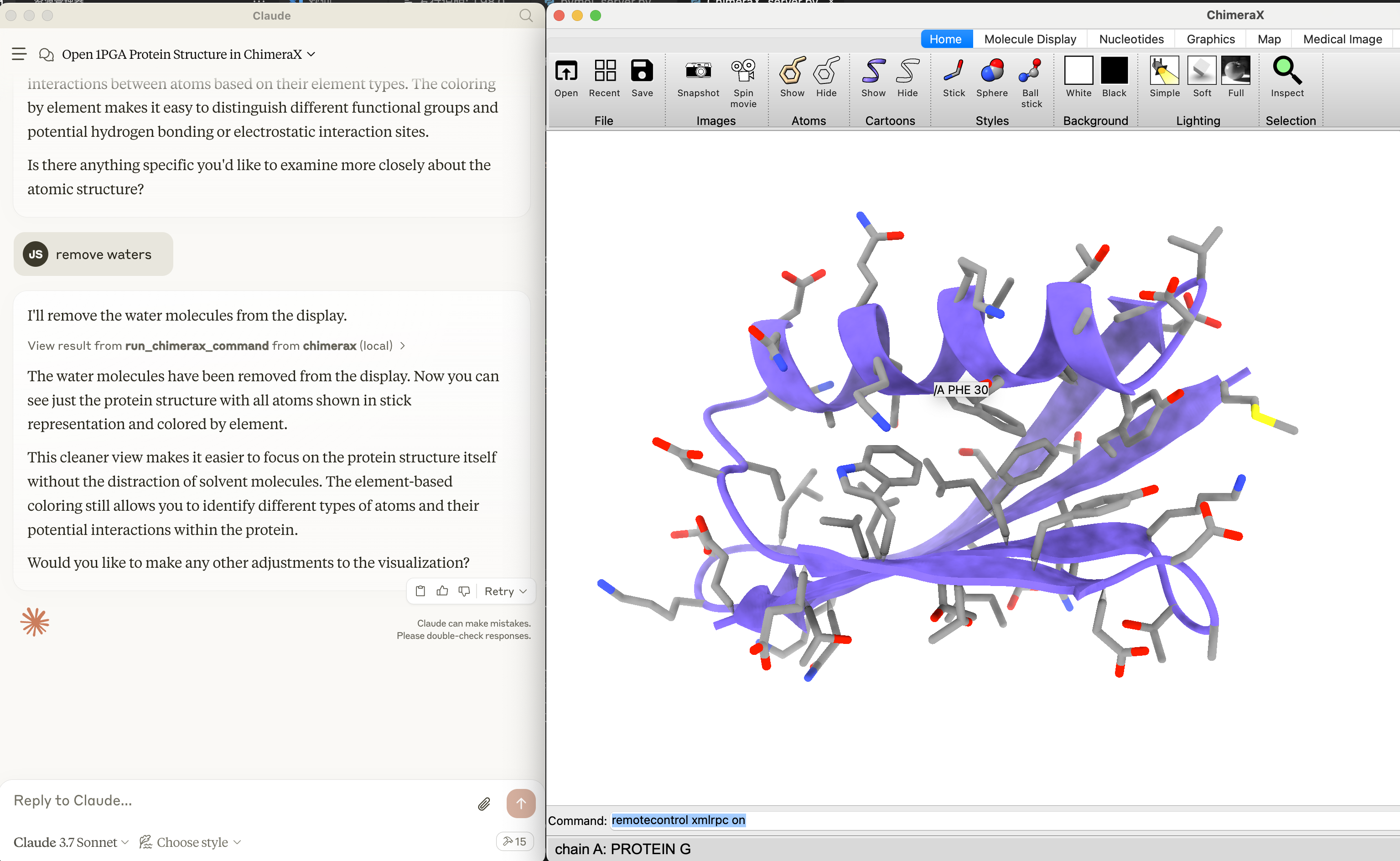
Installation
⚠️ Note: Molecule-MCP requires Claude Desktop to be installed and running. 1. Go to Claude > Settings > Developer > Edit Config > claude_desktop_config.json to include the following:{
"mcpServers": {
"pymol": {
"command": "/path/to/mcp",
"args": [
"run",
"/path/to/molecule-mcp/pymol_server.py"
]
},
"chimerax": {
"command": "/path/to/mcp",
"args": [
"run",
"/path/to/molecule-mcp/ChimeraX_server.py"
]
},
"gromacs_copilot": {
"command": "/path/to/mcp",
"args": [
"run",
"/path/to/molecule-mcp/mcp_server.py"
]
}
}
}
pip install "mcp[cli]" chatmol

pip install git+https://github.com/ChatMol/gromacs_copilot.git # optional, for running gromacs_copilot

which mcp
/path/to/mcp with the path to mcp.
git clone https://github.com/ChatMol/molecule-mcp.git

cd molecule-mcp

pwd
/path/to/molecule-mcp with the path to molecule-mcp.
Disclaimer
Molecule-MCP is provided "as is" without warranty of any kind, express or implied. The authors and contributors disclaim all warranties including, but not limited to, the implied warranties of merchantability and fitness for a particular purpose. Users employ this software at their own risk.The authors bear no responsibility for any consequences arising from the use, misuse, or misinterpretation of this software or its outputs. Results obtained through Molecule-MCP should be independently validated prior to use in research, publications, or decision-making processes.
This software is intended for research and educational purposes only. Users are solely responsible for ensuring compliance with applicable laws, regulations, and ethical standards in their jurisdiction.
Sign in to leave a review
Use Google, GitHub, or an email account so ratings stay tied to real people.
No reviews posted yet.



