
Conduit
About
Conduit is a local-first gateway that puts every MCP server behind one endpoint shared by all your AI coding tools (Claude, Cursor, VS Code, Codex, and more). Set up and authenticate each server once, then connect every client to Conduit instead of re-adding servers everywhere. K
Details
- Transport
- SSE
Explore
- Set up once, use across every AI client
- Lazy discovery keeps context flat with three meta-tools
- Per-agent scoping limits servers per client
- OAuth and API key auth stored in OS keychain
- Curated catalog and MCP Registry search
- No secrets in client configuration files
- Governance with per-tool toggles and audit log
- Full MCP support: tools, resources, and prompts

Setting up with Highlight
This MCP is not yet compatible with Highlight’s one-click setup. However, you can still use it with Highlight by following these steps:
- Download and install Highlight from highlightai.com/download
- Navigate to the plugins tab and select "Add Custom Plugin"
-
Configure the plugin with the settings below
Plugin Name
ConduitCommand (node, npx, python, etc.)Please refer to the README for specific instructions on how to obtain API keys or other required environment variables.
- Enable "Start Automatically" if you want the plugin to start when Highlight launches





From the repository
Lazy discovery and the destructive-tool policy are global settings, stored in the
registry and toggled in the app, so they apply to every client (lazy discovery is
on by default). Per-client behavior is set via env vars on the gateway entry,
written for you when you connect a client:
- CONDUIT_PROFILE=<name> - scope this client to one profile's servers. Unset =
the active profile.
- CONDUIT_DISCOVERY=lazy|full - optional per-client override of the global lazy
setting. Rarely needed; the gateway reads the registry default otherwise.
- CONDUIT_REGISTRY=<path> - override the registry file location. Defaults to a
stable per-user path so packaged and unpackaged clients agree.
npm run build:gateway
npm run tauri:bundle
``
The frontend is typechecked with npx tsc --noEmit`.
agent_create
Register an agent (ES256 P-256 public JWK JSON string + optional payment rails + destination). BEFORE: list ~/.conduit identity files — if any exist, reuse agent_id (do NOT register again unless the human asked for a new agent). AFTER: write persist.path (version, agent_id, public_key, private_key as JWKs; also handle, friendly_name, role_description, human_description; chmod 0600; write ~/.conduit/active). Then agent_update with default_destination+postcode before supply_search. Optional fri…
agent_authenticate
Two-step re-auth. Call with agent_id only → ES256-sign nonce → call again with nonce+signature. Prefer keys from ~/.conduit ({handle}.credentials.json or legacy credentials.json; CONDUIT_CREDENTIALS_PATH pins one file). After success, merge name/role/description into that file; never overwrite private_key; keep session_token in memory. Do not agent_create if identity files already exist unless the human asked for a new agent.
agent_update
Patch handle, rails, default_destination (postcode required for ships-to), friendly_name, human_description, role_description, avatar (glyph+gradient or small image), business profile, or preferences. Set avatar only if the human chose it. Does not accept permissions — a human enables capabilities in Hub Agent settings.
agent_organization
Read the linked organization (name, slug, country, default address) and members (user_id, name, role, email) for an agent. Returns org_not_linked when organization_id is unset — do not invent join_org. Use members to target agent_notify.
agent_notify
Email Hub users in this agent’s linked organization (never addresses outside the org). to=all or { user_id } / { role } / { email } matching agent_organization members. Optional actions (Hub URLs only), severity, idempotency_key. Channel is email.
agent_outreach
Email outside addresses (suppliers, carriers). to is a string email, { email }, or { emails } (max 5). Not to=all and not a Hub user_id / role — those are agent_notify. Linked agents set Reply-To to an org member (default OWNER). No action buttons. Channel is email.
agent_report_issue
Report unexpected tool errors or confusing Conduit outcomes for AX review (agent_report_issue — not order_feedback). Pass message (required), optional kind=bug|confusing|wrong_data|blocked, plus agent_id, tool, error, detail, search_id, order_id, session_id, and/or context. Dedupes open reports with the same tool+error+correlation. Does not change reputation.
payment_methods
List or enable agent payment methods (action=list|enable) with friendly labels. Defaults: cod + x402. invoice (B2B) is coming_soon. bank_card is handoff-only.
payment_mandate
AP2 spend mandates. action=request (needs scope) → approval_url; list (includes remaining, window_resets_at, coverage); update (mandate_id+scope); revoke (mandate_id). update NEVER approves. Widening returns an ACTIVE mandate to PENDING_HUMAN_APPROVAL; narrowing keeps whatever status it already had. monthly_cap is a rolling 30-day window from create. Same category set as a live mandate replaces it at approval and keeps this period's spend. No covering mandate at checkout is handoff, not an er…
supply_search
Multi-provider discovery (live REAL merchants by default). Returns a ranked page (default limit=30, max 100) with total/has_more/next_offset. Follow next.args (search_id+offset+limit) to page without re-fanout. Optional fetch_limit (max 300) deepens the upstream pull on new searches. Pass include_sandbox=true only to append DEMO/SANDBOX test merchants at the bottom (test_offer=true). Always pass agent_id for mandate-aware badges. Carry search_id through supply_details / order_execute / order_…
supply_details
Re-reads one offer from the search cache and refreshes its badge/action against current mandate state. For most catalog offers the payload equals the object supply_search already returned, so skip this if you still hold that offer and only need its fields. Carries no shipping data: use supply_delivery for ETA and cost. Re-run supply_search if offer_not_in_cache.
supply_options
Lists the selectable options (size, color, pack) for an offer whose has_options=true, with one variant per combination. Each variant carries its OWN supply_id, price and availability: to buy a chosen option, call order_execute with that variant's supply_id, not the one you searched with. Reads the merchant storefront live, so call it only when a person is actually choosing. Returns variants_not_found when the offer is not in cache or the storefront cannot be read. A single-variant product ret…
supply_delivery
Non-committing checkout probe for shipping ETA/cost. Uses agent default_destination, else linked org default address, or country override. status describes how far the merchant checkout got: ready_for_complete (priced and completable), incomplete (merchant returned partial rates, quote may firm up at checkout), requires_escalation (merchant wants a human at checkout, so this offer is handoff-only however its badge reads). needs_interaction=true means the same. None of these block a handoff; t…
order_execute
Handoff or autonomous checkout. Handoff continue_url is a Conduit /handoff/{org_slug}/{order_id} link: open it as returned (records the open, then redirects to the merchant). Autonomous needs badge payable_now (covering mandate fits). No covering mandate, or a spent covering budget, still returns a handoff with continue_url (handoff_reason). Use idempotency_key. Prefer supply_delivery when only comparing delivery.
order_list
List orders for an agent ({ orders }). Optional status or open_only filter.
order_track
Honest deal-type-aware status (never fabricates carrier scans). Requires owning agent_id.
order_events
Lifecycle timeline — transitions only. Pair with order_track. Requires owning agent_id.
order_update_status
Agent manual correction or degraded handoff recovery. note required except cancelled. Owning agent_id required.
order_dispute
Refund/chargeback/report paths for an order. Requires owning agent_id.
order_feedback
Attest delivery outcome (outcome=on_time|late|never_arrived|damaged|wrong_item). Requires owning agent_id. Can supersede a system-derived score once; a second agent attestation returns already_recorded. Poor outcomes next→order_dispute. Omit quality/carrier_rating if unknown.
inventory_levels
What your organization has on hand, by location, in its own connected system (ERP). Pass skus or query. Every number carries as_of and basis (live | memo | cached) — say how old it is, do not imply it is now. Needs inventory permission. This is your OWN stock; a supplier's stock is supply_availability.
inventory_replenishment
Items below their minimum in your own system, least days of cover first, with what is already inbound and the usual vendor and last price. Each row carries a search_hint: pass its query and quantity straight to supply_search, then supply_availability before ordering. Optional location scopes to one warehouse. Needs inventory permission.
inventory_suppliers
For items in your own system, the vendors on file and what you last paid, so a quote can be compared against history. Needs inventory permission. Does not contact any vendor.
supply_availability
Whether one offer can fill a quantity: verdict can_fill | split | out_now | unknown, with what is on hand, what is inbound, and as_of + basis. Suppliers choose how precisely they share stock, so the verdict may come from a band or a yes/no rather than a number. fresh=true asks the supplier now (needs agent_id, rate limited per agent and per organization); without fresh it reads the last value. Call this before order_execute on any connector offer.
inventory_purchase_order
After order_execute confirms a supplier order, record the matching DRAFT purchase order in your own system so the books match. Always a draft: a person confirms it there. Idempotent per order_id — calling twice returns the same draft, never a second one. Needs both inventory and checkout permission. Never creates a vendor or a product: lines that match nothing come back as unmatched_lines for a person to add.
Claude Desktop / Cursor
Paste into your MCP client config file to install this server.
{
    "mcpServers": {
        "conduit": {
            "conduit": {
                "command": "/path/to/conduit-gateway"
            }
        }
    }
}McpServers
{
    "conduit": {
        "command": "/path/to/conduit-gateway"
    }
}
One gateway for all your MCP servers, across every AI agent.

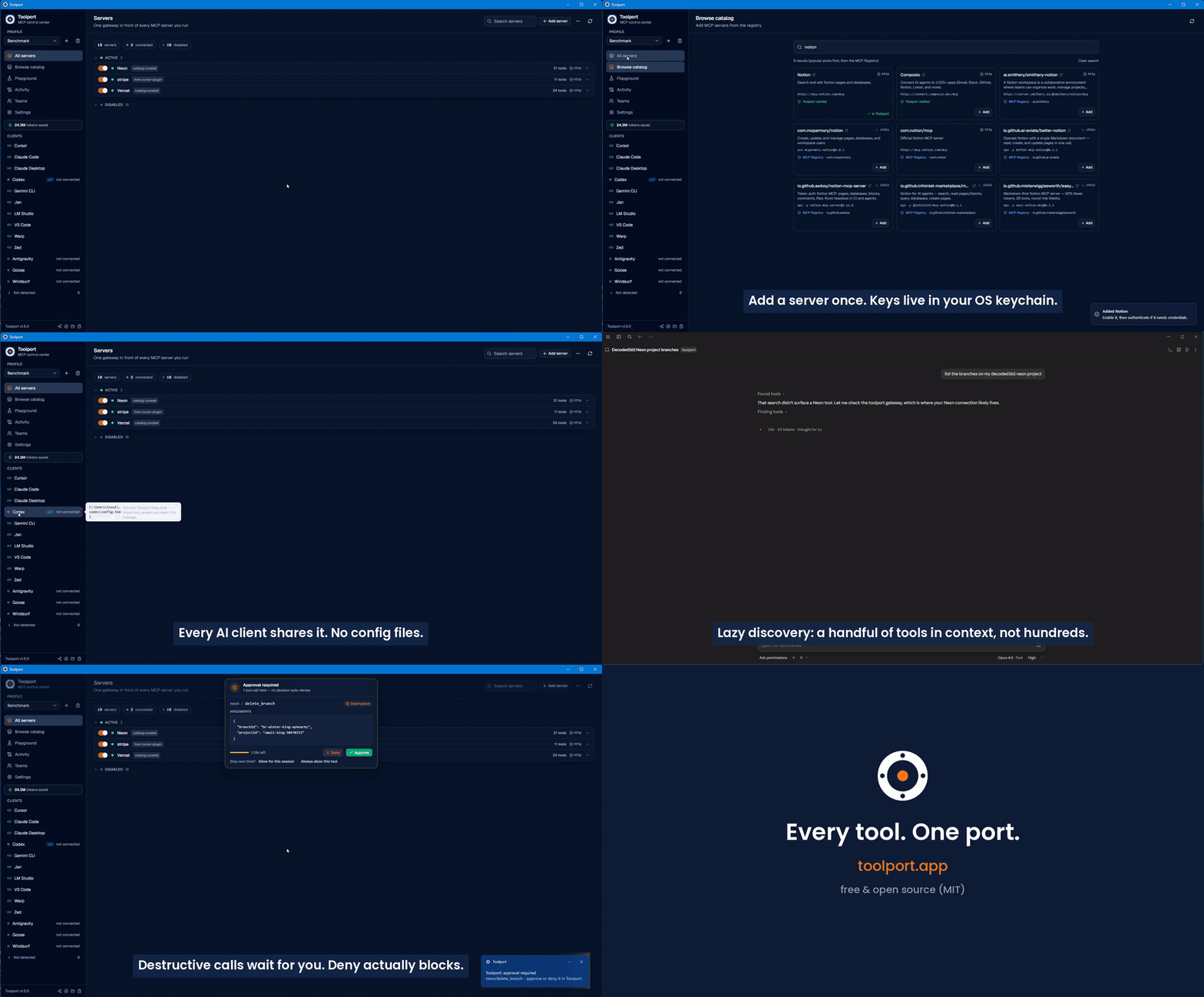
Conduit is a local MCP (Model Context Protocol) gateway and manager. You set up
and authenticate each MCP server once in Conduit, point your AI agents at the
single Conduit gateway, and every server is instantly available in all of them.
No more configuring the same servers separately in Cursor, Claude, Codex, and
the rest.
Built for people who use more than one AI coding tool and are tired of managing
MCP servers per app.
Screenshots
| Servers | Activity | Playground |
|---|---|---|
| 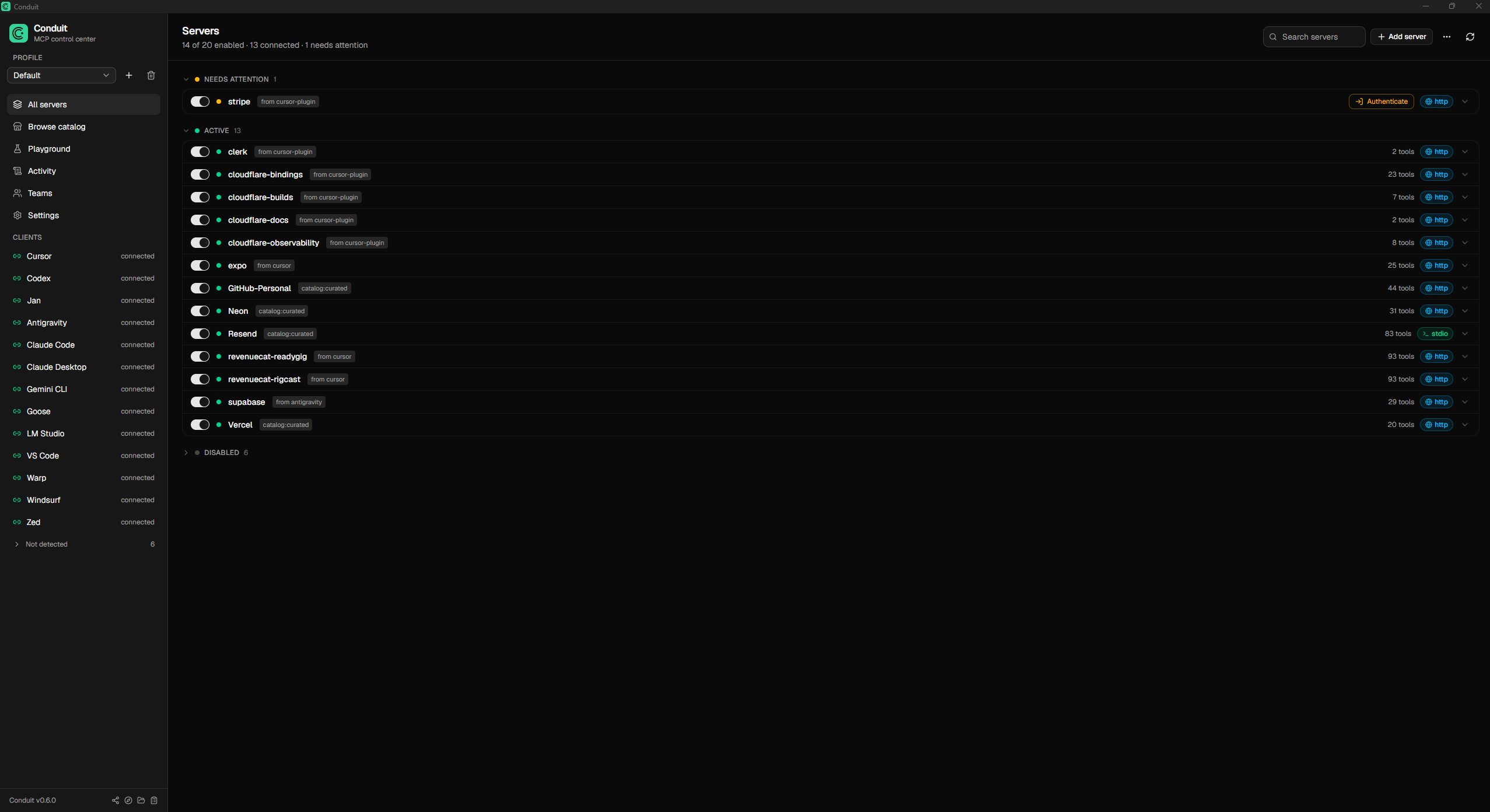 |
| 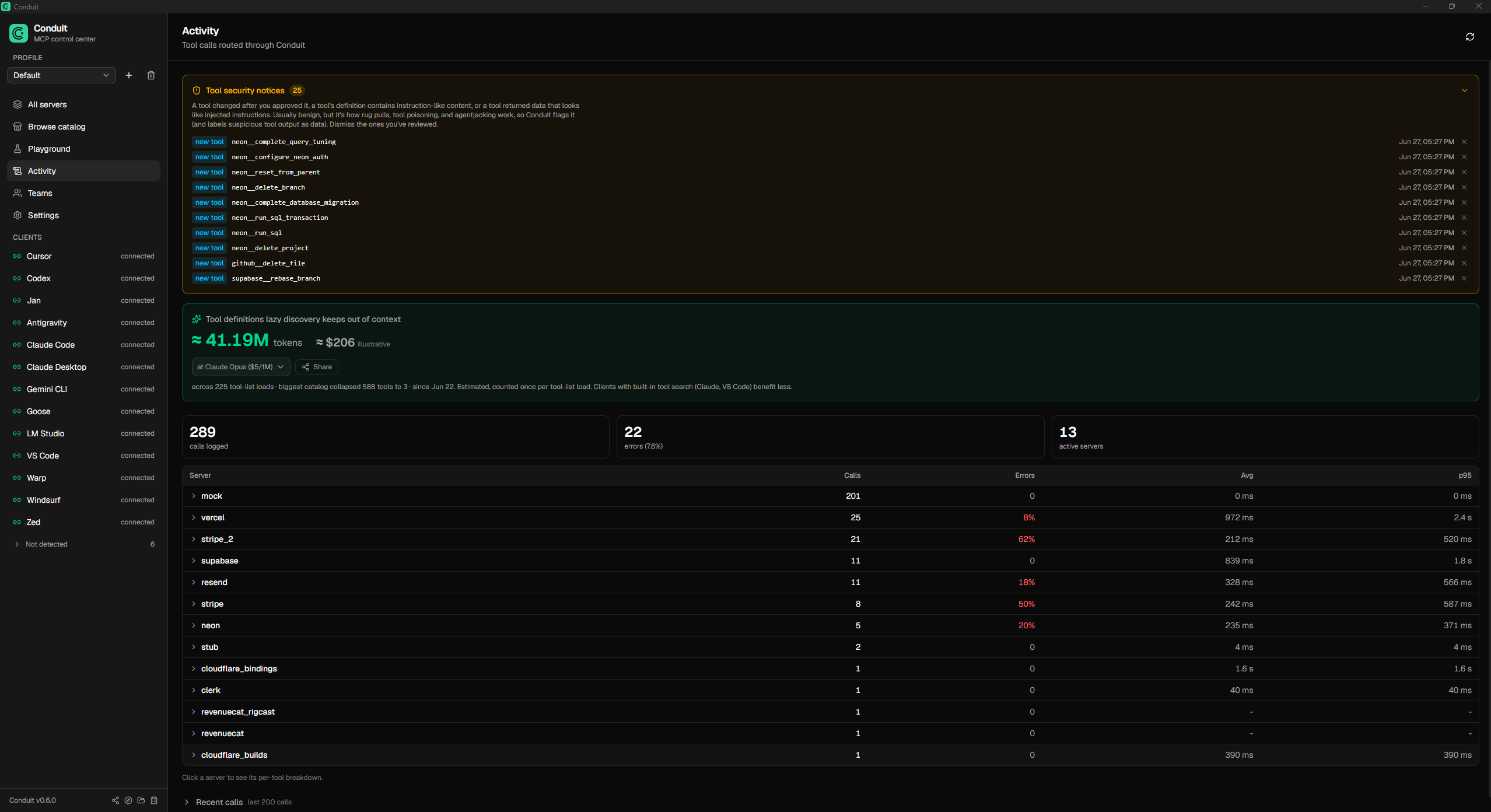 |
| 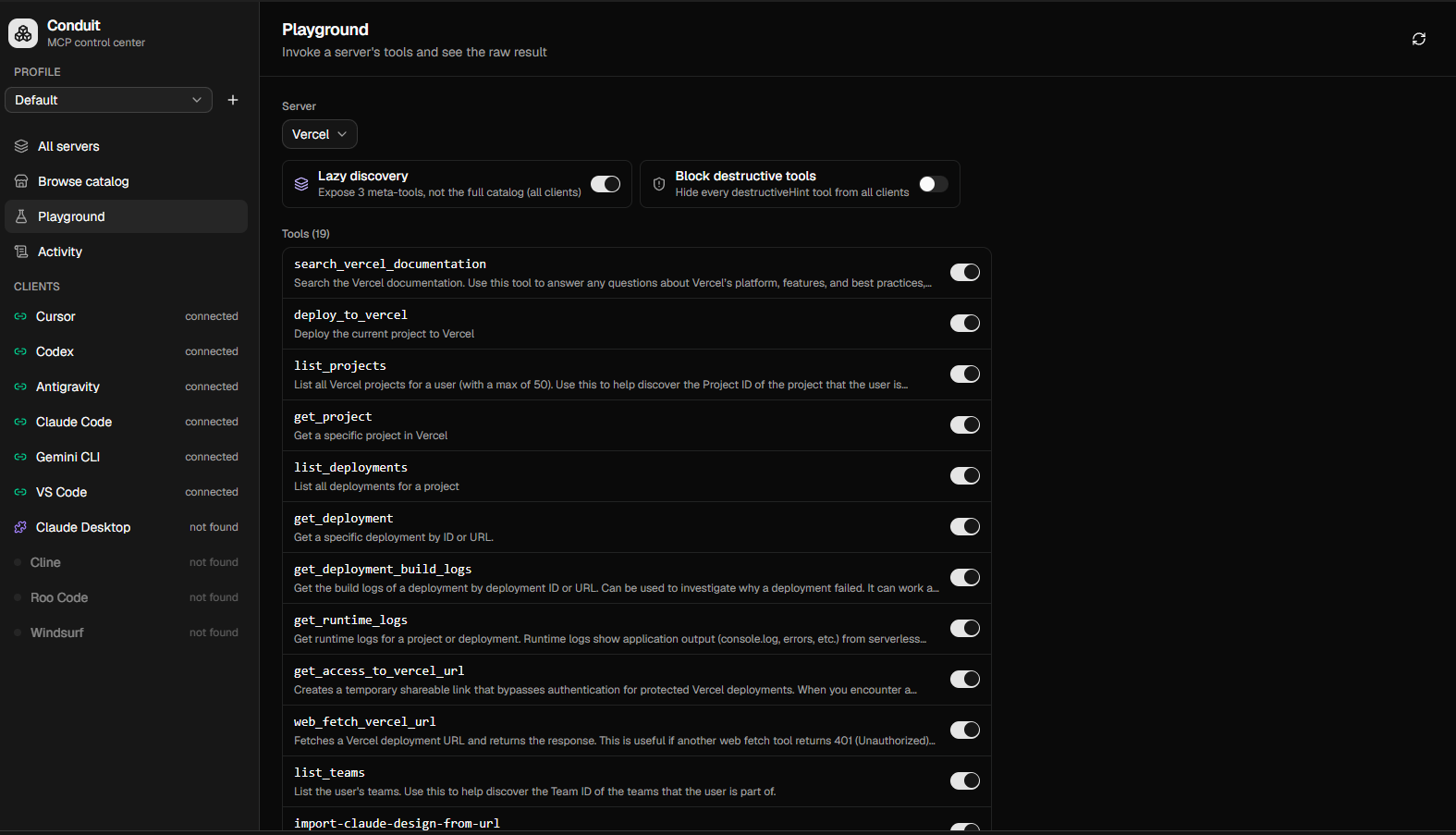 |
|
Why
Every AI client wants its own MCP configuration. Run a handful of agents and you
end up configuring the same servers several times, re-authenticating in each, and
drowning every agent in hundreds of tool definitions. Conduit fixes that:
- Set up once, use everywhere. Each client points at one Conduit gateway.
Add a server and authenticate it a single time; it appears in every client.
- Small context, not hundreds of tools. In lazy-discovery mode the gateway
advertises three meta-tools (conduit_status, conduit_search_tools,
conduit_call_tool) instead of the full catalog. The agent searches and calls
on demand, so context stays flat no matter how many servers you connect.
- Per-agent scoping. Give each client only the servers it should see. A
coding agent literally cannot call a billing tool that is not in its profile.
- Obvious auth. OAuth or API key, stored once in the OS keychain. Status is
shown per server; a single click authenticates. Newly-authed servers propagate
to connected clients without a restart.
- A catalog to grow. Add popular servers from a curated list or search the
official MCP Registry, then authenticate through the same flow.
- No secrets in client configs. Clients only ever say "talk to Conduit." Keys
live in the OS keychain and are injected at runtime.
- Governance built in. Toggle any tool on or off, or flip one switch to hide
every destructive tool from every client at once. Every tool call is recorded
in an audit log, with per-server latency and error rates.
- Full MCP, not just tools. Tools, resources, and prompts are all proxied.
- Test before you wire it up. A built-in playground invokes any tool with a
form generated from its schema, so you can confirm a server works without
configuring a client first.
How it works
Conduit has two pieces:
1. The desktop app (Tauri + React) where you manage servers, profiles,
credentials, and which clients are connected.
2. The gateway binary (conduit-gateway) that each AI client launches over
stdio. It reads Conduit's registry, connects to the enabled downstream servers
(stdio or remote HTTP/SSE), and routes tool calls to the right one. Tool names
are namespaced per server (stripe__list_charges) so they never collide.
AI client (Cursor / Claude / Codex / Antigravity / ...)
        │  stdio MCP
        ▼
  conduit-gateway  ──reads──►  registry.json + OS keychain
        │  routes tools/calls
        ▼
  downstream MCP servers (Stripe, Supabase, GitHub, ...)
The registry is the shared source of truth; the gateway watches it and rebuilds
live, so toggles and new credentials take effect without restarting the client.
Supported clients
Cursor, Claude Desktop, Claude Code, Codex, Google Antigravity, VS Code,
Windsurf, Gemini CLI, Cline, Roo Code. Conduit detects each one, installs the
gateway with one click, and can import a client's existing servers.
Configuration
Lazy discovery and the destructive-tool policy are global settings, stored in the
registry and toggled in the app, so they apply to every client (lazy discovery is
on by default). Per-client behavior is set via env vars on the gateway entry,
written for you when you connect a client:
- CONDUIT_PROFILE=<name> - scope this client to one profile's servers. Unset =
the active profile.
- CONDUIT_DISCOVERY=lazy|full - optional per-client override of the global lazy
setting. Rarely needed; the gateway reads the registry default otherwise.
- CONDUIT_REGISTRY=<path> - override the registry file location. Defaults to a
stable per-user path so packaged and unpackaged clients agree.
Install
Prebuilt installers are published on the
Releases page. Conduit runs on
Windows and macOS (the macOS build is signed and notarized), with Linux
(.deb and AppImage) in beta. To run from source, see Development below.
The installer is not yet code signed. On Windows, SmartScreen may show
"Windows protected your PC", click More info → Run anyway. On macOS,
Gatekeeper may say the app "is damaged" or cannot be opened; right-click the app
and choose Open, or run xattr -dr com.apple.quarantine /Applications/Conduit.app.
See docs/SIGNING.md for the signing plan.
Development
Requires Node and the Rust toolchain.
npm install
npm run tauri dev      # run the desktop app
Other useful commands:
```bash
cargo test --manifest-path src-tauri/Cargo.toml # Rust unit tests (lib + gateway)
Sign in to leave a review
Use Google, GitHub, or an email account so ratings stay tied to real people.
No reviews posted yet.



