
DevDocs
About
Free, private, UI-based software documentation context management server. Designed with software developers in mind.
Details
- Repository
- cyberagiinc/DevDocs
- License
- Apache-2.0
Explore
- Error Recovery: Auto-retry on failures
- Full Logging: Track every operation
- API Access: Integrate with your tools
- Team Management: Multiple seats and roles

Setting up with Highlight
This MCP is not yet compatible with Highlight’s one-click setup. However, you can still use it with Highlight by following these steps:
- Download and install Highlight from highlightai.com/download
- Navigate to the plugins tab and select "Add Custom Plugin"
-
Configure the plugin with the settings below
Plugin Name
DevDocsCommand (node, npx, python, etc.)npxArguments-
Argument 1
-y -
Argument 2
@highlight/mcp-server
Please refer to the README for specific instructions on how to obtain API keys or other required environment variables.
-
Argument 1
- Enable "Start Automatically" if you want the plugin to start when Highlight launches





From the repository
- Docker installed on your system
- Git for cloning the repository
DevDocs is designed to be easy to use with Docker, requiring minimal setup for new users.
For Mac/Linux users:
```bash
Claude Desktop / Cursor
Paste into your MCP client config file to install this server.
{
    "mcpServers": {
        "devdocs": {
            "env": {},
            "args": [
                "-y",
                "@highlight/mcp-server"
            ],
            "command": "npx"
        }
    }
}Linux
{
    "env": [],
    "args": [
        "-y",
        "@highlight/mcp-server"
    ],
    "command": "npx"
}
Macos
{
    "env": [],
    "args": [
        "-y",
        "@highlight/mcp-server"
    ],
    "command": "npx"
}
Windows
{
    "env": [],
    "args": [
        "/c",
        "npx",
        "-y",
        "@highlight/mcp-server"
    ],
    "command": "cmd"
}<div align="center">
<p align="center">
<strong>Turn Weeks of Documentation Research into Hours of Productive Development</strong>
</p>
<p align="center">
<a href="#-perfect-for">Perfect For</a> •
<a href="#-features">Features</a> •
<a href="#-why-devdocs">Why DevDocs</a> •
<a href="#-getting-started">Getting Started</a> •
<a href="#-scripts-and-their-purpose">Scripts</a> •
<a href="#-pricing-comparison">Compare to FireCrawl</a> •
<a href="#-join-our-community">Discord</a> •
<a href="#-devdocs-roadmap">DevDocs Roadmap</a>
</p>
</div>
🚀 Technology Partners
<div align="center" style="display: flex; justify-content: center; align-items: center; gap: 30px; flex-wrap: wrap; padding: 20px 0;">




</div>
🎯 Perfect For
🏢 Enterprise Software Developers
Skip weeks of reading documentation and dealing with technical debt. Implement ANY technology faster by letting DevDocs handle the heavy lifting of documentation understanding.🕸️ Web Scrapers
Pull entire contents of websites with Smart Discovery of Child URLs up to level 5. Perfect for both internal and external website documentation with intelligent crawling.👥 Development Teams
Leverage internal documentation with built-in MCP servers and Claude integration for intelligent data querying. Transform your team's knowledge base into an actionable resource.🚀 Indie Hackers
DevDocs + VSCode(cline) + Your Idea = Ship products fast with ANY technology. No more getting stuck in documentation hell when building your next big thing.✨ Features
🧠 Intelligent Crawling
- Smart Depth Control: Choose crawl depth from 1-5 levels - Automatic Link Discovery: Finds and categorizes all related content - Selective Crawling: Pick exactly what you want to extract - Child URL Detection: Automatically discovers and maps website structure⚡ Performance & Speed
- Parallel Processing: Crawl multiple pages simultaneously - Smart Caching: Never waste time on duplicate content - Lazy Loading Support: Handles modern web apps effortlessly - Rate Limiting: Respectful crawling that won't overload servers🎯 Content Processing
- Clean Extraction: Get content without the fluff - Multiple Formats: Export to MD or JSON for LLM fine-tuning - Structured Output: Logically organized content - MCP Server Integration: Ready for AI processing🛡️ Enterprise Features
- Error Recovery: Auto-retry on failures - Full Logging: Track every operation - API Access: Integrate with your tools - Team Management: Multiple seats and roles🤔 Why DevDocs?
The Problem
Documentation is everywhere and LLMs are OUTDATED in their knowledge. Reading it, understanding it, and implementing it takes weeks of research and development even for senior engineers. We cut down that time to hours.Our Solution
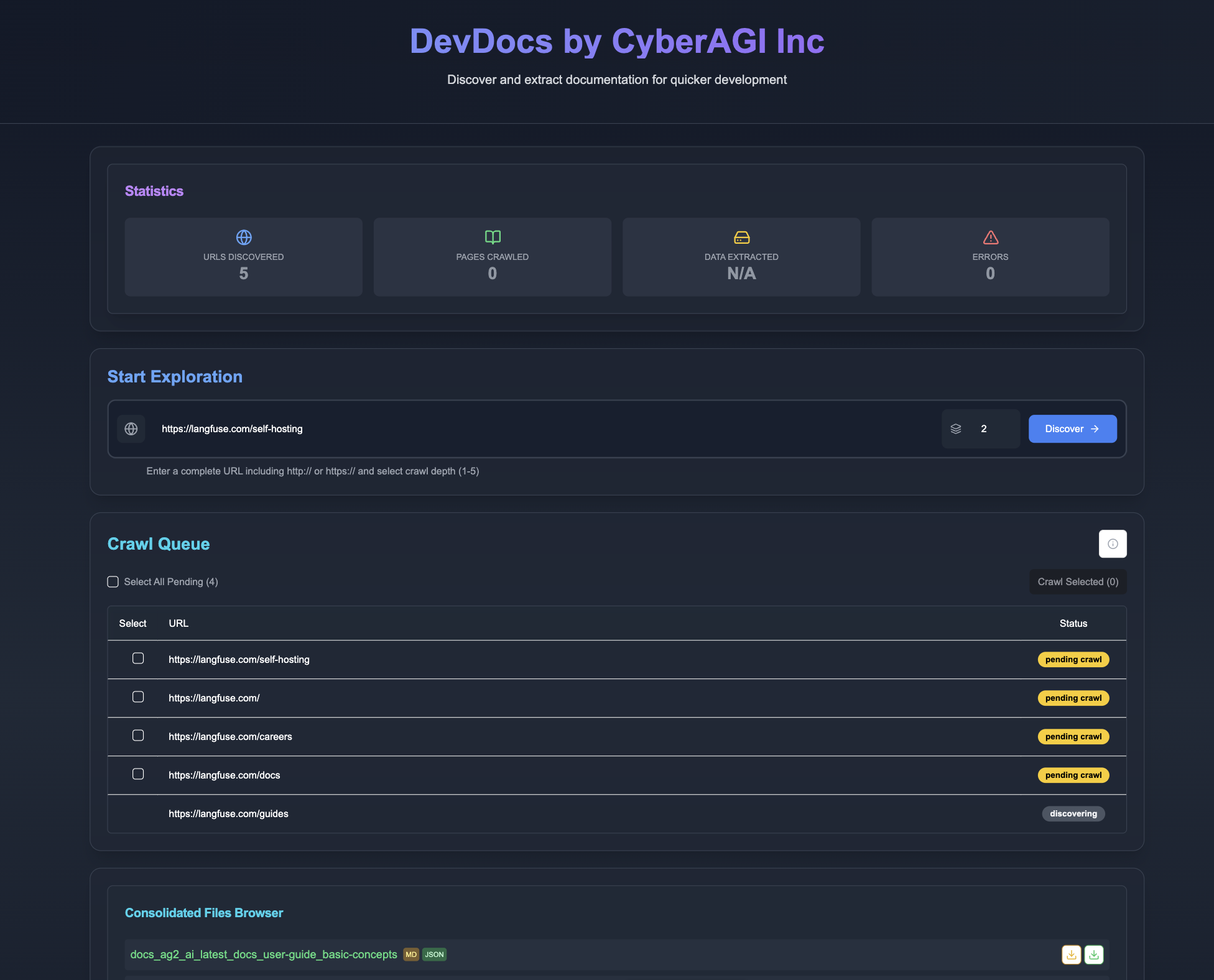
DevDocs brings documentation to you. Point it at any tech documentation URL, and watch as it: 1. Discovers all related pages to that technology 2. Extracts meaningful content without the fluff 3. Organizes information logically inside an MCP server ready for your LLM to query 4. Presents it in a clean, searchable format in MD or JSON for finetuning LLM purpose🔥 We want anyone in the world to have the ability to build amazing products quickly using the most cutting edge LLM technology.
💰 Pricing Comparison
| Feature | DevDocs | Firecrawl |
|---------|---------|-----------|
| Free Tier | Unlimited pages | None |
| Starting Price | Free Forever | $16/month |
| Enterprise Plan | Custom | $333/month |
| Crawl Speed | 1000/min | 20/min |
| Depth Levels | Up to 5 | Limited |
| Team Seats | Unlimited | 1-5 seats |
| Export Formats | MD, JSON, LLM-ready MCP servers | Limited formats |
| API Access | Coming Soon | Limited |
| Model Context Protocol Integration | ✅ | ❌ |
| Support | Priority Available via Discord | Standard only |
| Self-hosted (free use) | ✅ | ❌ |
🚀 Getting Started
DevDocs is designed to be easy to use with Docker, requiring minimal setup for new users.
Prerequisites
- Docker installed on your system
- Git for cloning the repository
Quick Start with Docker (Recommended)
For Mac/Linux users:
```bash
Sign in to leave a review
Use Google, GitHub, or an email account so ratings stay tied to real people.
No reviews posted yet.



