Derisk
About
AI-Native Risk Intelligence Systems, OpenDeRisk——Your application system risk intelligent manager provides 7* 24-hour comprehensive and in-depth protection.
Details
- License
- MIT
Explore
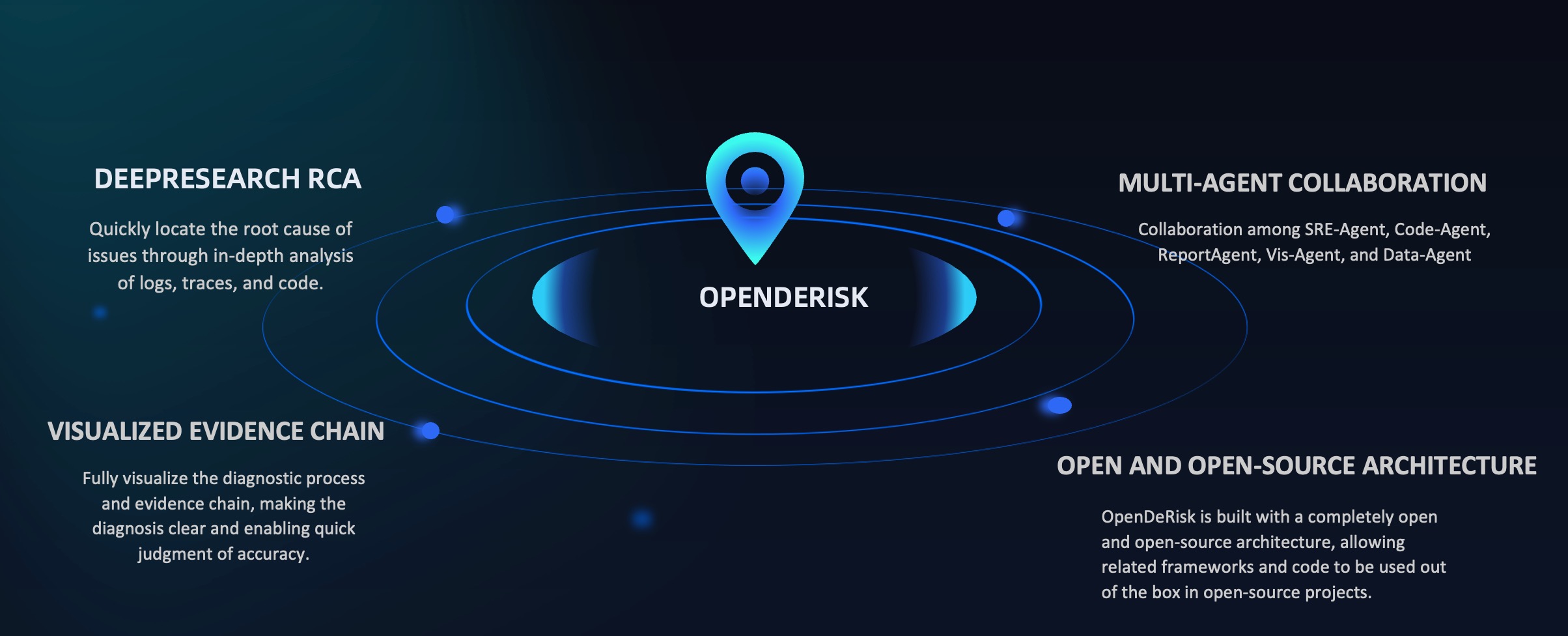
1. DeepResearch RCA: Quickly locate root causes through in-depth analysis of logs, traces, and code.
2. Visualized Evidence Chain: Fully visualize diagnostic processes and evidence chains for clear, accurate judgment.
3. Multi-Agent Collaboration: SRE-Agent, Code-Agent, ReportAgent, Vis-Agent, and Data-Agent working in coordination.
4. Open-Source Architecture: Built with a completely open architecture, enabling framework and code reuse in open-source projects.
<p align="left">
</p>

Setting up with Highlight
This MCP is not yet compatible with Highlight’s one-click setup. However, you can still use it with Highlight by following these steps:
- Download and install Highlight from highlightai.com/download
- Navigate to the plugins tab and select "Add Custom Plugin"
-
Configure the plugin with the settings below
Plugin Name
DeriskCommand (node, npx, python, etc.)Please refer to the README for specific instructions on how to obtain API keys or other required environment variables.
- Enable "Start Automatically" if you want the plugin to start when Highlight launches





From the repository
curl -fsSL https://raw.githubusercontent.com/derisk-ai/OpenDerisk/main/install.sh | bash
After installation, the default configuration file is automatically initialized at:
~/.openderisk/configs/derisk-proxy-aliyun.toml
Edit this file and set your API keys:
vi ~/.openderisk/configs/derisk-proxy-aliyun.toml
macOS/Linux:
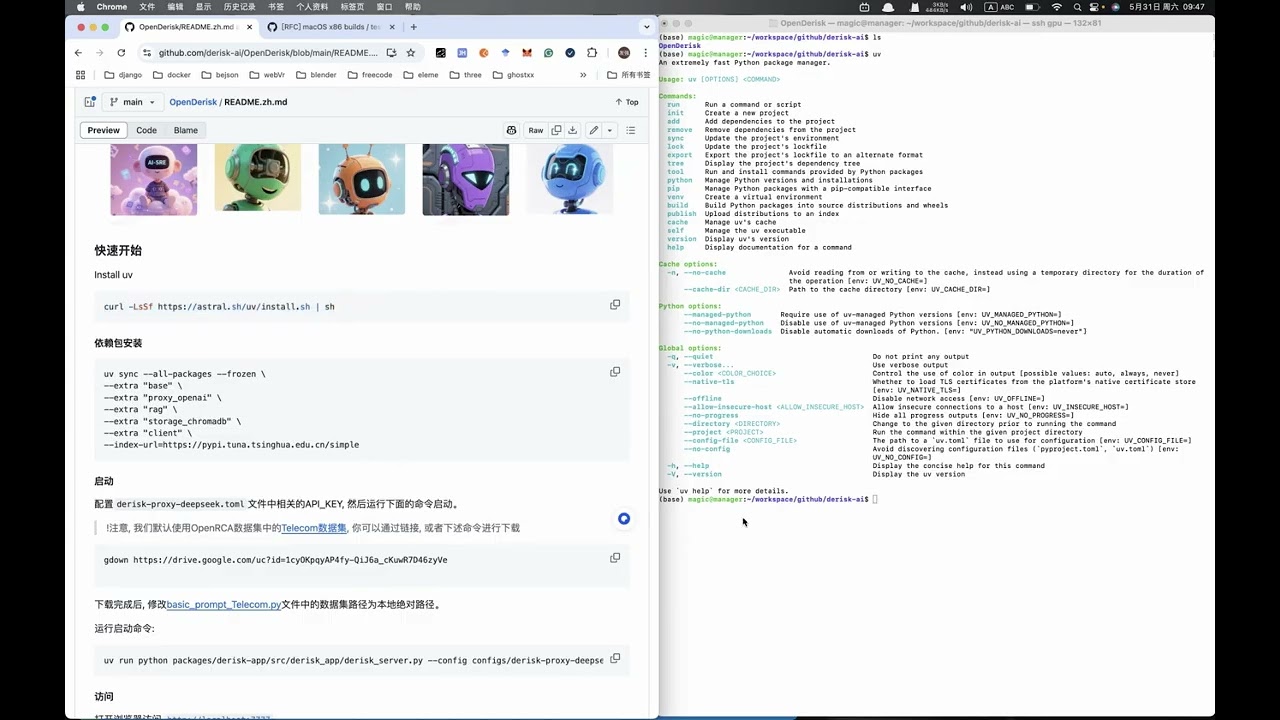
curl -LsSf https://astral.sh/uv/install.sh | sh
Windows:
powershell -c "irm https://astral.sh/uv/install.ps1 | iex"
git clone https://github.com/derisk-ai/OpenDerisk.git
cd OpenDerisk
uv sync --all-packages --frozen \
--extra "base" \
--extra "proxy_openai" \
--extra "rag" \
--extra "storage_chromadb" \
--extra "derisks" \
--extra "storage_oss2" \
--extra "client" \
--extra "ext_base" \
--extra "channel_dingtalk"
> Note: channel_dingtalk is optional. Skip it if you don't need DingTalk channel support.
uv run derisk quickstart
uv run derisk quickstart -c configs/derisk-proxy-aliyun.toml
AI-SRE (OpenRCA)
- Notice: We use the OpenRCA Dataset Bank Dataset
- Download: gdown https://drive.google.com/uc?id=1enBrdPT3wLG94ITGbSOwUFg9fkLR-16R
- Place datasets in ${derisk}/pilot/datasets
Flame Graph Assistant
- Upload flame graphs (Java/Python) from your local application for analysis
- DataExpert
Claude Desktop / Cursor
Paste into your MCP client config file to install this server.
{
    "mcpServers": {
        "derisk": {
            "derisk": {
                "command": "uv",
                "args": [
                    "sync",
                    "--all-packages",
                    "--frozen",
                    "\\"
                ]
            }
        }
    }
}McpServers
{
    "derisk": {
        "command": "uv",
        "args": [
            "sync",
            "--all-packages",
            "--frozen",
            "\\"
        ]
    }
}
OpenDeRisk
OpenDeRisk is an AI-Native Risk Intelligence System designed as your application system's intelligent manager, providing 7×24 hour comprehensive and in-depth protection.
<div align="center">
<p>
<a href="https://github.com/derisk-ai/OpenDerisk">
</a>
<a href="https://github.com/derisk-ai/OpenDerisk">
</a>
<a href="https://opensource.org/licenses/MIT">

</a>
<a href="https://github.com/derisk-ai/OpenDerisk/releases">
</a>
<a href="https://github.com/derisk-ai/OpenDerisk/issues">
</a>
<a href="https://codespaces.new/derisk-ai/OpenDerisk">

</a>
<a href="https://discord.com/invite/bgWkskhe">
</a>
</p>



English | 简体中文 | 日本語 | Video Tutorial
</div>
Sign in to leave a review
Use Google, GitHub, or an email account so ratings stay tied to real people.
No reviews posted yet.