
LLM Gateway
About
Unified gateway for managing multiple LLM providers with automatic model selection, semantic caching, and cost optimization features for reliable production deployments
Details
- Repository
- Dicklesworthstone/ultimate_mcp_server
Explore
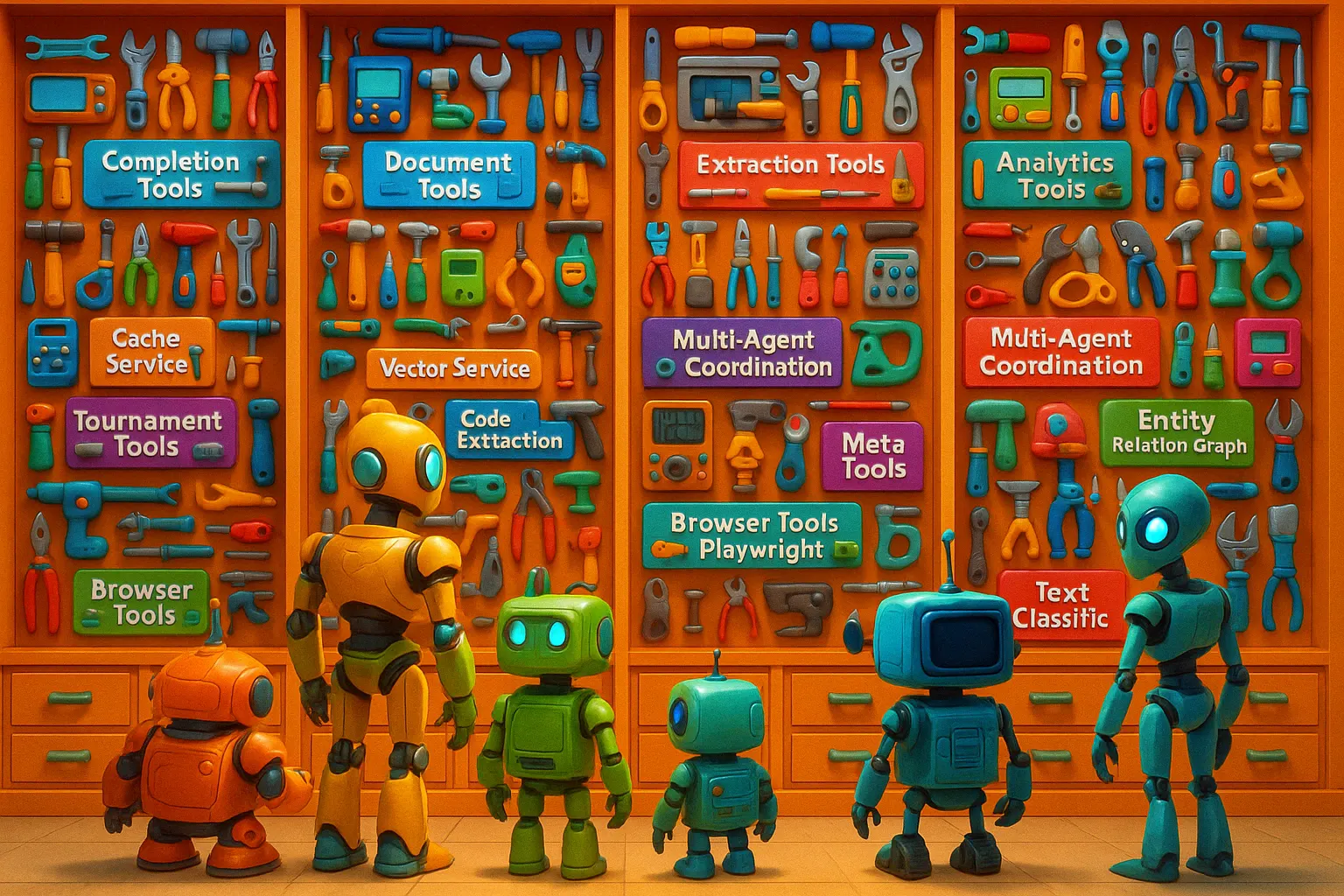
Getting Started • Key Features • Usage Examples • Architecture
</div>
---
- Rich Logging: Colorful, informative console logs via Rich.
- Health Monitoring: /healthz endpoint for readiness checks.
- Command-Line Interface: umcp CLI for management and interaction.
---

Setting up with Highlight
This MCP is not yet compatible with Highlight’s one-click setup. However, you can still use it with Highlight by following these steps:
- Download and install Highlight from highlightai.com/download
- Navigate to the plugins tab and select "Add Custom Plugin"
-
Configure the plugin with the settings below
Plugin Name
LLM GatewayCommand (node, npx, python, etc.)nodeArguments-
Argument 1
server.js
Environment-
LOG_LEVEL
INFO -
GROK_API_KEY
your_grok_key... -
GEMINI_API_KEY
your_google_ai_studio_key... -
OPENAI_API_KEY
your_openai_sk-... -
DEEPSEEK_API_KEY
your_deepseek_key... -
USE_RICH_LOGGING
true -
ANTHROPIC_API_KEY
your_anthropic_sk-... -
OPENROUTER_API_KEY
your_openrouter_key... -
GATEWAY_SERVER_HOST
127.0.0.1 -
GATEWAY_SERVER_PORT
8013
Please refer to the README for specific instructions on how to obtain API keys or other required environment variables.
-
Argument 1
- Enable "Start Automatically" if you want the plugin to start when Highlight launches





From the repository
curl -LsSf https://astral.sh/uv/install.sh | sh
uv venv --python 3.13
source .venv/bin/activate
uv lock --upgrade
uv sync --all-extras
Note: The
uv sync --all-extras command installs all optional extras defined in the project (e.g., OCR, Browser Automation, Excel). If you only need specific extras, adjust your project dependencies and run uv sync without --all-extras.
Create a file named .env in the root directory of the cloned repository. Add your API keys and any desired configuration overrides:
GATEWAY_SERVER_PORT=8013
GATEWAY_SERVER_HOST=127.0.0.1 # Change to 0.0.0.0 to listen on all interfaces (needed for Docker/external access)
LOG_LEVEL=INFO # DEBUG, INFO, WARNING, ERROR, CRITICAL
USE_RICH_LOGGING=true # Set to false for plain text logs
GATEWAY_CACHE_ENABLED=true
GATEWAY_CACHE_TTL=86400 # Default Time-To-Live in seconds (24 hours)
docker compose up --build # Add --build the first time or after changes
Once running, the server will typically be available at http://localhost:8013 (or the host/port configured in your .env or command line). You should see log output indicating the server has started and which tools are registered.
Getting Started • Key Features • Usage Examples • Architecture
</div>
---
A unified hub enabling advanced AI agents to access an extensive ecosystem of tools:
- 🌐 Perform complex web automation tasks (Playwright integration).
- 📊 Manipulate and analyze Excel spreadsheets with deep integration.
- 🧠 Access rich cognitive memory systems for persistent agent state.
- 💾 Interact securely with the filesystem.
- 🗄️ Interact with databases through SQL operations.
- 🖼️ Process documents with OCR capabilities.
- 🔍 Perform sophisticated vector search and RAG operations.
- 🏷️ Utilize specialized text processing and classification.
- ⌨️ Leverage command-line tools like ripgrep, awk, sed, jq.
- 🔌 Dynamically integrate external REST APIs.
- ✨ Use meta tools for self-discovery, optimization, and documentation refinement.
- Smart Chunking: Token-based, semantic boundary detection, structural analysis methods. Configurable overlap.
- Document Operations: Summarization (paragraph, bullets), entity extraction, question generation, batch processing.
- Automated Improvement: Systematically analyzes, tests, and refines MCP tool documentation (docstrings, schemas, examples).
- Agent Simulation: Identifies ambiguities from an LLM agent's perspective.
- Adaptive Testing: Generates and executes schema-aware test cases.
- Failure Analysis: Uses LLM ensembles to diagnose documentation weaknesses.
- Iterative Refinement: Continuously improves documentation quality.
- (See dedicated section for more details)
- PDF/Image Extraction: Uses Tesseract or other OCR engines, enhanced with LLM correction/formatting.
- Preprocessing: Image denoising, thresholding, deskewing options.
- Structure Analysis: Extracts PDF metadata and structure.
- Batch Processing: Handles multiple files concurrently.
- (Requires ocr extra dependencies: uv pip install -e ".[ocr]")
- HTML Redline Generation: Visual diffs (insertions, deletions, moves) between text/HTML. Standalone HTML output.
- Document Comparison: Compares various formats with intuitive highlighting.
- Cost Estimation/Comparison: Pre-execution cost estimates, model cost comparisons.
- Model Selection Guidance: Recommends models based on task, budget, performance needs.
- Workflow Execution Engine: Runs multi-stage pipelines with dependencies, parallel execution, variable passing.
- Offline Power: Securely wrap and expose command-line tools like ripgrep (fast regex search), awk (text processing), sed (stream editor), jq (JSON processing) as MCP tools. Process text locally without API calls.
- Tool Discovery: Agents can query available tools, parameters, descriptions (list_tools).
- Usage Recommendations: Get AI-driven advice on tool selection/combination for tasks.
- External API Integration: Dynamically register REST APIs via OpenAPI specs, making endpoints available as callable MCP tools (register_api, call_dynamic_tool).
- Documentation Generation: Part of the Autonomous Refiner feature.
umcp run --include-tools completion chunk_document read_file write_file
umcp run --exclude-tools browser_init browser_navigate research_and_synthesize_report
umcp run --include-tools completion chunk_document read_file write_file
umcp run --exclude-tools browser_init browser_navigate
Example output:
┌─ Starting Ultimate MCP Server ───────────────────┐
│ Host: 0.0.0.0 │
│ Port: 9000 │
│ Workers: 4 │
│ Transport mode: streamable-http │
└────────────────────────────────────────────────┘
Claude Desktop / Cursor
Paste into your MCP client config file to install this server.
{
    "mcpServers": {
        "llm gateway": {
            "env": {
                "LOG_LEVEL": "INFO",
                "GROK_API_KEY": "your_grok_key...",
                "GEMINI_API_KEY": "your_google_ai_studio_key...",
                "OPENAI_API_KEY": "your_openai_sk-...",
                "DEEPSEEK_API_KEY": "your_deepseek_key...",
                "USE_RICH_LOGGING": "true",
                "ANTHROPIC_API_KEY": "your_anthropic_sk-...",
                "OPENROUTER_API_KEY": "your_openrouter_key...",
                "GATEWAY_SERVER_HOST": "127.0.0.1",
                "GATEWAY_SERVER_PORT": "8013"
            },
            "args": [
                "server.js"
            ],
            "command": "node"
        }
    }
}Linux
{
    "env": {
        "LOG_LEVEL": "INFO",
        "GROK_API_KEY": "your_grok_key...",
        "GEMINI_API_KEY": "your_google_ai_studio_key...",
        "OPENAI_API_KEY": "your_openai_sk-...",
        "DEEPSEEK_API_KEY": "your_deepseek_key...",
        "USE_RICH_LOGGING": "true",
        "ANTHROPIC_API_KEY": "your_anthropic_sk-...",
        "OPENROUTER_API_KEY": "your_openrouter_key...",
        "GATEWAY_SERVER_HOST": "127.0.0.1",
        "GATEWAY_SERVER_PORT": "8013"
    },
    "args": [
        "server.js"
    ],
    "command": "node"
}
Macos
{
    "env": {
        "LOG_LEVEL": "INFO",
        "GROK_API_KEY": "your_grok_key...",
        "GEMINI_API_KEY": "your_google_ai_studio_key...",
        "OPENAI_API_KEY": "your_openai_sk-...",
        "DEEPSEEK_API_KEY": "your_deepseek_key...",
        "USE_RICH_LOGGING": "true",
        "ANTHROPIC_API_KEY": "your_anthropic_sk-...",
        "OPENROUTER_API_KEY": "your_openrouter_key...",
        "GATEWAY_SERVER_HOST": "127.0.0.1",
        "GATEWAY_SERVER_PORT": "8013"
    },
    "args": [
        "server.js"
    ],
    "command": "node"
}
Windows
{
    "env": {
        "LOG_LEVEL": "INFO",
        "GROK_API_KEY": "your_grok_key...",
        "GEMINI_API_KEY": "your_google_ai_studio_key...",
        "OPENAI_API_KEY": "your_openai_sk-...",
        "DEEPSEEK_API_KEY": "your_deepseek_key...",
        "USE_RICH_LOGGING": "true",
        "ANTHROPIC_API_KEY": "your_anthropic_sk-...",
        "OPENROUTER_API_KEY": "your_openrouter_key...",
        "GATEWAY_SERVER_HOST": "127.0.0.1",
        "GATEWAY_SERVER_PORT": "8013"
    },
    "args": [
        "server.js"
    ],
    "shell": true,
    "command": "node"
}
🧠 Ultimate MCP Server
<div align="center">



A comprehensive Model Context Protocol (MCP) server providing advanced AI agents with dozens of powerful capabilities for cognitive augmentation, tool use, and intelligent orchestration
Getting Started • Key Features • Usage Examples • Architecture
</div>
---
🤖 What is Ultimate MCP Server?
Ultimate MCP Server is a comprehensive MCP-native system that serves as a complete AI agent operating system. It exposes dozens of powerful capabilities through the Model Context Protocol, enabling advanced AI agents to access a rich ecosystem of tools, cognitive systems, and specialized services.
While it includes intelligent task delegation from sophisticated models (e.g., Claude 3.7 Sonnet) to cost-effective ones (e.g., Gemini Flash 2.0 Lite), this is just one facet of its extensive functionality. The server provides unified access to multiple LLM providers while optimizing for cost, performance, and quality.
The system offers integrated cognitive memory systems, browser automation, Excel manipulation, database interactions, document processing, command-line utilities, dynamic API integration, OCR capabilities, vector operations, entity relation graphs, SQL database interactions, audio transcription, and much more. These capabilities transform an AI agent from a conversational interface into a powerful autonomous system capable of complex, multi-step operations across digital environments.
<div align="center">
</div>
---## 🎯 Vision: The Complete AI Agent Operating System
At its core, Ultimate MCP Server represents a fundamental shift in how AI agents operate in digital environments. It serves as a comprehensive operating system for AI, providing:
- 🧠 A unified cognitive architecture that enables persistent memory, reasoning, and contextual awareness
- ⚙️ Seamless access to dozens of specialized tools spanning web browsing, document processing, data analysis, and more
- 💻 Direct system-level capabilities for filesystem operations, database interactions, and command-line utilities
- 🔄 Dynamic workflow capabilities for complex multi-step task orchestration and execution
- 🌐 Intelligent integration of various LLM providers with cost, quality, and performance optimization
- 🚀 Advanced vector operations, knowledge graphs, and retrieval-augmented generation for enhanced AI capabilities
This approach mirrors how sophisticated operating systems provide applications with access to hardware, services, and resources - but designed specifically for augmenting AI agents with powerful new capabilities beyond their native abilities.
---
🔌 MCP-Native Architecture
The server is built entirely on the Model Context Protocol (MCP), making it specifically designed to work with AI agents like Claude. All functionality is exposed through standardized MCP tools that can be directly called by these agents, creating a seamless integration layer between AI agents and a comprehensive ecosystem of capabilities, services, and external systems.
---
🧬 Core Use Cases: AI Agent Augmentation and Ecosystem
The Ultimate MCP Server transforms AI agents like Claude 3.7 Sonnet into autonomous systems capable of sophisticated operations across digital environments:
                        interacts with
┌─────────────┐ ────────────────────────► ┌───────────────────┐         ┌──────────────┐
│ Claude 3.7  │                           │   Ultimate MCP     │ ───────►│ LLM Providers│
│   (Agent)   │ ◄──────────────────────── │     Server        │ ◄───────│ External     │
└─────────────┘      returns results      └───────────────────┘         │ Systems      │
                                                │                        └──────────────┘
                                                ▼
                      ┌─────────────────────────────────────────────┐
                      │ Cognitive Memory Systems                    │
                      │ Web & Data: Browser, DB, RAG, Vector Search │
                      │ Documents: Excel, OCR, PDF, Filesystem      │
                      │ Analysis: Entity Graphs, Classification     │
                      │ Integration: APIs, CLI, Audio, Multimedia   │
                      └─────────────────────────────────────────────┘
Example workflow:
1. An AI agent receives a complex task requiring multiple capabilities beyond its native abilities
2. The agent uses the Ultimate MCP Server to access specialized tools and services as needed
3. The agent can leverage the cognitive memory system to maintain state and context across operations
4. Complex tasks like research, data analysis, document creation, and multimedia processing become possible
5. The agent can orchestrate multi-step workflows combining various tools in sophisticated sequences
6. Results are returned in standard MCP format, enabling the agent to understand and work with them
7. One important benefit is cost optimization through delegating appropriate tasks to more efficient models
This integration unlocks transformative capabilities that enable AI agents to autonomously complete complex projects while intelligently utilizing resources - including potentially saving 70-90% on API costs by using specialized tools and cost-effective models where appropriate.
---
💡 Why Use Ultimate MCP Server?
🧰 Comprehensive AI Agent Toolkit
A unified hub enabling advanced AI agents to access an extensive ecosystem of tools: - 🌐 Perform complex web automation tasks (Playwright integration). - 📊 Manipulate and analyze Excel spreadsheets with deep integration. - 🧠 Access rich cognitive memory systems for persistent agent state. - 💾 Interact securely with the filesystem. - 🗄️ Interact with databases through SQL operations. - 🖼️ Process documents with OCR capabilities. - 🔍 Perform sophisticated vector search and RAG operations. - 🏷️ Utilize specialized text processing and classification. - ⌨️ Leverage command-line tools like ripgrep, awk, sed, jq. - 🔌 Dynamically integrate external REST APIs. - ✨ Use meta tools for self-discovery, optimization, and documentation refinement.💵 Cost Optimization
API costs for advanced models can be substantial. Ultimate MCP Server helps reduce costs by: - 📉 Routing appropriate tasks to cheaper models (e.g., $0.01/1K tokens vs $0.15/1K tokens). - ⚡ Implementing advanced caching (exact, semantic, task-aware) to avoid redundant API calls. - 💰 Tracking and optimizing costs across providers. - 🧭 Enabling cost-aware task routing decisions. - 🛠️ Handling routine processing with specialized non-LLM tools (filesystem, CLI utils, etc.).…
Sign in to leave a review
Use Google, GitHub, or an email account so ratings stay tied to real people.
No reviews posted yet.



