
Django Orm Lens
About
Static Django schema analysis for AI agents — 10 read-only tools (models, relations, ER diagrams, migration DAG, N+1 scan) with no database and no Django boot.
Details
- License
- MIT
Explore
- 🔎 Hover cards — over any ForeignKey('app.Model') or ManyToManyField(...), with a one-click jump link
- 🧭 CodeLens — above every class Model line: field count, relation count, and an Open ER diagram action
- 🎨 Named themes — auto / default / dark / forest / neutral for the diagram webview
- Django developers joining a codebase with 10+ apps and getting lost in models.py sprawl
- Contract / freelance engineers who need to grasp an unfamiliar Django project in the first hour, not the first week
VS Code / Cursor / Windsurf / any Code fork:
code --install-extension frowningdev.django-orm-lens
Or search Django ORM Lens in the Extensions view.
Terminal & AI coding agents:
pip install django-orm-lens              # CLI only
pip install "django-orm-lens[mcp]"       # + MCP server for AI agents
Requires Python 3.9+. Zero runtime dependencies for the CLI.
<br/>
No DJANGO_SETTINGS_MODULE. No runserver. Parses models.py statically. Works with a broken venv, a missing dependency, or on someone else's laptop.
</td>
<td width="50%" valign="top">
The defaults are opinionated and sensible. If you need to tweak:
// .vscode/settings.json
{
  "djangoOrmLens.excludeGlobs": [
    "/migrations/",
    "/node_modules/",
    "/venv/",
    "/.venv/",
    "/env/"
  ],
  "djangoOrmLens.autoRefresh": true
}
| Setting | Type | Default | What it does |
|---|---|---|---|
| djangoOrmLens.excludeGlobs | string[] | See above | Glob patterns to skip when scanning |
| djangoOrmLens.autoRefresh | boolean | true | Rescan on models.py changes |
<br/>
See your entire Django schema — in your editor, in your terminal, and from your AI agent.
Every app. Every model. Every field. Every relationship. Grouped, navigable, and one keystroke away from a live ER diagram.
<br/>






<br/>







</div>
---
⚡ Install
VS Code / Cursor / Windsurf / any Code fork:
code --install-extension frowningdev.django-orm-lens
Or search Django ORM Lens in the Extensions view.
Terminal & AI coding agents:
pip install django-orm-lens              # CLI only
pip install "django-orm-lens[mcp]"       # + MCP server for AI agents
Requires Python 3.9+. Zero runtime dependencies for the CLI.
<br/>
🎯 The problem
You open a Django project. It has 20 apps. You need to answer a simple question:
> _"Which app owns the Order model, and how is it connected to User?"_
Today, that means: Ctrl+P, "models", scroll through 30 hits, open five files, Ctrl+F for class Order, read through 400 lines of ForeignKey('otherapp.Something') strings, try to remember what you learned two files ago.
Half a day gone. Every time. On every project.
<br/>
✨ With Django ORM Lens
<table>
<tr>
<td width="50%" valign="top">
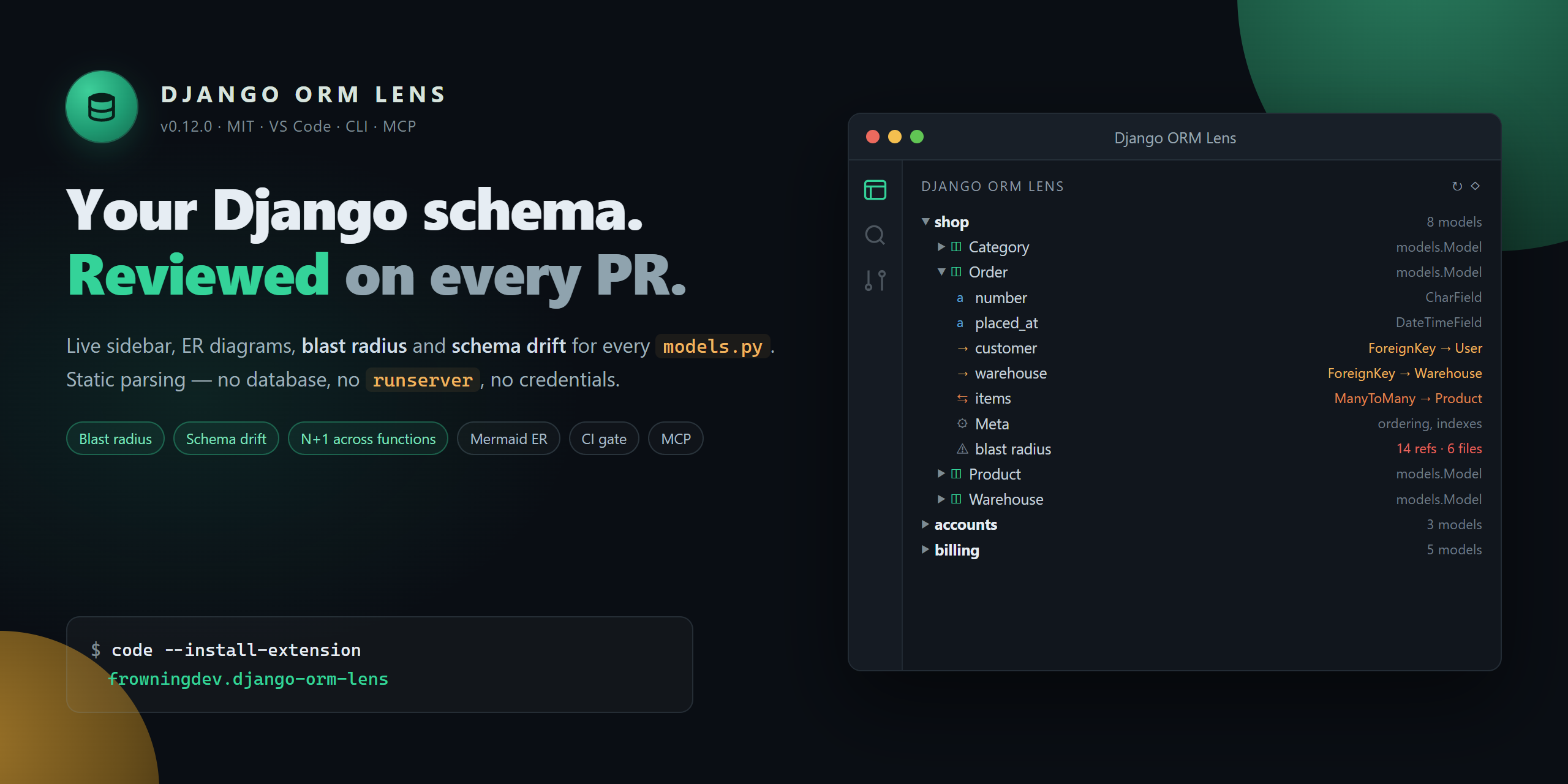
📚 A tree of everything
Every app → every model → every field → every Meta option. Grouped by application, sorted alphabetically, expandable.
Icons distinguish CharField from ForeignKey from ManyToManyField at a glance.
</td>
<td width="50%" valign="top">
🕸️ A live ER diagram
One command opens a Mermaid entity-relationship diagram of your entire schema. Watch it redraw as you edit. Export to SVG.
ForeignKey, OneToOneField, and ManyToManyField become proper cardinality arrows.
</td>
</tr>
<tr>
<td width="50%" valign="top">
🔎 Hover for relations
Hover over ForeignKey('app.Model') in any Python file → a card pops up with the target model's fields, relations, and a "Jump to" link. No Ctrl+F, no file dialog.
</td>
<td width="50%" valign="top">
🧭 Jump-to-definition
Click any field in the tree → cursor lands on the exact line. Filter the tree by app or model name. Split models/ packages are fully supported.
</td>
</tr>
<tr>
<td width="50%" valign="top">
⚡ Zero configuration
No DJANGO_SETTINGS_MODULE. No runserver. Parses models.py statically. Works with a broken venv, a missing dependency, or on someone else's laptop.
</td>
<td width="50%" valign="top">
🎨 Native VS Code UI
Dark theme. Light theme. Your theme. Follows your icon theme, your font, your key bindings. Nothing garish, nothing branded.
</td>
</tr>
</table>
<br/>
📸 What it looks like
<div align="center">
</div>
Also included in the extension:
- 🕸️ Live ER diagram — Mermaid cardinality arrows, edge labels (CASCADE, through Model, as related_name), theme-aware, one-click SVG export
- 🔎 Hover cards — over any ForeignKey('app.Model') or ManyToManyField(...), with a one-click jump link
- 🧭 CodeLens — above every class Model line: field count, relation count, and an Open ER diagram action
- 🎨 Named themes — auto / default / dark / forest / neutral for the diagram webview
<br/>
🤖 For terminals and AI coding agents
The same parser that powers the VS Code extension ships as a standalone Python package — with an optional MCP (Model Context Protocol) server so any MCP-compatible AI agent can navigate your Django schema without importing Django or booting your app.
CLI
django-orm-lens scan -f json          # every app, every model, every field
django-orm-lens describe blog.Post    # one model in Markdown
django-orm-lens hover blog.Post       # compact hover card
django-orm-lens list | fzf            # flat app.Model — pipes anywhere
django-orm-lens er > schema.mmd       # Mermaid ER diagram
Every command accepts --path <dir> and --exclude <glob>.
MCP server
Register it once with your agent and it exposes five read-only tools:
| Tool | Purpose |
| --- | --- |
| list_apps | Every Django app in the workspace with model counts |
| list_models | Flat app.Model list, optional app filter |
| describe_model | Full field / relation / Meta detail for one model |
| find_relations | Inbound + outbound relations for one model |
| er_diagram | Mermaid erDiagram for the whole workspace |
```bash
Sign in to leave a review
Use Google, GitHub, or an email account so ratings stay tied to real people.
No reviews posted yet.



