
Playwright MCP Server
About
An MCP server using Playwright for browser automation and webscrapping
Details
- License
- MIT license
Explore
- Browser automation using Playwright (Chromium, Firefox, WebKit)
- 143 real device presets with natural language support
- Automatic browser installation on first use
- HTTP mode for remote, multi-client, and VS Code integration
- Screenshot capture, test code generation, web scraping, JavaScript execution
- Health check endpoint and monitoring system

Setting up with Highlight
This MCP is not yet compatible with Highlight’s one-click setup. However, you can still use it with Highlight by following these steps:
- Download and install Highlight from highlightai.com/download
- Navigate to the plugins tab and select "Add Custom Plugin"
-
Configure the plugin with the settings below
Plugin Name
Playwright MCP ServerCommand (node, npx, python, etc.)Please refer to the README for specific instructions on how to obtain API keys or other required environment variables.
- Enable "Start Automatically" if you want the plugin to start when Highlight launches





Claude Desktop / Cursor
Paste into your MCP client config file to install this server.
{
    "mcpServers": {
        "playwright mcp server": {
            "mcp-playwright": {
                "command": "npx",
                "args": [
                    "@michaellatman/mcp-get@latest",
                    "install",
                    "@executeautomation/playwright-mcp-server"
                ]
            }
        }
    }
}McpServers
{
    "mcp-playwright": {
        "command": "npx",
        "args": [
            "@michaellatman/mcp-get@latest",
            "install",
            "@executeautomation/playwright-mcp-server"
        ]
    }
}
A Model Context Protocol server that provides browser automation capabilities using Playwright. This server enables LLMs to interact with web pages, take screenshots, generate test code, web scrapes the page and execute JavaScript in a real browser environment.
<a href="https://glama.ai/mcp/servers/yh4lgtwgbe"></a>
✨ What's New in v1.0.10
🎯 Device Emulation with 143 Real Device Presets!
Test your web applications on real device profiles with a simple command:
// Test on iPhone 13 with automatic user-agent, touch support, and device pixel ratio
await playwright_resize({ device: "iPhone 13" });
// Switch to iPad with landscape orientation

await playwright_resize({ device: "iPad Pro 11", orientation: "landscape" });
// Test desktop view

await playwright_resize({ device: "Desktop Chrome" });
Natural Language Support for AI Assistants:
- "Test on iPhone 13"
- "Switch to iPad view"
- "Rotate to landscape"
Supports 143 devices: iPhone, iPad, Pixel, Galaxy, and Desktop browsers with proper emulation of viewport, user-agent, touch events, and device pixel ratios.
📚 View Device Quick Reference | Prompt Guide
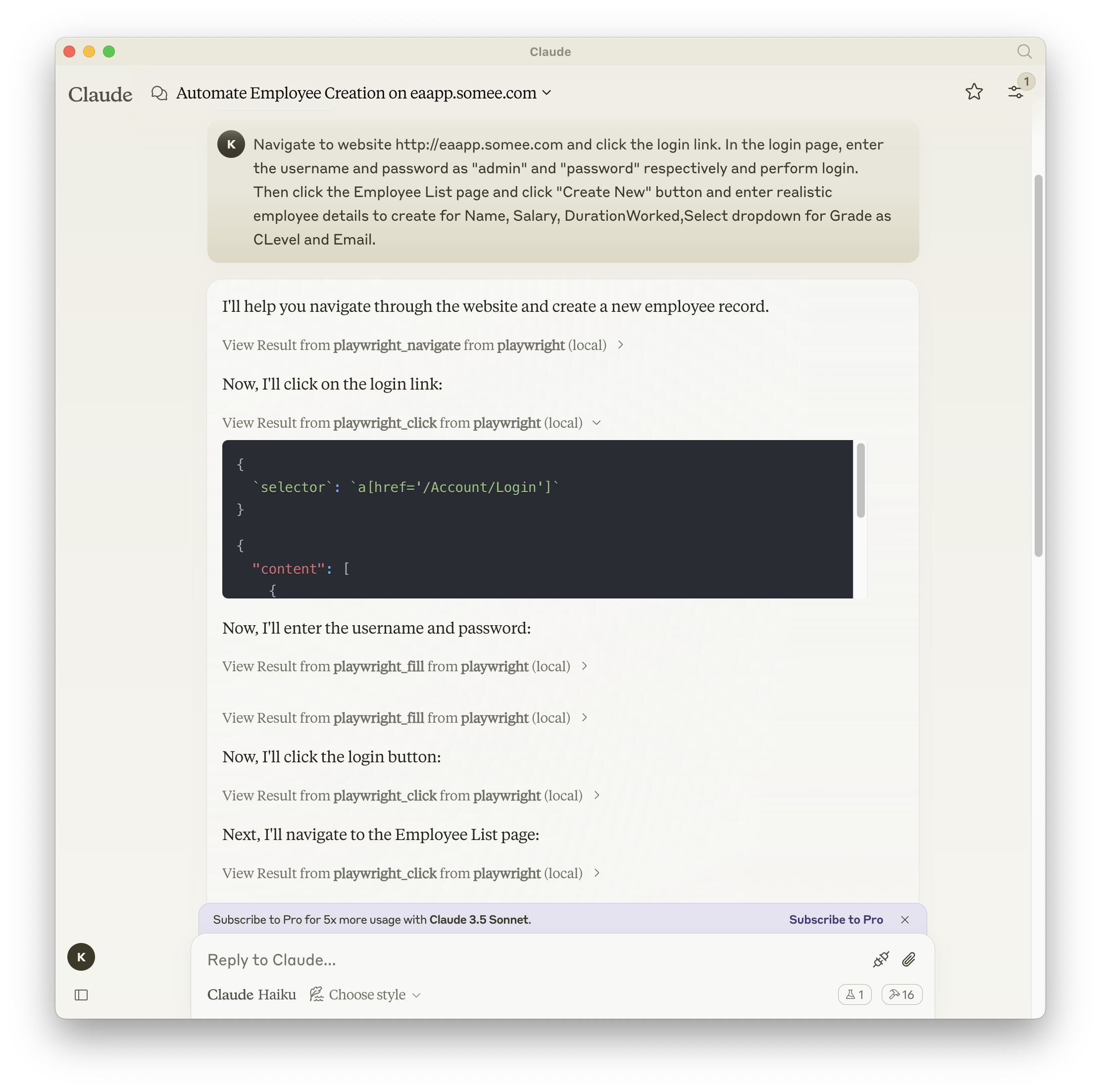
Screenshot
Documentation | API reference
Installation
You can install the package using either npm, mcp-get, or Smithery:
Using npm:
npm install -g @executeautomation/playwright-mcp-server
Using mcp-get:
npx @michaellatman/mcp-get@latest install @executeautomation/playwright-mcp-server
Using Smithery
To install Playwright MCP for Claude Desktop automatically via Smithery:
npx @smithery/cli install @executeautomation/playwright-mcp-server --client claude
Using Claude Code:
claude mcp add --transport stdio playwright npx @executeautomation/playwright-mcp-server
Installation in VS Code
Install the Playwright MCP server in VS Code using one of these buttons:
<!--
// Generate using?:
const config = JSON.stringify({ name: 'playwright', command: 'npx', args: ["-y", "@executeautomation/playwright-mcp-server"] });
const urlForWebsites = vscode:mcp/install?${encodeURIComponent(config)};
// Github markdown does not allow linking to vscode: directly, so you can use our redirect:
const urlForGithub = https://insiders.vscode.dev/redirect?url=${encodeURIComponent(urlForWebsites)};
-->


Alternatively, you can install the Playwright MCP server using the VS Code CLI:
```bash
Sign in to leave a review
Use Google, GitHub, or an email account so ratings stay tied to real people.
No reviews posted yet.





