
FalkorDB
About
Enables natural language querying of graph databases by translating requests into FalkorDB queries for analyzing relationships in knowledge graphs, recommendation systems, and network data.
Details
- License
- MIT
Explore
- Query graph databases using OpenCypher (with read-only mode)
- Parameterized queries to prevent injection risks
- Dedicated read-only query tool (query_graph_readonly)
- Create, manage, and delete nodes and relationships
- List available graphs and explore schema (node labels, relationship types)
- Schema discovery tools with sampling and connection topology
- Works with stdio (default) or streamable HTTP transport
- API key authentication for HTTP mode (optional)
- Read-only mode for replica instances (set via FALKORDB_DEFAULT_READONLY)

Setting up with Highlight
This MCP is not yet compatible with Highlight’s one-click setup. However, you can still use it with Highlight by following these steps:
- Download and install Highlight from highlightai.com/download
- Navigate to the plugins tab and select "Add Custom Plugin"
-
Configure the plugin with the settings below
Plugin Name
FalkorDBCommand (node, npx, python, etc.)Please refer to the README for specific instructions on how to obtain API keys or other required environment variables.
- Enable "Start Automatically" if you want the plugin to start when Highlight launches





From the repository
1. Clone and install:
git clone https://github.com/FalkorDB/FalkorDB-MCPServer.git
cd FalkorDB-MCPServer
npm install
2. Configure environment:
cp .env.example .env
Edit
.env:
Add to your Claude Desktop config (~/Library/Application Support/Claude/claude_desktop_config.json on macOS):
{
"mcpServers": {
"falkordb": {
"command": "npx",
"args": [
"-y",
"@falkordb/mcpserver@latest"
],
"env": {
"FALKORDB_HOST": "localhost",
"FALKORDB_PORT": "6379",
"FALKORDB_USERNAME": "",
"FALKORDB_PASSWORD": ""
}
}
}
}
You can run the server directly from the command line using npx:
Using inline environment variables:
npx dotenv-cli -e .env -- npx @falkordb/mcpserver
This is useful for:
- Quick testing and development
- Running the server standalone without Claude Desktop
- Custom integrations and scripting
NODE_ENV=development
FALKORDB_HOST=localhost
FALKORDB_PORT=6379
FALKORDB_USERNAME= # Optional
FALKORDB_PASSWORD= # Optional
FALKORDB_DEFAULT_READONLY=false # Set to 'true' for read-only mode (useful for replicas)
ENABLE_FILE_LOGGING=false
3. Build the project:
npm run build
Claude Desktop / Cursor
Paste into your MCP client config file to install this server.
{
    "mcpServers": {
        "falkordb": {
            "FalkorDB-MCPServer": {
                "command": "npx",
                "args": [
                    "-y",
                    "@falkordb/mcpserver"
                ],
                "env": {
                    "FALKORDB_HOST": "localhost",
                    "FALKORDB_PORT": "6379"
                }
            }
        }
    }
}McpServers
{
"FalkorDB-MCPServer": {
"command": "npx",
"args": [
"-y",
"@falkordb/mcpserver"
],
"env": {
"FALKORDB_HOST": "localhost",
"FALKORDB_PORT": "6379"
}
}
}A Model Context Protocol (MCP) server for FalkorDB, allowing AI models to query and interact with graph databases. FalkorDB MCP Server enables AI assistants like Claude to interact with FalkorDB graph databases using natural language. Query your graph data, create relationships, and manage your knowledge graph - all through conversational AI.
This server implements theModel Context Protocol (MCP), allowing AI models to:
- Query graph databasesusing OpenCypher (with read-only mode support)
- Create and managenodes and relationships
- List and exploremultiple graphs
- Delete graphswhen needed
- Read-only queriesfor replica instances or to prevent accidental writes
- Node.js 18+
- FalkorDB instance (running locally or remotely)
- Claude Desktop app (for AI integration)
Add to your Claude Desktop config (~/Library/Application Support/Claude/claude_desktop_config.jsonon macOS):
{ "mcpServers": { "falkordb": { "command": "npx", "args": [ "-y", "@falkordb/mcpserver@latest" ], "env": { "FALKORDB_HOST": "localhost", "FALKORDB_PORT": "6379", "FALKORDB_USERNAME": "", "FALKORDB_PASSWORD": "" } } } }
You can run the server directly from the command line using npx:
# Run with stdio transport (default) FALKORDB_HOST=localhost FALKORDB_PORT=6379 npx -y @falkordb/mcpserver # Run with HTTP transport MCP_TRANSPORT=http MCP_PORT=3005 FALKORDB_HOST=localhost FALKORDB_PORT=6379 npx -y @falkordb/mcpserver
# Using dotenv-cli to load environment variables from .env npx dotenv-cli -e .env -- npx @falkordb/mcpserver
- Quick testing and development
- Running the server standalone without Claude Desktop
- Custom integrations and scripting
Run FalkorDB and the MCP server together:
cp .env.example .env # create env file; edit to set MCP_API_KEY, FALKORDB_PASSWORD, etc. docker compose up -d
Note:Skipping the.envfile leaves variables likeMCP_API_KEYandFALKORDB_PASSWORDempty, which disables API key authentication and uses no database password.
This starts FalkorDB with health checks and persistent volumes, plus the MCP server pre-configured to connect to it.
The MCP server runs inHTTP transportmode and is exposed onlocalhost:3000by default. To connect a client, configure it to use:
- Transport:http
- URL:http://localhost:3000
- API Key:Set via theMCP_API_KEYenvironment variable (optional)
Seedocker-compose.ymlfor the exact port and configuration values.
   git clone https://github.com/FalkorDB/FalkorDB-MCPServer.git

   cd FalkorDB-MCPServer

   npm install
# Environment Configuration NODE_ENV=development # FalkorDB Configuration FALKORDB_HOST=localhost FALKORDB_PORT=6379 FALKORDB_USERNAME= # Optional FALKORDB_PASSWORD= # Optional FALKORDB_DEFAULT_READONLY=false # Set to 'true' for read-only mode (useful for replicas) # Logging Configuration (optional) ENABLE_FILE_LOGGING=false
Add to your Claude Desktop config (~/Library/Application Support/Claude/claude_desktop_config.jsonon macOS):
{ "mcpServers": { "falkordb": { "command": "node", "args": [ "/absolute/path/to/falkordb-mcpserver/dist/index.js" ] } } }
Restart Claude Desktop and you'll see the FalkorDB tools available!
"Show me all people who know each other" "Find the shortest path between two nodes" "What relationships does John have?" "Run a read-only query on the replica instance"
Note:Thequery_graphtool now supports areadOnlyparameter to execute queries in read-only mode usingGRAPH.RO_QUERY. This is ideal for:
- Running queries on replica instances
- Preventing accidental write operations
- Ensuring data integrity in production environments
There's also a dedicatedquery_graph_readonlytool that always executes queries in read-only mode.
Parameterized queries:Thequery_graphandquery_graph_readonlytools accept an optionalparamsobject so values can be passed separately from the query text (referenced as$name), instead of string-concatenating them into Cypher. This avoids query-injection risks and malformed queries. For example, a query ofMATCH (p:Person {name: $name}) RETURN pwithparams: { "name": "Alice" }. Parameter names (including nested map keys) must be valid identifiers. Note: FalkorDB does not allow parameters inLIMIT/SKIPclauses.
"Create a new person named Alice who knows Bob" "Add a 'WORKS_AT' relationship between Alice and TechCorp"
"List all available graphs" "Show me the schema of the movies graph" "What properties do Person nodes usually have in the movies graph?" "What properties are on ACTED_IN relationships in the movies graph?" "Delete the old_test graph"
Schema discovery:FalkorDB is schemaless, so three tools help an agent orient itself before querying:
- get_graph_schema— returns node labels, relationship types, and (optionally) the connection topology. Each connection is{ source, relationship, target }wheresourceandtargetarearraysof node labels (a node may have multiple labels) andrelationshipis the relationship type. Topology is derived from a bounded sample of relationships (connectionSampleSize, default10000) and can be turned off withincludeConnections: falseon very large graphs.
- get_node_schema/get_relationship_schema— sample up tosampleSize(default100) nodes/relationships of a given label/type and rank their property keys by frequency, returning the actualsampledCountalongsiderequestedSampleSize. Useful for spotting property naming drift.
All three schema tools always execute read-only (GRAPH.RO_QUERY), so they are safe to run against replica/read-only deployments.
A typical orientation workflow is:list_graphs → get_graph_schema → get_node_schema / get_relationship_schema → query_graph.
# Development with hot-reload npm run dev # Development with TypeScript execution (faster startup) npm run dev:ts # Run tests npm test # Run tests in watch mode npm run test:watch # Run tests with coverage report npm run test:coverage # Lint code npm run lint # Lint and auto-fix issues npm run lint:fix # Build for production npm run build # Start production server npm start # Inspect MCP server with debugging tools npm run inspect # Clean build artifacts npm run clean # Full CI pipeline (test, lint, build) npm run prepublish
src/ ├── index.ts # MCP server entry point ├── services/ # Core business logic │ ├── falkordb.service.ts # FalkorDB operations │ └── logger.service.ts # Logging and MCP notifications ├── mcp/ # MCP protocol implementations │ ├── tools.ts # MCP tool definitions │ ├── resources.ts # MCP resource definitions │ └── prompts.ts # MCP prompt definitions ├── errors/ # Error handling framework │ ├── AppError.ts # Custom error classes │ └── ErrorHandler.ts # Global error handling ├── config/ # Configuration management │ └── index.ts # Environment configuration ├── models/ # TypeScript type definitions │ ├── mcp.types.ts # MCP protocol types │ └── mcp-client-config.ts # Configuration models └── utils/ # Utility functions └── connection-parser.ts # Connection string parsing
The server supports two transport modes:
Used for direct integration with AI clients like Claude Desktop. Communication happens via standard input/output.
Exposes the MCP server over HTTP for remote or networked access. Supports multiple concurrent sessions via the MCP Streamable HTTP protocol.
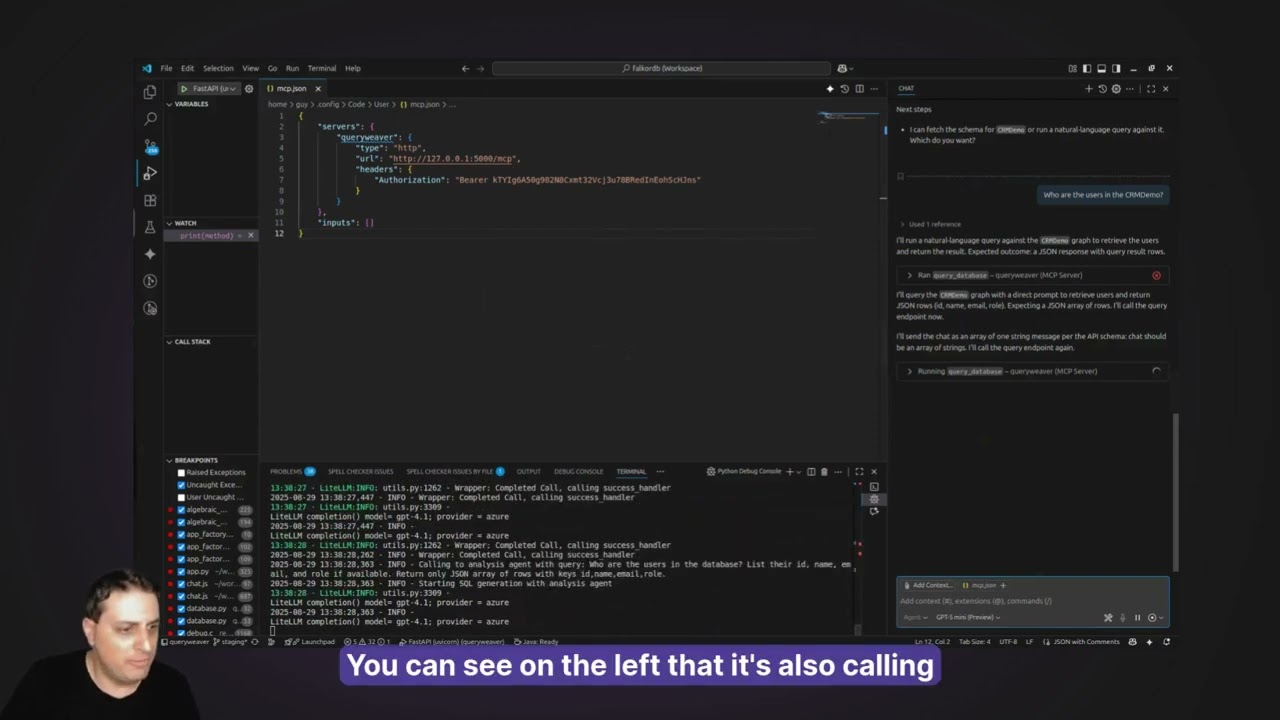
MCP_TRANSPORT=http MCP_PORT=3000 MCP_API_KEY=your-secret-api-key # Optional but recommended
When using HTTP transport, clients connect by sending a POST request with aninitializemessage. The server returns anMcp-Session-Idheader that must be included in subsequent requests. API key authentication is enforced via theAuthorization: Bearer <key>header whenMCP_API_KEYis set.
MCP_TRANSPORT=http MCP_PORT=3000 npm start
npx @modelcontextprotocol/inspector --transport streamable-http --url http://localhost:3000
Note:npm run inspectuses stdio transport. For HTTP, start the server and inspector separately as shown above.
WhenMCP_API_KEYis set, all HTTP requests must include anAuthorizationheader:
MCP_TRANSPORT=http MCP_API_KEY=my-secret-key npm start
Requests without a valid key receive a401 Unauthorizedresponse. Auth is only enforced in HTTP mode — stdio mode ignoresMCP_API_KEYsince only the parent process can communicate.
# Use the latest stable release docker pull falkordb/mcpserver:latest docker run -p 3000:3000 \ -e FALKORDB_HOST=host.docker.internal \ -e FALKORDB_PORT=6379 \ -e MCP_API_KEY=your-secret-key \ falkordb/mcpserver:latest # Or use the edge version (latest main branch) docker pull falkordb/mcpserver:edge # Or pin to a specific version docker pull falkordb/mcpserver:1.0.0
docker build -t falkordb-mcpserver . docker run -p 3000:3000 \ -e FALKORDB_HOST=host.docker.internal \ -e FALKORDB_PORT=6379 \ -e MCP_API_KEY=your-secret-key \ falkordb-mcpserver
Or use withdocker-composealongside FalkorDB:
services: falkordb: image: falkordb/falkordb:latest ports: - "6379:6379" mcp-server: image: falkordb/mcpserver:latest # or use 'build: .' to build locally ports: - "3000:3000" environment: - FALKORDB_HOST=falkordb - FALKORDB_PORT=6379 - MCP_TRANSPORT=http - MCP_PORT=3000 - MCP_API_KEY=your-secret-key depends_on: - falkordb
FALKORDB_HOST=your-instance.falkordb.com FALKORDB_PORT=6379 FALKORDB_USERNAME=your-username FALKORDB_PASSWORD=your-secure-password
If you're connecting to a FalkorDB replica instance or want to ensure no write operations are performed, you can enable read-only mode by default:
This will make all queries execute usingGRAPH.RO_QUERYby default. You can still override this per-query by setting thereadOnlyparameter in thequery_graphtool.
- Replica instances: Prevent writes to read replicas in replication setups
- Production safety: Ensure critical data isn't accidentally modified
- Reporting/analytics: Run queries for dashboards without risk of data changes
- Multi-tenant environments: Provide read-only access to certain users
You can run multiple MCP servers for different FalkorDB instances:
{ "mcpServers": { "falkordb-dev": { "command": "node", "args": ["path/to/server/dist/index.js"], "env": { "FALKORDB_HOST": "dev.falkordb.local", "FALKORDB_DEFAULT_READONLY": "false" } }, "falkordb-prod-replica": { "command": "node", "args": ["path/to/server/dist/index.js"], "env": { "FALKORDB_HOST": "replica.falkordb.com", "FALKORDB_DEFAULT_READONLY": "true" } } } }
Here's what you can do once connected:
// Claude can help you write queries like: MATCH (p:Person)-[:KNOWS]->(friend:Person) WHERE p.name = 'Alice' RETURN friend.name, friend.age // Or create complex data structures: CREATE (alice:Person {name: 'Alice', age: 30}) CREATE (bob:Person {name: 'Bob', age: 25}) CREATE (alice)-[:KNOWS {since: 2020}]->(bob) // And even analyze your graph: MATCH path = shortestPath((start:Person)-[*]-(end:Person)) WHERE start.name = 'Alice' AND end.name = 'Charlie' RETURN path
We welcome contributions! Please see ourContributing Guidelinesfor details.
- Fork the repository
- Create a feature branch (git checkout -b feature/amazing-feature)
- Commit your changes (git commit -m 'Add amazing feature')
- Push to the branch (git push origin feature/amazing-feature)
- Open a Pull Request
This project is licensed under the MIT License - see theLICENSEfile for details.
- Built on theModel Context Protocol SDK
- Powered byFalkorDB
- Inspired by the growing MCP ecosystem
- FalkorDB Documentation
- MCP Specification
- OpenCypher Query Language
Made with ❤️ by the FalkorDB team & Katie Mulliken
Neo4j graph database server (schema + read/write-cypher) and separate graph database backed memory
A local, high-performance memory server for AI agents, built with SQLite, vector embeddings, and a knowledge graph. Packaged for npm and Docker.
A server for interacting with ArangoDB, a native multi-model database system.
A desktop application for managing and interacting with the MCP Memory Service, a semantic memory system built on the Model Context Protocol.
Integrate the Neo4j graph database with clients through natural language interactions.
Manage graph-based data models, schemas, and ontologies with CoreModels. 16 MCP tools for visual data modeling with full JSON Schema support.
Local semantic search over documents (txt, md, pdf, docx, pptx, csv). Fully offline, multilingual, hybrid vector + keyword search via LanceDB. No API keys, no cloud.
Persistent AI memory server with 3-layer hybrid search, confidence scoring, and 16 tools. Zero LLM dependency.
Query a Neo4j graph database containing a knowledge graph of German family businesses.
A framework for building and querying temporally-aware knowledge graphs for AI agents.
Sign in to leave a review
Use Google, GitHub, or an email account so ratings stay tied to real people.
No reviews posted yet.