
Code Runner
About
Executes code snippets in over 30 programming languages by creating temporary files and running them with appropriate interpreters, enabling direct testing and demonstration within conversations.
Details
- Repository
- formulahendry/mcp-server-code-runner
- License
- MIT
Explore
- Runs code snippets in 37+ programming languages
- Supports setup via npx, Docker, or bunx
- Offers Streamable HTTP Transport option
- Returns execution output and results to the client
- Works with VS Code, Claude Desktop, and other MCP hosts
- Simple prompt-based usage with run-code tool

Setting up with Highlight
This MCP is not yet compatible with Highlight’s one-click setup. However, you can still use it with Highlight by following these steps:
- Download and install Highlight from highlightai.com/download
- Navigate to the plugins tab and select "Add Custom Plugin"
-
Configure the plugin with the settings below
Plugin Name
Code RunnerCommand (node, npx, python, etc.)npxArguments-
Argument 1
-y -
Argument 2
mcp-server-code-runner@latest
Please refer to the README for specific instructions on how to obtain API keys or other required environment variables.
-
Argument 1
- Enable "Start Automatically" if you want the plugin to start when Highlight launches





From the repository
Before using Code Runner MCP Server, please make sure interpreter or compiler of the programming language you want to run is set in PATH environment variable.
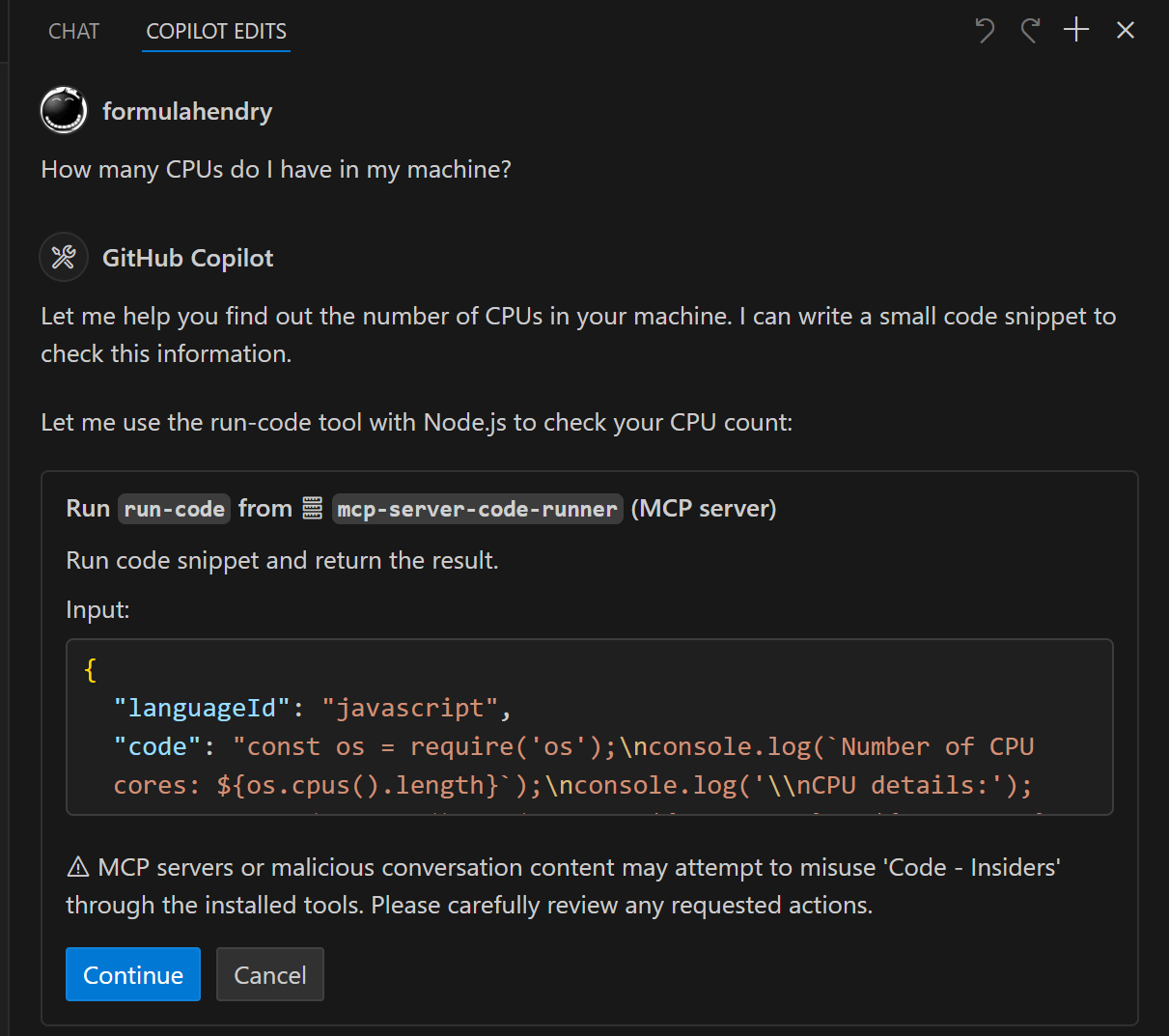
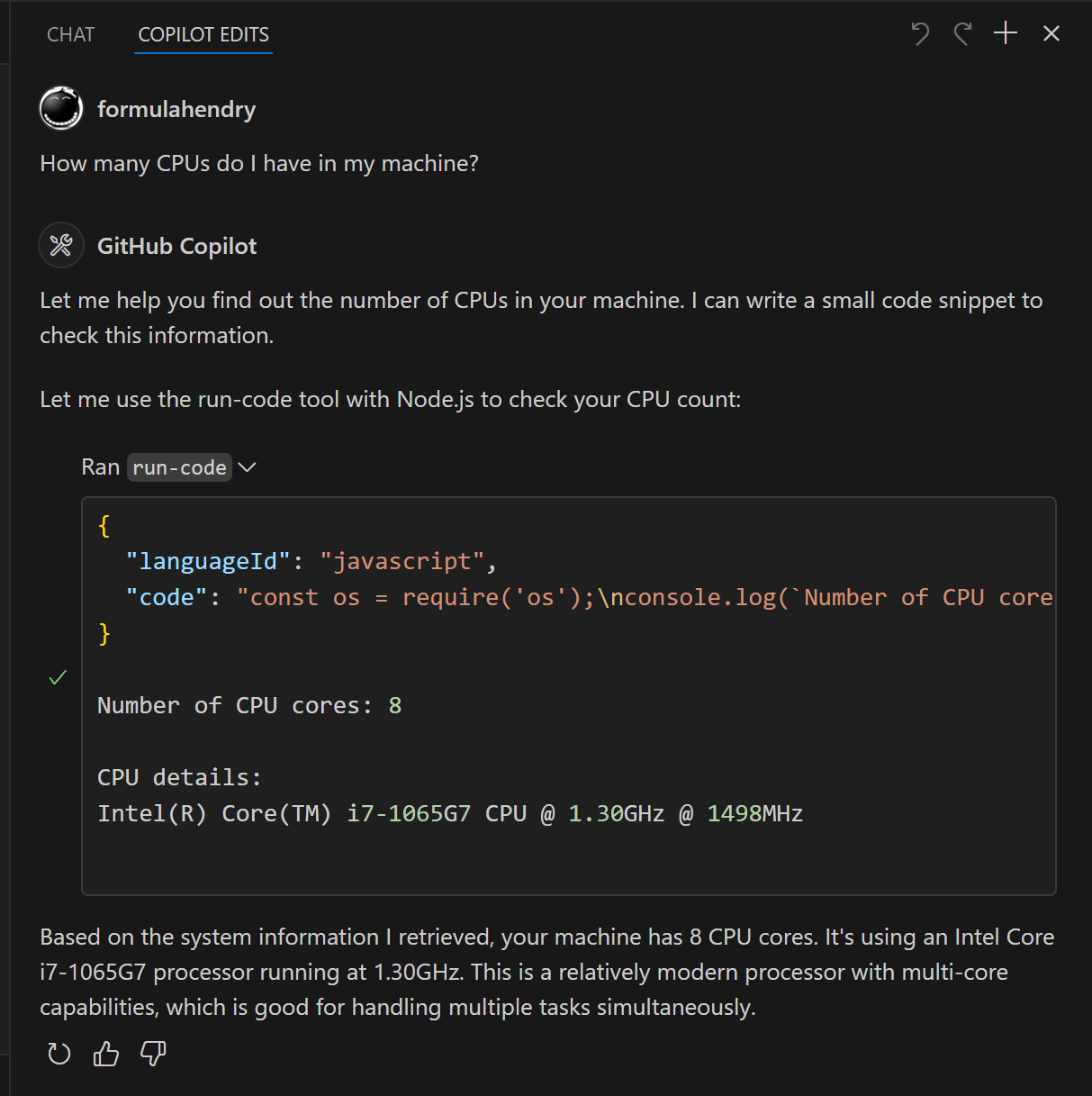
Try below prompts in the application which has configured Code Runner MCP Server:
Run the JavaScript Code: console.log(5+6)
Where is temporary folder in my OS? Use run-code tool
How many CPUs do I have in my machine? Use run-code tool
run-code
Run code snippet and return the result.
Claude Desktop / Cursor
Paste into your MCP client config file to install this server.
{
    "mcpServers": {
        "code runner": {
            "env": {},
            "args": [
                "-y",
                "mcp-server-code-runner@latest"
            ],
            "command": "npx"
        }
    }
}Linux
{
    "env": [],
    "args": [
        "-y",
        "mcp-server-code-runner@latest"
    ],
    "command": "npx"
}
Macos
{
    "env": [],
    "args": [
        "-y",
        "mcp-server-code-runner@latest"
    ],
    "command": "npx"
}
Windows
{
    "env": [],
    "args": [
        "/c",
        "npx",
        "-y",
        "mcp-server-code-runner@latest"
    ],
    "command": "cmd"
}

MCP Server for running code snippet and show the result.
It supports running multiple programming languages: JavaScript, PHP, Python, Perl, Perl 6, Ruby, Go, Lua, Groovy, PowerShell, BAT/CMD, BASH/SH, F# Script, C# Script, VBScript, TypeScript, CoffeeScript, Scala, Swift, Julia, Crystal, OCaml Script, R, AppleScript, Elixir, Clojure, Racket, Scheme, AutoHotkey, AutoIt, Kotlin Script, Dart, Haskell, Ni, Lisp, Kit, V, SCSS, Sass. Full list could be seen here in constants.ts.
<a href="https://glama.ai/mcp/servers/d3mluq4vy9">
</a>
Setup
npx for VS Code
Install the Code Runner MCP server in VS Code using below buttons:

Alternatively, you can add configuration in settings.json:
{
  "mcp": {
    "inputs": [],
    "servers": {
      "mcp-server-code-runner": {
        "command": "npx",
        "args": [
          "-y",
          "mcp-server-code-runner@latest"
        ],
      }
    }
  }
}
npx for Claude Desktop
Configuration in claude_desktop_config.json:
{
  "mcpServers": {
    "mcp-server-code-runner": {
      "command": "npx",
      "args": [
        "-y",
        "mcp-server-code-runner@latest"
      ],
    }
  }
}
Docker
Use VS Code as example. Install the Code Runner MCP server in VS Code using below buttons:

Alternatively, you can add configuration in settings.json:
{
  "mcp": {
    "inputs": [],
    "servers": {
      "mcp-server-code-runner": {
        "command": "docker",
        "args": [
          "run",
          "--rm",
          "-i",
          "formulahendry/mcp-server-code-runner"
        ]
      }
    }
  }
}
npx issue on Widnows
On Windows, MCP servers may fail to connect with npx.
You could try below two workarounds:
use bunx
1. Install Bun.
2. In configuration, change npx with bunx.
use cmd
Below is VS Code configuration in settings.json:
{
  "mcp": {
    "inputs": [],
    "servers": {
      "mcp-server-code-runner": {
        "command": "cmd",
        "args": [
          "/c",
          "npx",
          "-y",
          "mcp-server-code-runner@latest"
        ],
      }
    }
  }
}
Run with Streamable HTTP Transport
npm install -g mcp-server-code-runner@latest
mcp-server-code-runner --transport http
Usage
Before using Code Runner MCP Server, please make sure interpreter or compiler of the programming language you want to run is set in PATH environment variable.
Try below prompts in the application which has configured Code Runner MCP Server:
Run the JavaScript Code: console.log(5+6)
Where is temporary folder in my OS? Use run-code tool
How many CPUs do I have in my machine? Use run-code tool
Build your own MCP Server
Want to build your own MCP Server? Try Yeoman Generator for MCP Server to create your MCP Server project!
Sign in to leave a review
Use Google, GitHub, or an email account so ratings stay tied to real people.
No reviews posted yet.



