
GenAIScript MCP Demo 🚀
About
Demo of GenAIScript's MCP Server capabilities
Explore
- Demonstrates GenAIScript as a fully functional MCP server.
- Exposes local tool versions via MCP tools.
- Works with VSCode (March 2025 Insiders or later).
- Supports remote execution without cloning the repository.
- Integrates with GitHub Copilot chat for AI assistance.
Install the VSCode extension. You need at least Node.js v20. Refer to https://microsoft.github.io/genaiscript/getting-started/installation/ additional instructions.
If you install the March 2025 version of VSCode Insiders, you should be able to run the GenAIScript MCP server locally, to get the tool versions installed on your local machine.
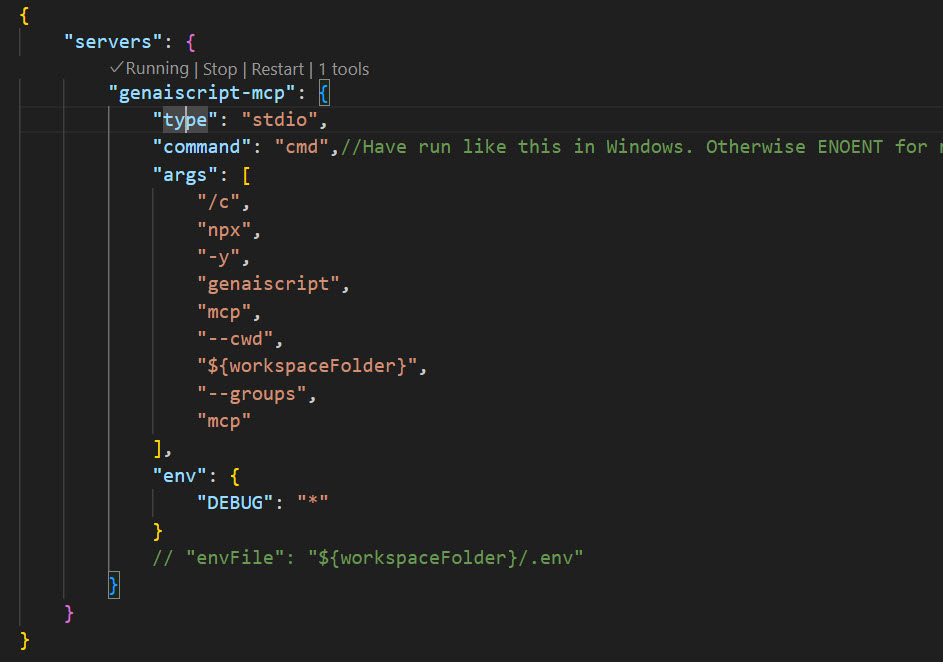
mcp.json is where you would configure the MCP servers. Below is the sample configuration on Windows. You don't even need to clone this repo with this approach, as GenAIScript can clone the repo in the background for you to just use the tools. If you are using the --remote flag, you don't need to install the GenAIScript extension at all.
``jsonc``
{
"servers": {
"genaiscript-mcp-remote": {
"type": "stdio",
"command": "cmd",//Have run like this in Windows. Otherwise ENOENT for npx, atleast in my machine.
"args": [
"/c",
"npx",
"-y",
"genaiscript",
"mcp",
"--remote",
"https://github.com/rajyraman/genai-mcp/",
"--remote-branch",
"main",
"--groups",
"mcp"
],
"env": {
"DEBUG": "*"
}
// "envFile": "${workspaceFolder}/.env"
}
}
}
You can start the MCP Server by clicking the Start link. If it is already running, you would see a Running indicator.
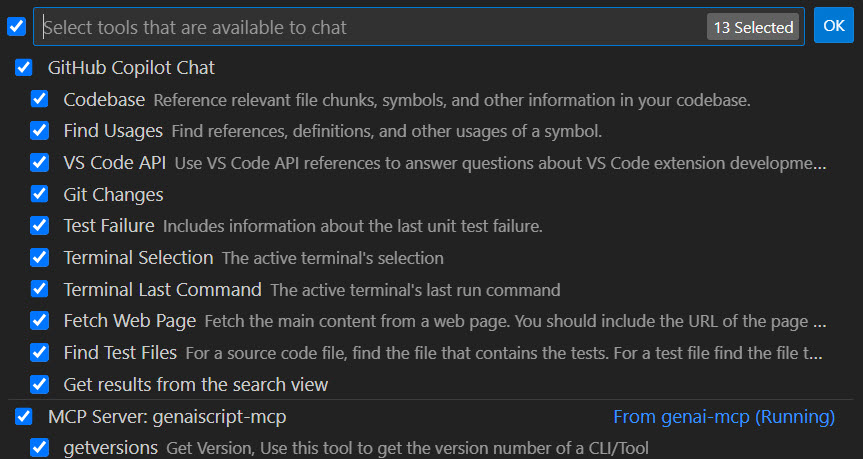
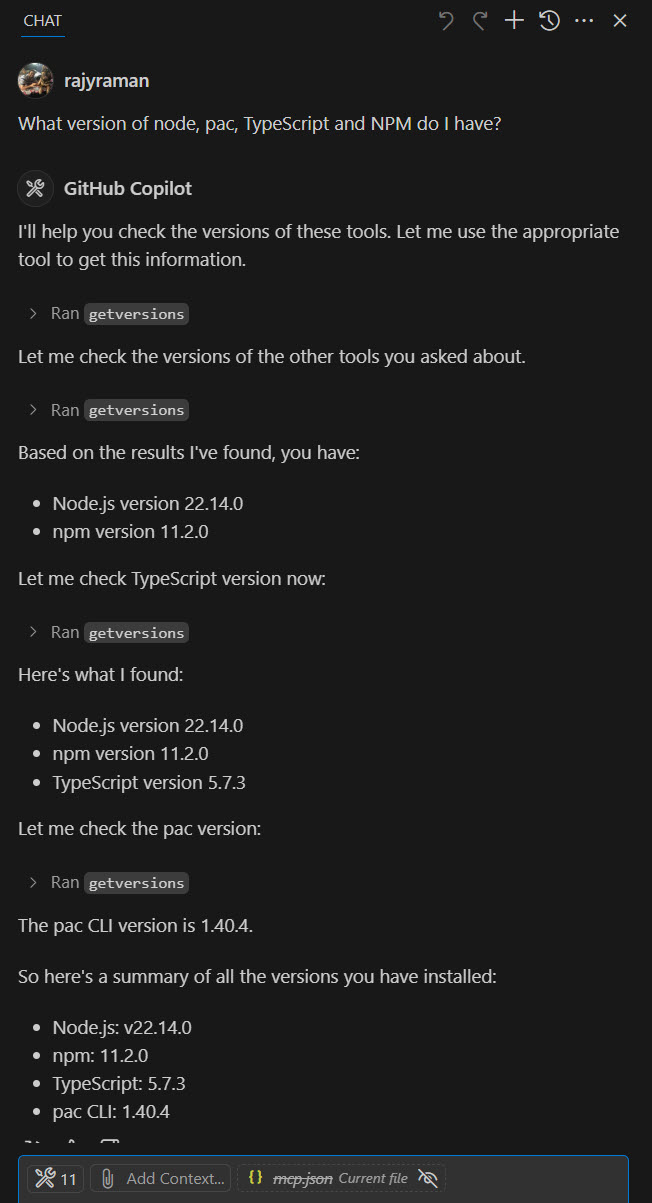
Below is how you can use it in the GitHub Copilot chat.
1.119.4
What is GenAIScript? 🤖
GenAIScript is a framework that enables you to communicate with AI models (even local models). GenAIScript can use MCP tools, and can also act as the MCP server.Model Context Protocol (MCP) 📋
This is how Anthropic, the creators of MCP specification, defines Model Context Protocol > MCP is an open protocol that standardizes how applications provide context to LLMs. Think of MCP like a USB-C port for AI applications. Just as USB-C provides a standardized way to connect your devices to various peripherals and accessories, MCP provides a standardized way to connect AI models to different data sources and tools.Installation of GenAIScript 🛠️
Install the VSCode extension. You need at least Node.js v20. Refer to https://microsoft.github.io/genaiscript/getting-started/installation/ additional instructions.Usage 💻
If you install the March 2025 version of VSCode Insiders, you should be able to run the GenAIScript MCP server locally, to get the tool versions installed on your local machine. mcp.json is where you would configure the MCP servers. Below is the sample configuration on Windows. You don't even need to clone this repo with this approach, as GenAIScript can clone the repo in the background for you to just use the tools. If you are using the--remote flag, you don't need to install the GenAIScript extension at all.
``jsonc
{
"servers": {
"genaiscript-mcp-remote": {
"type": "stdio",
"command": "cmd",//Have run like this in Windows. Otherwise ENOENT for npx, atleast in my machine.
"args": [
"/c",
"npx",
"-y",
"genaiscript",
"mcp",
"--remote",
"https://github.com/rajyraman/genai-mcp/",
"--remote-branch",
"main",
"--groups",
"mcp"
],
"env": {
"DEBUG": "*"
}
// "envFile": "${workspaceFolder}/.env"
}
}
}
``
You can start the MCP Server by clicking the Start link. If it is already running, you would see a Running indicator.
Below is how you can use it in the GitHub Copilot chat.
Sign in to leave a review
Use Google, GitHub, or an email account so ratings stay tied to real people.
No reviews posted yet.



