
Ultimate Google Docs & Drive MCP Server
About
The Ultimate Google Docs, Sheets, Drive, Gmail, & Google Calendar MCP Server. This MCP (primarily for use in Claude Desktop) gains full access to your google suite and lets claude do its thing.
Details
- License
- MIT
Explore
- Read, write, format, and style Google Docs content
- Manage comments: list, add, reply, resolve, delete
- Full spreadsheet CRUD with formatting, charts, and conditional formatting
- Google Sheets table creation and management (named tables)
- Search, list, create, copy, move, and delete Drive files and folders
- Send, list, label, and trash Gmail messages

Setting up with Highlight
This MCP is not yet compatible with Highlight’s one-click setup. However, you can still use it with Highlight by following these steps:
- Download and install Highlight from highlightai.com/download
- Navigate to the plugins tab and select "Add Custom Plugin"
-
Configure the plugin with the settings below
Plugin Name
Ultimate Google Docs & Drive MCP ServerCommand (node, npx, python, etc.)Please refer to the README for specific instructions on how to obtain API keys or other required environment variables.
- Enable "Start Automatically" if you want the plugin to start when Highlight launches





From the repository
1. Create a GCP project and enable Docs, Sheets, and Drive APIs
2. Create an OAuth client (Web application type, not Desktop)
3. Set the authorized redirect URI to {BASE_URL}/oauth/callback
4. Deploy to Cloud Run:
gcloud run deploy google-docs-mcp \
--source . \
--region europe-west3 \
--port 8080 \
--allow-unauthenticated \
--set-env-vars "^|^MCP_TRANSPORT=httpStream|BASE_URL=https://your-service.run.app|ALLOWED_DOMAINS=yourdomain.com|GOOGLE_CLIENT_ID=...|GOOGLE_CLIENT_SECRET=...|TOKEN_STORE=firestore|JWT_SIGNING_KEY=your-secret-key"
> Note: The ^|^ prefix changes the env var delimiter from , to | because ALLOWED_DOMAINS contains commas.
Deploy once for your team -- no local installs required. The server uses MCP OAuth 2.1 so your MCP client handles authentication automatically.
gcloud run deploy google-docs-mcp \
--source . \
--region europe-west3 \
--port 8080 \
--allow-unauthenticated \
--set-env-vars "^|^MCP_TRANSPORT=httpStream|BASE_URL=https://your-service.run.app|GOOGLE_CLIENT_ID=...|GOOGLE_CLIENT_SECRET=...|TOKEN_STORE=firestore|JWT_SIGNING_KEY=your-secret-key"
Then each user just adds the URL to their MCP client -- no npx, no tokens, no local setup:
{
"mcpServers": {
"google-docs": {
"type": "streamableHttp",
"url": "https://your-service.run.app/mcp"
}
}
}
Your MCP client will prompt for Google sign-in on first connection. See Remote Deployment for details.
---
Deploy the server centrally on Google Cloud Run (or any container host) so your team can use it without local installs. The server uses MCP OAuth 2.1 with FastMCP's built-in GoogleProvider -- MCP clients handle the auth flow automatically.
Visit the server root URL (/) for setup instructions and a ready-to-copy client config.
| Variable | Description |
| ---------------------- | ------------------------------------------------------------------------------------------------------------------- |
| MCP_TRANSPORT | Set to httpStream to enable remote mode (default: stdio) |
| BASE_URL | Public URL of the deployed server (required for OAuth redirects) |
| GOOGLE_CLIENT_ID | OAuth client ID (Web application type) |
| GOOGLE_CLIENT_SECRET | OAuth client secret |
| MCP_TOOL_GROUPS | Optional comma-separated tool groups to register: docs, drive, sheets, utils, gmail, calendar, or all |
| ALLOWED_DOMAINS | Comma-separated list of allowed Google Workspace domains (optional) |
| PORT | HTTP port (default: 8080) |
| TOKEN_STORE | Set to firestore for persistent token storage (default: in-memory) |
| JWT_SIGNING_KEY | Fixed signing key so tokens survive restarts (auto-generated if not set) |
| REFRESH_TOKEN_TTL | Refresh token lifetime in seconds (default: 2592000 / 30 days) |
| GCLOUD_PROJECT | GCP project ID for Firestore (required when TOKEN_STORE=firestore) |
| MCP_STATELESS | Set to true for serverless deployments (Cloud Run, etc.) — disables session tracking to survive scale-to-zero |
Merging changes to main does not automatically update your Cloud Run service. Each deployment is independent — you need to redeploy manually when you want new features or fixes.
To update:
1. Pull the latest code:
git pull origin main
2. Redeploy to Cloud Run:
gcloud run deploy your-service-name --source . --region your-region
Your existing environment variables are preserved — no need to pass
--set-env-vars again.
When to redeploy:
- Bug fixes and security patches — redeploy as soon as possible
- New features — redeploy at your convenience
- Breaking changes — check the release notes before redeploying
You can check your current version against the latest release on the releases page.
---
<details>
<summary>Step-by-step Google Cloud Console instructions</summary>
> For remote deployment, create an OAuth client of type Web application (not Desktop app). Use Desktop app only for local stdio usage.
1. Go to Google Cloud Console: Open console.cloud.google.com
2. Create or Select a Project: Click the project dropdown > "NEW PROJECT". Name it (e.g., "MCP Docs Server") and click "CREATE".
3. Enable APIs:
- Navigate to "APIs & Services" > "Library"
- Search for and enable: Google Docs API, Google Sheets API, Google Drive API, Gmail API, Google Calendar API
4. Configure OAuth Consent Screen:
- Go to "APIs & Services" > "OAuth consent screen"
- Choose "External" and click "CREATE"
- Fill in: App name, User support email, Developer contact email
- Click "SAVE AND CONTINUE"
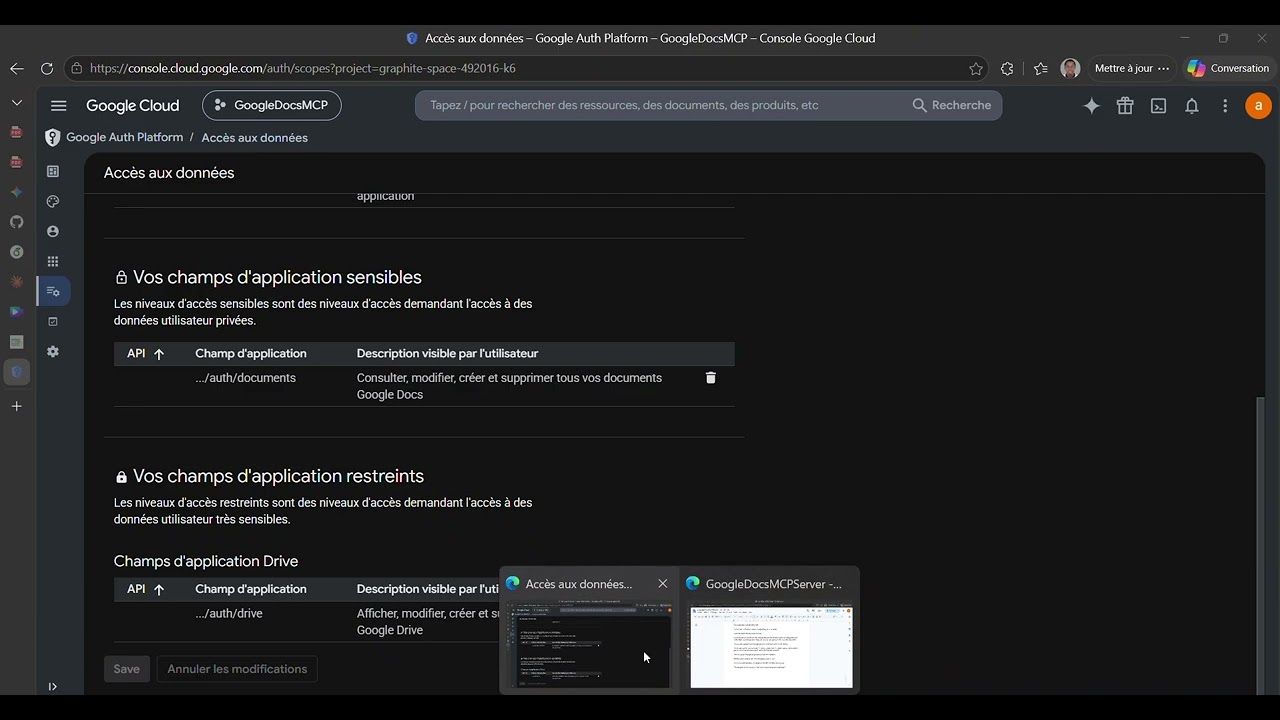
- Add scopes: documents, spreadsheets, drive, gmail.modify, calendar.events
- Click "SAVE AND CONTINUE"
- Add your Google email as a Test User
- Click "SAVE AND CONTINUE"
5. Create Credentials:
- Go to "APIs & Services" > "Credentials"
- Click "+ CREATE CREDENTIALS" > "OAuth client ID"
- Application type: "Desktop app"
- Click "CREATE"
- Copy the Client ID and Client Secret
</details>
---
Claude Desktop / Cursor
Paste into your MCP client config file to install this server.
{
    "mcpServers": {
        "ultimate google docs & drive mcp server": {
            "google-docs-mcp": {
                "command": "npx",
                "args": [
                    "-y",
                    "@a-bonus/google-docs-mcp",
                    "auth"
                ]
            }
        }
    }
}McpServers
{
    "google-docs-mcp": {
        "command": "npx",
        "args": [
            "-y",
            "@a-bonus/google-docs-mcp",
            "auth"
        ]
    }
}
Google Docs
| Tool | Description |
| ----------------------------- | ------------------------------------------------- |
| readDocument | Read content as plain text, JSON, or markdown |
| appendText | Append text to a document |
| insertText | Insert text at a specific position |
| deleteRange | Remove content by index range |
| modifyText | Replace, prepend, or transform text in a document |
| findAndReplace | Find and replace text across a document |
| findElement | Locate text occurrences (with index ranges) or list paragraphs/tables |
| listTabs | List all tabs in a multi-tab document |
| addTab | Add a new tab to a document |
| renameTab | Rename a document tab |
| replaceDocumentWithMarkdown | Replace entire document content from markdown |
| replaceRangeWithMarkdown | Replace a specific range with markdown content |
| appendMarkdown | Append markdown-formatted content |
| applyTextStyle | Bold, italic, colors, font size, links |
| applyParagraphStyle | Alignment, spacing, indentation |
| insertTable | Create an empty table |
| insertTableWithData | Create a table pre-filled with data |
| insertPageBreak | Insert page breaks |
| insertSectionBreak | Insert section break (NEXT_PAGE or CONTINUOUS) |
| updateSectionStyle | Update section style: flip orientation, margins |
| insertImage | Insert images from URLs or local files |
Sign in to leave a review
Use Google, GitHub, or an email account so ratings stay tied to real people.
No reviews posted yet.