
OpenAPI
About
Automatically generates MCP tools from OpenAPI specifications, enabling direct access to third-party REST APIs with authentication, validation, and error handling capabilities.
Details
- Repository
- gujord/OpenAPI-MCP
- License
- MIT
Explore
- Modular Architecture: Clean separation of concerns with dedicated modules for authentication, request handling, and tool generation.
- Robust Error Handling: Comprehensive exception hierarchy with proper JSON-RPC error codes and structured error responses.
- Auto Metadata: Derives tool names, summaries, and schemas from the OpenAPI specification.
- Sanitized Tool Names: Ensures compatibility with MCP name constraints.
- Flexible Parameter Parsing: Supports query strings, JSON, and comma-separated formats with intelligent type conversion.
- Enhanced Parameter Handling: Automatically converts parameters to correct data types with validation.
- Extended Tool Metadata: Includes detailed parameter information, response schemas, and API categorization.
- CRUD Operation Detection: Automatically identifies and generates example prompts for Create, Read, Update, Delete operations.
- MCP-Compliant Streaming: Official MCP HTTP transport for real-time streaming with proper session management.

Setting up with Highlight
This MCP is not yet compatible with Highlight’s one-click setup. However, you can still use it with Highlight by following these steps:
- Download and install Highlight from highlightai.com/download
- Navigate to the plugins tab and select "Add Custom Plugin"
-
Configure the plugin with the settings below
Plugin Name
OpenAPICommand (node, npx, python, etc.)npxArguments-
Argument 1
mcp-remote -
Argument 2
http://127.0.0.1:8001/sse
Please refer to the README for specific instructions on how to obtain API keys or other required environment variables.
-
Argument 1
- Enable "Start Automatically" if you want the plugin to start when Highlight launches





From the repository
Option 1: Using uvx (Recommended)
uvx openapi-mcp-proxy
OPENAPI_URL="https://api.met.no/weatherapi/locationforecast/2.0/swagger" \
SERVER_NAME="weather" \
uvx openapi-mcp-proxy
Option 2: Using pip
pip install openapi-mcp-proxy
Quick Test (Norwegian Weather API)
OPENAPI_URL="https://api.met.no/weatherapi/locationforecast/2.0/swagger" \
SERVER_NAME="weather" \
openapi-mcp
HTTP Transport (Recommended for Claude Desktop)
1. Copy the provided configuration:
cp claude_desktop_config.json ~/Library/Application\ Support/Claude/claude_desktop_config.json
2. Start the weather server:
OPENAPI_URL="https://api.met.no/weatherapi/locationforecast/2.0/swagger" \
SERVER_NAME="weather" \
MCP_HTTP_ENABLED="true" \
MCP_HTTP_PORT="8001" \
openapi-mcp
3. Test in Claude Desktop:
- Ask: "What's the weather in Oslo tomorrow?"
- Claude will use the weather_get__compact tool automatically!
Quick start with Docker:
{
"mcpServers": {
"secure_api": {
"command": "full_path_to_openapi_mcp/venv/bin/python",
"args": ["full_path_to_openapi_mcp/src/openapi_mcp/fastmcp_server.py"],
"env": {
"SERVER_NAME": "secure_api",
"OPENAPI_URL": "https://api.example.com/openapi.json",
"API_USERNAME": "your_username",
"API_PASSWORD": "your_password"
},
"transport": "stdio"
}
}
}
{
"mcpServers": {
"oauth_api": {
"command": "full_path_to_openapi_mcp/venv/bin/python",
"args": ["full_path_to_openapi_mcp/src/openapi_mcp/fastmcp_server.py"],
"env": {
"SERVER_NAME": "oauth_api",
"OPENAPI_URL": "https://api.example.com/openapi.json",
"OAUTH_CLIENT_ID": "your_client_id",
"OAUTH_CLIENT_SECRET": "your_client_secret",
"OAUTH_TOKEN_URL": "https://api.example.com/oauth/token"
},
"transport": "stdio"
}
}
}
Copy the provided example configuration:
cp claude_desktop_config.json ~/Library/Application\ Support/Claude/claude_desktop_config.json
Start both services:
weather_get__compact
Weather forecast for coordinates. Parameters: lat (float), lon (float)
weather_get__complete
Detailed weather forecast. Parameters: lat (float), lon (float)
weather_get__status
Server status check.
petstore_addPet
Add a new pet to the store. Parameters: pet (object)
petstore_findPetsByStatus
Find pets by status. Parameters: status (string)
petstore_getPetById
Find pet by ID. Parameters: petId (string)
Claude Desktop / Cursor
Paste into your MCP client config file to install this server.
{
    "mcpServers": {
        "openapi": {
            "cwd": null,
            "env": {},
            "args": [
                "mcp-remote",
                "http://127.0.0.1:8001/sse"
            ],
            "shell": false,
            "command": "npx"
        }
    }
}Linux
{
    "cwd": null,
    "env": [],
    "args": [
        "mcp-remote",
        "http://127.0.0.1:8001/sse"
    ],
    "shell": false,
    "command": "npx"
}
Macos
{
    "cwd": null,
    "env": [],
    "args": [
        "mcp-remote",
        "http://127.0.0.1:8001/sse"
    ],
    "shell": false,
    "command": "npx"
}
Windows
{
    "cwd": null,
    "env": [],
    "args": [
        "/c",
        "npx",
        "mcp-remote",
        "http://127.0.0.1:8001/sse"
    ],
    "shell": false,
    "command": "cmd"
}





The OpenAPI-MCP proxy translates OpenAPI specs into MCP tools, enabling AI agents to access external APIs without custom wrappers!
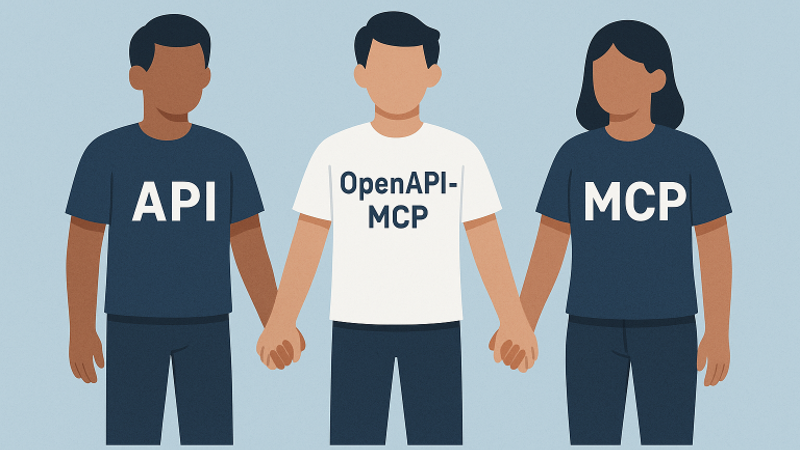
Bridge the gap between AI agents and external APIs
The OpenAPI to Model Context Protocol (MCP) proxy server bridges the gap between AI agents and external APIs by dynamically translating OpenAPI specifications into standardized MCP tools, resources, and prompts. This simplifies integration by eliminating the need for custom API wrappers.
Built with FastMCP following official MCP patterns and best practices, the server provides:
- ✅ Official FastMCP Integration - Uses the latest FastMCP framework for optimal performance
- ✅ Proper MCP Transport - Supports stdio, SSE, and streamable HTTP transports
- ✅ Modular Architecture - Clean separation of concerns with dependency injection
- ✅ Production Ready - Robust error handling, comprehensive logging, and type safety
- Repository: https://github.com/gujord/OpenAPI-MCP
---
If you find it useful, please give it a ⭐ on GitHub!
---
Key Features
Core Functionality
- FastMCP Transport: Optimized forstdio, working out-of-the-box with popular LLM orchestrators.
- OpenAPI Integration: Parses and registers OpenAPI operations as callable tools.
- Resource Registration: Automatically converts OpenAPI component schemas into resource objects with defined URIs.
- Prompt Generation: Generates contextual prompts based on API operations to guide LLMs in using the API.
- Dual Authentication: Supports both OAuth2 Client Credentials flow and username/password authentication with automatic token caching.
- MCP HTTP Transport: Official MCP-compliant HTTP streaming transport with JSON-RPC 2.0 over SSE.
- Server-Sent Events (SSE): Legacy streaming support (deprecated - use MCP HTTP transport).
- JSON-RPC 2.0 Support: Fully compliant request/response structure.
Advanced Features
- Modular Architecture: Clean separation of concerns with dedicated modules for authentication, request handling, and tool generation. - Robust Error Handling: Comprehensive exception hierarchy with proper JSON-RPC error codes and structured error responses. - Auto Metadata: Derives tool names, summaries, and schemas from the OpenAPI specification. - Sanitized Tool Names: Ensures compatibility with MCP name constraints. - Flexible Parameter Parsing: Supports query strings, JSON, and comma-separated formats with intelligent type conversion. - Enhanced Parameter Handling: Automatically converts parameters to correct data types with validation. - Extended Tool Metadata: Includes detailed parameter information, response schemas, and API categorization. - CRUD Operation Detection: Automatically identifies and generates example prompts for Create, Read, Update, Delete operations. - MCP-Compliant Streaming: Official MCP HTTP transport for real-time streaming with proper session management.Developer Experience
- Configuration Management: Centralized environment variable handling with validation and defaults. - Comprehensive Logging: Structured logging with appropriate levels for debugging and monitoring. - Type Safety: Full type hints and validation throughout the codebase. - Extensible Design: Factory patterns and dependency injection for easy customization and testing.🚀 Quick Start
Installation
Option 1: Using uvx (Recommended)
```bash
Sign in to leave a review
Use Google, GitHub, or an email account so ratings stay tied to real people.
No reviews posted yet.





