
Hello MCP Go 👋
About
Hello MCP Go 👋 is a demonstration MCP (Model Context Protocol) server written in Go. It provides two tools (hello and calculate) and serves as a starting point for developers building their own MCP servers.
Details
- License
- MIT
Explore
- hello tool accepting Submitter and Content parameters
- calculate tool accepting A and B numeric parameters
- Built entirely in Go
- Ready-to-run example for MCP protocol exploration
- Integrates with GitHub Copilot Agent mode
- Clone
- Install
- Build
- Run
1. Clone the repository:
    git clone https://github.com/your-username/hello-mcp-go.git

    cd hello-mcp
2. Install dependencies:
go mod tidy
3. Build the project:
go build -ldflags="-s -w" -o server.exe main.go
or for Linux:
go build -ldflags="-s -w" -o server main.go
You will use this later when you want to consume it from Visual Studio Code.
1. Run the server:
./server
- hello, takes the parameters Submitter and Content.
- calculate, takes the parameters A and B. Example use is "calculate 2 and 4".
Welcome to the Hello MCP Go repository! 🚀 This project demonstrates how to build an MCP (Model Context Protocol) server in Go. Whether you're a Go enthusiast or just curious about MCP, you're in the right place! 🛠️
<div>

</div>
What is this? 🤔
This repository showcases:
- How to build an MCP server using Go 🐹.
- A simple and fun way to explore MCP Protocol 🎮.
- A starting point for your own custom MCP server adventures! 🌟
Tools 🌟
- hello, takes the parameters Submitter and Content.
- calculate, takes the parameters A and B. Example use is "calculate 2 and 4".
Quick Start 🚀
- Clone
- Install
- Build
- Run
1. Clone the repository:
    git clone https://github.com/your-username/hello-mcp-go.git

    cd hello-mcp
2. Install dependencies:
go mod tidy
3. Build the project:
go build -ldflags="-s -w" -o server.exe main.go
or for Linux:
go build -ldflags="-s -w" -o server main.go
You will use this later when you want to consume it from Visual Studio Code.
1. Run the server:
./server
Consuming the Server with GitHub Copilot Agent Mode 🍴
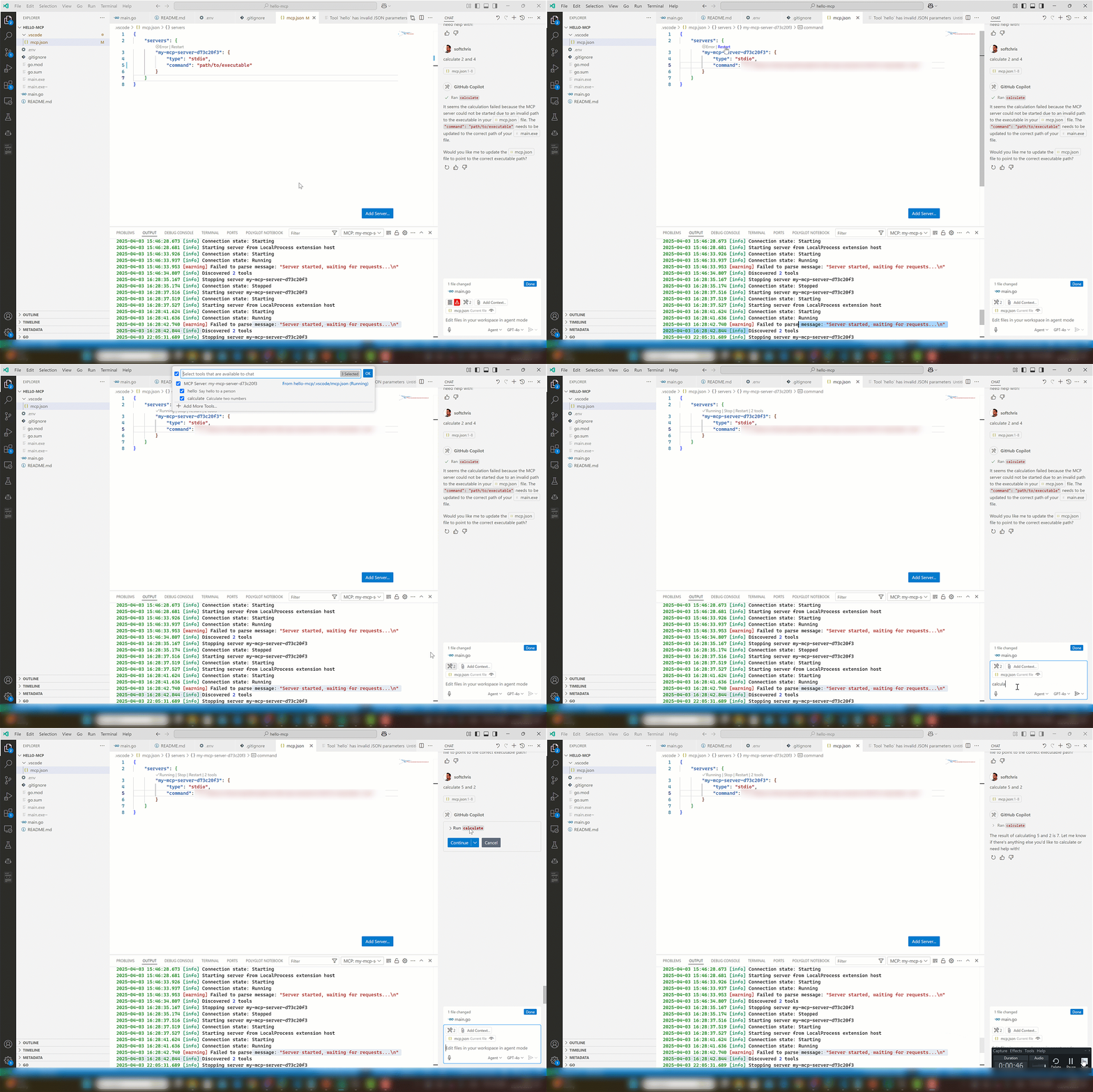
1. Place yourself in mcp.json, make sure the server has been built (right now it's adjusted).
1. Adjust the "command" to point to the absolute path of your executable.
   {
     "servers": {
        "my-mcp-server-d73c20f3": {
            "type": "stdio",
            "command": "/path/to/your/executable"
        }
     }
   }
1. Open Copilot and select Agent in dropdown
1. Select the play icon.
You should see the tool icon showing two tools.
1. Test it with a phrase like so "calculate 2 and 4". This should present a button that invokes the tool on the server.
Have Fun! 🎉
This project is all about learning and having fun. Feel free to experiment, break things, and create something amazing! 🌈
Happy coding! 💻
Sign in to leave a review
Use Google, GitHub, or an email account so ratings stay tied to real people.
No reviews posted yet.



