
Mermaid
About
Generate [mermaid](https://mermaid.js.org/) diagram and chart with AI MCP dynamically.
Details
- Transport
- SSE
- License
- MIT
Explore
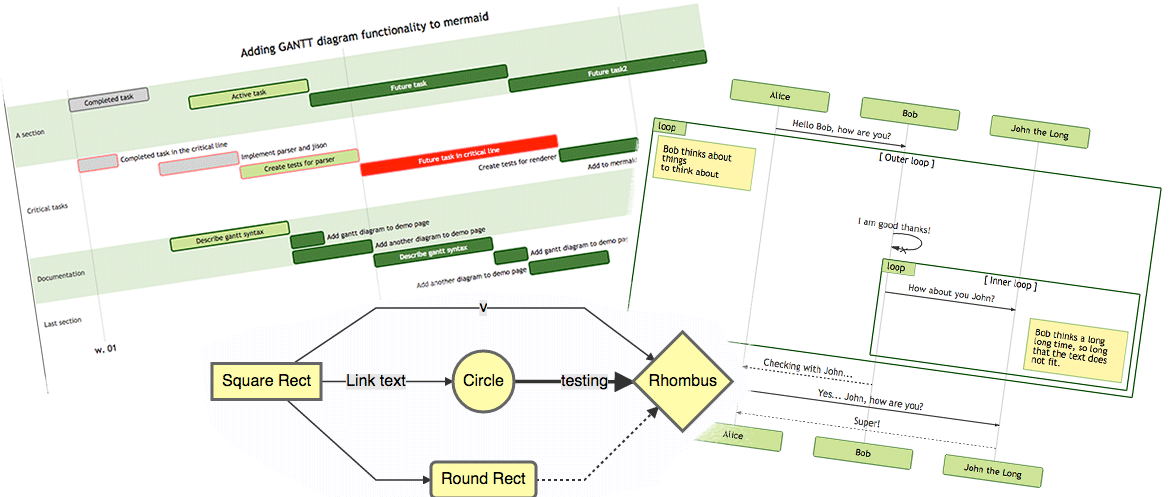
- Fully support all features and syntax of Mermaid.
- Support configuration of backgroundColor and theme, enabling large AI models to output rich style configurations.
- Support exporting to base64, svg, mermaid, file, and remote-friendly svg_url, png_url formats, with validation for Mermaid to facilitate the model's multi-round output of correct syntax and graphics. Use outputType: "file" to automatically save PNG diagrams to disk for AI agents, or the URL modes to share diagrams through public mermaid.ink links.

Setting up with Highlight
This MCP is not yet compatible with Highlight’s one-click setup. However, you can still use it with Highlight by following these steps:
- Download and install Highlight from highlightai.com/download
- Navigate to the plugins tab and select "Add Custom Plugin"
-
Configure the plugin with the settings below
Plugin Name
MermaidCommand (node, npx, python, etc.)Please refer to the README for specific instructions on how to obtain API keys or other required environment variables.
- Enable "Start Automatically" if you want the plugin to start when Highlight launches





From the repository
To use with Desktop APP, such as Claude, VSCode, Cline, Cherry Studio, and so on, add the MCP server config below. On Mac system:
{
"mcpServers": {
"mcp-mermaid": {
"command": "npx",
"args": [
"-y",
"mcp-mermaid"
]
}
}
}
On Window system:
{
"mcpServers": {
"mcp-mermaid": {
"command": "cmd",
"args": [
"/c",
"npx",
"-y",
"mcp-mermaid"
]
}
}
}
Also, you can use it on aliyun, modelscope, glama.ai, smithery.ai or others with HTTP, SSE Protocol.
Access Points:
- SSE: http://localhost:3033/sse
- Streamable: http://localhost:1122/mcp
Available Docker Tags:
- susuperli/mcp-mermaid:latest - Latest stable version
- View all available tags at Docker Hub
Install the package globally:
npm install -g mcp-mermaid
Run the server with your preferred transport option:
git clone https://github.com/hustcc/mcp-mermaid.git
cd mcp-mermaid
npm install
npm run build
Run MCP Mermaid with Docker:
Claude Desktop / Cursor
Paste into your MCP client config file to install this server.
{
    "mcpServers": {
        "mermaid": {
            "mcp-mermaid": {
                "command": "npx",
                "args": [
                    "-y",
                    "mcp-mermaid"
                ]
            }
        }
    }
}McpServers
{
"mcp-mermaid": {
"command": "npx",
"args": [
"-y",
"mcp-mermaid"
]
}
} MCP Mermaid 
MCP Mermaid  



Generate mermaid diagram and chart with AI MCP dynamically. Also you can use:
- 
- 
Timeline, Comparison, List, Process and so on.
- 🖼️ figure.ling.pub/gallery to browse and share AI-generated diagrams and figures created with mcp-mermaid and other tools.
✨ Features
- Fully support all features and syntax of Mermaid.
- Support configuration of backgroundColor and theme, enabling large AI models to output rich style configurations.
- Support exporting to base64, svg, mermaid, file, and remote-friendly svg_url, png_url formats, with validation for Mermaid to facilitate the model's multi-round output of correct syntax and graphics. Use outputType: "file" to automatically save PNG diagrams to disk for AI agents, or the URL modes to share diagrams through public mermaid.ink links.
🤖 Usage
To use with Desktop APP, such as Claude, VSCode, Cline, Cherry Studio, and so on, add the MCP server config below. On Mac system:
{
  "mcpServers": {
    "mcp-mermaid": {
      "command": "npx",
      "args": [
        "-y",
        "mcp-mermaid"
      ]
    }
  }
}
On Window system:
{
  "mcpServers": {
    "mcp-mermaid": {
      "command": "cmd",
      "args": [
        "/c",
        "npx",
        "-y",
        "mcp-mermaid"
      ]
    }
  }
}
Also, you can use it on aliyun, modelscope, glama.ai, smithery.ai or others with HTTP, SSE Protocol.
Access Points:
- SSE: http://localhost:3033/sse
- Streamable: http://localhost:1122/mcp
Available Docker Tags:
- susuperli/mcp-mermaid:latest - Latest stable version
- View all available tags at Docker Hub
🚰 Run with SSE or Streamable transport
Option 1: Global Installation
Install the package globally:
npm install -g mcp-mermaid
Run the server with your preferred transport option:
```bash
Sign in to leave a review
Use Google, GitHub, or an email account so ratings stay tied to real people.
No reviews posted yet.