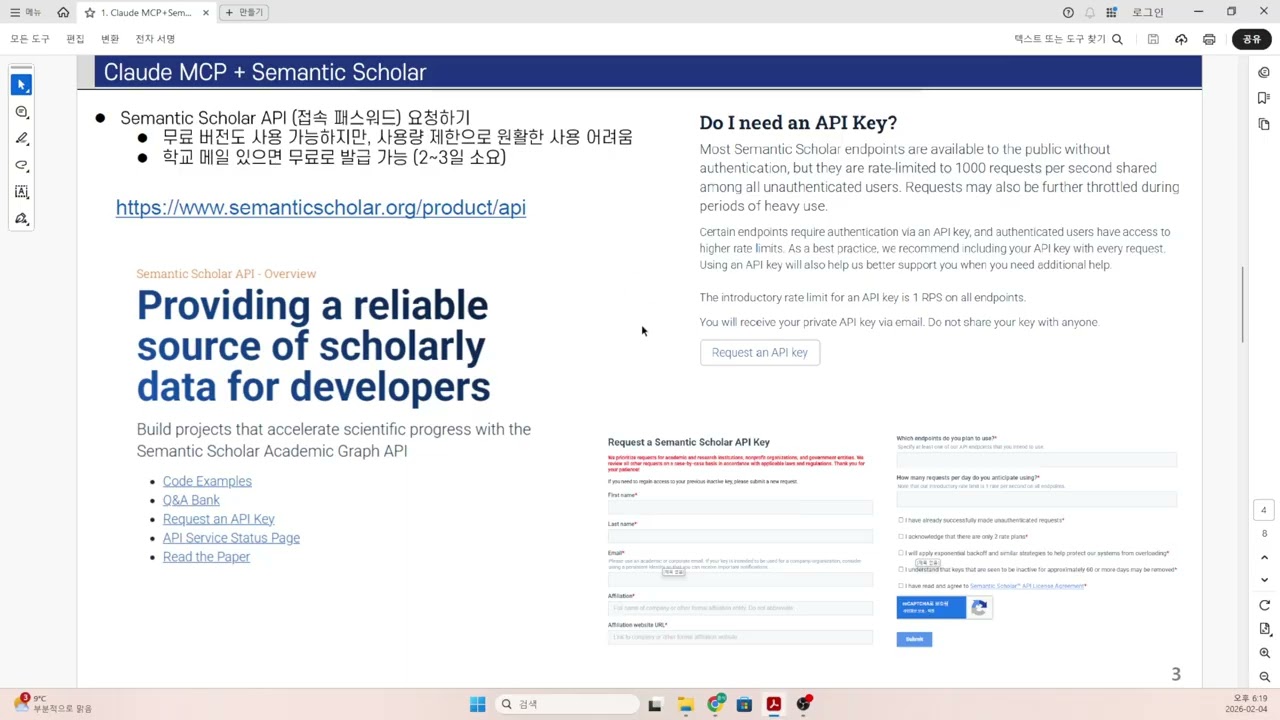
Semantic Scholar
About
Provides a bridge to Semantic Scholar for searching and analyzing academic papers with tools for keyword searches, metadata access, and citation network exploration
Details
- Repository
- JackKuo666/semanticscholar-MCP-Server
Explore
- 🔍 Search for papers on Semantic Scholar
- 📄 Retrieve detailed information about specific papers
- 👤 Get author details
- 🔗 Fetch citations and references for a paper

Setting up with Highlight
This MCP is not yet compatible with Highlight’s one-click setup. However, you can still use it with Highlight by following these steps:
- Download and install Highlight from highlightai.com/download
- Navigate to the plugins tab and select "Add Custom Plugin"
-
Configure the plugin with the settings below
Plugin Name
Semantic ScholarCommand (node, npx, python, etc.)pythonArguments-
Argument 1
-m -
Argument 2
semanticscholar_mcp_server
Please refer to the README for specific instructions on how to obtain API keys or other required environment variables.
-
Argument 1
- Enable "Start Automatically" if you want the plugin to start when Highlight launches





From the repository
- 🐍 Python 3.10+
- 📚 semanticscholar Python package
- 🔧 mcp Python package (Model Context Protocol)
To install semanticscholar Server for Claude Desktop automatically via Smithery:
1. Start the Semantic Scholar MCP server:
python semantic_scholar_server.py
2. The server will start and listen for MCP requests.
3. Use an MCP client to interact with the server and access the following tools:
- 🔍 search_semantic_scholar: Search for papers using a query string
- 📄 get_semantic_scholar_paper_details: Get details of a specific paper
- 👤 get_semantic_scholar_author_details: Get details of a specific author
- 🔗 get_semantic_scholar_citations_and_references: Get citations and references for a paper
Add this configuration to your claude_desktop_config.json:
(Mac OS)
{
"mcpServers": {
"semanticscholar": {
"command": "python",
"args": ["-m", "semanticscholar_mcp_server"]
}
}
}
(Windows version):
{
"mcpServers": {
"semanticscholar": {
"command": "C:\\Users\\YOUR\\PATH\\miniconda3\\envs\\mcp_server\\python.exe",
"args": [
"D:\\code\\YOUR\\PATH\\semanticscholar-MCP-Server\\semanticscholar_server.py"
],
"env": {},
"disabled": false,
"autoApprove": []
}
}
}
{
"mcpServers": {
"semanticscholar": {
"command": "bash",
"args": [
"-c",
"source /home/YOUR/PATH/.venv/bin/activate && python /home/YOUR/PATH/semanticscholar_mcp_server.py"
],
"env": {},
"disabled": false,
"autoApprove": []
}
}
}
search_semantic_scholar
Search for papers using a query string.
get_semantic_scholar_paper_details
Get details of a specific paper.
get_semantic_scholar_author_details
Get details of a specific author.
get_semantic_scholar_citations_and_references
Get citations and references for a paper.
Claude Desktop / Cursor
Paste into your MCP client config file to install this server.
{
    "mcpServers": {
        "semantic scholar": {
            "env": {},
            "args": [
                "-m",
                "semanticscholar_mcp_server"
            ],
            "command": "python"
        }
    }
}Linux
{
"env": [],
"args": [
"-c",
"source /home/YOUR/PATH/.venv/bin/activate && python /home/YOUR/PATH/semanticscholar_mcp_server.py"
],
"command": "bash"
}Macos
{
"env": [],
"args": [
"-m",
"semanticscholar_mcp_server"
],
"command": "python"
}Windows
{
"env": [],
"args": [
"D:\\code\\YOUR\\PATH\\semanticscholar-MCP-Server\\semanticscholar_server.py"
],
"command": "C:\\Users\\YOUR\\PATH\\miniconda3\\envs\\mcp_server\\python.exe"
}This project implements a Model Context Protocol (MCP) server for interacting with the Semantic Scholar API. It provides tools for searching papers, retrieving paper and author details, and fetching citations and references.
✨ Features
- 🔍 Search for papers on Semantic Scholar
- 📄 Retrieve detailed information about specific papers
- 👤 Get author details
- 🔗 Fetch citations and references for a paper
📋 Prerequisites
- 🐍 Python 3.10+
- 📚 semanticscholar Python package
- 🔧 mcp Python package (Model Context Protocol)
🚀 Installation
Installing via Smithery
To install semanticscholar Server for Claude Desktop automatically via Smithery:
claude
npx -y @smithery/cli@latest install @JackKuo666/semanticscholar-mcp-server --client claude --config "{}"
Cursor
Paste the following into Settings → Cursor Settings → MCP → Add new server:
- Mac/Linux
npx -y @smithery/cli@latest run @JackKuo666/semanticscholar-mcp-server --client cursor --config "{}"
Windsurf
npx -y @smithery/cli@latest install @JackKuo666/semanticscholar-mcp-server --client windsurf --config "{}"
CLine
npx -y @smithery/cli@latest install @JackKuo666/semanticscholar-mcp-server --client cline --config "{}"
1. Clone this repository:
git clone https://github.com/JackKuo666/semanticscholar-MCP-Server.git
cd semanticscholar-mcp-server
2. Install the required packages:
pip install semanticscholar mcp
🖥️ Usage
1. Start the Semantic Scholar MCP server:
python semantic_scholar_server.py
2. The server will start and listen for MCP requests.
3. Use an MCP client to interact with the server and access the following tools:
- 🔍 search_semantic_scholar: Search for papers using a query string
- 📄 get_semantic_scholar_paper_details: Get details of a specific paper
- 👤 get_semantic_scholar_author_details: Get details of a specific author
- 🔗 get_semantic_scholar_citations_and_references: Get citations and references for a paper
Usage with Claude Desktop
Add this configuration to your claude_desktop_config.json:
(Mac OS)
{
  "mcpServers": {
    "semanticscholar": {
      "command": "python",
      "args": ["-m", "semanticscholar_mcp_server"]
      }
  }
}
(Windows version):
{
  "mcpServers": {
    "semanticscholar": {
      "command": "C:\\Users\\YOUR\\PATH\\miniconda3\\envs\\mcp_server\\python.exe",
      "args": [
        "D:\\code\\YOUR\\PATH\\semanticscholar-MCP-Server\\semanticscholar_server.py"
      ],
      "env": {},
      "disabled": false,
      "autoApprove": []
    }
  }
}
{
  "mcpServers": {
    "semanticscholar": {
      "command": "bash",
      "args": [
        "-c",
        "source /home/YOUR/PATH/.venv/bin/activate && python /home/YOUR/PATH/semanticscholar_mcp_server.py"
      ],
      "env": {},
      "disabled": false,
      "autoApprove": []
    }
  }
}
📁 File Structure
- 📜 semantic_scholar_search.py: Contains functions for interacting with the Semantic Scholar API
- 🖥️ semantic_scholar_server.py: Implements the MCP server and defines the available tools
🤝 Contributing
Contributions are welcome! Please feel free to submit a Pull Request.
📄 License
This project is licensed under the MIT License - see the LICENSE file for details.
Sign in to leave a review
Use Google, GitHub, or an email account so ratings stay tied to real people.
No reviews posted yet.