
Cursor DB Explorer
About
Provides access to Cursor IDE's SQLite databases for exploring project data, chat history, and composer information through an API that automatically detects installations and exposes structured resources and tools for analysis.
Details
- Repository
- jbdamask/cursor-db-mcp
Explore

Setting up with Highlight
This MCP is not yet compatible with Highlight’s one-click setup. However, you can still use it with Highlight by following these steps:
- Download and install Highlight from highlightai.com/download
- Navigate to the plugins tab and select "Add Custom Plugin"
-
Configure the plugin with the settings below
Plugin Name
Cursor DB ExplorerCommand (node, npx, python, etc.)/Users/johndamask/.local/bin/uvArguments-
Argument 1
run -
Argument 2
--with -
Argument 3
mcp[cli] -
Argument 4
mcp -
Argument 5
run -
Argument 6
/Users/johndamask/code/cursor-db-mcp/cursor-db-mcp-server.py
Please refer to the README for specific instructions on how to obtain API keys or other required environment variables.
-
Argument 1
- Enable "Start Automatically" if you want the plugin to start when Highlight launches





From the repository
Cursor IDE
<!-- Claude Desktop (if you want to use MCP in Claude) -->
Use the provided installation script to install all dependencies:
python install.py
This script will install:
- Basic MCP server and dependencies
<!-- ### Manual Installation
1. Clone this repository:
git clone https://github.com/yourusername/cursor-db-mcp.git
cd cursor-db-mcp
2. Install basic dependencies:
pip install -r requirements.txt
3. Install MCP CLI tools (optional, for testing):
pip install 'mcp[cli]' # Note the quotes around mcp[cli]
If the above command fails, you can install the CLI dependencies directly:
pip install typer rich
<!-- ## Usage
query_table
Query a specific table in a project's database.
refresh_databases
Refresh the list of database paths.
Claude Desktop / Cursor
Paste into your MCP client config file to install this server.
{
    "mcpServers": {
        "cursor db explorer": {
            "cwd": null,
            "env": {},
            "args": [
                "run",
                "--with",
                "mcp[cli]",
                "mcp",
                "run",
                "/Users/johndamask/code/cursor-db-mcp/cursor-db-mcp-server.py"
            ],
            "shell": false,
            "command": "/Users/johndamask/.local/bin/uv"
        }
    }
}Linux
{
"cwd": null,
"env": [],
"args": [
"run",
"--with",
"mcp[cli]",
"mcp",
"run",
"<fully qualified path to >/cursor-db-mcp-server.py"
],
"shell": false,
"command": "<fully qualified path to >/uv"
}Macos
{
"cwd": null,
"env": [],
"args": [
"run",
"--with",
"mcp[cli]",
"mcp",
"run",
"/Users/johndamask/code/cursor-db-mcp/cursor-db-mcp-server.py"
],
"shell": false,
"command": "/Users/johndamask/.local/bin/uv"
}Windows
{
"cwd": null,
"env": [],
"args": [
"run",
"--with",
"mcp[cli]",
"mcp",
"run",
"<fully qualified path to >/cursor-db-mcp-server.py"
],
"shell": false,
"command": "<fully qualified path to >/uv"
}Cursor DB MCP Server
A Model Context Protocol (MCP) server for accessing Cursor IDE's SQLite databases. This server allows AI assistants to explore and interact with Cursor's project data, chat history, and composer information.
<!-- __Claude__
 -->
-->
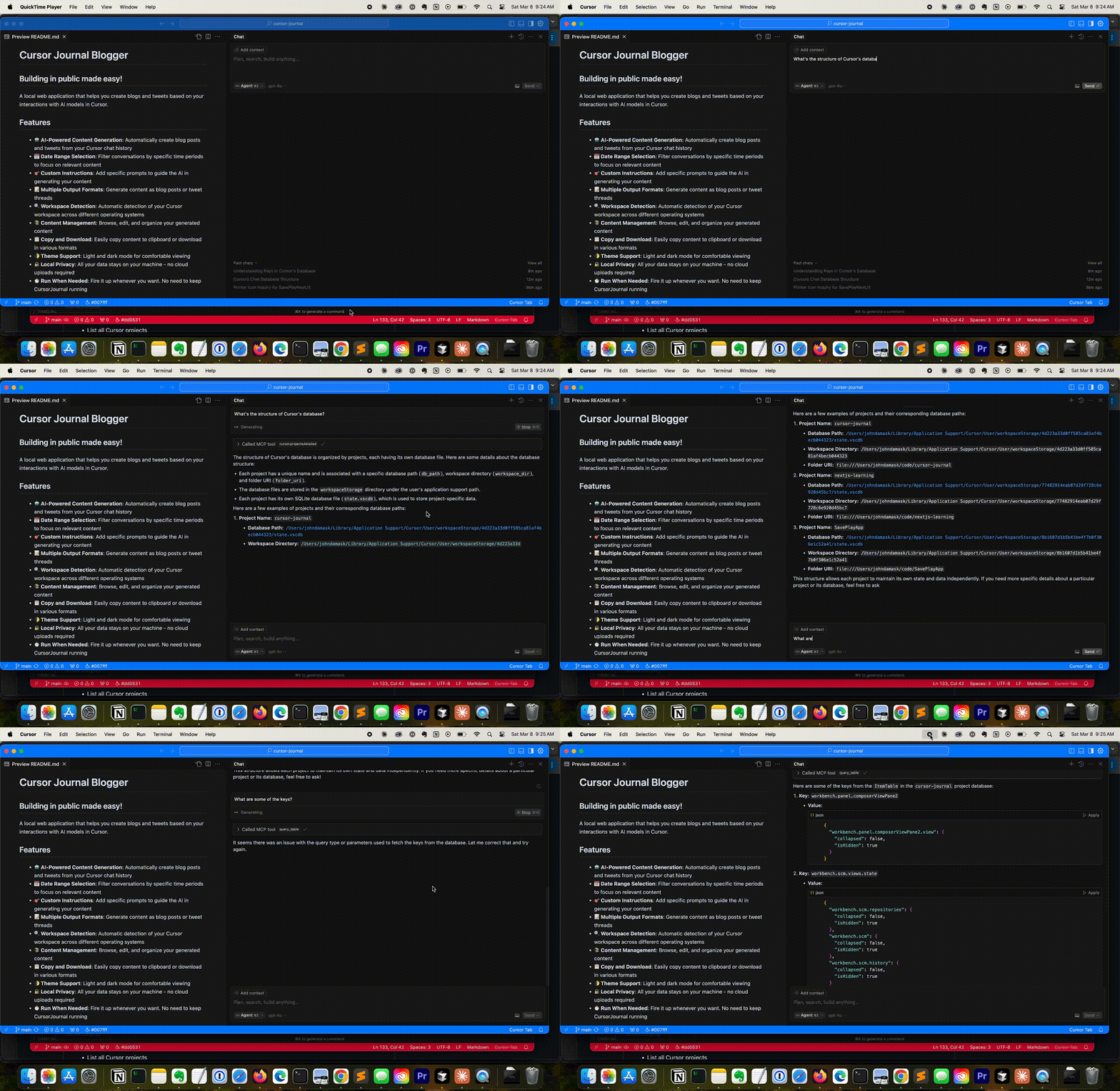
__Cursor__
Prerequisites
Cursor IDE
<!-- Claude Desktop (if you want to use MCP in Claude) -->
Installation
Easy Installation
Use the provided installation script to install all dependencies:
python install.py
This script will install:
- Basic MCP server and dependencies
<!-- ### Manual Installation
1. Clone this repository:
git clone https://github.com/yourusername/cursor-db-mcp.git

cd cursor-db-mcp
2. Install basic dependencies:
pip install -r requirements.txt
3. Install MCP CLI tools (optional, for testing):
pip install 'mcp[cli]' # Note the quotes around mcp[cli]
If the above command fails, you can install the CLI dependencies directly:
pip install typer rich
<!-- ## Usage
Using with Claude Desktop
1. Install the MCP server in Claude Desktop:
mcp install cursor-db-mcp-server.py
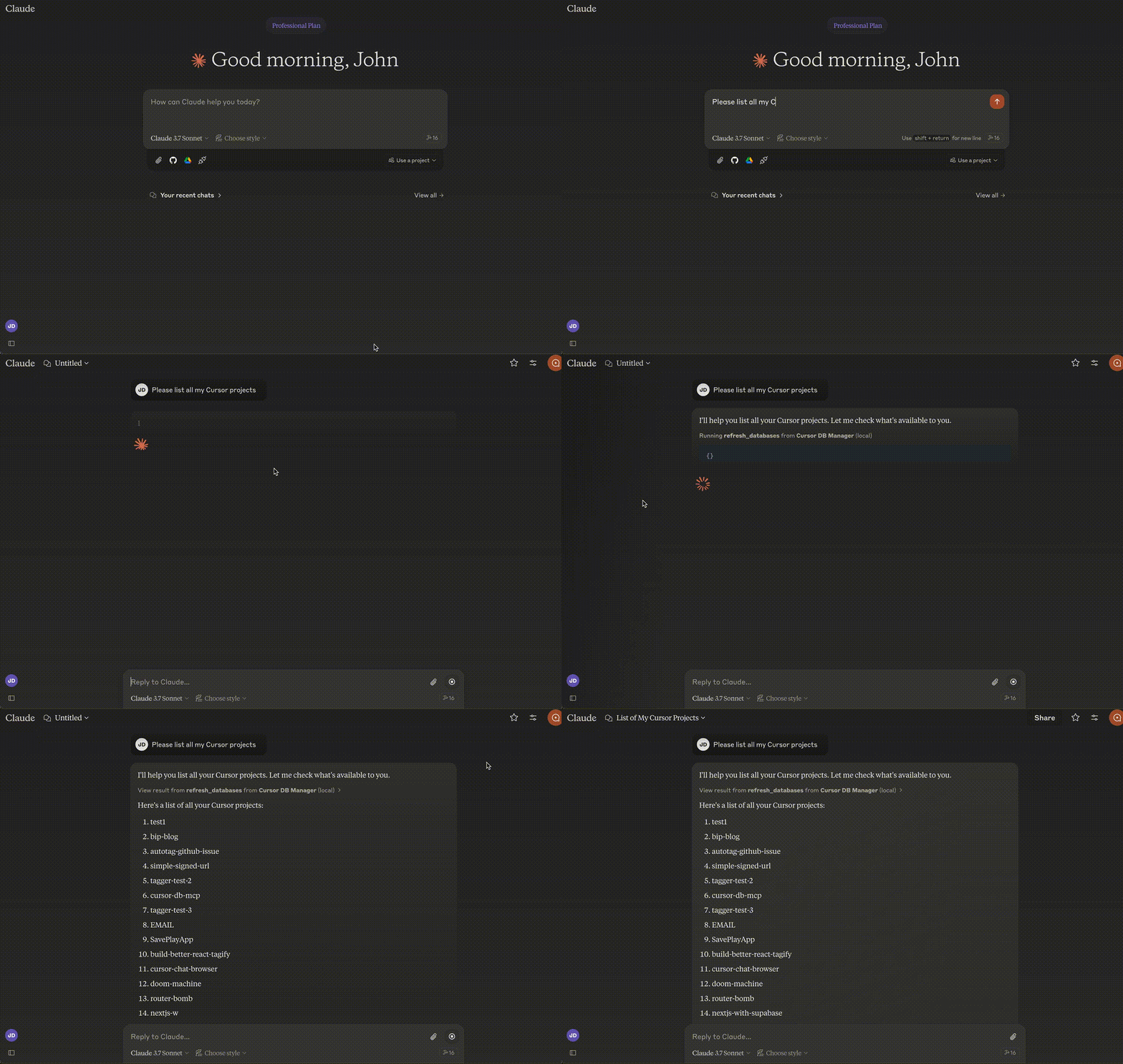
2. In Claude Desktop, you can now access your Cursor data by asking questions like:
- "Show me a list of my Cursor projects"
- "What's in my chat history for project X?"
- "Find composer data for composer ID Y"
See detailed examples below
Sign in to leave a review
Use Google, GitHub, or an email account so ratings stay tied to real people.
No reviews posted yet.



