
Production-ready MCP integrations for AI applications

by Klavis-AI

5.8k stars
971 downloads
Not rated
GitHub Website

About

Klavis AI: MCP integration platforms that let AI agents use tools reliably at any scale

Details

Author
Klavis-AI
GitHub stars
5,765
Downloads
971
Categories
Other, API, AI, Developer Tools, Communication

- 100+ prebuilt integrations out-of-the-box
- Built-in OAuth support for authentication
- Available as cloud-hosted, self-hosted, or SDK
- Python and TypeScript SDKs provided
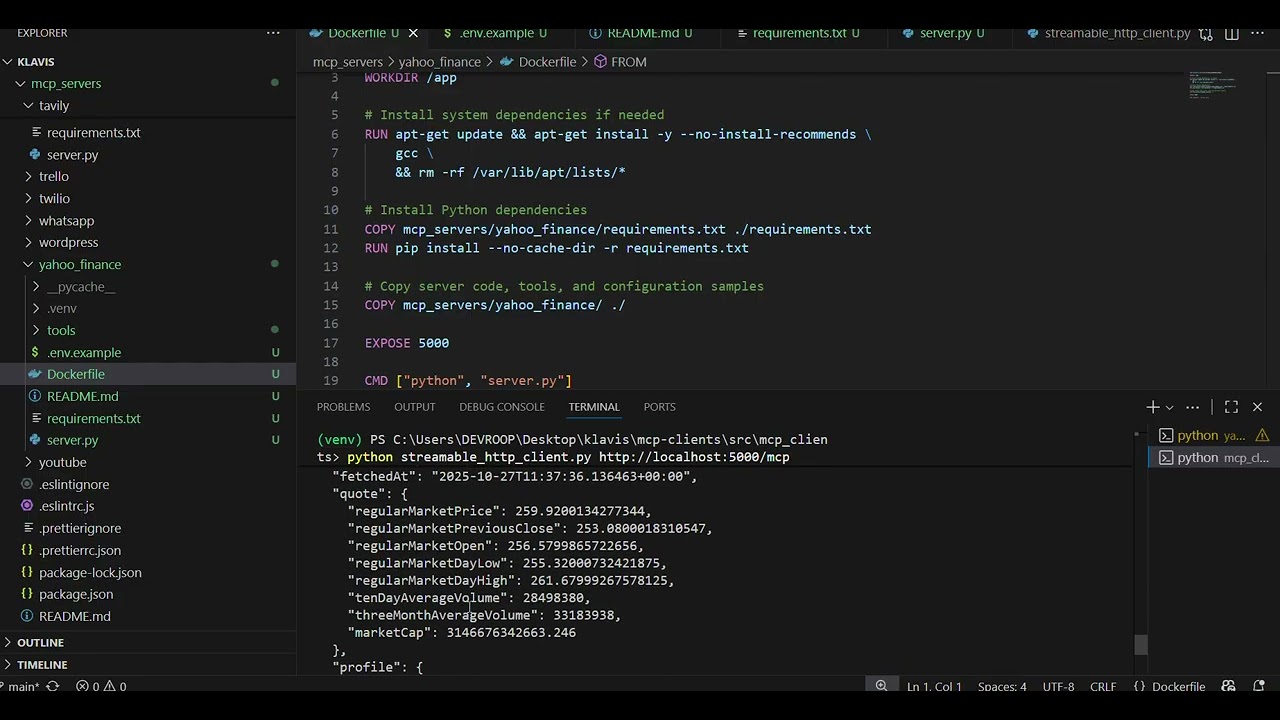
- Docker images for self-hosted deployments
- REST API for server management

Setting up with Highlight

This MCP is not yet compatible with Highlight’s one-click setup. However, you can still use it with Highlight by following these steps:

  1. Download and install Highlight from highlightai.com/download
  2. Navigate to the plugins tab and select "Add Custom Plugin"
  3. Configure the plugin with the settings below
    Plugin Name Production-ready MCP integrations for AI applications
    Command (node, npx, python, etc.)

    Please refer to the README for specific instructions on how to obtain API keys or other required environment variables.

  4. Enable "Start Automatically" if you want the plugin to start when Highlight launches

From the repository

Use it via a cloud-hosted service at klavis.ai, or self-host by pulling Docker images like ghcr.io/klavis-ai/github-mcp-server:latest. Alternatively, integrate using the Python SDK (pip install klavis) or TypeScript SDK, or via the REST API with commands like curl -X POST "https://api.klavis.ai/v1/mcp-server/instance".

Claude Desktop / Cursor

Paste into your MCP client config file to install this server.

{
    "mcpServers": {
        "production-ready mcp integrations for ai applications": {
            "klavis": {
                "command": "docker",
                "args": [
                    "pull",
                    "ghcr.io/klavis-ai/github-mcp-server:latest"
                ]
            }
        }
    }
}

McpServers

{
    "klavis": {
        "command": "docker",
        "args": [
            "pull",
            "ghcr.io/klavis-ai/github-mcp-server:latest"
        ]
    }
}
<div align="center"> <picture> <img src="./docs/images/logo/cover.png" width="100%"> </picture> </div> <div align="center"> [![Documentation](https://img.shields.io/badge/Documentation-📖-green)](https://www.klavis.ai/docs) [![Website](https://img.shields.io/badge/Website-🌐-purple)](https://www.klavis.ai) [![Discord](https://img.shields.io/badge/Discord-Join-7289DA?logo=discord&logoColor=white)](https://discord.gg/p7TuTEcssn) <a href="https://www.producthunt.com/products/strata-2?embed=true&utm_source=badge-top-post-badge&utm_medium=badge&utm_source=badge-strata&#0045;2" target="_blank"><img src="https://api.producthunt.com/widgets/embed-image/v1/top-post-badge.svg?post_id=1016948&theme=light&period=daily&t=1758639605639" alt="Strata - One&#0032;MCP&#0032;server&#0032;for&#0032;AI&#0032;agents&#0032;to&#0032;handle&#0032;thousands&#0032;of&#0032;tools | Product Hunt" style="width: 250px; height: 54px;" width="250" height="54" /></a> </div> ## 🎯 Choose Your Solution <div align="center"> <table> <tr> <td align="center" width="33%" valign="top" style="vertical-align: top; height: 250px;"> <div style="height: 100%; display: flex; flex-direction: column; justify-content: space-between;"> <div> <h2>Strata</h2> <p><strong>Intelligent connectors for your AI agent, optimize context window</strong></p> </div> <div> <a href="https://www.klavis.ai/docs/concepts/strata"> <img src="https://img.shields.io/badge/Explore-Strata-blue?style=for-the-badge&logo=data:image/svg+xml;base64,PHN2ZyB3aWR0aD0iMjQiIGhlaWdodD0iMjQiIHZpZXdCb3g9IjAgMCAyNCAyNCIgZmlsbD0ibm9uZSIgeG1sbnM9Imh0dHA6Ly93d3cudzMub3JnLzIwMDAvc3ZnIj4KPHJlY3QgeD0iMiIgeT0iMiIgd2lkdGg9IjIwIiBoZWlnaHQ9IjIwIiByeD0iNCIgcnk9IjQiIHN0cm9rZT0id2hpdGUiIHN0cm9rZS13aWR0aD0iMiIgc3Ryb2tlLWxpbmVjYXA9InJvdW5kIiBzdHJva2UtbGluZWpvaW49InJvdW5kIi8+CjxyZWN0IHg9IjYiIHk9IjYiIHdpZHRoPSI0IiBoZWlnaHQ9IjQiIHJ4PSIxIiByeT0iMSIgZmlsbD0id2hpdGUiLz4KPHJlY3QgeD0iMTQiIHk9IjYiIHdpZHRoPSI0IiBoZWlnaHQ9IjQiIHJ4PSIxIiByeT0iMSIgZmlsbD0id2hpdGUiLz4KPHJlY3QgeD0iNiIgeT0iMTQiIHdpZHRoPSI0IiBoZWlnaHQ9IjQiIHJ4PSIxIiByeT0iMSIgZmlsbD0id2hpdGUiLz4KPHJlY3QgeD0iMTQiIHk9IjE0IiB3aWR0aD0iNCIgaGVpZ2h0PSI0IiByeD0iMSIgcnk9IjEiIGZpbGw9IndoaXRlIi8+Cjwvc3ZnPg==" height="40"> </a> </div> </div> </td> <td align="center" width="33%" valign="top" style="vertical-align: top; height: 250px;"> <div style="height: 100%; display: flex; flex-direction: column; justify-content: space-between;"> <div> <h2>MCP Integrations</h2> <p><strong>100+ prebuilt integrations out-of-the-box, with OAuth support</strong></p> </div> <div> <a href="https://www.klavis.ai/docs/mcp-server/overview"> <img src="https://img.shields.io/badge/Explore-MCP%20Servers-purple?style=for-the-badge&logo=data:image/svg+xml;base64,PHN2ZyB3aWR0aD0iMjQiIGhlaWdodD0iMjQiIHZpZXdCb3g9IjAgMCAyNCAyNCIgZmlsbD0ibm9uZSIgeG1sbnM9Imh0dHA6Ly93d3cudzMub3JnLzIwMDAvc3ZnIj4KPHBhdGggZD0iTTIwLjUgN0gzLjVDMi42NzE1NyA3IDIgNy42NzE1NyAyIDguNVYxNS41QzIgMTYuMzI4NCAyLjY3MTU3IDE3IDMuNSAxN0gyMC41QzIxLjMyODQgMTcgMjIgMTYuMzI4NCAyMiAxNS41VjguNUMyMiA3LjY3MTU3IDIxLjMyODQgNyAyMC41IDdaIiBzdHJva2U9IndoaXRlIiBzdHJva2Utd2lkdGg9IjIiIHN0cm9rZS1saW5lY2FwPSJyb3VuZCIgc3Ryb2tlLWxpbmVqb2luPSJyb3VuZCIvPgo8cGF0aCBkPSJNNiAxMkgxOCIgc3Ryb2tlPSJ3aGl0ZSIgc3Ryb2tlLXdpZHRoPSIyIiBzdHJva2UtbGluZWNhcD0icm91bmQiLz4KPGNpcmNsZSBjeD0iNSIgY3k9IjEyIiByPSIxIiBmaWxsPSJ3aGl0ZSIvPgo8Y2lyY2xlIGN4PSIxOSIgY3k9IjEyIiByPSIxIiBmaWxsPSJ3aGl0ZSIvPgo8L3N2Zz4=" height="40"> </a> </div> </div> </td> <td align="center" width="33%" valign="top" style="vertical-align: top; height: 250px;"> <div style="height: 100%; display: flex; flex-direction: column; justify-content: space-between;"> <div> <h2>MCP Sandbox</h2> <p><strong>scalable MCP environments for LLM training and RL</strong></p> </div> <div> <a href="https://www.klavis.ai/docs/concepts/sandbox"> <img src="https://img.shields.io/badge/Explore-Sandbox-orange?style=for-the-badge&logo=data:image/svg+xml;base64,PHN2ZyB3aWR0aD0iMjQiIGhlaWdodD0iMjQiIHZpZXdCb3g9IjAgMCAyNCAyNCIgZmlsbD0ibm9uZSIgeG1sbnM9Imh0dHA6Ly93d3cudzMub3JnLzIwMDAvc3ZnIj4KPHBhdGggZD0iTTQgNEgyMFY4TDE4IDEwTDIwIDE2VjIwSDRWMTZMNiAxMEw0IDhWNFoiIHN0cm9rZT0id2hpdGUiIHN0cm9rZS13aWR0aD0iMiIgc3Ryb2tlLWxpbmVjYXA9InJvdW5kIiBzdHJva2UtbGluZWpvaW49InJvdW5kIi8+CjxwYXRoIGQ9Ik00IDhIMjAiIHN0cm9rZT0id2hpdGUiIHN0cm9rZS13aWR0aD0iMiIvPgo8cGF0aCBkPSJNNCAxNkgyMCIgc3Ryb2tlPSJ3aGl0ZSIgc3Ryb2tlLXdpZHRoPSIyIi8+Cjwvc3ZnPg==" height="40"> </a> </div> </div> </td> </tr> </table> </div> ## Quick Start ### Option 1: Cloud-hosted - [klavis.ai](https://www.klavis.ai) [Quickstart guide →](https://www.klavis.ai/docs/quickstart) ### Option 2: Self-host ```bash # Run any MCP Integration docker pull ghcr.io/klavis-ai/github-mcp-server:latest docker run -p 5000:5000 ghcr.io/klavis-ai/github-mcp-server:latest # Install Open Source Strata locally pipx install strata-mcp strata add --type stdio playwright npx @playwright/mcp@latest ``` ### Option 3: SDK ```python # Python SDK from klavis import Klavis from klavis.types import McpServerName klavis = Klavis(api_key="your-key") # Create Strata instance strata = klavis_client.mcp_server.create_strata_server( user_id="user123", servers=[McpServerName.GMAIL, McpServerName.SLACK], ) # Or use individual MCP servers gmail = klavis.mcp_server.create_server_instance( server_name=McpServerName.GMAIL, user_id="user123", ) ``` ```typescript // TypeScript SDK import { KlavisClient, McpServerName } from 'klavis'; const klavis = new KlavisClient({ apiKey: 'your-api-key' }); // Create Strata instance const strata = await klavis.mcpServer.createStrataServer({ userId: "user123", servers: [Klavis.McpServerName.Gmail, Klavis.McpServerName.Slack], }); // Or use individual MCP servers const gmail = await klavis.mcpServer.createServerInstance({ serverName: McpServerName.GMAIL, userId: "user123" }); ``` ### Option 4: REST API ```bash # Create Strata server curl -X POST "https://api.klavis.ai/v1/mcp-server/strata" \ -H "Authorization: Bearer your-api-key" \ -H "Content-Type: application/json" \ -d '{ "user_id": "user123", "servers": ["GMAIL", "SLACK"] }' # Create individual MCP server curl -X POST "https://api.klavis.ai/v1/mcp-server/instance" \ -H "Authorization: Bearer your-api-key" \ -H "Content-Type: application/json" \ -d '{ "server_name": "GMAIL", "user_id": "user123" }' ``` ## Resources - 📖 [Documentation](https://www.klavis.ai/docs) - 💬 [Discord Community](https://discord.gg/p7TuTEcssn) - 🐛 [Report Issues](https://github.com/klavis-ai/klavis/issues) - 🌐 [Klavis AI Website](https://www.klavis.ai) --- <div align="center"> <p><strong>Made with ❤️ by the Klavis Team</strong></p> </div>
No reviews yet — be the first

Sign in to leave a review

Use Google, GitHub, or an email account so ratings stay tied to real people.

Email sign in

No reviews posted yet.