
Ghidra
About
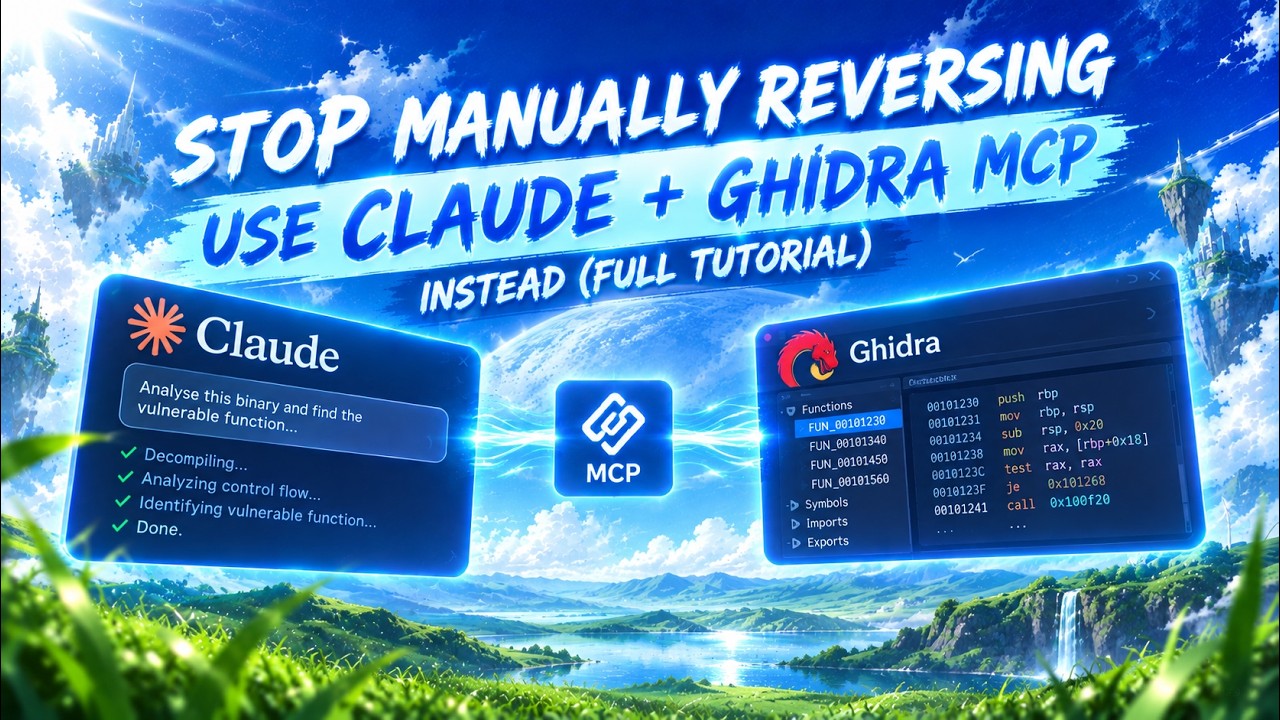
Enables LLMs to autonomously reverse engineer applications by exposing core Ghidra functionality.
Details
- Repository
- LaurieWired/GhidraMCP
- License
- Apache-2.0
Explore
- Decompile and analyze binaries in Ghidra
- Automatically rename methods and data
- List methods, classes, imports, and exports
- Configurable HTTP server port in Ghidra
- Supports multiple MCP clients and transports

Setting up with Highlight
This MCP is not yet compatible with Highlight’s one-click setup. However, you can still use it with Highlight by following these steps:
- Download and install Highlight from highlightai.com/download
- Navigate to the plugins tab and select "Add Custom Plugin"
-
Configure the plugin with the settings below
Plugin Name
GhidraCommand (node, npx, python, etc.)pythonArguments-
Argument 1
/ABSOLUTE_PATH_TO/bridge_mcp_ghidra.py -
Argument 2
--ghidra-server -
Argument 3
http://127.0.0.1:8080/
Please refer to the README for specific instructions on how to obtain API keys or other required environment variables.
-
Argument 1
- Enable "Start Automatically" if you want the plugin to start when Highlight launches





From the repository
Install Ghidra and the GhidraMCP plugin via the release ZIP, then run the Python MCP bridge script (bridge_mcp_ghidra.py) with appropriate transport and server settings. Clients like Claude Desktop, Cline, or 5ire can then connect to the bridge to issue reverse‑engineering commands.
Claude Desktop / Cursor
Paste into your MCP client config file to install this server.
{
    "mcpServers": {
        "ghidra": {
            "cwd": "/Users/YOUR_USER/Library/Application Support/Claude",
            "env": {},
            "args": [
                "/ABSOLUTE_PATH_TO/bridge_mcp_ghidra.py",
                "--ghidra-server",
                "http://127.0.0.1:8080/"
            ],
            "shell": false,
            "command": "python"
        }
    }
}Linux
{
    "cwd": "/home/YOUR_USER/.config/Claude",
    "env": [],
    "args": [
        "/ABSOLUTE_PATH_TO/bridge_mcp_ghidra.py",
        "--ghidra-server",
        "http://127.0.0.1:8080/"
    ],
    "shell": false,
    "command": "python"
}
Macos
{
    "cwd": "/Users/YOUR_USER/Library/Application Support/Claude",
    "env": [],
    "args": [
        "/ABSOLUTE_PATH_TO/bridge_mcp_ghidra.py",
        "--ghidra-server",
        "http://127.0.0.1:8080/"
    ],
    "shell": false,
    "command": "python"
}
Windows
{
    "cwd": "C:\\Users\\YOUR_USER\\AppData\\Roaming\\Claude",
    "env": [],
    "args": [
        "/ABSOLUTE_PATH_TO/bridge_mcp_ghidra.py",
        "--ghidra-server",
        "http://127.0.0.1:8080/"
    ],
    "shell": false,
    "command": "python"
}
ghidraMCP is an Model Context Protocol server for allowing LLMs to autonomously reverse engineer applications. It exposes numerous tools from core Ghidra functionality to MCP clients.
https://github.com/user-attachments/assets/36080514-f227-44bd-af84-78e29ee1d7f9
- Decompile and analyze binaries in Ghidra
- Automatically rename methods and data
- List methods, classes, imports, and exports
https://github.com/user-attachments/assets/75f0c176-6da1-48dc-ad96-c182eb4648c3
Theoretically, any MCP client should work with ghidraMCP. Three examples are given below.
To set up Claude Desktop as a Ghidra MCP client, go toClaude->Settings->Developer->Edit Config->claude_desktop_config.jsonand add the following:
{ "mcpServers": { "ghidra": { "command": "python", "args": [ "/ABSOLUTE_PATH_TO/bridge_mcp_ghidra.py", "--ghidra-server", "http://127.0.0.1:8080/" ] } } }
/Users/YOUR_USER/Library/Application Support/Claude/claude_desktop_config.json
The server IP and port are configurable and should be set to point to the target Ghidra instance. If not set, both will default to localhost:8080.
To use GhidraMCP withCline, this requires manually running the MCP server as well. First run the following command:
python bridge_mcp_ghidra.py --transport sse --mcp-host 127.0.0.1 --mcp-port 8081 --ghidra-server http://127.0.0.1:8080/
The onlyrequiredargument is the transport. If all other arguments are unspecified, they will default to the above. Once the MCP server is running, open up Cline and selectMCP Serversat the top.
Then selectRemote Serversand add the following, ensuring that the url matches the MCP host and port:
- Server Name: GhidraMCP
- Server URL:http://127.0.0.1:8081/sse
Another MCP client that supports multiple models on the backend is5ire. To set up GhidraMCP, open 5ire and go toTools->Newand set the following configurations:
- Tool Key: ghidra
- Name: GhidraMCP
- Command:python /ABSOLUTE_PATH_TO/bridge_mcp_ghidra.py
- Copy the following files from your Ghidra directory to this project'slib/directory:
- Ghidra/Features/Base/lib/Base.jar
- Ghidra/Features/Decompiler/lib/Decompiler.jar
- Ghidra/Framework/Docking/lib/Docking.jar
- Ghidra/Framework/Generic/lib/Generic.jar
- Ghidra/Framework/Project/lib/Project.jar
- Ghidra/Framework/SoftwareModeling/lib/SoftwareModeling.jar
- Ghidra/Framework/Utility/lib/Utility.jar
- Ghidra/Framework/Gui/lib/Gui.jar
The generated zip file includes the built Ghidra plugin and its resources. These files are required for Ghidra to recognize the new extension.
- lib/GhidraMCP.jar
- extensions.properties
- Module.manifest
This is a web browser that enables your coding agent, such as Claude Code, to visit websites on your behalf and assist you in identifying bugs or creating UI test cases.
AI-powered code quality analysis to detect best practice violations, security issues, and architectural problems in real-time.
Exposes binary analysis data from Ghidra, including functions and pseudocode, to LLMs.
Analyze binary files and manage functions and variables using IDA Pro's headless mode.
A Model Context Protocol server for the IDA Pro disassembler.
Interact with IDA Pro for reverse engineering and binary analysis tasks.
Your Windows syscall hooking factory - feat Canterlot's Gate - All accessible over MCP
24 AI-callable tools for API mocking, chaos engineering, security scanning, SSL checks, CORS debugging, OpenAPI validation, JWT decoding, HAR analysis, distributed tracing, webhook capture, automation workflows, and uptime monitoring. Supports OAuth2 and Bearer token auth.
Production grade MCP for Reverse Engineering (includes almost all necessary tools)
Boost security in your dev lifecycle via SAST, SCA, Secrets & IaC scanning with Cycode.
AI-powered live runtime debugging with Lightrun production context.
Sign in to leave a review
Use Google, GitHub, or an email account so ratings stay tied to real people.
No reviews posted yet.