
learn-mcp-server
About
# learn-mcp-server This repository provides a simple MCP (Model Context Protocol) server implementation for educational purposes. The server supports basic arithmetic operations (addition, subtraction, multiplication, division), and this README describes how to use it from Claude Desktop. ## step 1 Build source code…
Explore
- Supports addition, subtraction, multiplication, and division
- Built with Go for easy compilation
- Serves as an educational MCP server example
- Logs all client and server messages to ~/Library/Logs/Claude/
- Exposes a single tool named calculate
Build the Go source code with go build ./, then add the binary to Claude Desktop's configuration file under mcpServers with the key calculator, command pointing to the built binary, and an empty args array. Restart Claude Desktop, then ask an arithmetic question such as "What is the answer to the following formula? 1234 x 56789".
This repository provides a simple MCP (Model Context Protocol) server implementation for educational purposes.
The server supports basic arithmetic operations (addition, subtraction, multiplication, division), and this README describes how to use it from Claude Desktop.
step 1
Build source code from this repository.
$ go build ./
step 2
In the Claude for Desktop App configuration file, include the following:
{
  "mcpServers": {
    "calculator": {
      "command": "/path/to/github.com/demouth/learn-mcp-server/learn-mcp-server",
      "args": []
    }
  }
}
see https://modelcontextprotocol.io/quickstart/server
step 3
Restart Claude for Desktop.
step 4
Ask the following question in Claude for Desktop:
What is the answer to the following formula?
1234 x 56789
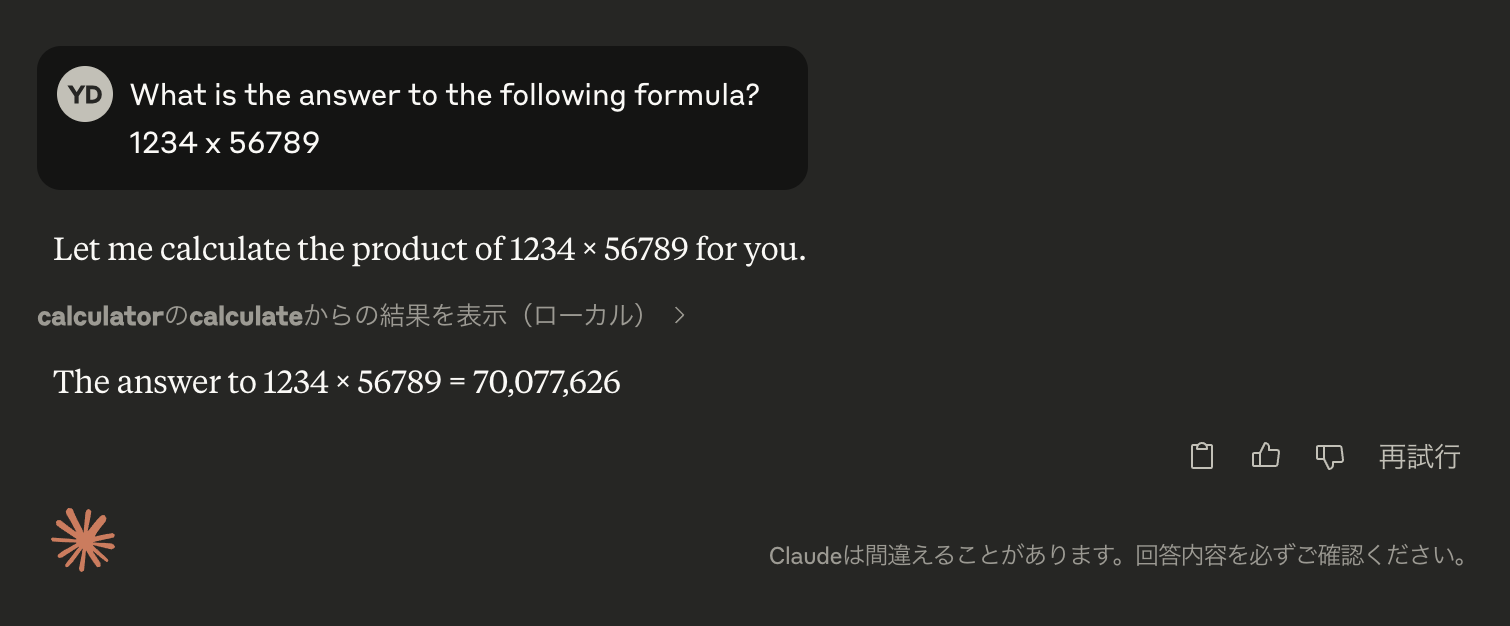
Logs are output to the following directory:
~/Library/Logs/Claude/
The following log will be output:
2025-04-08T15:08:36.443Z [calculator] [info] Message from client: {"method":"tools/call","params":{"name":"calculate","arguments":{"operation":"multiply","x":1234,"y":56789}},"jsonrpc":"2.0","id":35}
2025-04-08T15:08:36.443Z [calculator] [info] Message from server: {"jsonrpc":"2.0","id":35,"result":{"content":[{"type":"text","text":"70077626.00"}]}}
Examples
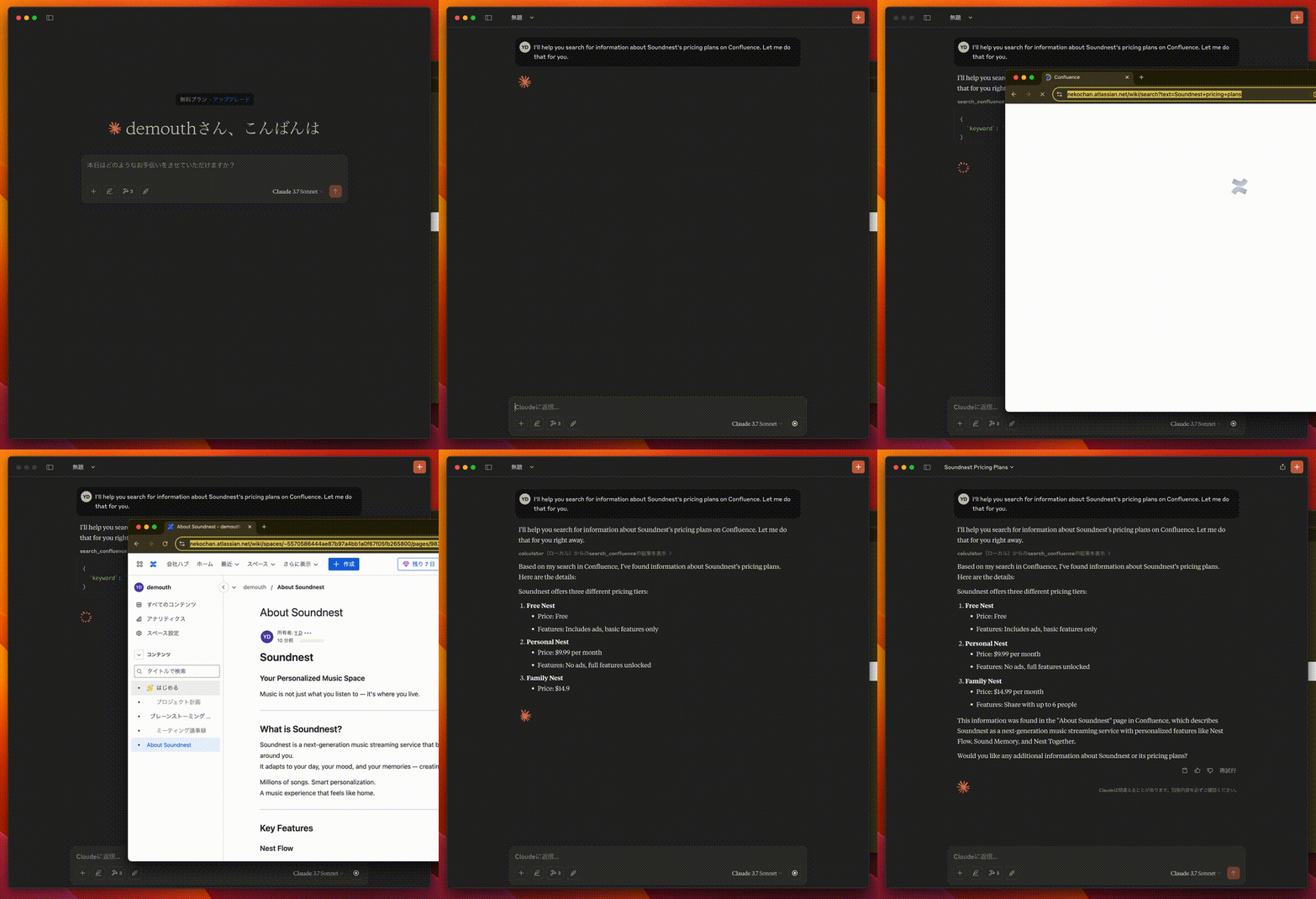
In this example, the browser is on autopilot to search confluence, and the AI answers based on the content.
Sign in to leave a review
Use Google, GitHub, or an email account so ratings stay tied to real people.
No reviews posted yet.



