
AirTrack
About
AirTrack is a Model Context Protocol (MCP) server for Apache Airflow that enables standardized access to DAG metadata, run status, and task insights. It wraps Airflow’s REST API using the official Apache Airflow client library, allowing MCP clients to monitor and automate…
Explore
- Wraps Apache Airflow’s REST API for MCP clients.
- Provides DAG metadata, run status, and task insights.
- Uses the official Airflow client library for compatibility.
- Supports integration with Claude Desktop and Open WebUI.
- Runs on Docker Compose and Python 3.8+.
- Includes an AirTrack logo image in the MCP folder.

Setting up with Highlight
This MCP is not yet compatible with Highlight’s one-click setup. However, you can still use it with Highlight by following these steps:
- Download and install Highlight from highlightai.com/download
- Navigate to the plugins tab and select "Add Custom Plugin"
-
Configure the plugin with the settings below
Plugin Name
AirTrackCommand (node, npx, python, etc.)Please refer to the README for specific instructions on how to obtain API keys or other required environment variables.
- Enable "Start Automatically" if you want the plugin to start when Highlight launches





From the repository
- Docker and Docker Compose for Airflow
- Python 3.8+ for MPC application
- Virtual environment for MPC application
{
"mcpServers": {
"FlowPredictor": {
"command": "D:\\Apps\\conda\\Scripts\\uv.EXE",
"args": [
"run",
"--with",
"mcp[cli]",
"mcp",
"run",
"<---PATH OF YOUR SERVER FILE eg(C:\\Users\\..\\..\\..\\server.py) --->"
]
}
}
}
Claude Desktop / Cursor
Paste into your MCP client config file to install this server.
{
    "mcpServers": {
        "airtrack": {
            "mcp-airflow-openwebui": {
                "command": "python",
                "args": [
                    "-m",
                    "venv",
                    ".venv"
                ]
            }
        }
    }
}McpServers
{
"mcp-airflow-openwebui": {
"command": "python",
"args": [
"-m",
"venv",
".venv"
]
}
}A Model Context Protocol (MCP) server for Apache Airflow that enables standardized access to DAG metadata, run status, and task insights, allowing seamless integration with MCP clients for monitoring and automation.
About
This project implements a Model Context Protocol server that wraps Apache Airflow's REST API, allowing MCP clients to interact with Airflow in a standardized way. It uses the official Apache Airflow client library to ensure compatibility and maintainability.Project Structure
combined_project/
├── airflow/ # Airflow project files
│ ├── dags/ # Airflow DAG definitions
│ ├── logs/ # Airflow logs
│ ├── plugins/ # Airflow plugins
│ └── Docker-compose.yaml # Docker compose file for Airflow
│
└── mpc/ # MPC application files
├── utils/ # Utility functions
├── server.py # Main server file
└── main.py # Entry point
Running the Projects
Requirements
- Docker and Docker Compose for Airflow
- Python 3.8+ for MPC application
- Virtual environment for MPC application
Airflow
1. Navigate to the airflow directory:
cd airflow
2. Start Airflow using Docker Compose:
docker-compose up
3. Access the Airflow web interface at http://localhost:8181
Username: admin Password: airflow
MPC Application
1. Navigate to the mpc directory:
cd mpc
2. Create and activate a virtual environment:
python -m venv .venv
.venv\Scripts\activate # On Windows
source .venv/bin/activate # On Unix/MacOS
3. Install dependencies:
pip install -r requirements.txt
4. Run the MPC server:
python server.py
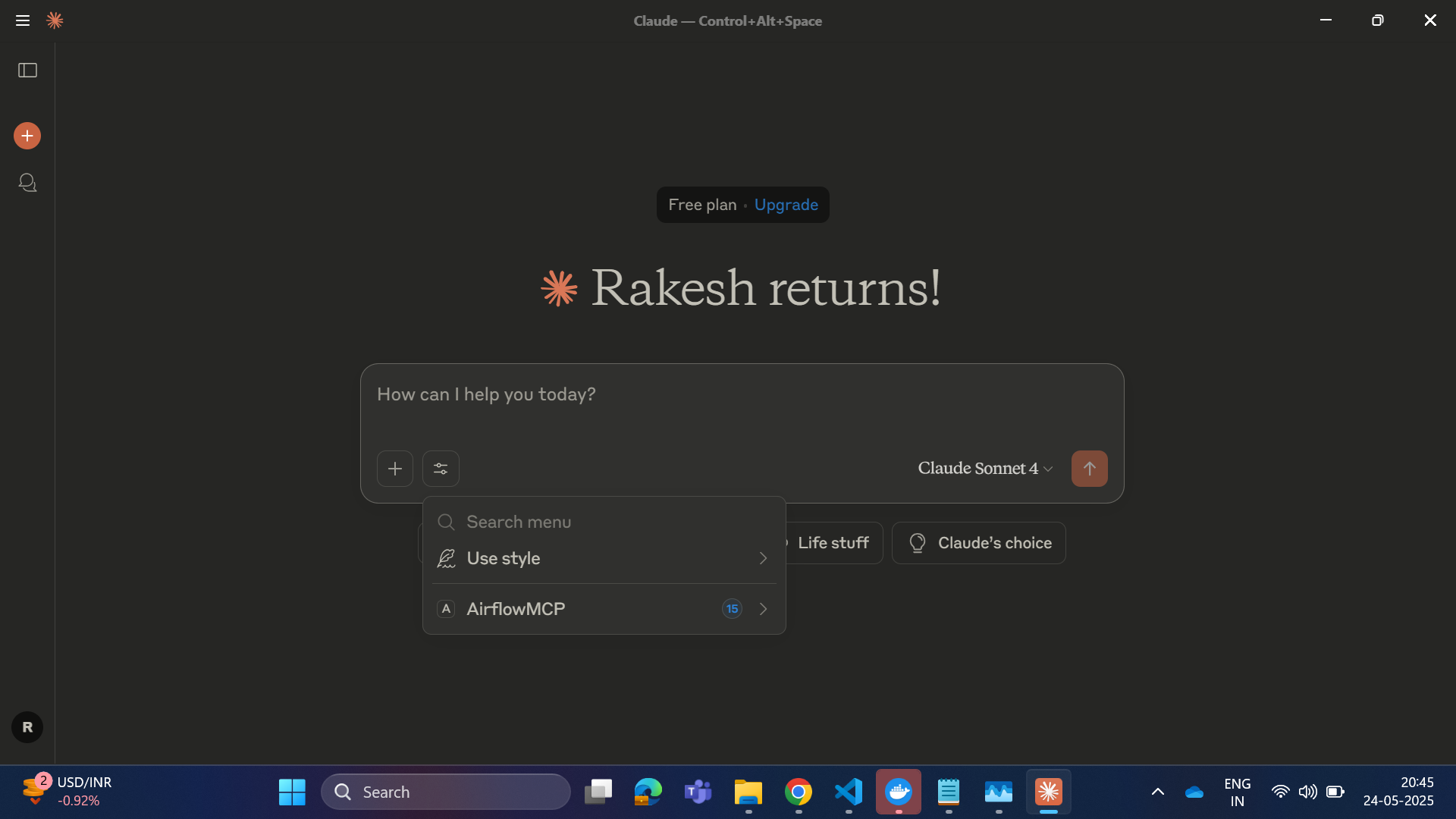
Usage with Claude Desktop
   {
     "mcpServers": {
       "FlowPredictor": {
      "command": "D:\\Apps\\conda\\Scripts\\uv.EXE",
      "args": [
        "run",
        "--with",
        "mcp[cli]",
        "mcp",
        "run",
        "<---PATH OF YOUR SERVER FILE eg(C:\\Users\\..\\..\\..\\server.py) --->"
      ]
    }
      }
   }
Integration
The Airflow DAGs can interact with the MPC application through API calls. Make sure both services are running when executing workflows that require MPC functionality.
Future Development
- 🔄 Live Updates – Stream DAG/task status via WebSocket or SSE. - 🔐 Security – Add OAuth2, API keys, and role-based access. - ⚡ Event Triggers – Auto-trigger agents on DAG events. - A📊 Analytics – Dashboard for DAG performance and trends. - 🤖 AI Troubleshooting – Use LLMs for issue analysis and fixes.- ## Integrate with OpenWebUi
- 1. install MCPO
pip install mcpo
2.create config.js in mcp folder
{

  "mcpServers": {

   "airflow-mcp-server": {

      "command": "C:\\Users\\RakeshReddyBijjam\\pipx\\venvs\\meltano\\Scripts\\uv.EXE",

      "args": [

        "run",

        "--with",

        "mcp[cli]",

        "mcp",

        "run",

        "C:\\Users\\RakeshReddyBijjam\\Desktop\\claude_sam\\AirTrack\\mcp\\server.py"

      ]

    }

  }

}
3. Run the server
uvx mcpo --config config.json --port 8001
Sign in to leave a review
Use Google, GitHub, or an email account so ratings stay tied to real people.
No reviews posted yet.



