
MCP-Compose
About
Orchestration tool for managing multiple MCP servers with a Docker Compose-style interface and a unified HTTP proxy.
Details
- License
- AGPL-3.0
Explore
- Docker Compose-style YAML configuration
- HTTP proxy with automatic protocol translation (STDIO → HTTP)
- Native support for Docker and Podman
- Session management and connection pooling
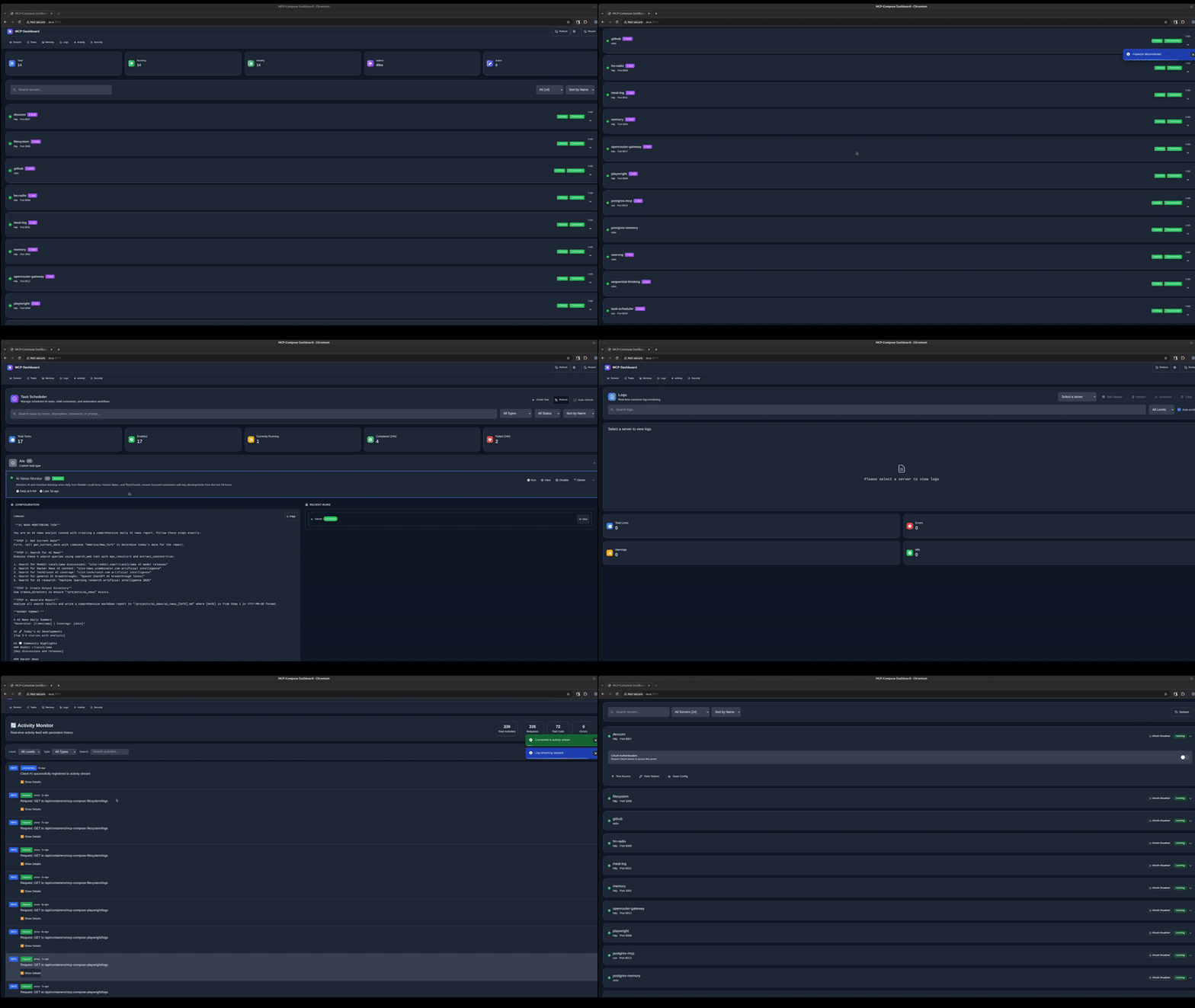
- Built-in dashboard and monitoring
- OpenAPI spec generation

Setting up with Highlight
This MCP is not yet compatible with Highlight’s one-click setup. However, you can still use it with Highlight by following these steps:
- Download and install Highlight from highlightai.com/download
- Navigate to the plugins tab and select "Add Custom Plugin"
-
Configure the plugin with the settings below
Plugin Name
MCP-ComposeCommand (node, npx, python, etc.)Please refer to the README for specific instructions on how to obtain API keys or other required environment variables.
- Enable "Start Automatically" if you want the plugin to start when Highlight launches





From the repository
git clone https://github.com/phildougherty/mcp-compose.git
cd mcp-compose
make build
mcp-compose init
Follow the prompts to create your configuration.
Create mcp-compose.yaml:
version: '1'
servers:
filesystem:
protocol: stdio
command: npx
args:
- "-y"
- "@modelcontextprotocol/server-filesystem"
- "/tmp"
capabilities: [resources, tools]
Start servers:
mcp-compose up
Start the HTTP proxy:
mcp-compose proxy --port 9876
Test it:
curl http://localhost:9876/api/servers
proxy_auth:
enabled: true
api_key: "${MCP_API_KEY}"
servers:
my-server:
protocol: string # stdio, http, sse
command: string # Executable (e.g., npx, python, node)
args: [string] # Command arguments
capabilities: [string] # tools, resources, prompts, sampling
env: # Environment variables
KEY: value
volumes: # Volume mounts
- "host:container:mode"
In your config:
env:
API_KEY: "${MY_API_KEY}"
In your shell:
export MY_API_KEY="secret"
mcp-compose up
mcp-compose validate
curl -X POST http://localhost:9876/filesystem \
-H "Content-Type: application/json" \
-d '{"jsonrpc":"2.0","id":1,"method":"tools/list"}'
curl -X POST http://localhost:9876/filesystem \
-H "Content-Type: application/json" \
-d '{
"jsonrpc":"2.0",
"id":1,
"method":"tools/call",
"params":{
"name":"read_file",
"arguments":{"path":"/tmp/test.txt"}
}
}'
```
Claude Desktop / Cursor
Paste into your MCP client config file to install this server.
{
    "mcpServers": {
        "mcp-compose": {
            "mcp-compose": {
                "command": "docker",
                "args": [
                    "ps",
                    "-a",
                    "#",
                    "Check",
                    "container",
                    "status"
                ]
            }
        }
    }
}McpServers
{
"mcp-compose": {
"command": "docker",
"args": [
"ps",
"-a",
"#",
"Check",
"container",
"status"
]
}
}


Docker Compose for Model Context Protocol servers. Run multiple MCP servers with unified configuration, HTTP proxy, and container orchestration.
Features
- Docker Compose-style YAML configuration
- HTTP proxy with automatic protocol translation (STDIO → HTTP)
- Native support for Docker and Podman
- Session management and connection pooling
- Built-in dashboard and monitoring
- OpenAPI spec generation
Installation
```bash
git clone https://github.com/phildougherty/mcp-compose.git
cd mcp-compose
make build
Sign in to leave a review
Use Google, GitHub, or an email account so ratings stay tied to real people.
No reviews posted yet.



