
MCP Filesystem Server
About
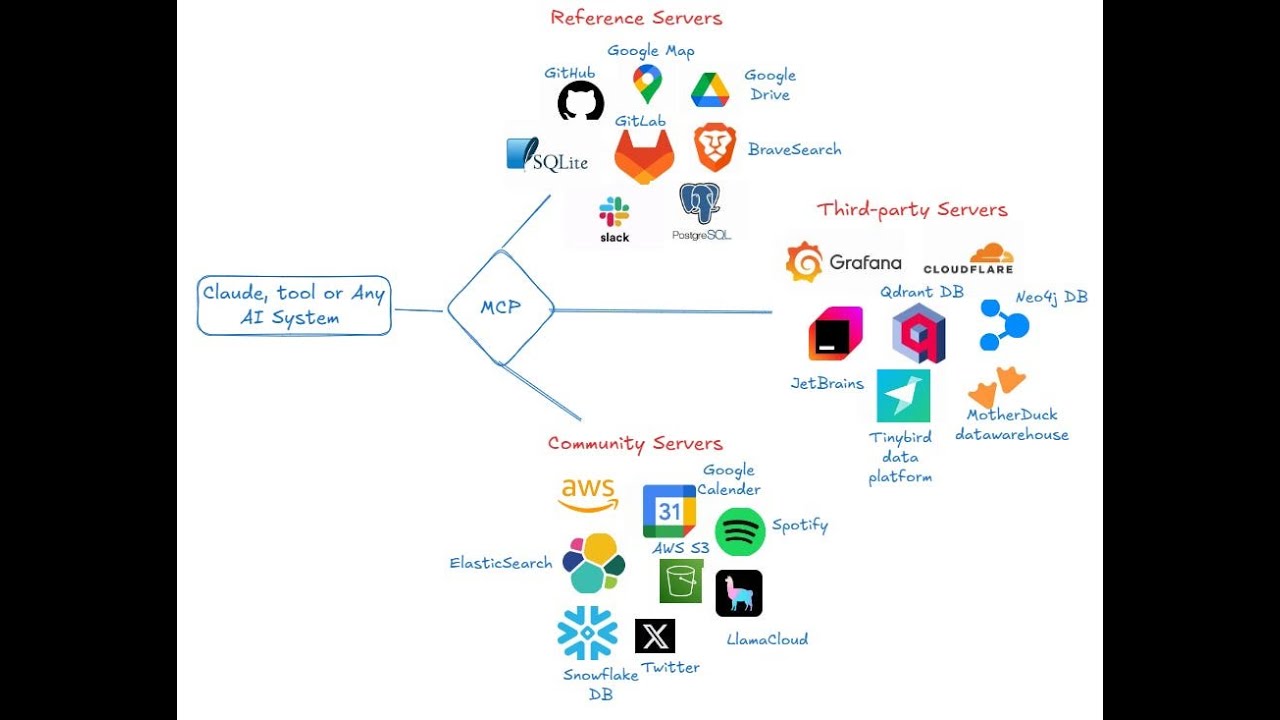
Provides secure access to the local filesystem via the Model Context Protocol (MCP).
Explore
- Secure access to specified directories
- Path validation to prevent directory traversal attacks
- Symlink resolution with security checks
- MIME type detection
- Support for text, binary, and image files
- Size limits for inline content and base64 encoding

Setting up with Highlight
This MCP is not yet compatible with Highlight’s one-click setup. However, you can still use it with Highlight by following these steps:
- Download and install Highlight from highlightai.com/download
- Navigate to the plugins tab and select "Add Custom Plugin"
-
Configure the plugin with the settings below
Plugin Name
MCP Filesystem ServerCommand (node, npx, python, etc.)Please refer to the README for specific instructions on how to obtain API keys or other required environment variables.
- Enable "Start Automatically" if you want the plugin to start when Highlight launches





From the repository
go install github.com/mark3labs/mcp-filesystem-server@latest
To integrate this server with apps that support MCP:
{
"mcpServers": {
"filesystem": {
"command": "mcp-filesystem-server",
"args": ["/path/to/allowed/directory", "/another/allowed/directory"]
}
}
}
You can run the Filesystem MCP server using Docker:
docker run -i --rm ghcr.io/mark3labs/mcp-filesystem-server:latest /path/to/allowed/directory
To integrate the Docker image with apps that support MCP:
{
"mcpServers": {
"filesystem": {
"command": "docker",
"args": [
"run",
"-i",
"--rm",
"ghcr.io/mark3labs/mcp-filesystem-server:latest",
"/path/to/allowed/directory"
]
}
}
}
If you need changes made inside the container to reflect on the host filesystem, you can mount a volume. This allows the container to access and modify files on the host system. Here's an example:
{
"mcpServers": {
"filesystem": {
"command": "docker",
"args": [
"run",
"-i",
"--rm",
"--volume=/allowed/directory/in/host:/allowed/directory/in/container",
"ghcr.io/mark3labs/mcp-filesystem-server:latest",
"/allowed/directory/in/container"
]
}
}
}
Claude Desktop / Cursor
Paste into your MCP client config file to install this server.
{
    "mcpServers": {
        "mcp filesystem server": {
            "mcp-filesystem-server": {
                "command": "docker",
                "args": [
                    "run",
                    "-i",
                    "--rm",
                    "ghcr.io/mark3labs/mcp-filesystem-server:latest",
                    "/path/to/allowed/directory"
                ]
            }
        }
    }
}McpServers
{
"mcp-filesystem-server": {
"command": "docker",
"args": [
"run",
"-i",
"--rm",
"ghcr.io/mark3labs/mcp-filesystem-server:latest",
"/path/to/allowed/directory"
]
}
}This MCP server provides secure access to the local filesystem via the Model Context Protocol (MCP).
Components
Resources
- file://
- Name: File System
- Description: Access to files and directories on the local file system
Tools
File Operations
- read_file
- Read the complete contents of a file from the file system
- Parameters: path (required): Path to the file to read
- read_multiple_files
- Read the contents of multiple files in a single operation
- Parameters: paths (required): List of file paths to read
- write_file
- Create a new file or overwrite an existing file with new content
- Parameters: path (required): Path where to write the file, content (required): Content to write to the file
- copy_file
- Copy files and directories
- Parameters: source (required): Source path of the file or directory, destination (required): Destination path
- move_file
- Move or rename files and directories
- Parameters: source (required): Source path of the file or directory, destination (required): Destination path
- delete_file
- Delete a file or directory from the file system
- Parameters: path (required): Path to the file or directory to delete, recursive (optional): Whether to recursively delete directories (default: false)
- modify_file
- Update file by finding and replacing text using string matching or regex
- Parameters: path (required): Path to the file to modify, find (required): Text to search for, replace (required): Text to replace with, all_occurrences (optional): Replace all occurrences (default: true), regex (optional): Treat find pattern as regex (default: false)
Directory Operations
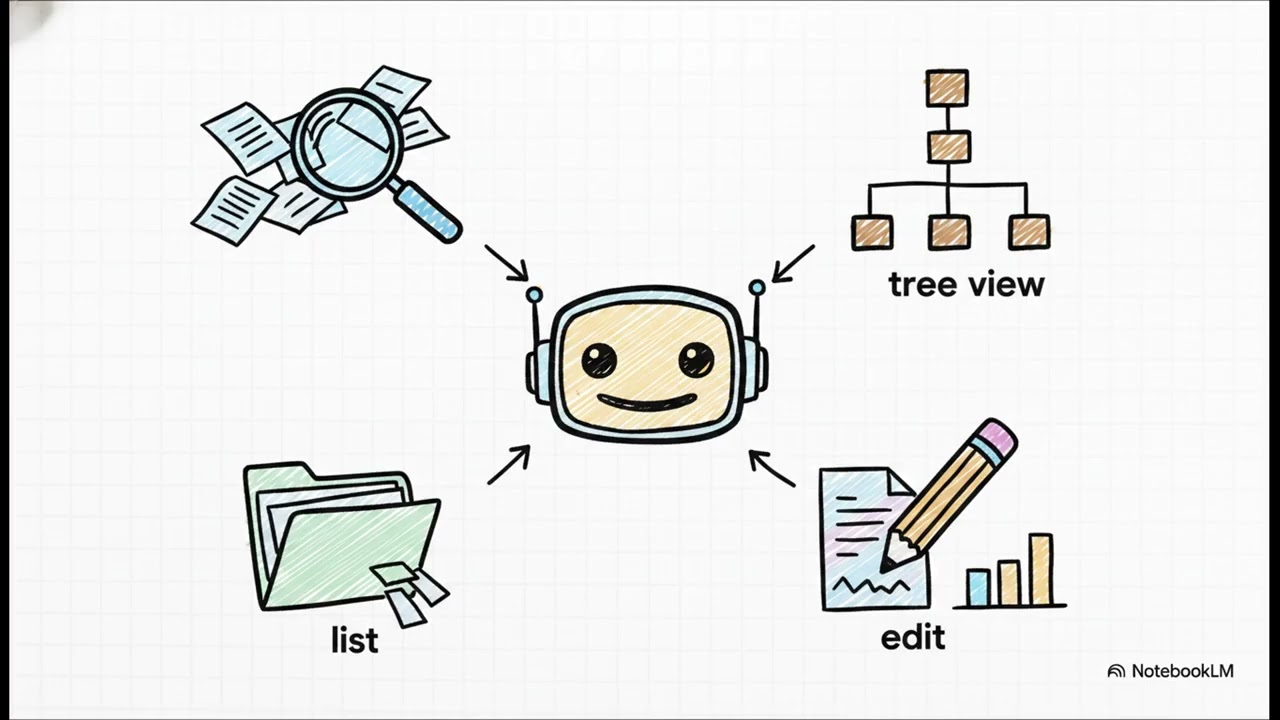
- list_directory
- Get a detailed listing of all files and directories in a specified path
- Parameters: path (required): Path of the directory to list
- create_directory
- Create a new directory or ensure a directory exists
- Parameters: path (required): Path of the directory to create
- tree
- Returns a hierarchical JSON representation of a directory structure
- Parameters: path (required): Path of the directory to traverse, depth (optional): Maximum depth to traverse (default: 3), follow_symlinks (optional): Whether to follow symbolic links (default: false)
Search and Information
- search_files
- Recursively search for files and directories matching a pattern
- Parameters: path (required): Starting path for the search, pattern (required): Search pattern to match against file names
- search_within_files
- Search for text within file contents across directory trees
- Parameters: path (required): Starting directory for the search, substring (required): Text to search for within file contents, depth (optional): Maximum directory depth to search, max_results (optional): Maximum number of results to return (default: 1000)
- get_file_info
- Retrieve detailed metadata about a file or directory
- Parameters: path (required): Path to the file or directory
- list_allowed_directories
- Returns the list of directories that this server is allowed to access
- Parameters: None
Features
- Secure access to specified directories
- Path validation to prevent directory traversal attacks
- Symlink resolution with security checks
- MIME type detection
- Support for text, binary, and image files
- Size limits for inline content and base64 encoding
Getting Started
Installation
Using Go Install
go install github.com/mark3labs/mcp-filesystem-server@latest
Usage
As a standalone server
Start the MCP server with allowed directories:
mcp-filesystem-server /path/to/allowed/directory [/another/allowed/directory ...]
As a library in your Go project
package main
import (
"log"
"os"
"github.com/mark3labs/mcp-filesystem-server/filesystemserver"
)
func main() {
// Create a new filesystem server with allowed directories
allowedDirs := []string{"/path/to/allowed/directory", "/another/allowed/directory"}
fs, err := filesystemserver.NewFilesystemServer(allowedDirs)
if err != nil {
log.Fatalf("Failed to create server: %v", err)
}
// Serve requests
if err := fs.Serve(); err != nil {
log.Fatalf("Server error: %v", err)
}
}
Usage with Model Context Protocol
To integrate this server with apps that support MCP:
{
  "mcpServers": {
    "filesystem": {
      "command": "mcp-filesystem-server",
      "args": ["/path/to/allowed/directory", "/another/allowed/directory"]
    }
  }
}
Docker
Running with Docker
You can run the Filesystem MCP server using Docker:
docker run -i --rm ghcr.io/mark3labs/mcp-filesystem-server:latest /path/to/allowed/directory
Docker Configuration with MCP
To integrate the Docker image with apps that support MCP:
{
  "mcpServers": {
    "filesystem": {
      "command": "docker",
      "args": [
        "run",
        "-i",
        "--rm",
        "ghcr.io/mark3labs/mcp-filesystem-server:latest",
        "/path/to/allowed/directory"
      ]
    }
  }
}
If you need changes made inside the container to reflect on the host filesystem, you can mount a volume. This allows the container to access and modify files on the host system. Here's an example:
{
  "mcpServers": {
    "filesystem": {
      "command": "docker",
      "args": [
        "run",
        "-i",
        "--rm",
        "--volume=/allowed/directory/in/host:/allowed/directory/in/container",
        "ghcr.io/mark3labs/mcp-filesystem-server:latest",
        "/allowed/directory/in/container"
      ]
    }
  }
}
License
See the LICENSE file for details.
Sign in to leave a review
Use Google, GitHub, or an email account so ratings stay tied to real people.
No reviews posted yet.