
MCP Foodguidecanada
About
A nutrition analysis platform integrating Canada's Food Guide recipes with Health Canada's official nutrition databases.
Explore
This server exposes Canada's Food Guide recipe functionalities as MCP tools, including:
Click the image to Watch the setup tutorial!

1. Prerequisites:
- <a href="https://www.python.org/#:~:text=Download" target="_blank">Python 3.8 or higher</a>
- <a href="https://pip.pypa.io/en/stable/installation/" target="_blank">pip (Python package installer)</a>
2. Clone the repository:
   git clone https://github.com/Aryan-Jhaveri/mcp-foodguidecanada

   cd mcp-foodguidecanada
3. Install dependencies:
pip3 install -r requirements.txt
To use this server with Claude Desktop:
1. Find your Python path:
Open your terminal and run:
which python3
This will show the full path to your Python installation (e.g.,
/usr/bin/python3, /opt/homebrew/bin/python3, or /opt/anaconda3/bin/python3)
2. Get the absolute path to your project:
In your terminal, navigate to the project directory and run:
pwd
This shows your full project path (e.g.,
mcp-foodguidecanada)
3. Open Claude Desktop settings:
- Navigate to Settings (⌘ + ,) → Developer → Edit Config
4. Add the server configuration:
Replace the paths below with your actual paths from steps 1 and 2:
   {

     "mcpServers": {

       "FoodGuideSousChef": {

         "command": "/opt/homebrew/bin/python3",

         "args": [

           "path/to/mcp-foodguidecanada/src/server.py"

         ],

         "cwd": "path/to/mcp-foodguidecanada"

       }

     }

   }
Common Python paths by system:
- Homebrew (Mac): /opt/homebrew/bin/python3
- System Python (Mac): /usr/bin/python3
- Anaconda: /opt/anaconda3/bin/python3
- Linux: /usr/bin/python3
5. Save and restart Claude Desktop:
- Save the configuration file
- Completely quit and restart Claude Desktop
- The server will now be available in your conversations
search_text
(string, optional): Text to search for in recipes
fruits
(array of strings, optional): Filter by fruits (e.g., apple, banana)
vegetables
(array of strings, optional): Filter by vegetables (e.g., carrot, broccoli)
proteins
(array of strings, optional): Filter by proteins (e.g., chicken, tofu)
whole_grains
(array of strings, optional): Filter by whole grains (e.g., rice, quinoa)
meals
(array of strings, optional): Filter by meal type (e.g., breakfast, dinner)
appliances
(array of strings, optional): Filter by cooking appliance (e.g., oven, stovetop)
collections
(array of strings, optional): Filter by collections (e.g., vegetarian, kid-friendly)
max_pages
(integer, optional, default=5): Maximum pages to search
url
(string, required): The full URL to the recipe on Canada's Food Guide website
filter_type
(string, optional): Specific filter type to retrieve (vegetables, fruits, proteins, whole_grains, meal, cooking_appliance)
Search for recipes on Canada's Food Guide website.
Parameters:
- search_text (string, optional): Text to search for in recipes
- fruits (array of strings, optional): Filter by fruits (e.g., apple, banana)
- vegetables (array of strings, optional): Filter by vegetables (e.g., carrot, broccoli)
- proteins (array of strings, optional): Filter by proteins (e.g., chicken, tofu)
- whole_grains (array of strings, optional): Filter by whole grains (e.g., rice, quinoa)
- meals (array of strings, optional): Filter by meal type (e.g., breakfast, dinner)
- appliances (array of strings, optional): Filter by cooking appliance (e.g., oven, stovetop)
- collections (array of strings, optional): Filter by collections (e.g., vegetarian, kid-friendly)
- max_pages (integer, optional, default=5): Maximum pages to search
Returns:
- Array of recipe metadata objects with title, URL, and slug
Fetch detailed recipe information from a URL.
Parameters:
- url (string, required): The full URL to the recipe on Canada's Food Guide website
Returns:
- Recipe object with detailed information including ingredients, instructions, preparation time, etc.
Get available filters for searching recipes.
Parameters:
- filter_type (string, optional): Specific filter type to retrieve (vegetables, fruits, proteins, whole_grains, meal, cooking_appliance)
Returns:
- Dictionary of filter types and their available values
---
<div align="center">
<p>Made with ❤️ for Canada's Food Guide</p>
<p>
<a href="https://food-guide.canada.ca/en/" target="_blank">Canada's Food Guide</a>
</p>
</div>
🍲 <a href="https://food-guide.canada.ca/en/" target="_blank">Canada's Food Guide - MCP Server</a>
<a href="https://www.python.org/downloads/" target="_blank"> </a>
<a href="https://opensource.org/licenses/MIT" target="_blank">
</a>
<a href="https://opensource.org/licenses/MIT" target="_blank"> </a>
<a href="https://modelcontextprotocol.io/" target="_blank">
</a>
<a href="https://modelcontextprotocol.io/" target="_blank"> </a>
</a>
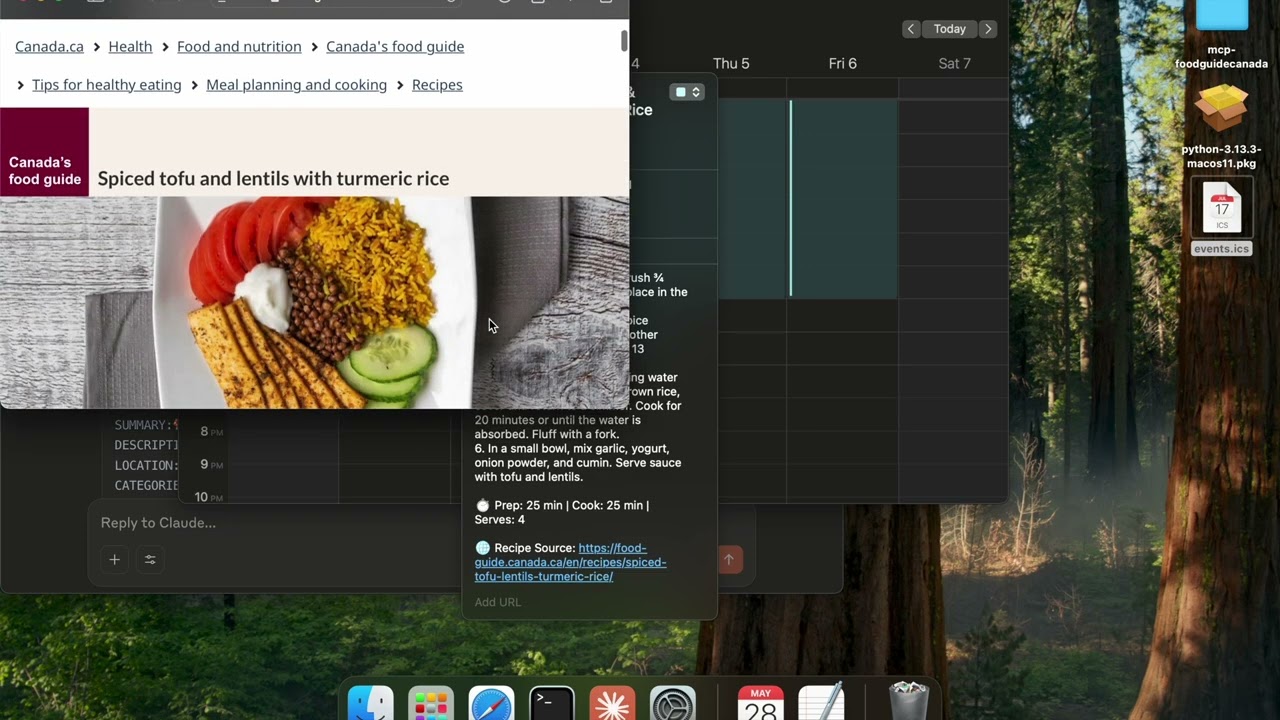
Click the image to watch example uses of the mcp server to 1) find themed recipes, and creating an .ics event to block meal prep time; 2) find recipes based on an image of your groceries!
📝 Description
This project is essentially a web scraper built specifically for <a href="https://food-guide.canada.ca/en/" target="_blank">Canada's Food Guide </a> that's been wrapped into a <a href="https://modelcontextprotocol.io/" target="_blank">Model Context Protocol (MCP)</a> server.
Why this matters:
Instead of LLMs having to figure out Canada's Food Guide website structure, search through HTML, and extract recipe information manually each call, this server gives LLMs three simple, ready-to-use tools for quick-calls:
1. 🔍 Search for recipes with smart filtering (by ingredient, meal type, dietary preferences)
2. 📖 Get complete recipe details (ingredients, instructions, cooking tips, nutritional info)
3. 📋 Discover available filters (see what ingredients, meal types, and collections are available)
The server is built using the <a href="https://github.com/jlowin/fastmcp" target="_blank">FastMCP</a> library and uses custom BeautifulSoup4 scrapers fine-tuned to Canada's Food Guide website structure, making Canada's Food Guide Recipes directly accessible to AI assistants.
<b>Looking to contribute?</b> Check the implementations.md to see where the next versions of the project could go towards!
📑 Table of Contents
- 📝 Description
- ✨ Features
- 📥 Installation
- 🚀 Running the Server using Claude
- 🏗️ Project Structure
- ⚠️ Known Issues
- 📋 API Reference
✨ Features
This server exposes Canada's Food Guide recipe functionalities as MCP tools, including:
Recipe Search & Retrieval
Search Operations:
- Search for recipes by text query
- Filter by ingredients (fruits, vegetables, proteins, whole grains)
- Filter by meal type (breakfast, lunch, dinner, snacks)
- Filter by cooking appliance (oven, stovetop, etc.)
- Filter by collections (vegetarian, kid-friendly, etc.)
- Configure maximum search pages
Recipe Operations:
- Fetch detailed recipe information by URL
- Get ingredients, instructions, cooking times, and servings
- Retrieve recipe tips and images from the recipe
Filter Operations:
List all available filter categories
Get specific filter options (e.g., all available vegetables)
Find valid collections for recipe filtering
📥 Installation
Click the image to Watch the setup tutorial!
1. Prerequisites:
- <a href="https://www.python.org/#:~:text=Download" target="_blank">Python 3.8 or higher</a>
- <a href="https://pip.pypa.io/en/stable/installation/" target="_blank">pip (Python package installer)</a>
2. Clone the repository:
   git clone https://github.com/Aryan-Jhaveri/mcp-foodguidecanada

   cd mcp-foodguidecanada
3. Install dependencies:
pip3 install -r requirements.txt
🚀 Running the Server using Claude Desktop Integration
To use this server with Claude Desktop:
1. Find your Python path:
Open your terminal and run:
which python3
This will show the full path to your Python installation (e.g.,
/usr/bin/python3, /opt/homebrew/bin/python3, or /opt/anaconda3/bin/python3)
2. Get the absolute path to your project:
In your terminal, navigate to the project directory and run:
pwd
This shows your full project path (e.g.,
mcp-foodguidecanada)
3. Open Claude Desktop settings:
- Navigate to Settings (⌘ + ,) → Developer → Edit Config
4. Add the server configuration:
Replace the paths below with your actual paths from steps 1 and 2:
   {

     "mcpServers": {

       "FoodGuideSousChef": {

         "command": "/opt/homebrew/bin/python3",

         "args": [

           "path/to/mcp-foodguidecanada/src/server.py"

         ],

         "cwd": "path/to/mcp-foodguidecanada"

       }

     }

   }
Common Python paths by system:
- Homebrew (Mac): /opt/homebrew/bin/python3
- System Python (Mac): /usr/bin/python3
- Anaconda: /opt/anaconda3/bin/python3
- Linux: /usr/bin/python3
5. Save and restart Claude Desktop:
- Save the configuration file
- Completely quit and restart Claude Desktop
- The server will now be available in your conversations
Troubleshooting
- If the server doesn't appear, check the Claude Desktop logs for error messages - Verify Python 3.8+ is installed:python3 --version
4. Restart Claude Desktop:
- The server will now be available in your conversations
🏗️ Project Structure
Here's what each file does in simple terms:
🗂️ Root Files
main.py: The starting point if you want to run this as a command-line tool (instead of an MCP server)
requirements.txt: Lists all the Python packages this project needs to work
📁 src/ Folder - The Heart of the Project
This is where all the main code lives:
server.py : This is the main file that creates the MCP server. It:
- Sets up the three tools (search_recipes, get_recipe, list_filters) that Claude can use
- Connects everything together
- This is the file you run to start the server
cli.py: Creates a command-line interface so you can test the recipe search in your terminal (useful for debugging)
📁 api/ Folder - Talks to Canada's Food Guide Website
search.py: Goes to Canada's Food Guide website and searches for recipes
- Takes your search terms and filters
- Returns a list of recipe titles and URLs
recipe.py: Takes a recipe URL and extracts all the details:
- Ingredients list, cooking steps, prep time, tips, photos, etc.
- Does the "web scraping" to pull information from the HTML
📁 models/ Folder - Data Structures
recipe.py: Defines what a "Recipe" looks like in code (title, ingredients, instructions, etc.)
filters.py: Manages the search filters (like "vegetarian", "breakfast", "chicken")
- Downloads available filters from the website and caches them
- Converts user-friendly names (like "apple") into website codes (like "43")
📁 utils/ Folder - Helper Functions
url_builder.py: Builds the correct web addresses for searching Canada's Food Guide
downloader.py: Can save recipes to your computer as files (JSON or Markdown format)
parser.py: Currently empty (reserved for future HTML parsing utilities)
📁 Other Folders
cache/: Stores downloaded filter information so the app doesn't have to re-download it every time
prompts/: Contains documentation and examples for MCP integration
🔄 How It All Works Together:
1.server.py creates the MCP tools
2. When LLM calls search_recipes, it uses search.py and url_builder.py to find recipes
3. When LLM calls get_recipe, it uses recipe.py to extract all recipe details
4. The models/ define how data is structured
5. Everything gets returned to LLM in a format it can understand
⚠️ Known Issues and Limitations
- Website Dependency: Will break if Canada's Food Guide website structure changes
- Data Inconsistency: Depends on food guide to upload clean data (e.g., searching for --fruits apple vs search apple results in 1 missing recipe in filtered search due to data editing anomalies)
- Search Limitations: Maximum number of pages and results is capped
- Performance: Web scraping may be slow compared to a direct API
- Availability: Requires internet connection to access the Canada's Food Guide website
📋 API Reference
Tool: search_recipes
Search for recipes on Canada's Food Guide website.
Parameters:
- search_text (string, optional): Text to search for in recipes
- fruits (array of strings, optional): Filter by fruits (e.g., apple, banana)
- vegetables (array of strings, optional): Filter by vegetables (e.g., carrot, broccoli)
- proteins (array of strings, optional): Filter by proteins (e.g., chicken, tofu)
- whole_grains (array of strings, optional): Filter by whole grains (e.g., rice, quinoa)
- meals (array of strings, optional): Filter by meal type (e.g., breakfast, dinner)
- appliances (array of strings, optional): Filter by cooking appliance (e.g., oven, stovetop)
- collections (array of strings, optional): Filter by collections (e.g., vegetarian, kid-friendly)
- max_pages (integer, optional, default=5): Maximum pages to search
Returns:
- Array of recipe metadata objects with title, URL, and slug
Tool: get_recipe
Fetch detailed recipe information from a URL.
Parameters:
- url (string, required): The full URL to the recipe on Canada's Food Guide website
Returns:
- Recipe object with detailed information including ingredients, instructions, preparation time, etc.
Tool: list_filters
Get available filters for searching recipes.
Parameters:
- filter_type (string, optional): Specific filter type to retrieve (vegetables, fruits, proteins, whole_grains, meal, cooking_appliance)
Returns:
- Dictionary of filter types and their available values
---
<div align="center">
<p>Made with ❤️ for Canada's Food Guide</p>
<p>
<a href="https://food-guide.canada.ca/en/" target="_blank">Canada's Food Guide</a>
</p>
</div>
Sign in to leave a review
Use Google, GitHub, or an email account so ratings stay tied to real people.
No reviews posted yet.



