
Mcp Rubber Duck
About
An MCP server that acts as a bridge to query multiple OpenAI-compatible LLMs with MCP tool access. Just like rubber duck debugging, explain your problems to various AI "ducks" who can actually research and get different perspectives!
Details
- License
- MIT
Explore
- Universal OpenAI Compatibility -- Works with any OpenAI-compatible API endpoint
- CLI Agent Support -- Use CLI coding agents (Claude Code, Codex, Gemini CLI, Grok, Aider) as ducks
- Multiple Ducks -- Configure and query multiple LLM providers simultaneously
- Conversation Management -- Maintain context across multiple messages
- Duck Council -- Get responses from all your configured LLMs at once
- Consensus Voting -- Multi-duck voting with reasoning and confidence scores
- LLM-as-Judge -- Have ducks evaluate and rank each other's responses
- Iterative Refinement -- Two ducks collaboratively improve responses
- Structured Debates -- Oxford, Socratic, and adversarial debate formats
- MCP Prompts -- 8 reusable prompt templates for multi-LLM workflows
- Vision Input -- Send images alongside prompts to vision-capable models (docs)
- Automatic Failover -- Falls back to other providers if primary fails
- Health Monitoring -- Real-time health checks for all providers
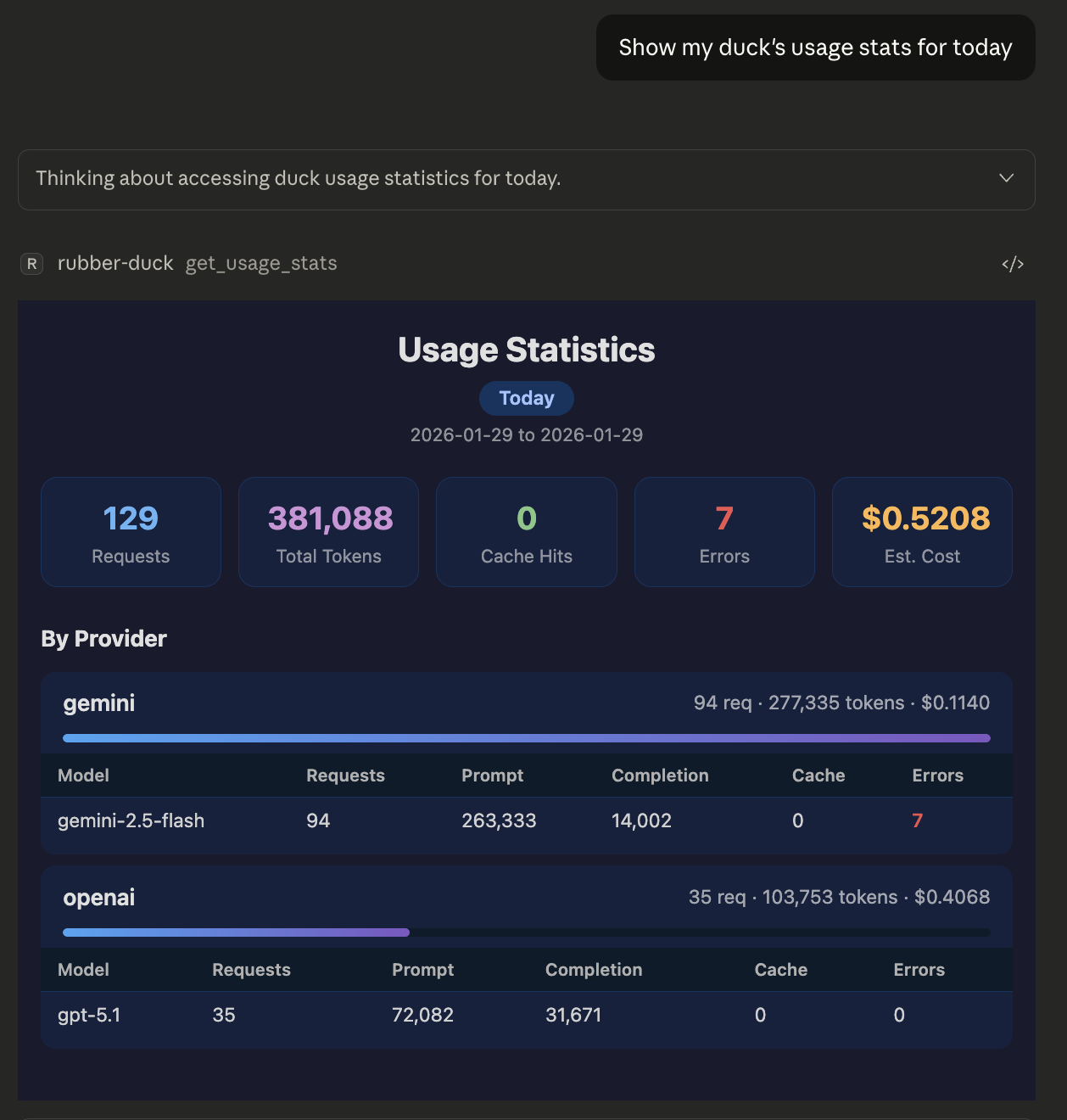
- Usage Tracking -- Track requests, tokens, and estimated costs per provider
- MCP Bridge -- Connect ducks to other MCP servers for extended functionality (docs)
- Guardrails -- Pluggable safety layer with rate limiting, token limits, pattern blocking, and PII redaction (docs)
- Granular Security -- Per-server approval controls with session-based approvals
- Interactive UIs -- Rich HTML panels for compare, vote, debate, and usage tools (via MCP Apps)
- Tool Annotations -- MCP-compliant hints for tool behavior (read-only, destructive, etc.)
- Structured Output -- outputSchema on tools returning structured JSON for client-side validation (Cursor, VS Code/Copilot)
- Spec-Aligned by Design -- connects directly to provider APIs, the path the MCP 2026-07-28 spec recommends now that server-side sampling is deprecated (SEP-2577)

Setting up with Highlight
This MCP is not yet compatible with Highlight’s one-click setup. However, you can still use it with Highlight by following these steps:
- Download and install Highlight from highlightai.com/download
- Navigate to the plugins tab and select "Add Custom Plugin"
-
Configure the plugin with the settings below
Plugin Name
Mcp Rubber DuckCommand (node, npx, python, etc.)Please refer to the README for specific instructions on how to obtain API keys or other required environment variables.
- Enable "Start Automatically" if you want the plugin to start when Highlight launches





From the repository
npm install -g mcp-rubber-duck
npx mcp-rubber-duck
Using Claude Desktop? Jump to Claude Desktop Configuration.
Using Cursor, VS Code, Windsurf, or another tool? See the Setup Guide.
npm install -g mcp-rubber-duck
git clone https://github.com/nesquikm/mcp-rubber-duck.git
cd mcp-rubber-duck
npm install
npm run build
npm start
Usage analytics with summary cards, provider breakdown with expandable rows, token distribution bars, and estimated costs.
<p align="center">
</p>
ask_duck
Ask a single question to a specific LLM provider
chat_with_duck
Conversation with context maintained across messages
clear_conversations
Clear all conversation history
list_ducks
List configured providers and health status
list_models
List available models for providers
compare_ducks
Ask the same question to multiple providers simultaneously
duck_council
Get responses from all configured ducks
get_usage_stats
Usage statistics and estimated costs
duck_vote
Multi-duck voting with reasoning and confidence
duck_judge
Have one duck evaluate and rank others' responses
duck_iterate
Iteratively refine a response between two ducks
duck_debate
Structured multi-round debate between ducks
mcp_status
MCP Bridge status and connected servers
get_pending_approvals
Pending MCP tool approval requests
approve_mcp_request
Approve or deny a duck's MCP tool request
| Tool | Description |
|------|-------------|
| ask_duck | Ask a single question to a specific LLM provider |
| chat_with_duck | Conversation with context maintained across messages |
| clear_conversations | Clear all conversation history |
| list_ducks | List configured providers and health status |
| list_models | List available models for providers |
| compare_ducks | Ask the same question to multiple providers simultaneously |
| duck_council | Get responses from all configured ducks |
| get_usage_stats | Usage statistics and estimated costs |
| duck_vote | Multi-duck voting with reasoning and confidence |
| duck_judge | Have one duck evaluate and rank others' responses |
| duck_iterate | Iteratively refine a response between two ducks |
| duck_debate | Structured multi-round debate between ducks |
| mcp_status | MCP Bridge status and connected servers |
| get_pending_approvals | Pending MCP tool approval requests |
| approve_mcp_request | Approve or deny a duck's MCP tool request |
Full reference with input schemas: Tools docs
Claude Desktop / Cursor
Paste into your MCP client config file to install this server.
{
    "mcpServers": {
        "mcp rubber duck": {
            "rubber-duck": {
                "command": "mcp-rubber-duck",
                "env": {
                    "MCP_SERVER": "true",
                    "OPENAI_API_KEY": "<YOUR_OPENAI_KEY>",
                    "GEMINI_API_KEY": "<YOUR_GEMINI_KEY>",
                    "DEFAULT_PROVIDER": "openai"
                }
            }
        }
    }
}McpServers
{
    "rubber-duck": {
        "command": "mcp-rubber-duck",
        "env": {
            "MCP_SERVER": "true",
            "OPENAI_API_KEY": "<YOUR_OPENAI_KEY>",
            "GEMINI_API_KEY": "<YOUR_GEMINI_KEY>",
            "DEFAULT_PROVIDER": "openai"
        }
    }
}
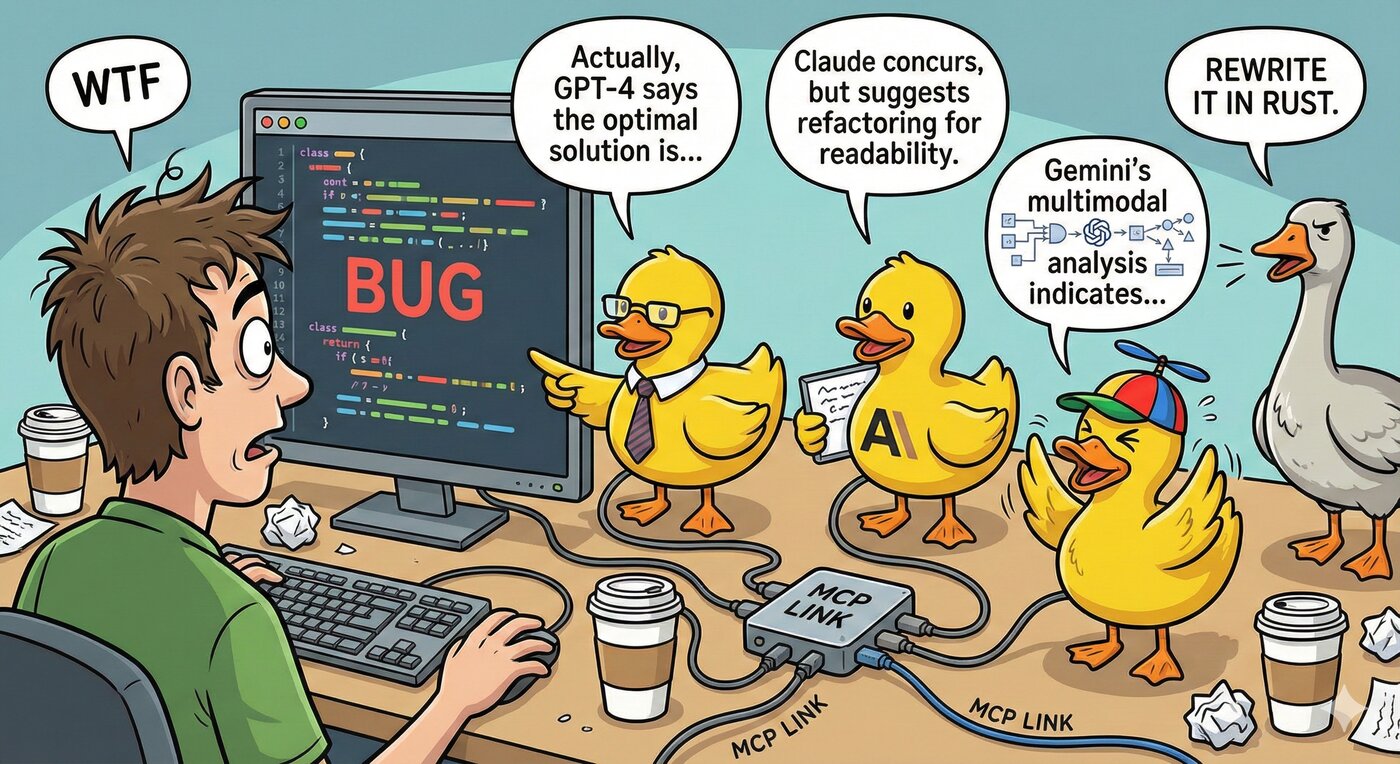
An MCP (Model Context Protocol) server that acts as a bridge to query multiple LLMs -- both OpenAI-compatible HTTP APIs and CLI coding agents. Just like rubber duck debugging, explain your problems to various AI "ducks" and get different perspectives!


<p align="center">
</p>
> Why direct provider integration? MCP's sampling primitive -- a server borrowing the host's model -- was deprecated in the 2026-07-28 spec RC in favor of servers integrating directly with LLM provider APIs. Rubber Duck has always worked this way (it brings its own ducks), so it's aligned with where the protocol is heading -- no migration required.
Features
- Universal OpenAI Compatibility -- Works with any OpenAI-compatible API endpoint
- CLI Agent Support -- Use CLI coding agents (Claude Code, Codex, Gemini CLI, Grok, Aider) as ducks
- Multiple Ducks -- Configure and query multiple LLM providers simultaneously
- Conversation Management -- Maintain context across multiple messages
- Duck Council -- Get responses from all your configured LLMs at once
- Consensus Voting -- Multi-duck voting with reasoning and confidence scores
- LLM-as-Judge -- Have ducks evaluate and rank each other's responses
- Iterative Refinement -- Two ducks collaboratively improve responses
- Structured Debates -- Oxford, Socratic, and adversarial debate formats
- MCP Prompts -- 8 reusable prompt templates for multi-LLM workflows
- Vision Input -- Send images alongside prompts to vision-capable models (docs)
- Automatic Failover -- Falls back to other providers if primary fails
- Health Monitoring -- Real-time health checks for all providers
- Usage Tracking -- Track requests, tokens, and estimated costs per provider
- MCP Bridge -- Connect ducks to other MCP servers for extended functionality (docs)
- Guardrails -- Pluggable safety layer with rate limiting, token limits, pattern blocking, and PII redaction (docs)
- Granular Security -- Per-server approval controls with session-based approvals
- Interactive UIs -- Rich HTML panels for compare, vote, debate, and usage tools (via MCP Apps)
- Tool Annotations -- MCP-compliant hints for tool behavior (read-only, destructive, etc.)
- Structured Output -- outputSchema on tools returning structured JSON for client-side validation (Cursor, VS Code/Copilot)
- Spec-Aligned by Design -- connects directly to provider APIs, the path the MCP 2026-07-28 spec recommends now that server-side sampling is deprecated (SEP-2577)
Supported Providers
HTTP Providers (OpenAI-compatible API)
Any provider with an OpenAI-compatible API endpoint, including:
- OpenAI (GPT-5.1, o3, o4-mini)
- Google Gemini (Gemini 3, Gemini 2.5 Pro/Flash)
- Anthropic (via OpenAI-compatible endpoints)
- Groq (Llama 4, Llama 3.3)
- Together AI (Llama 4, Qwen, and more)
- Perplexity (Online models with web search)
- Anyscale, Azure OpenAI, Ollama, LM Studio, Custom
CLI Providers (Coding Agents)
Command-line coding agents that run as local processes:
- Claude Code (claude) -- Codex (codex) -- Gemini CLI (gemini) -- Grok CLI (grok) -- Aider (aider) -- Custom
See CLI Providers for full setup and configuration.
Quick Start
```bash
Sign in to leave a review
Use Google, GitHub, or an email account so ratings stay tied to real people.
No reviews posted yet.



