
MCP Server to Auto commit changes 🛠️
About
An mcp server that auto commits changes and creates commit message in the form of conventional commits (https://www.conventionalcommits.org/en/v1.0.0/)
Details
- License
- MIT
Explore
- Analyzes git changes in your repository (both staged and unstaged)
- Generates conventional commit messages using GPT-4o-mini
- Provides detailed summaries of:
- 📝 Modified files
- ✨ Newly added files
- 🗑️ Deleted files
- 📄 Detailed changes (up to 10 lines per file)
- Built with @modelcontextprotocol/sdk
- Adds an auto-commit signature to each commit
- Node.js installed
- OpenAI API key
- Git repository to analyze
- pnpm package manager
This implementation provides a Git changes analyzer that generates commit messages using OpenAI's GPT models.
<a href="https://glama.ai/mcp/servers/xm2dqoc1s6">
</a>
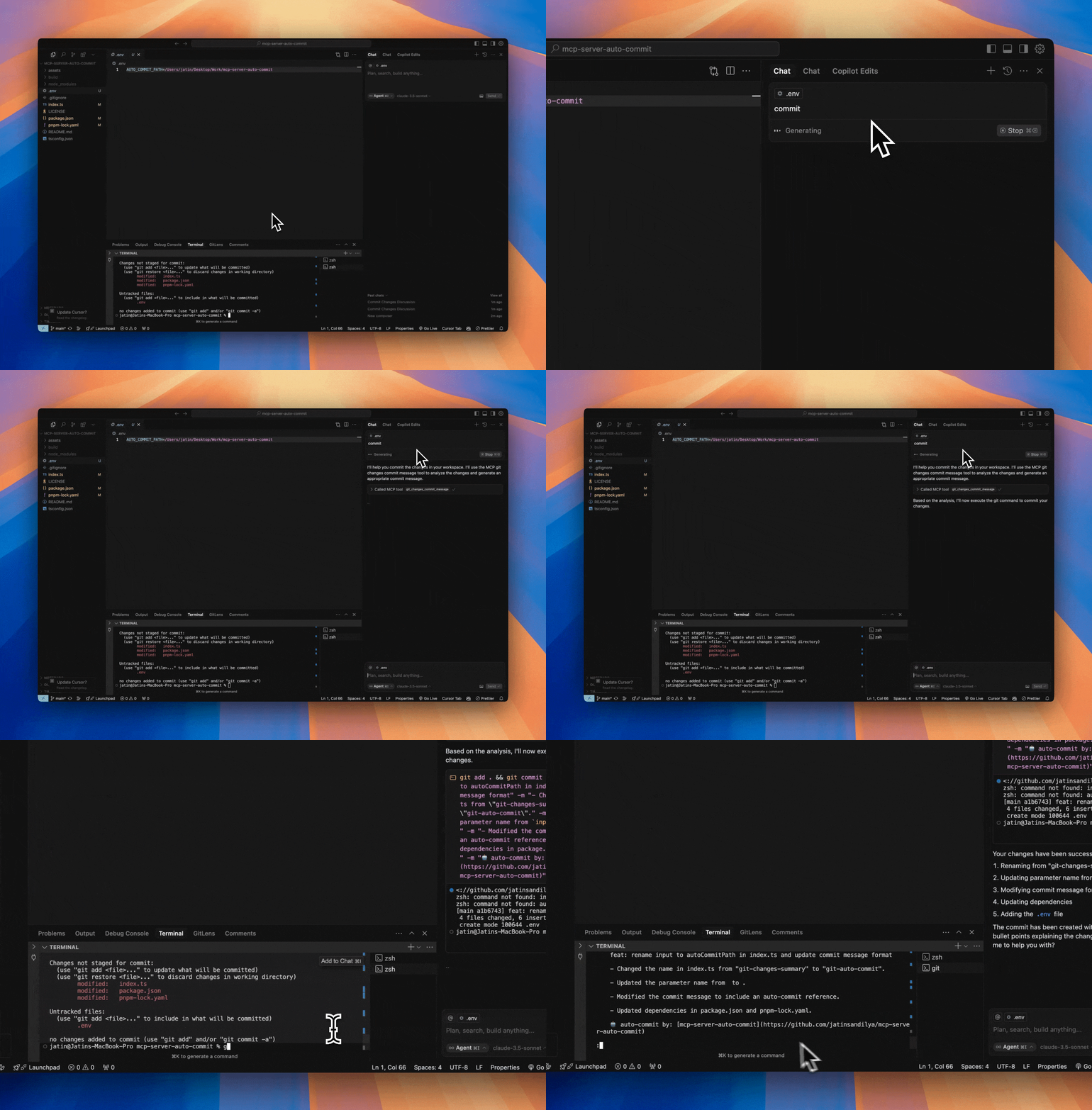
Demo
Features
- Analyzes git changes in your repository (both staged and unstaged)
- Generates conventional commit messages using GPT-4o-mini
- Provides detailed summaries of:
- 📝 Modified files
- ✨ Newly added files
- 🗑️ Deleted files
- 📄 Detailed changes (up to 10 lines per file)
- Built with @modelcontextprotocol/sdk
- Adds an auto-commit signature to each commit
Project Structure
mcp-server-auto-commit/
├── index.ts        # Main server implementation with git analysis tool
├── package.json    # Project dependencies
├── tsconfig.json   # TypeScript configuration
└── build/         # Compiled JavaScript output
Prerequisites
- Node.js installed
- OpenAI API key
- Git repository to analyze
- pnpm package manager
Getting Started
1. Clone this repository:
git clone https://github.com/jatinsandilya/mcp-server-auto-commit.git

cd mcp-server-auto-commit
2. Install dependencies:
pnpm install
3. Set up your OpenAI API key using one of these methods:
- Set as an environment variable: OPENAI_API_KEY=your-api-key
- Pass as a command line argument: --key your-api-key
- Add to a .env file in the project root
4. Build the project:
pnpm run build
This will generate the /build/index.js file - your compiled MCP server script.
Using with Cursor
1. Go to Cursor Settings -> MCP -> Add new MCP server
2. Configure your MCP:
- Name: git-auto-commit
- Type: command
- Command: node ABSOLUTE_PATH_TO_MCP_SERVER/build/index.js --key your-api-key
(Replace your-api-key with your actual OpenAI API key if not set in environment)
Using with Claude Desktop
Add the following MCP config to your Claude Desktop configuration:
{
  "mcpServers": {
    "git-auto-commit": {
      "command": "node",
      "args": ["ABSOLUTE_PATH_TO_MCP_SERVER/build/index.js", "--key", "your-api-key"]
    }
  }
}
Available Tools
git-changes-commit-message
This tool analyzes the current git changes in your repository and generates a commit message using OpenAI's GPT-4o-mini model. It provides:
- List of modified files with status indicators
- List of newly added files
- List of deleted files
- Detailed changes for each file (limited to 10 lines per file for readability)
- A generated commit message following conventional commits format
- An auto-commit signature
Usage parameters:
- autoCommitPath: Optional path to analyze specific directory/file. If not provided, uses current working directory.
Development
The implementation in index.ts showcases:
1. Setting up the MCP server with proper configuration
2. Handling command line arguments and environment variables
3. Integrating with OpenAI's API using GPT-4o-mini model
4. Git operations using child processes
5. Error handling and fallback mechanisms
6. Detailed change analysis and formatting
To modify or extend the implementation:
1. Update the server configuration in index.ts:
const server = new McpServer({

  name: "git-auto-commit",

  version: "0.0.1",

});
2. The tool is defined using server.tool() with proper parameter validation using Zod schema.
3. Build and test your changes:
pnpm run build
Contributing
Feel free to submit issues and enhancement requests!
License
MIT
Sign in to leave a review
Use Google, GitHub, or an email account so ratings stay tied to real people.
No reviews posted yet.



