
MCP Store
About
mcp store manager, add & syncs MCP server configurations across clients like Claude code, Cursor💡mcphub
Details
- License
- AGPL-3.0
Explore
- Local Sync — Sync MCP server configs across multiple clients
- 600+ Curated MCP Servers — Built-in marketplace with sequential-thinking, desktop-commander, and more
- Multi-Client Support — Claude Desktop/Code, Cursor, VS Code, Cline, Windsurf, Codex, Roo Code. see Detail
- Cross-Platform — macOS, Windows, Linux
- Smart Detection — Auto-detect Python, Node.js, uv environments
- Cloud Sync — Optional encrypted sync across devices (Pro)
- GUI for OpenAI Codex CLI — based on Codexia
Arch Linux (AUR)
yay -S mcp-linker-bin
macOS (Homebrew)
brew tap milisp/mcp-linker

brew install --cask mcp-linker
Windows / Linux / macOS (Direct Download)
Download the: 📥latest Releases
> [!Note]
> If you have subscribed, please relaunch the app after logging in for the first time.
MCP Linker




🌐 Languages: 中文 | 🌍 Other Languages
One-click add and sync MCP servers across AI clients — No LLM calls needed, Built-in marketplace
> [!TIP]
> ⭐ Star the repo and follow milisp on Twitter and GitHub for more!
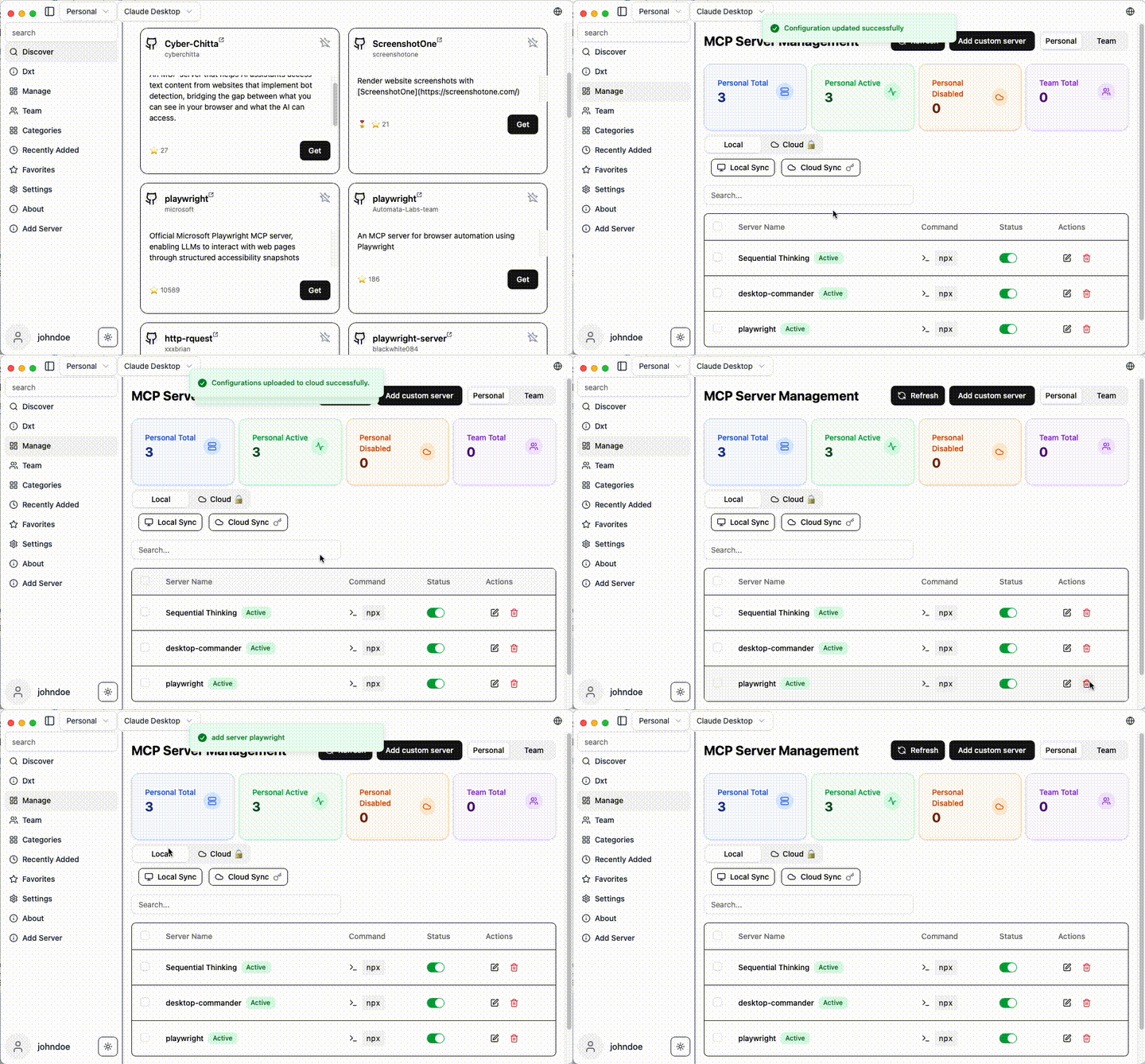
🚀 Why MCP Linker?
- ⚡ Instant — Add MCP servers in seconds
- 🧠 Multi-Client Support(paid plan) — Works with all major AI clients
✨ Features
- Local Sync — Sync MCP server configs across multiple clients
- 600+ Curated MCP Servers — Built-in marketplace with sequential-thinking, desktop-commander, and more
- Multi-Client Support — Claude Desktop/Code, Cursor, VS Code, Cline, Windsurf, Codex, Roo Code. see Detail
- Cross-Platform — macOS, Windows, Linux
- Smart Detection — Auto-detect Python, Node.js, uv environments
- Cloud Sync — Optional encrypted sync across devices (Pro)
- GUI for OpenAI Codex CLI — based on Codexia
🚀 Quick Start
Installation
Arch Linux (AUR)
yay -S mcp-linker-bin
macOS (Homebrew)
brew tap milisp/mcp-linker

brew install --cask mcp-linker
Windows / Linux / macOS (Direct Download)
Download the: 📥latest Releases
> [!Note]
> If you have subscribed, please relaunch the app after logging in for the first time.
Getting Started
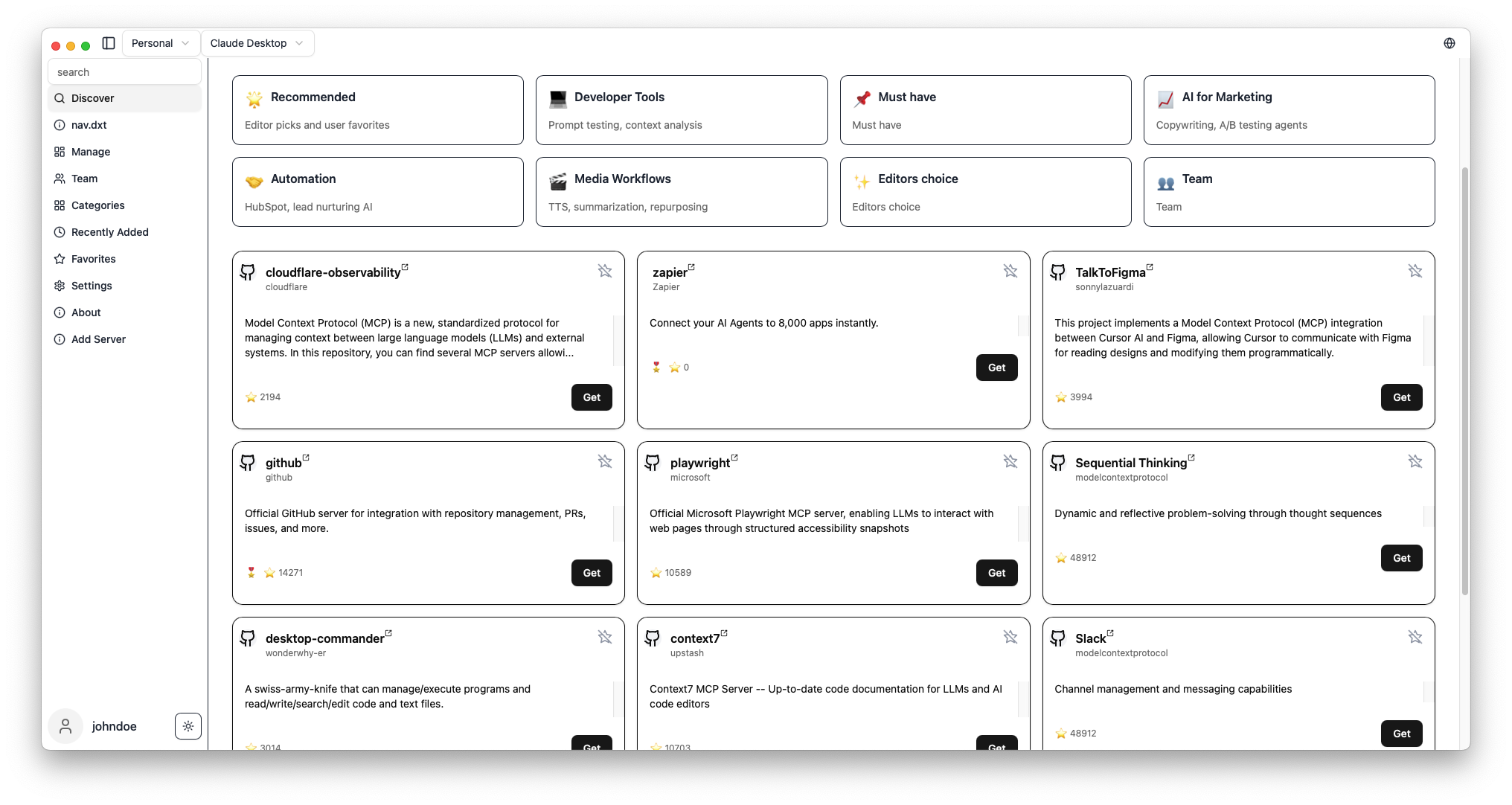
1. Browse MCP servers in the built-in marketplace
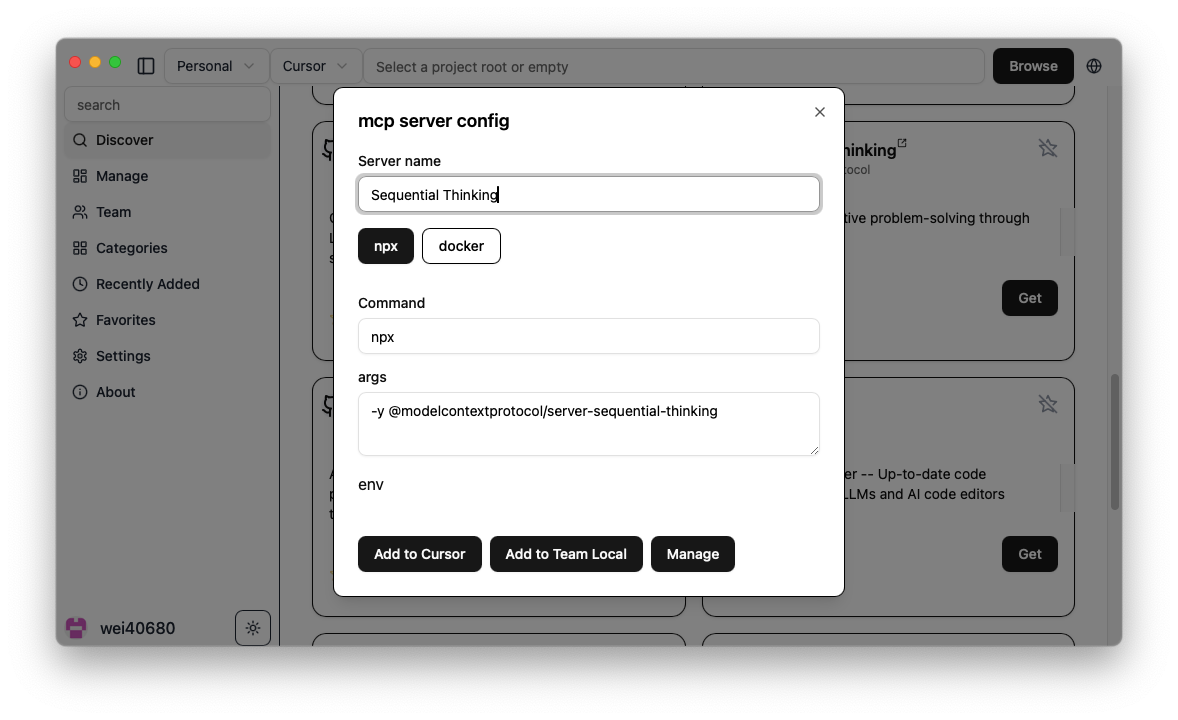
2. Click "Get" to show configuration
3. Click "Add" to install to your selected client
4. Done! Start using new AI capabilities immediately
Screenshots
| Server Discovery | Add Configuration |
|-----------------|-------------------|
|  |
|  |
|
What's MCP?
Model Context Protocol is like USB-C for AI — a standard way to connect AI models to different data sources and tools.🧭 Related Projects
- milisp/codexia - The missing GUI for the OpenAI Codex CLI, (FileTree + notepad + git diff + plan mode) all in a lightweight Tauri desktop app.
- awesome-claude-dxt — a curated list of Claude Desktop Extensions (dxt), tools, and resources
- claw-army/claude-node — Python subprocess bridge for Claude Code CLI, giving Python code direct access to Claude Code native capabilities via stream-json.
💬 Community & Support
- 💬 Join Discussions
- 🐛 Report Issues
- ☁️ Pro Plans — Cloud sync starting at coffee price/month
🛠️ Development
For development commands, and contribution guidance, see CONTRIBUTING
🔍 Troubleshooting
see the Wiki
💖 Contributors
Thanks to all our wonderful contributors!
<a href="https://github.com/milisp/mcp-linker/graphs/contributors">
</a>
License
MCP Linker is dual-licensed under AGPL-3.0 and a Commercial License.
- AGPL-3.0 — for open-source use.
- Commercial License — required for closed-source, proprietary, hosted, or SaaS use.
---
Found this helpful? Please ⭐ the project!
📈 Star History
Sign in to leave a review
Use Google, GitHub, or an email account so ratings stay tied to real people.
No reviews posted yet.





