
MCP MongoDB Integration
About
This project demonstrates the integration of MongoDB with the Model Context Protocol (MCP) to provide AI assistants with database interaction capabilities.
Explore
- MongoDB Integration: Full CRUD operations exposed as MCP tools
- MCP Server: Implements the Model Context Protocol for AI tool use
- Gemini AI Integration: Connects to Google's Gemini models
- Terminal Chatbot: Interactive chat interface for database operations

Setting up with Highlight
This MCP is not yet compatible with Highlight’s one-click setup. However, you can still use it with Highlight by following these steps:
- Download and install Highlight from highlightai.com/download
- Navigate to the plugins tab and select "Add Custom Plugin"
-
Configure the plugin with the settings below
Plugin Name
MCP MongoDB IntegrationCommand (node, npx, python, etc.)Please refer to the README for specific instructions on how to obtain API keys or other required environment variables.
- Enable "Start Automatically" if you want the plugin to start when Highlight launches





From the repository
- Node.js (v14 or higher)
- MongoDB instance (local or remote)
- Google Gemini API key
npm install
Once both the server and client are running, you can interact with MongoDB through the chat interface:
You: Show me all collections in the database
AI: Found 3 collections in the database
[
"users",
"products",
"orders"
]
You: Find all users with age greater than 30
AI: Found 2 documents in collection 'users'
[
{
"_id": "6450a7c63020e15b2a1cf5d2",
"name": "John Doe",
"age": 35
},
{
"_id": "6450a7d93020e15b2a1cf5d3",
"name": "Jane Smith",
"age": 42
}
]
The MCP server exposes the following MongoDB operations as tools:
- findDocuments: Query documents in a collection
- findOneDocument: Find a single document
- insertOneDocument: Insert a document
- insertManyDocuments: Insert multiple documents
- updateOneDocument: Update a single document
- updateManyDocuments: Update multiple documents
- deleteOneDocument: Delete a document
- deleteManyDocuments: Delete multiple documents
- aggregateDocuments: Run aggregation pipelines
- countDocuments: Count documents in a collection
- listCollections: List all collections
- createCollection: Create a new collection
Claude Desktop / Cursor
Paste into your MCP client config file to install this server.
{
    "mcpServers": {
        "mcp mongodb integration": {
            "mcpmongo": {
                "command": "node",
                "args": [
                    "index.js"
                ]
            }
        }
    }
}McpServers
{
    "mcpmongo": {
        "command": "node",
        "args": [
            "index.js"
        ]
    }
}
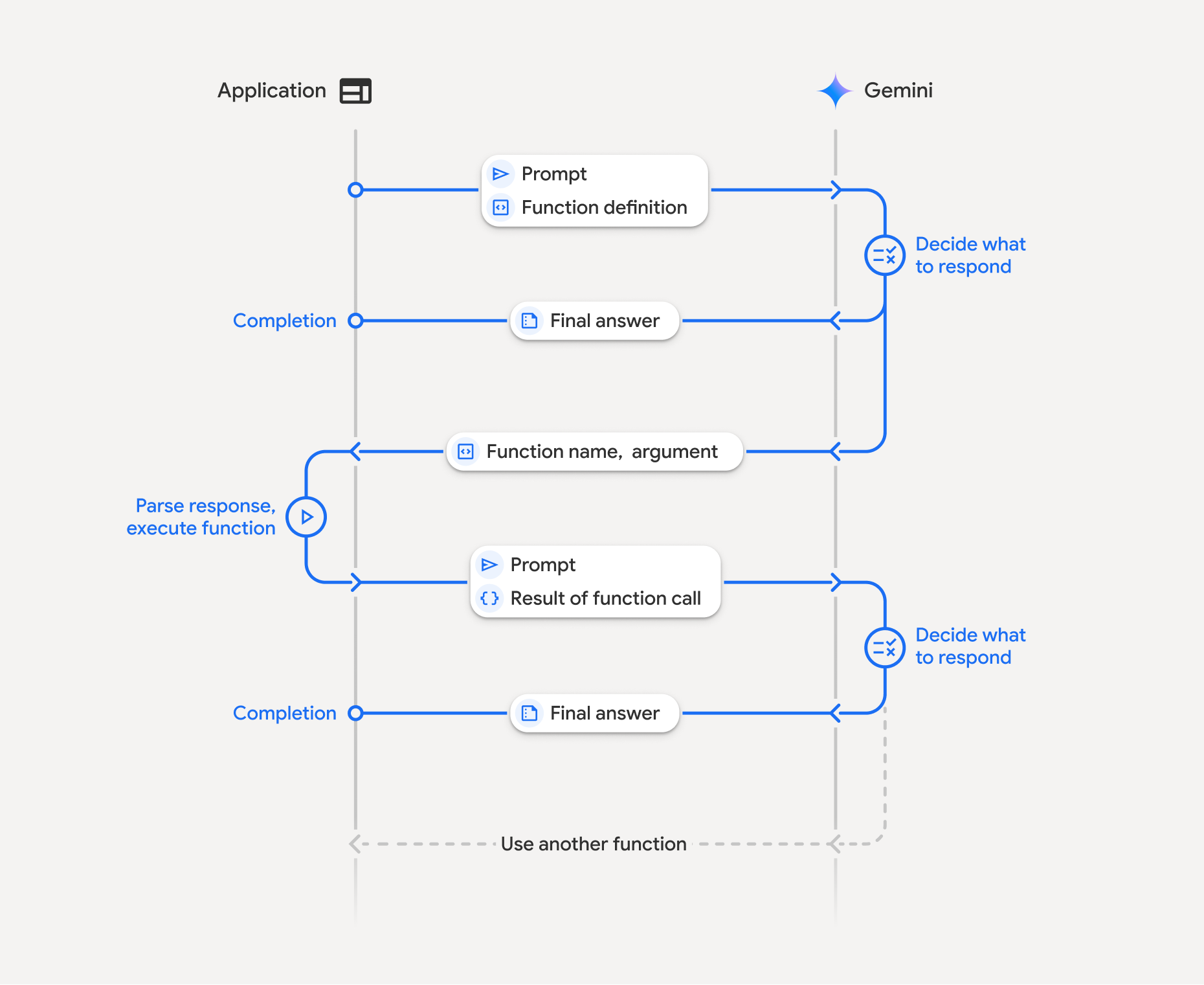
This project demonstrates the integration of MongoDB with the Model Context Protocol (MCP) to provide AI assistants with database interaction capabilities. It consists of two main components:
1. MCP MongoDB Server - A server that exposes MongoDB operations as MCP tools
2. Client-side Gemini Integration - A terminal-based chatbot that uses Google's Gemini AI with access to MongoDB tools
Project Structure
.
├── client-side/            # Client application using Gemini AI
│   ├── index.js            # Main client application
│   └── package.json        # Client dependencies
└── mcp-mongo-project/      # MCP server with MongoDB tools
    ├── src/
    │   ├── index.js        # Server setup and tool definitions
    │   └── services/
    │       └── mcp-service.js  # MongoDB service implementation
    └── package.json        # Server dependencies
Features
- MongoDB Integration: Full CRUD operations exposed as MCP tools
- MCP Server: Implements the Model Context Protocol for AI tool use
- Gemini AI Integration: Connects to Google's Gemini models
- Terminal Chatbot: Interactive chat interface for database operations
Prerequisites
- Node.js (v14 or higher)
- MongoDB instance (local or remote)
- Google Gemini API key
Setup Instructions
1. Server Setup
```bash
Sign in to leave a review
Use Google, GitHub, or an email account so ratings stay tied to real people.
No reviews posted yet.



