
墨问创作助手
About
An intelligent note-taking tool and content community for creating, sharing, and managing notes with file upload capabilities.
Explore
- Create richly formatted notes with bold, highlight, links, and media
- Edit existing notes for style, structure, and content expansion
- Change note privacy settings between public and private
- Upload images, audio, and PDF files via a URL
- Support for internal note links and text quotes

Setting up with Highlight
This MCP is not yet compatible with Highlight’s one-click setup. However, you can still use it with Highlight by following these steps:
- Download and install Highlight from highlightai.com/download
- Navigate to the plugins tab and select "Add Custom Plugin"
-
Configure the plugin with the settings below
Plugin Name
墨问创作助手Command (node, npx, python, etc.)Please refer to the README for specific instructions on how to obtain API keys or other required environment variables.
- Enable "Start Automatically" if you want the plugin to start when Highlight launches





From the repository
Obtain a MoWen membership, then generate an APIKey from the developer center inside the MoWen app. Add the server to your MCP client with that APIKey. Use the provided tools — CreateRichNote, EditRichNote, ChangeNoteSettings, and UploadViaURL — to interact with your notes via natural language prompts.
ChangeNoteSettings
改变笔记的设置,笔记的设置是分类别的,不同的类别包含不同的设置项。
CreateRichNote
创建一篇支持富文本格式的墨问笔记。可能包含`标题(H1/H2/H3)`、`加粗`、`高亮`、`链接`、`文本引用`、`内链笔记`、`图片`、`音频`、`PDF`、`行内代码(Inline Code)`、`代码块`(Code Block)等格式。
Echo
消息回显,用于测试服务连通性。
EditRichNote
编辑一篇支持富文本格式的墨问笔记。可能包含`标题(H1/H2/H3)`、`加粗`、`高亮`、`链接`、`文本引用`、`内链笔记`、`图片`、`音频`、`PDF`、`行内代码(Inline Code)`、`代码块`(Code Block)等格式。
UploadViaURL
基于 URL 远程上传文件。
Claude Desktop / Cursor
Paste into your MCP client config file to install this server.
{
    "mcpServers": {
        "\u58a8\u95ee\u521b\u4f5c\u52a9\u624b": {
            "\u58a8\u95ee\u521b\u4f5c\u52a9\u624b": {
                "command": "no need command",
                "url": "https://open.mowen.cn/api/open/mcp/v1/note?key=\u4f60\u7684\u58a8\u95eeAPI-KEY"
            }
        }
    }
}McpServers
{
    "\u58a8\u95ee\u521b\u4f5c\u52a9\u624b": {
        "command": "no need command",
        "url": "https://open.mowen.cn/api/open/mcp/v1/note?key=\u4f60\u7684\u58a8\u95eeAPI-KEY"
    }
}
墨问创作助手
服务开通链接
1. 进入墨问小程序 (#小程序://墨问/ig4wUX5DvpMLRNJ)
2. 底部右下角 我的
3. 开通 墨问会员
鉴权方式
开通 墨问会员 后,进入开发者中心,获取 APIKey
Tools
CreateRichNote
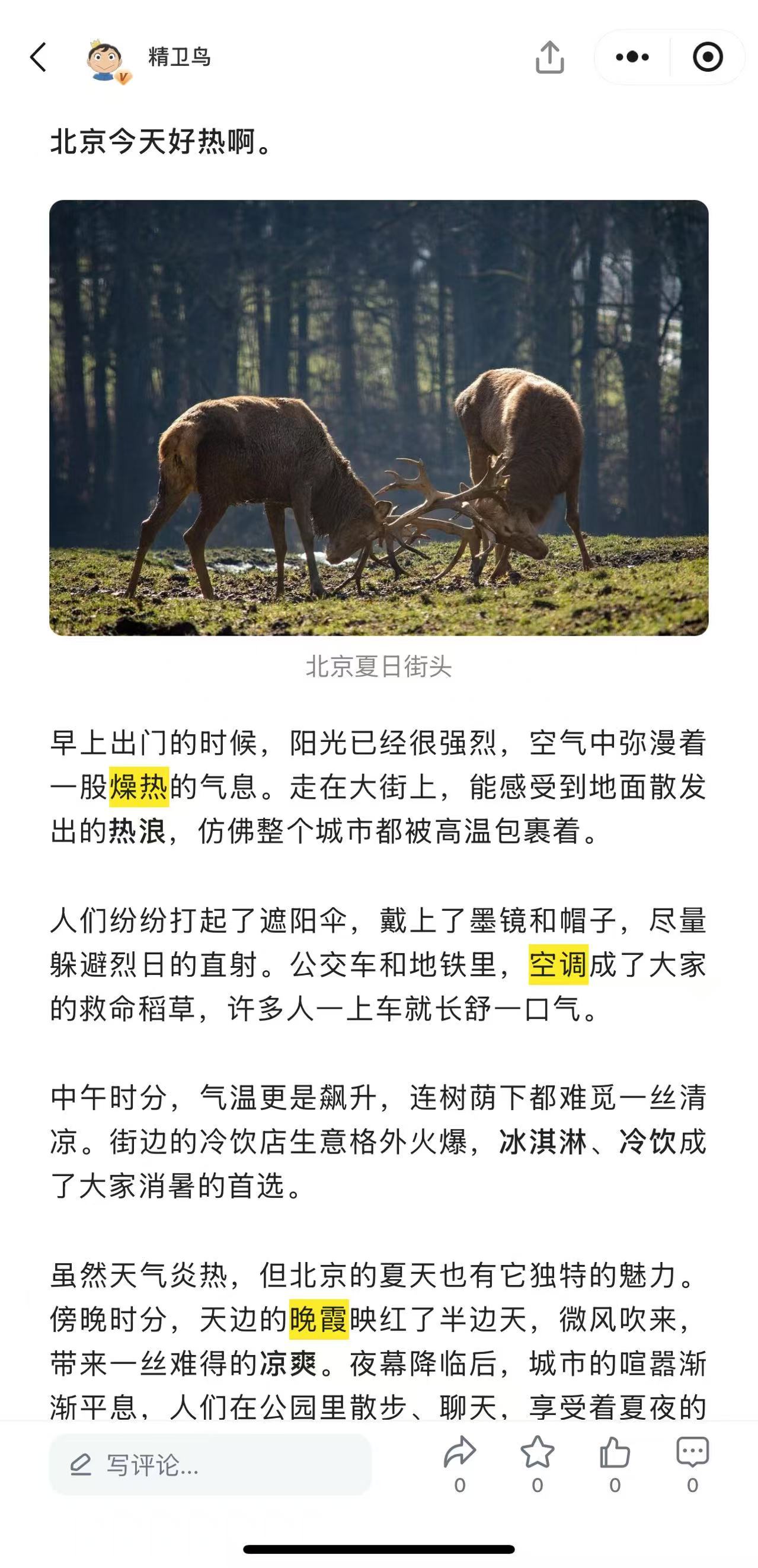
创建一篇支持富文本格式的墨问笔记。可能包含加粗、高亮、链接、文本引用、内链笔记、图片、音频、PDF等格式。
Prompt示例
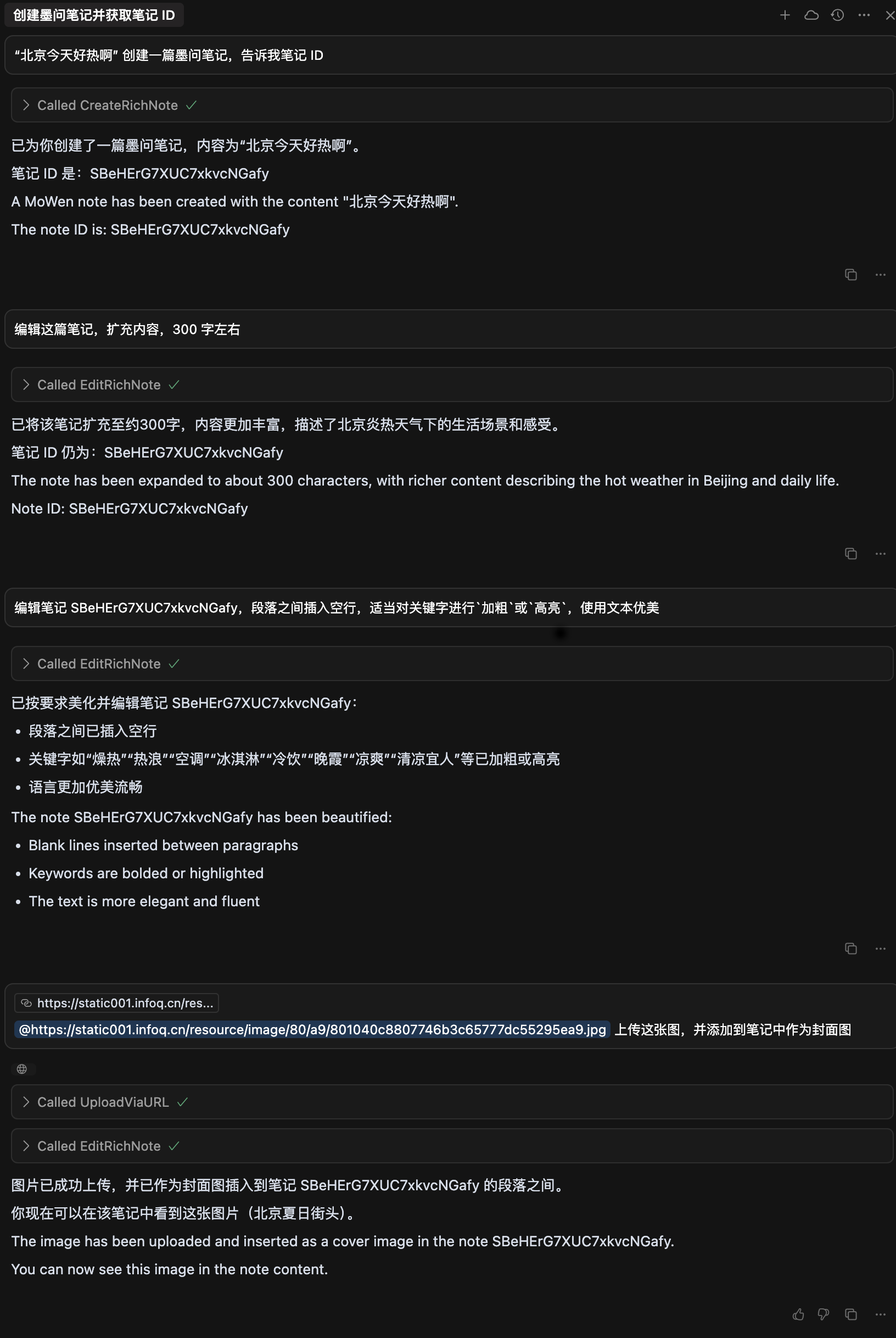
“北京今天好热啊” 创建一篇墨问笔记,告诉我笔记 ID
阅读 @note.md 文档,创建墨问笔记,不要公开。对文档进行合理的分段、中西文间要加空格,适当使用加粗、高亮对文档中的关键字进行修饰,使其格式优美。
EditRichNote
编辑一篇支持富文本格式的墨问笔记。可能包含加粗、高亮、链接、文本引用、内链笔记、图片、音频、PDF等格式。
Prompt示例
编辑这篇笔记,扩充内容,300 字左右
编辑笔记 iqP41aLx4V74zTlXE6Tqz,段落之间插入空行
ChangeNoteSettings
更改笔记的设置项,如笔记的私有、公开。
Prompt示例
将这篇笔记设置为公开
更改笔记设置 iqP41aLx4V74zTlXE6Tqz,设置为公开
UploadViaURL
基于 URL 上传文件,目前支持图片、音频、PDF
Prompt示例
{URL} ,将图片保存至墨问
示例
Sign in to leave a review
Use Google, GitHub, or an email account so ratings stay tied to real people.
No reviews posted yet.



