
Moleculer MCP Bridge
About
A Model Context Protocol (MCP) server that exposes Moleculer.js actions as AI tools.
Details
- License
- MIT
Explore
- Automatically exposes Moleculer actions as MCP tools.
- Pattern-based allow/block lists with wildcard support.
- Custom tool definitions with parameter overrides.
- Configurable via JSON file or environment variables.
- Deployable via Docker with volume mounts.
- Works with any MCP-compatible AI client.

Setting up with Highlight
This MCP is not yet compatible with Highlight’s one-click setup. However, you can still use it with Highlight by following these steps:
- Download and install Highlight from highlightai.com/download
- Navigate to the plugins tab and select "Add Custom Plugin"
-
Configure the plugin with the settings below
Plugin Name
Moleculer MCP BridgeCommand (node, npx, python, etc.)Please refer to the README for specific instructions on how to obtain API keys or other required environment variables.
- Enable "Start Automatically" if you want the plugin to start when Highlight launches





From the repository
npm install -g moleculer-mcp
1. Start with default settings (connects to local NATS and exposes all actions):
moleculer-mcp start
2. Use your existing Moleculer configuration:
moleculer-mcp start -m ./moleculer.config.js
3. Use a custom bridge configuration:
moleculer-mcp start config.json
4. Combine both configurations:
moleculer-mcp start config.json -m ./moleculer.config.js
moleculer-mcp validate-config config.json
brew install mise
curl https://mise.jdx.dev/install.sh | sh
3. Build the project:
The project is configured to use:
- Node.js: 22.19.0 (via .tool-versions)
- Environment: Development mode by default
- TypeScript: ES2020 target with strict settings
cp .env.example .env
docker-compose up
HOST_PORT=8080 CONTAINER_PORT=8080 docker-compose up
- PORT: Port inside the container (default: 3000)
- SETTINGS_FILE: Path to custom settings file inside container (optional)
Set configuration via environment variable:
export MCP_BRIDGE_SETTINGS='{"allow":["*"],"server":{"port":3000}}'
moleculer-mcp start
```
Claude Desktop / Cursor
Paste into your MCP client config file to install this server.
{
    "mcpServers": {
        "moleculer mcp bridge": {
            "moleculer-mcp": {
                "command": "docker",
                "args": [
                    "build",
                    "-t",
                    "moleculer-mcp",
                    "."
                ]
            }
        }
    }
}McpServers
{
    "moleculer-mcp": {
        "command": "docker",
        "args": [
            "build",
            "-t",
            "moleculer-mcp",
            "."
        ]
    }
}
> A Model Context Protocol (MCP) server that exposes Moleculer.js actions as AI tools.
📋 Overview
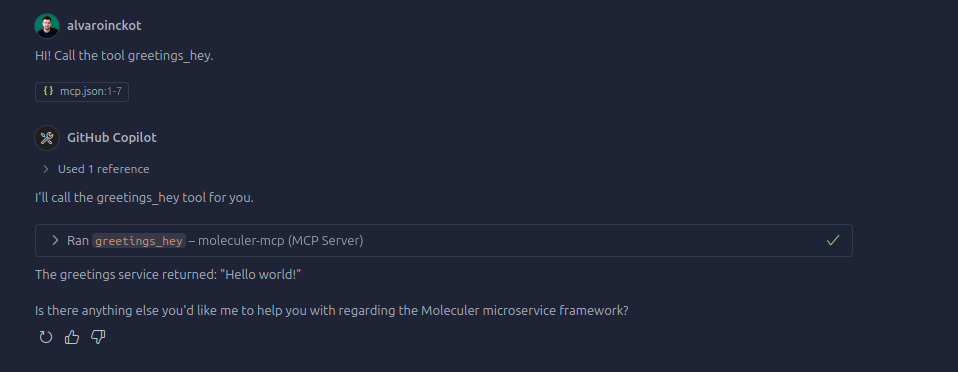
Moleculer-MCP acts as a bridge between the Model Context Protocol (MCP) and Moleculer.js microservices. It automatically exposes all your Moleculer service actions as MCP tools, enabling AI agents to seamlessly interact with your Moleculer services.
🚀 Quick Start
Installation
npm install -g moleculer-mcp
Basic Usage
1. Start with default settings (connects to local NATS and exposes all actions):
moleculer-mcp start
2. Use your existing Moleculer configuration:
moleculer-mcp start -m ./moleculer.config.js
3. Use a custom bridge configuration:
moleculer-mcp start config.json
4. Combine both configurations:
moleculer-mcp start config.json -m ./moleculer.config.js
Configuration
Create a config.json file to overwrite and customize the bridge behavior:
{
  "allow": ["users.", "posts.", "$node.health"],
  "server": {
    "port": 3000
  },
  "tools": [
    {
      "name": "get_user_list",
      "action": "users.list",
      "description": "Get paginated list of users",
      "params": { "limit": 50 }
    }
  ]
}
Configuration Options:
- allow: Array of action patterns to expose (supports wildcards like "users.*")
- server.port: Port for the MCP server (default: 3000)
- broker.configFile: Path to your Moleculer config file
- tools: Custom tool definitions with parameter overrides
CLI Commands
```bash
Sign in to leave a review
Use Google, GitHub, or an email account so ratings stay tied to real people.
No reviews posted yet.



