
MoLing MineCraft MCP Server
About
MoLing-Minecraft is an AI Agent MCP Server for the Minecraft game, featuring intelligent construction, building, and game control
Explore
> [!CAUTION]
> Build various structures, railways, redstone circuits, and more. Let large language models expand your thinking, accelerate creativity, and enhance your gaming experience.

Setting up with Highlight
This MCP is not yet compatible with Highlight’s one-click setup. However, you can still use it with Highlight by following these steps:
- Download and install Highlight from highlightai.com/download
- Navigate to the plugins tab and select "Add Custom Plugin"
-
Configure the plugin with the settings below
Plugin Name
MoLing MineCraft MCP ServerCommand (node, npx, python, etc.)Please refer to the README for specific instructions on how to obtain API keys or other required environment variables.
- Enable "Start Automatically" if you want the plugin to start when Highlight launches





From the repository
1. Download the package from the releases page
2. Extract the package
Using ⛏ Hello Minecraft! Launcher as an example, download it, start it first to load the relevant resources, and keep it ready.
Download the corresponding version from Claude Desktop.
Claude Desktop / Cursor
Paste into your MCP client config file to install this server.
{
    "mcpServers": {
        "moling minecraft mcp server": {
            "MoLing MineCraft AI Assistant": {
                "description": "MoLing MineCraft is AI assistant.",
                "isActive": true,
                "command": "/Users/cfc4n/Project/github/moling-mc/bin/moling_mc",
                "timeout": 300,
                "ServerName": "MoLing MineCraft AI Assistant"
            }
        }
    }
}McpServers
{
    "MoLing MineCraft AI Assistant": {
        "description": "MoLing MineCraft is AI assistant.",
        "isActive": true,
        "command": "/Users/cfc4n/Project/github/moling-mc/bin/moling_mc",
        "timeout": 300,
        "ServerName": "MoLing MineCraft AI Assistant"
    }
}
MoLing MCP Server
English | 汉字


---
https://github.com/user-attachments/assets/1b64d9e5-2cc1-4d9e-8175-9aef425781c8
Introduction
MoLing-MineCraft is an AI agent MCP server for the Minecraft game, featuring intelligent building, architecture, and game control capabilities. Through natural language interaction, it helps players realize complex constructions, redstone circuit designs, and other creative ideas, enhancing the gaming experience.Features
> [!CAUTION]
> Build various structures, railways, redstone circuits, and more. Let large language models expand your thinking, accelerate creativity, and enhance your gaming experience.
Supported MCP Clients
- Claude
- Cline
- Cherry Studio
- Others (clients supporting the MCP protocol)
Usage Steps
Download Minecraft Java Server
Download the latest Java server from the Minecraft official website and save it locally.Configure Minecraft Client
Using ⛏ Hello Minecraft! Launcher as an example, download it, start it first to load the relevant resources, and keep it ready.Configure LLM Client (MCP Client)
Download the corresponding version from Claude Desktop.Installation
1. Download the package from the releases page 2. Extract the packageInitialization
Run in command line:./moling_mc config --init
Choose Prompts
clickAttach from MCP , Choose MoLing MineCraft AI Assistant, click minecraft_prompt.
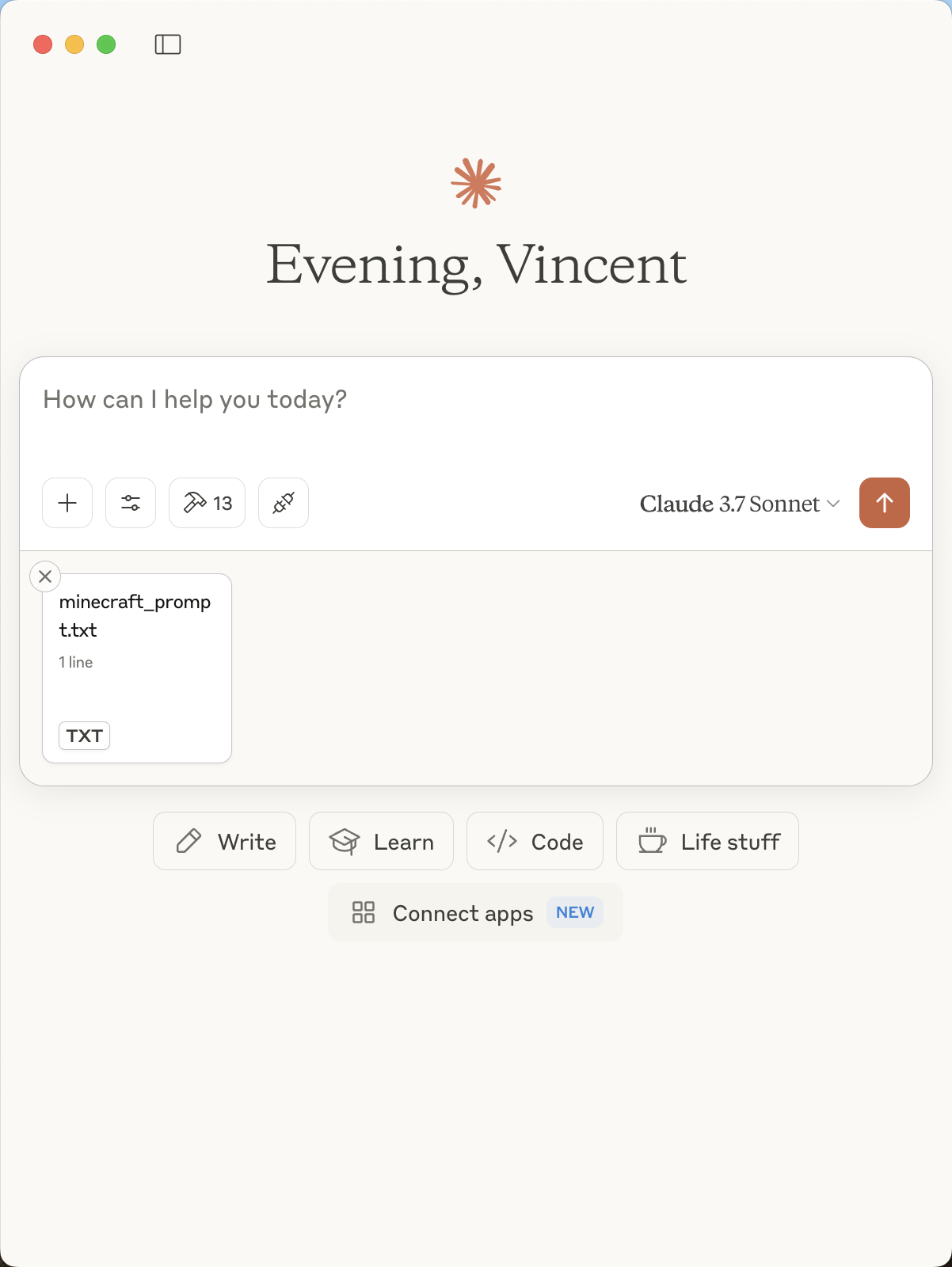
Assign Tasks
> Build a futuristic Oriental Pearl Radio & TV Tower at locations "40, 87, 125" , approximately 100 meters tall.
> The main structure should be smooth metal and glass, topped with a spherical dome.
> Add LED lights and luminous stones, and design a modern open plaza at the base of the tower.
Witness the Magic
Enter the game and enjoy.Instructions
After starting the server, use any supported MCP client to configure and connect to your MoLing server address.License
Apache License 2.0. See the LICENSE file for details.Sign in to leave a review
Use Google, GitHub, or an email account so ratings stay tied to real people.
No reviews posted yet.



