
n8n
About
n8n is a workflow automation platform that now supports the Model Context Protocol (MCP) via Server-Sent Events (SSE). It allows users to create MCP servers and client nodes within workflows, integrate AI models like Gemini, and build custom automation tools like Calculator and…
Details
- License
- MIT license
Explore
- MCP support via Server-Sent Events (SSE)
- Built-in Calculator tool for arithmetic
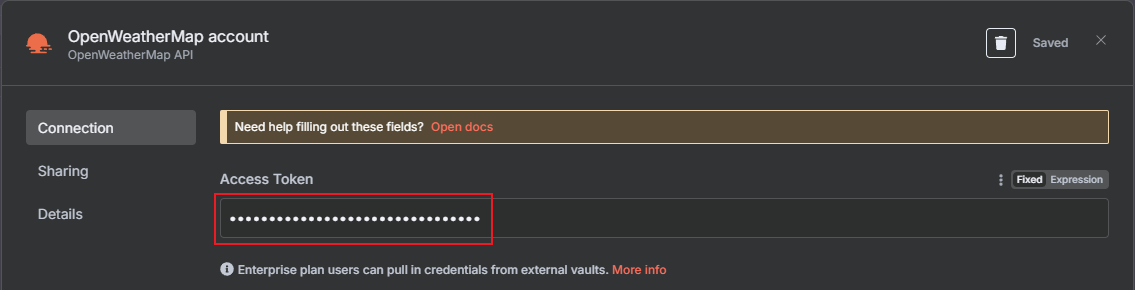
- OpenWeatherMap integration (requires free API key)
- Chat Trigger with AI Agent using Gemini models
- Visual workflow builder with drag-and-drop nodes
Install via npm install n8n -g, upgrade with npm install n8n@latest -g, then run n8n start and open http://localhost:5678 in a browser. Create an account and log in. In version 1.88.0, add MCP nodes: create a workflow with MCP Server Trigger, add tools (e.g., Calculator, OpenWeatherMap with an API key), then create another workflow with Chat Trigger → AI Agent → Chat Model (e.g., Gemini) → MCP Client Tool, pasting the SSE URL from the MCP server.
去申請 https://openweathermap.org/ 的免費服務
請去註冊並取得 API 金鑰 (API Key)
SSE 欄位貼上剛剛備份的 Production URL
PS: 我電腦上 localhost 要改成 127.0.0.1 才能連上
安裝
npm install n8n -g
升級
npm install n8n@latest -g
執行
n8n start
登入
創建帳號並登入支持 MCP
在 n8n 1.88.0 版本中,允許使用 SSE(Server-Sent Events)技術進行發佈的功能主要與新加入的 MCP(Model Context Protocol)節點相關。n8n --version
建立 MCP Server Trigger
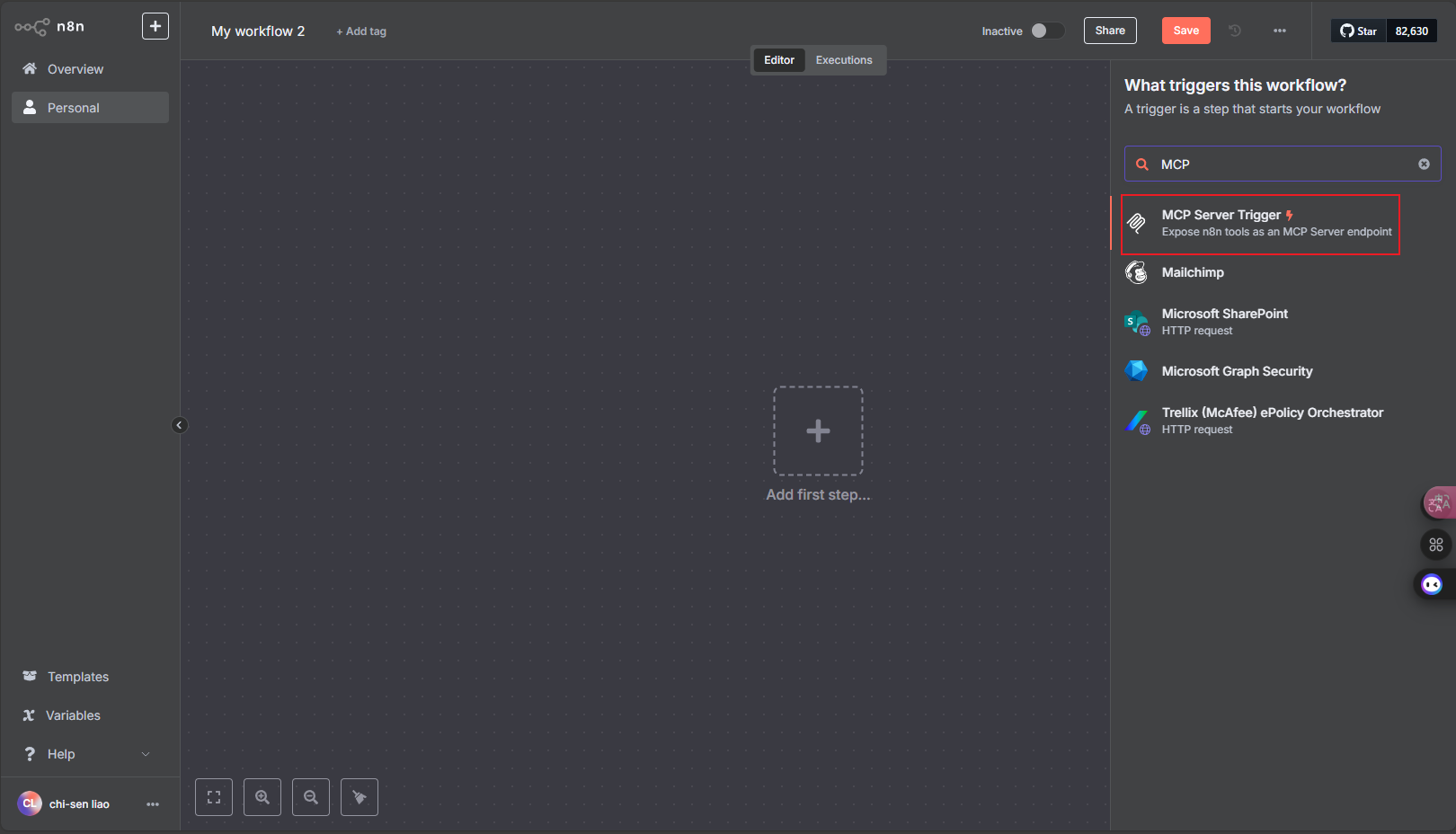 點選右邊介面搜尋
 MCP Server Trigger
建立一個 MCP 服務器
Tools 新增節點 Calculator
Tools 新增節點 OpenWeatherMap
去申請 https://openweathermap.org/ 的免費服務 請去註冊並取得 API 金鑰 (API Key)
新增完上面的兩個節點後
備份 ‵MCP Server Trigger‵ 的Production URL
創建新的工作流
點擊左上角的加號,創建新的工作流新增 Chat Trigger
新增 AI Agent
新增 Chat Model
新增 Gemini 的 AI 大語言模型
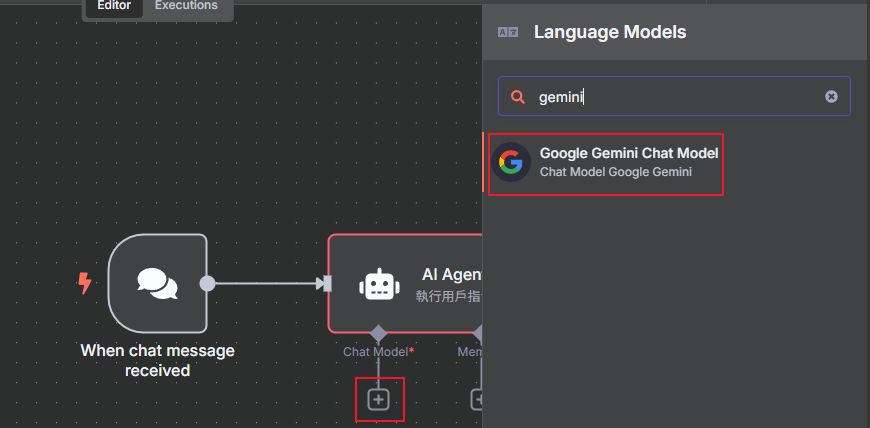 輸入 Gemini 的 API Key
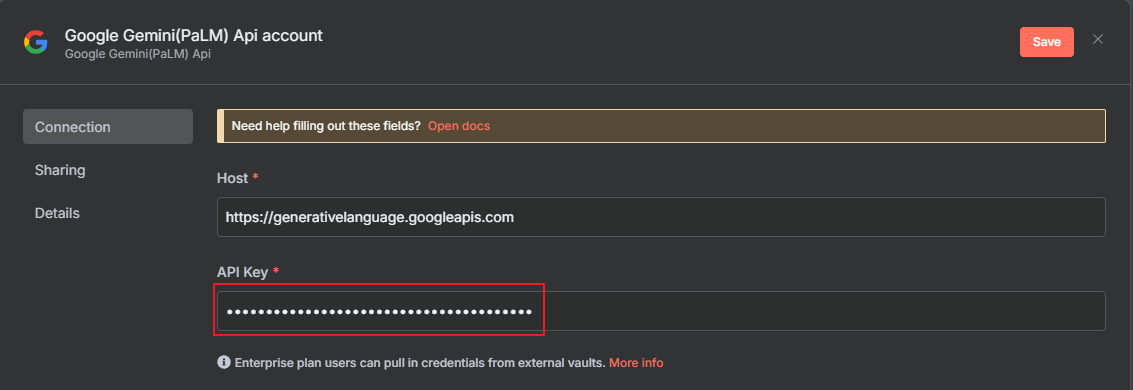 模型可以選
模型可以選 models-2.0-flash
新增 Tool MCP Clinet Tool
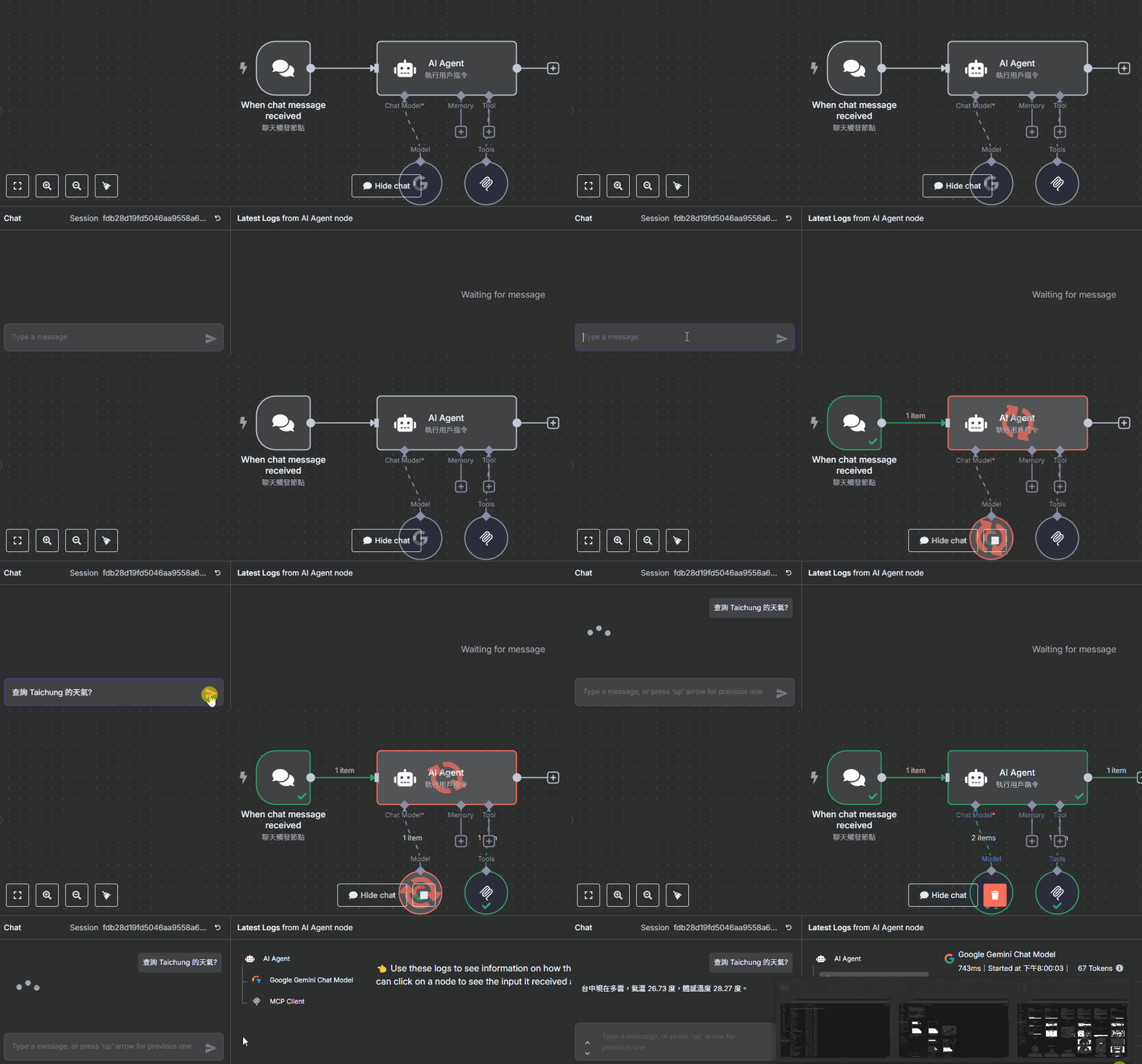
SSE 欄位貼上剛剛備份的 Production URL
PS: 我電腦上 localhost 要改成 127.0.0.1 才能連上
測試
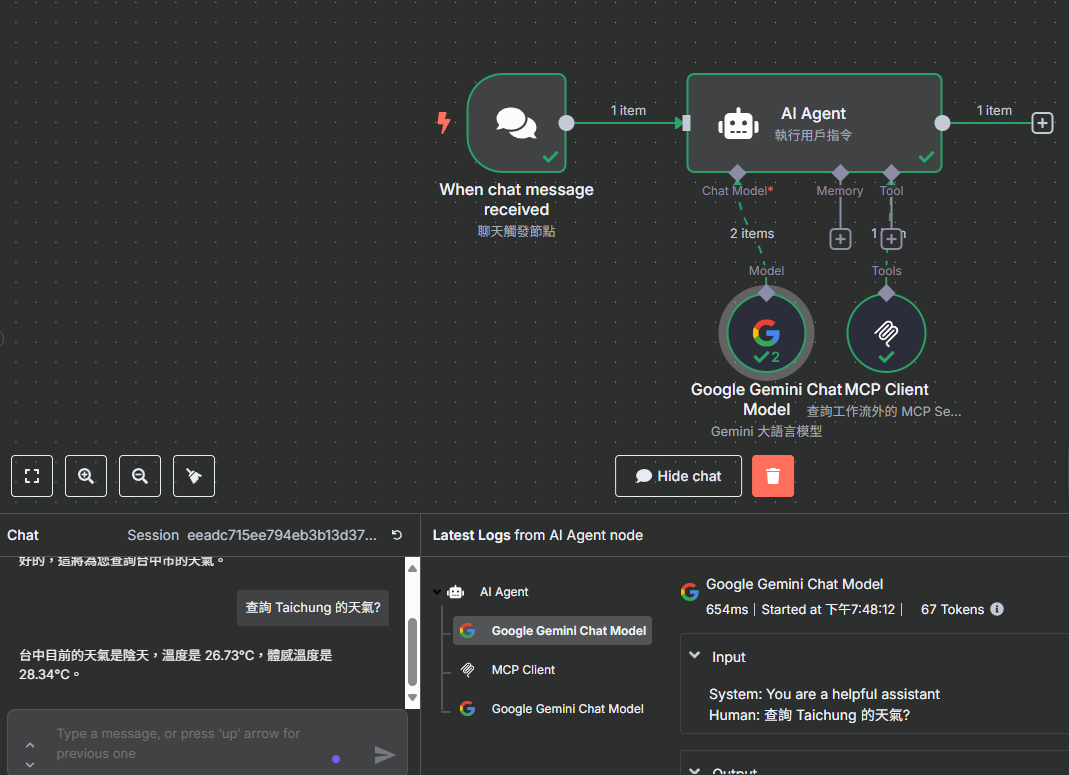 輸入
輸入 查詢 Taichung 的天氣?
輸入 8 加 9 等於多少?Sign in to leave a review
Use Google, GitHub, or an email account so ratings stay tied to real people.
No reviews posted yet.



