n8n Workflow Builder MCP
About
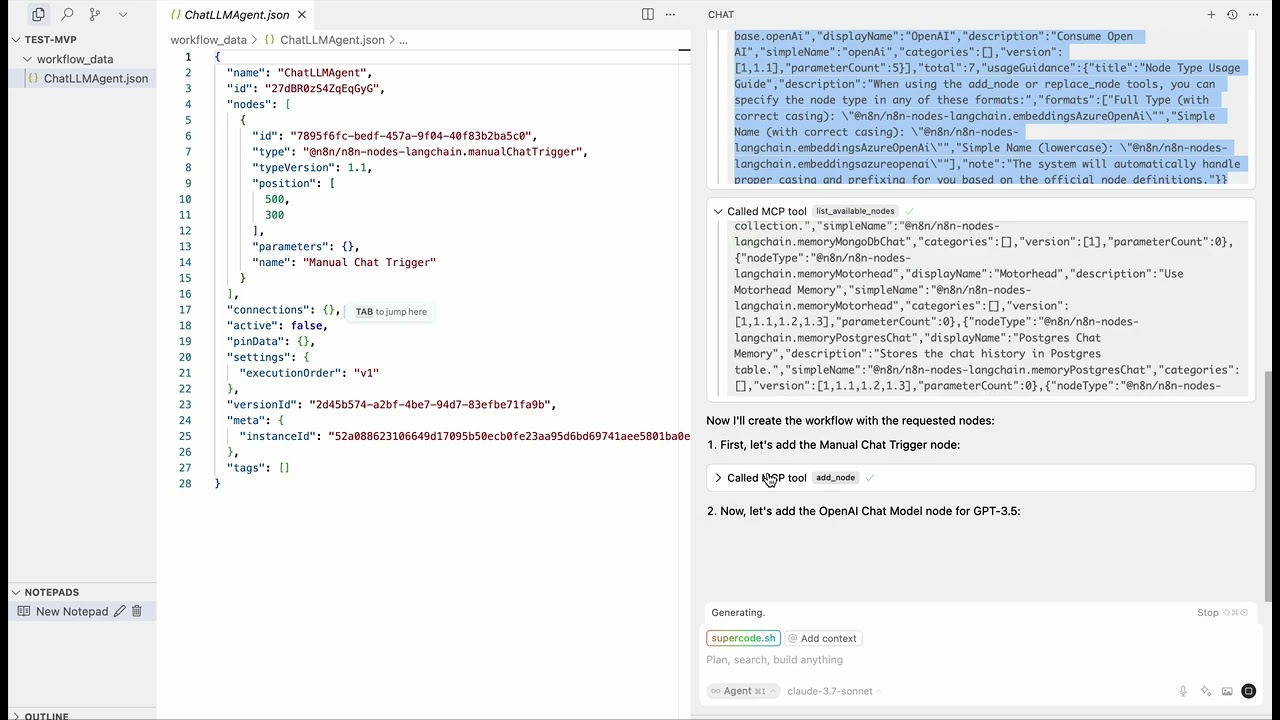
MCP server that allow LLM in agent mode builds n8n workflows for you
Details
- License
- MIT
Explore
- Workflow Management: Create, update, and execute n8n workflows programmatically (execute is not implemented yet)
- Node Discovery: Explore available n8n nodes and their capabilities
- Connection Management: Create connections between workflow nodes
- AI Integration: Special tools for connecting AI components in workflows
- AI-Friendly Interface: Designed specifically for interaction with AI agents
- N8N Version Management: Automatic version detection and compatibility handling - supports 184+ n8n versions (1.86.0 – 2.6.2) with dynamic node filtering and "closest lower version" matching for backward compatibility

Setting up with Highlight
This MCP is not yet compatible with Highlight’s one-click setup. However, you can still use it with Highlight by following these steps:
- Download and install Highlight from highlightai.com/download
- Navigate to the plugins tab and select "Add Custom Plugin"
-
Configure the plugin with the settings below
Plugin Name
n8n Workflow Builder MCPCommand (node, npx, python, etc.)Please refer to the README for specific instructions on how to obtain API keys or other required environment variables.
- Enable "Start Automatically" if you want the plugin to start when Highlight launches





From the repository
- Node.js (v18 or higher)
- npm (for npx command)
- An MCP-compatible client (Claude Code, VS Code, Cursor, etc.)
1. Open your n8n instance in a browser
2. Go to Settings > API Keys
3. Click Create API Key
4. Copy the generated key and use it in your configuration
For development or local testing, clone and build from source:
git clone https://github.com/ifmelate/n8n-workflow-builder-mcp.git
cd n8n-workflow-builder-mcp
npm install
npm run build
Then point your MCP client to the built entry point:
For development with auto-rebuild:
npm run dev
The server provides the following tools for working with n8n workflows:
Claude Desktop / Cursor
Paste into your MCP client config file to install this server.
{
    "mcpServers": {
        "n8n workflow builder mcp": {
            "n8n-workflow-builder": {
                "command": "node",
                "args": [
                    "/absolute/path/to/n8n-workflow-builder-mcp/dist/index.js"
                ]
            }
        }
    }
}McpServers
{
    "n8n-workflow-builder": {
        "command": "node",
        "args": [
            "/absolute/path/to/n8n-workflow-builder-mcp/dist/index.js"
        ]
    }
}
A Model Context Protocol (MCP) server for building and manipulating n8n workflows. Build n8n workflows just by prompting with AI — works with Claude Code, VS Code, Cursor, and any MCP-compatible client.
<a href="https://glama.ai/mcp/servers/@ifmelate/n8n-workflow-builder-mcp">
</a>
Sign in to leave a review
Use Google, GitHub, or an email account so ratings stay tied to real people.
No reviews posted yet.