
NAP MCP Server
About
# NAP MCP Server This is a Model Context Protocol (MCP) server implementation for the NAP API. It provides a standardized way to interact with NAP API endpoints through MCP tools and resources - through prompts ## Features - Create Project, Add Applications, Add Clients & Create Workflows through MCP. - Export…
Explore
- Create Project, Add Applications, Add Clients & Create Workflows through MCP.
- Export Workflows from a project & Add to different Project (Import/Export Workflows).
- Create Workflows for a project using Prompts.
1. Clone the repository
2. Install dependencies:
pnpm install
3. Copy .env.example to .env and update the configuration:
cp .env.example .env
4. Update the environment variables in .env with your NAP API configuration.
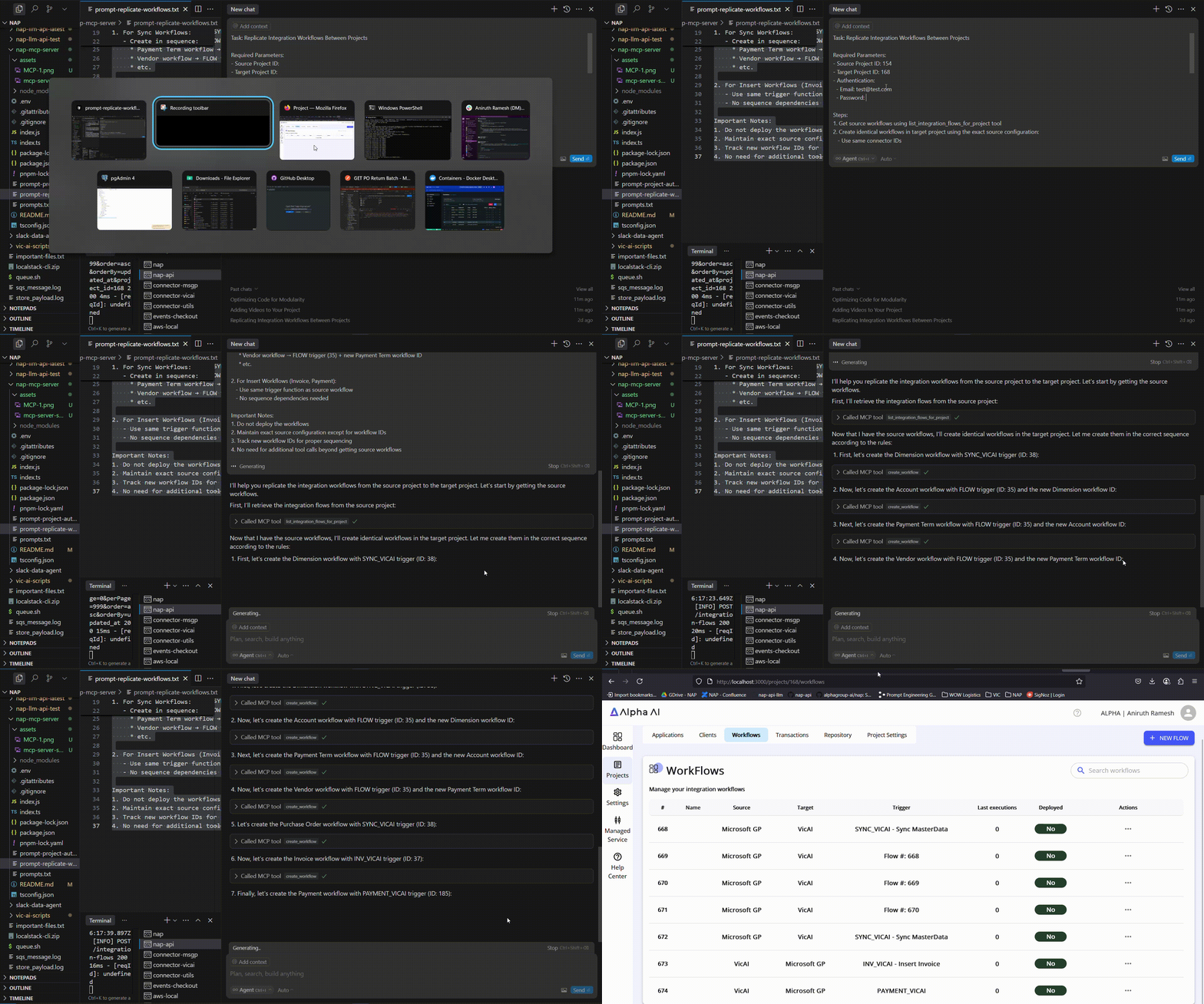
Below Video Demonstrates how to develop using MCP:
1. Import/Export Project:
--> Utilize the prompts mentioned in ``prompt-replicate-workflows.txt`` and edit the prompt based on the your requirements.
2. Make sure Agent mode is enabled (if not available, update cursor)
This is a Model Context Protocol (MCP) server implementation for the NAP API. It provides a standardized way to interact with NAP API endpoints through MCP tools and resources - through prompts
Features
- Create Project, Add Applications, Add Clients & Create Workflows through MCP.
- Export Workflows from a project & Add to different Project (Import/Export Workflows).
- Create Workflows for a project using Prompts.
Installation
1. Clone the repository
2. Install dependencies:
pnpm install
3. Copy .env.example to .env and update the configuration:
cp .env.example .env
4. Update the environment variables in .env with your NAP API configuration.
Development
1. Navigate to File > Preferences > Cursor Settings
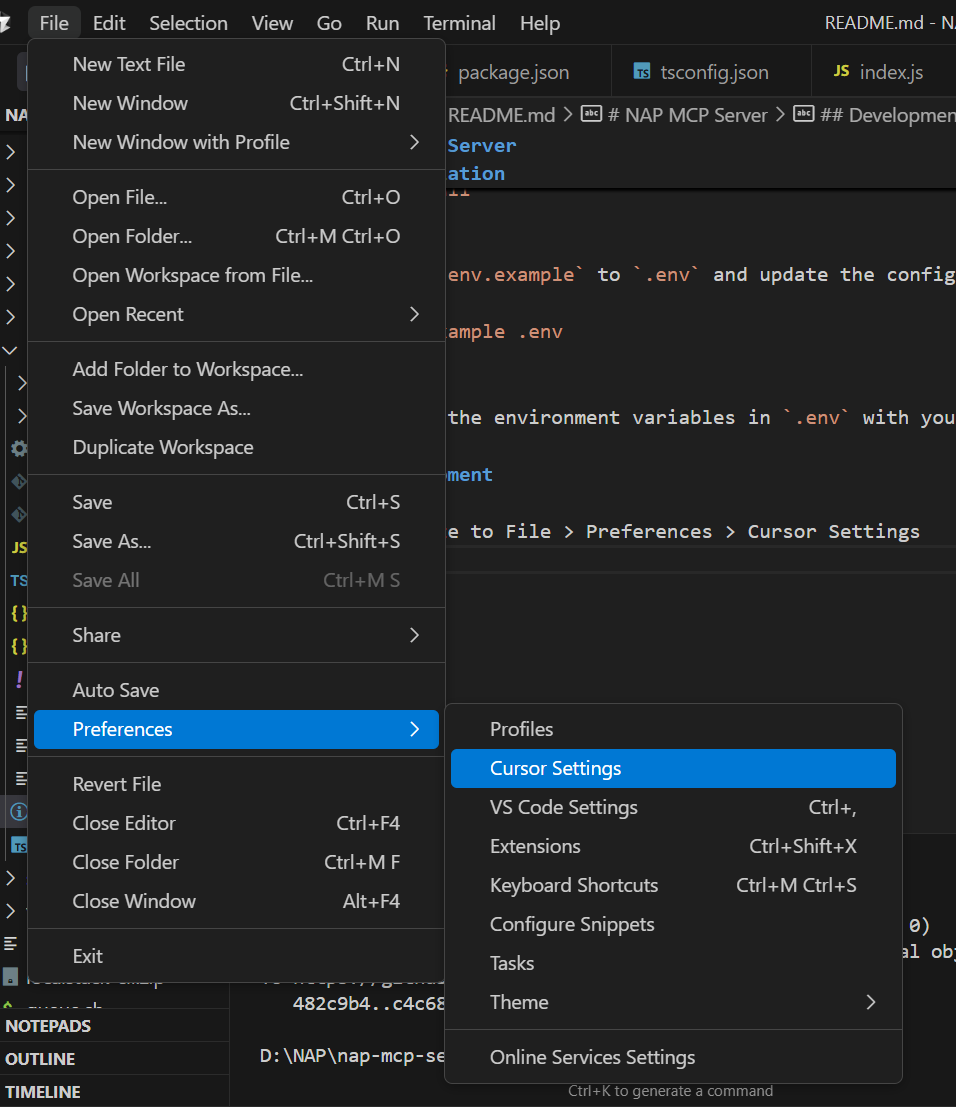
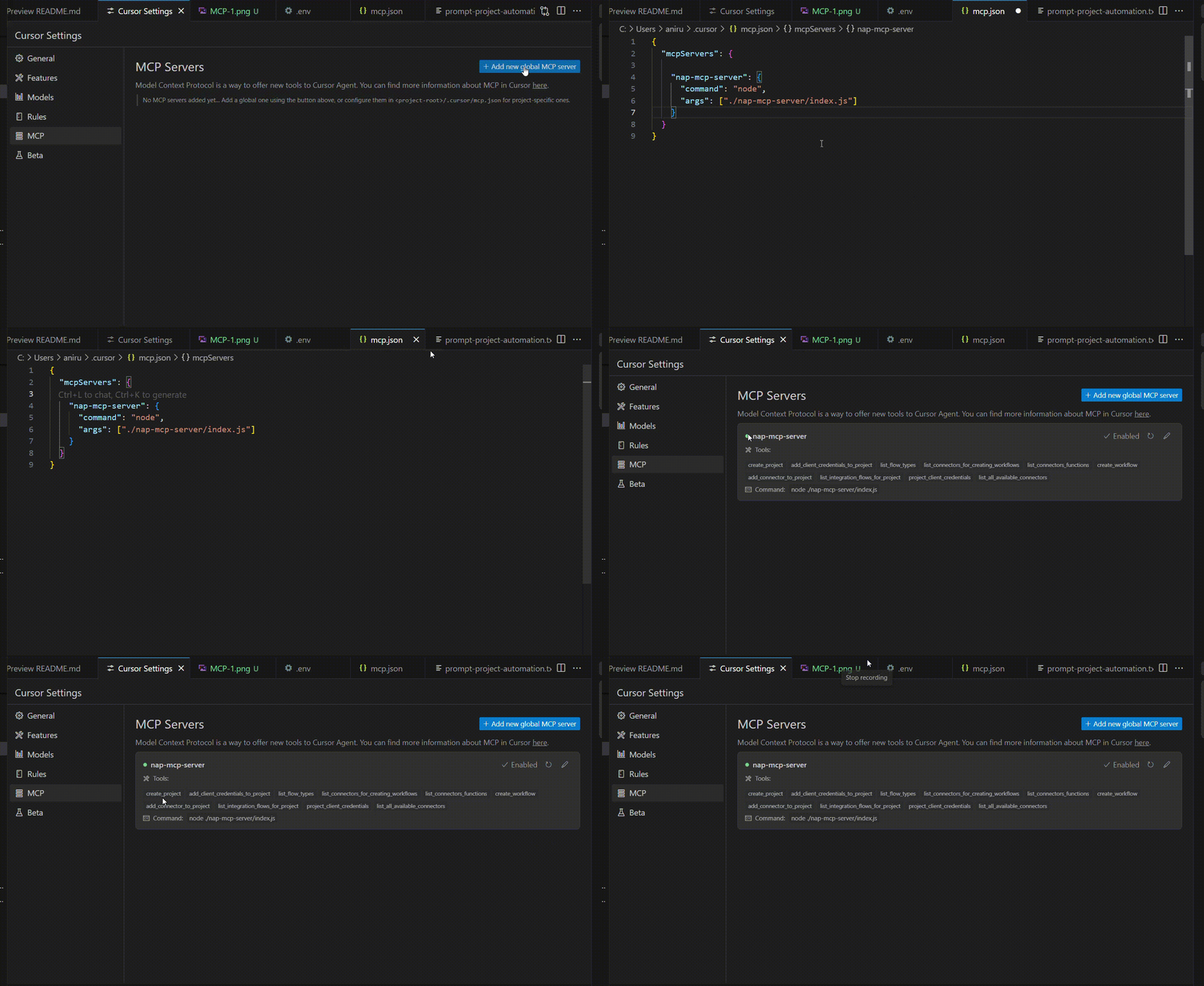
2. Navigate to MCP and create a new Server
3. In the config, Paste the following:
"nap-mcp-server": {
      "command": "node",
      "args": ["./nap-mcp-server/index.js"]
    }
--------------
Note: The server contains path to the index.js file, so if any changes are made by dev, make sure to run `` npx tsc` to compile the javascript code
Common Usage
Below Video Demonstrates how to develop using MCP:
1. Import/Export Project:
--> Utilize the prompts mentioned in `prompt-replicate-workflows.txt`` and edit the prompt based on the your requirements.
2. Make sure Agent mode is enabled (if not available, update cursor)
Sign in to leave a review
Use Google, GitHub, or an email account so ratings stay tied to real people.
No reviews posted yet.



