OpenStreetMap (OSM) MCP Server
About
An OpenStreetMap MCP server implementation that enhances LLM capabilities with location-based services and geospatial data.
Details
- License
- MIT
Explore
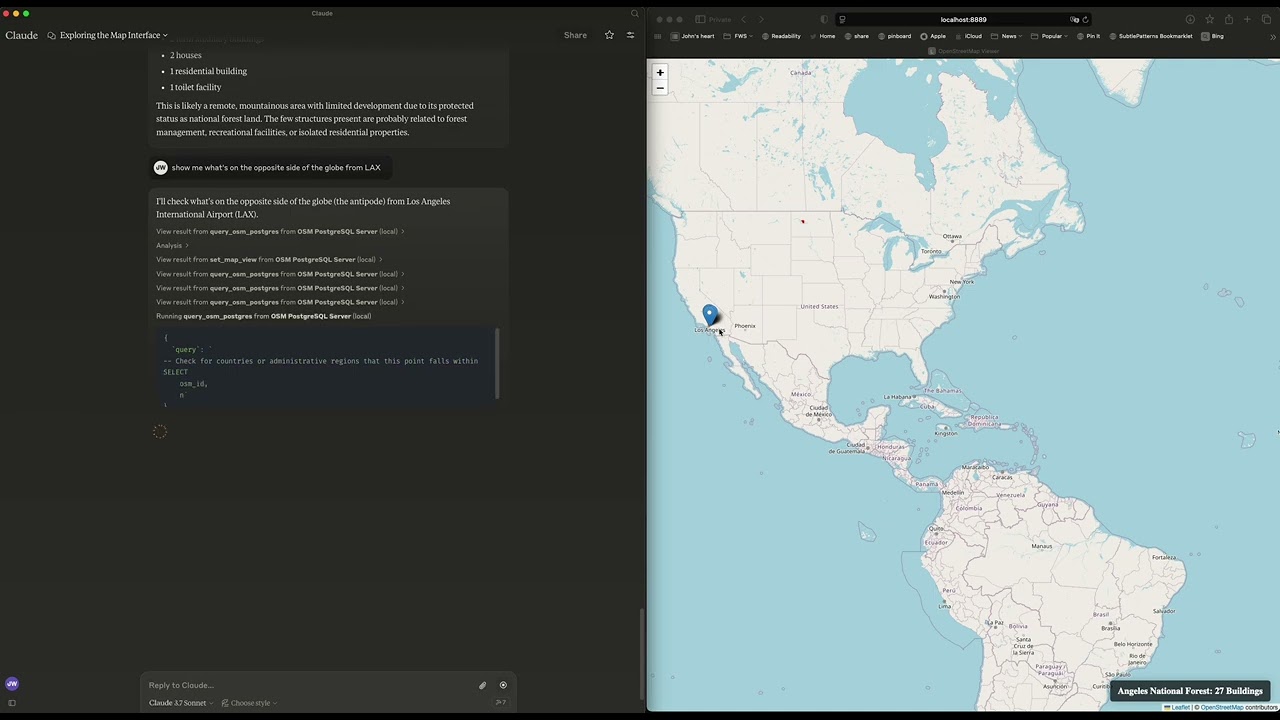
This server provides LLMs with tools to interact with OpenStreetMap data, enabling location-based applications to:
- Geocode addresses and place names to coordinates
- Reverse geocode coordinates to addresses
- Find nearby points of interest
- Get route directions between locations
- Search for places by category within a bounding box
- Suggest optimal meeting points for multiple people
- Explore areas and get comprehensive location information
- Find schools and educational institutions near a location
- Analyze commute options between home and work
- Locate EV charging stations with connector and power filtering
- Perform neighborhood livability analysis for real estate
- Find parking facilities with availability and fee information

Setting up with Highlight
This MCP is not yet compatible with Highlight’s one-click setup. However, you can still use it with Highlight by following these steps:
- Download and install Highlight from highlightai.com/download
- Navigate to the plugins tab and select "Add Custom Plugin"
-
Configure the plugin with the settings below
Plugin Name
OpenStreetMap (OSM) MCP ServerCommand (node, npx, python, etc.)Please refer to the README for specific instructions on how to obtain API keys or other required environment variables.
- Enable "Start Automatically" if you want the plugin to start when Highlight launches





From the repository
To run the server locally:
1. Install the package in development mode:
pip install -e .
2. Start the server:
osm-mcp-server
3. The server will start and listen for MCP requests on the standard input/output.
On MacOS: ~/Library/Application\ Support/Claude/claude_desktop_config.json
On Windows: %APPDATA%/Claude/claude_desktop_config.json
<details>
<summary>Development/Unpublished Servers Configuration</summary>
"mcpServers": {
"osm-mcp-server": {
"command": "uv",
"args": [
"--directory",
"/path/to/osm-mcp-server",
"run",
"osm-mcp-server"
]
}
}
</details>
geocode_address
Convert text to geographic coordinates
reverse_geocode
Convert coordinates to human-readable addresses
find_nearby_places
Discover points of interest near a location
get_route_directions
Get turn-by-turn directions between locations
search_category
Find places of specific categories in an area
suggest_meeting_point
Find optimal meeting spots for multiple people
explore_area
Get comprehensive data about a neighborhood
find_schools_nearby
Locate educational institutions near a specific location
analyze_commute
Compare transportation options between home and work
find_ev_charging_stations
Locate EV charging infrastructure with filtering
analyze_neighborhood
Evaluate neighborhood livability for real estate
find_parking_facilities
Locate parking options near a destination
The server implements several geospatial tools:
- geocode_address: Convert text to geographic coordinates
- reverse_geocode: Convert coordinates to human-readable addresses
- find_nearby_places: Discover points of interest near a location
- get_route_directions: Get turn-by-turn directions between locations
- search_category: Find places of specific categories in an area
- suggest_meeting_point: Find optimal meeting spots for multiple people
- explore_area: Get comprehensive data about a neighborhood
- find_schools_nearby: Locate educational institutions near a specific location
- analyze_commute: Compare transportation options between home and work
- find_ev_charging_stations: Locate EV charging infrastructure with filtering
- analyze_neighborhood: Evaluate neighborhood livability for real estate
- find_parking_facilities: Locate parking options near a destination
Claude Desktop / Cursor
Paste into your MCP client config file to install this server.
{
    "mcpServers": {
        "openstreetmap (osm) mcp server": {
            "open-streetmap-mcp": {
                "command": "python",
                "args": [
                    "examples/client.py"
                ]
            }
        }
    }
}McpServers
{
    "open-streetmap-mcp": {
        "command": "python",
        "args": [
            "examples/client.py"
        ]
    }
}
An OpenStreetMap MCP server implementation that enhances LLM capabilities with location-based services and geospatial data.
Demo
Meeting Point Optimization

Neighborhood Analysis

Parking Search

Installation
In MCP Hosts like Claude Desktop, Cursor, Windsurf, etc.
-osm-mcp-server: The main server, available for public use.
  "mcpServers": {
    "osm-mcp-server": {
      "command": "uvx",
      "args": [
        "osm-mcp-server"
      ]
    }
  }
Features
This server provides LLMs with tools to interact with OpenStreetMap data, enabling location-based applications to:
- Geocode addresses and place names to coordinates
- Reverse geocode coordinates to addresses
- Find nearby points of interest
- Get route directions between locations
- Search for places by category within a bounding box
- Suggest optimal meeting points for multiple people
- Explore areas and get comprehensive location information
- Find schools and educational institutions near a location
- Analyze commute options between home and work
- Locate EV charging stations with connector and power filtering
- Perform neighborhood livability analysis for real estate
- Find parking facilities with availability and fee information
Components
Resources
The server implements location-based resources:
- location://place/{query}: Get information about places by name or address
- location://map/{style}/{z}/{x}/{y}: Get styled map tiles at specified coordinates
Tools
The server implements several geospatial tools:
- geocode_address: Convert text to geographic coordinates
- reverse_geocode: Convert coordinates to human-readable addresses
- find_nearby_places: Discover points of interest near a location
- get_route_directions: Get turn-by-turn directions between locations
- search_category: Find places of specific categories in an area
- suggest_meeting_point: Find optimal meeting spots for multiple people
- explore_area: Get comprehensive data about a neighborhood
- find_schools_nearby: Locate educational institutions near a specific location
- analyze_commute: Compare transportation options between home and work
- find_ev_charging_stations: Locate EV charging infrastructure with filtering
- analyze_neighborhood: Evaluate neighborhood livability for real estate
- find_parking_facilities: Locate parking options near a destination
Local Testing
Running the Server
To run the server locally:
1. Install the package in development mode:
pip install -e .
2. Start the server:
osm-mcp-server
3. The server will start and listen for MCP requests on the standard input/output.
Testing with Example Clients
The repository includes two example clients in the examples/ directory:
Basic Client Example
client.py demonstrates basic usage of the OSM MCP server:
python examples/client.py
This will:
- Connect to the locally running server
- Get information about San Francisco
- Search for restaurants in the area
- Retrieve comprehensive map data with progress tracking
LLM Integration Example
llm_client.py provides a helper class designed for LLM integration:
python examples/llm_client.py
This example shows how an LLM can use the Location Assistant to:
- Get location information from text queries
- Find nearby points of interest
- Get directions between locations
- Find optimal meeting points
- Explore neighborhoods
Writing Your Own Client
To create your own client:
1. Import the MCP client:
from mcp.client import Client
2. Initialize the client with your server URL:
client = Client("http://localhost:8000")
3. Invoke tools or access resources:
```python
Sign in to leave a review
Use Google, GitHub, or an email account so ratings stay tied to real people.
No reviews posted yet.