
ORKL MCP Server
About
The ORKL MCP Server is an MCP (Model Control Protocol) server that provides access to the ORKL Threat Intelligence Library via the ORKL API. It is designed for developers and security analysts who want to query threat intelligence data from within LLM applications like Claude Desktop.
Details
- License
- MIT
Explore
- Access to ORKL Threat Intelligence Library data via the ORKL API
- Efficient caching to minimize API calls
- Rate limiting to respect ORKL API restrictions
- Standardized MCP Tools and Resources for LLM interaction
- Built-in support for Claude Desktop integration
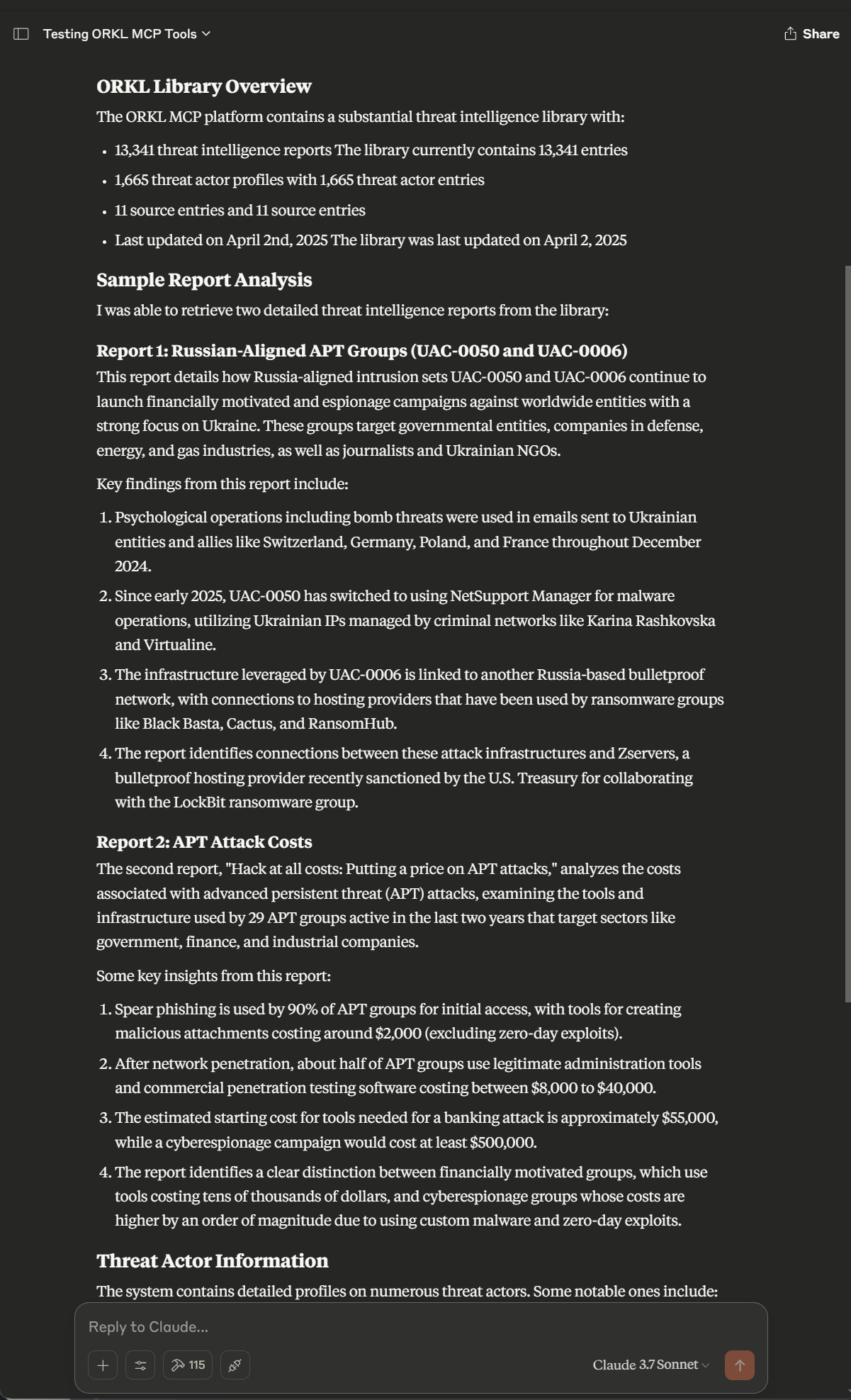
Screenshot

Setting up with Highlight
This MCP is not yet compatible with Highlight’s one-click setup. However, you can still use it with Highlight by following these steps:
- Download and install Highlight from highlightai.com/download
- Navigate to the plugins tab and select "Add Custom Plugin"
-
Configure the plugin with the settings below
Plugin Name
ORKL MCP ServerCommand (node, npx, python, etc.)Please refer to the README for specific instructions on how to obtain API keys or other required environment variables.
- Enable "Start Automatically" if you want the plugin to start when Highlight launches





From the repository
- Python 3.10 or later
- uv package manager (recommended)
| Variable | Description | Default |
|----------------------------|-------------------------------|--------------------------|
| ORKL_API_BASE_URL | API base URL | https://orkl.eu/api/v1 |
| ORKL_REQUEST_TIMEOUT | Request timeout in seconds | 30 |
| ORKL_CACHE_TTL | Cache time-to-live in seconds | 300 |
| ORKL_USE_CACHE | Enable caching (1/0) | 1 |
| ORKL_RATE_LIMIT_REQUESTS | Maximum requests per period | 90 |
| ORKL_RATE_LIMIT_PERIOD | Rate limit period in seconds | 30 |
| ORKL_CONFIG_FILE | Path to configuration file | config.json |
fetch_latest_threat_reports
Get recent threat intelligence reports
fetch_threat_report_details
Get details about a specific report
fetch_threat_report_by_hash
Retrieve a report by SHA1 hash
search_threat_reports
Search for reports matching criteria
get_library_info
Get information about the ORKL library
get_library_version
Get version information
fetch_threat_actors
Get a list of all threat actors
fetch_threat_actor_details
Get detailed information about a threat actor
fetch_sources
Get a list of available sources
fetch_source_details
Get detailed information about a source
clear_cache
Clear the local cache for fresh data
The server provides the following MCP Tools:
- fetch_latest_threat_reports: Get recent threat intelligence reports
- fetch_threat_report_details: Get details about a specific report
- fetch_threat_report_by_hash: Retrieve a report by SHA1 hash
- search_threat_reports: Search for reports matching criteria
- get_library_info: Get information about the ORKL library
- get_library_version: Get version information
- fetch_threat_actors: Get a list of all threat actors
- fetch_threat_actor_details: Get detailed information about a threat actor
- fetch_sources: Get a list of available sources
- fetch_source_details: Get detailed information about a source
- clear_cache: Clear the local cache for fresh data
Claude Desktop / Cursor
Paste into your MCP client config file to install this server.
{
    "mcpServers": {
        "orkl mcp server": {
            "orkl_mcp_server": {
                "command": "uv",
                "args": [
                    "venv"
                ]
            }
        }
    }
}McpServers
{
    "orkl_mcp_server": {
        "command": "uv",
        "args": [
            "venv"
        ]
    }
}
A MCP (Model Control Protocol) server for accessing the ORKL Threat Intelligence Library.
Table of Contents
- Features
- Getting Started
- Prerequisites
- Installation
- Configuration
- MCP Tools
- MCP Resources
- Example Prompts
- License
Features
- Access to ORKL Threat Intelligence Library data via the ORKL API
- Efficient caching to minimize API calls
- Rate limiting to respect ORKL API restrictions
- Standardized MCP Tools and Resources for LLM interaction
- Built-in support for Claude Desktop integration
Screenshot
Getting Started
Prerequisites
- Python 3.10 or later
- uv package manager (recommended)
Installation
1. Clone the repository:
   git clone https://github.com/heiths/orkl_mcp_server.git

   cd orkl_mcp_server
2. Install dependencies using uv (recommended):
   uv venv

   uv pip install -r requirements.txt
3. Configure the server (see Configuration section below)
Register with Claude Desktop
Add the following config to your claude_desktop_config.json:
{
  "ORKL Threat Intelligence": {
    "command": "uv",
    "args": [
      "--directory",
      "/path/to/orkl_mcp_server",  <-- Replace with the path to the cloned repository
      "run",
      "python",
      "run_server.py"
    ],
    "env": {
      "ORKL_API_BASE_URL": "https://orkl.eu/api/v1",
      "ORKL_REQUEST_TIMEOUT": "30",
      "ORKL_CACHE_TTL": "300",
      "ORKL_USE_CACHE": "1",
      "ORKL_RATE_LIMIT_REQUESTS": "90",
      "ORKL_RATE_LIMIT_PERIOD": "30"
    }
  }
}
MCP Tools
The server provides the following MCP Tools:
- fetch_latest_threat_reports: Get recent threat intelligence reports
- fetch_threat_report_details: Get details about a specific report
- fetch_threat_report_by_hash: Retrieve a report by SHA1 hash
- search_threat_reports: Search for reports matching criteria
- get_library_info: Get information about the ORKL library
- get_library_version: Get version information
- fetch_threat_actors: Get a list of all threat actors
- fetch_threat_actor_details: Get detailed information about a threat actor
- fetch_sources: Get a list of available sources
- fetch_source_details: Get detailed information about a source
- clear_cache: Clear the local cache for fresh data
MCP Resources
The server provides these MCP Resources:
- threat_reports://{report_id}: Direct access to specific reports
- threat_actors://{actor_id}: Direct access to threat actor information
- sources://{source_id}: Direct access to source information
Example Prompts
Malware Investigation
>I found a suspicious file with SHA1 hash '5f2b7f47b2c9da342583c3a7e3887b4babad0fa9'. Can you check if this hash is
>associated with any known threats in the ORKL database and provide details about its capabilities and attribution?
Threat Landscape Overview
>Can you provide an overview of the current threat landscape for financial institutions? Use the ORKL API to search for
>relevant threat reports from the past month and identify emerging trends or notable threat actors.
Configuration
Configuration can be provided through:
1. Environment variables
2. A JSON configuration file (config.json in the current directory)
Environment Variables
| Variable | Description | Default |
|----------------------------|-------------------------------|--------------------------|
| ORKL_API_BASE_URL | API base URL | https://orkl.eu/api/v1 |
| ORKL_REQUEST_TIMEOUT | Request timeout in seconds | 30 |
| ORKL_CACHE_TTL | Cache time-to-live in seconds | 300 |
| ORKL_USE_CACHE | Enable caching (1/0) | 1 |
| ORKL_RATE_LIMIT_REQUESTS | Maximum requests per period | 90 |
| ORKL_RATE_LIMIT_PERIOD | Rate limit period in seconds | 30 |
| ORKL_CONFIG_FILE | Path to configuration file | config.json |
License
This project is licensed under the MIT License - see the LICENSE file for details.
Sign in to leave a review
Use Google, GitHub, or an email account so ratings stay tied to real people.
No reviews posted yet.



