
osm-mcp-puca
About
An MCP server for use with LLM chatbots providing tools related to OpenStreetMap
Details
- License
- GPL-3.0
Explore
- Tools to query OpenStreetMap data via MCP
- Get coordinates from addresses and vice versa
- Find amenities: defibrillators, parking, toilets, post offices, cafes, fast food
- Calculate distances between addresses or coordinates
- Fetch Irish street names and vacant buildings
- Custom Overpass API query results

Setting up with Highlight
This MCP is not yet compatible with Highlight’s one-click setup. However, you can still use it with Highlight by following these steps:
- Download and install Highlight from highlightai.com/download
- Navigate to the plugins tab and select "Add Custom Plugin"
-
Configure the plugin with the settings below
Plugin Name
osm-mcp-pucaCommand (node, npx, python, etc.)Please refer to the README for specific instructions on how to obtain API keys or other required environment variables.
- Enable "Start Automatically" if you want the plugin to start when Highlight launches





From the repository
This MCP server can be integrated with your client that supports MCP.
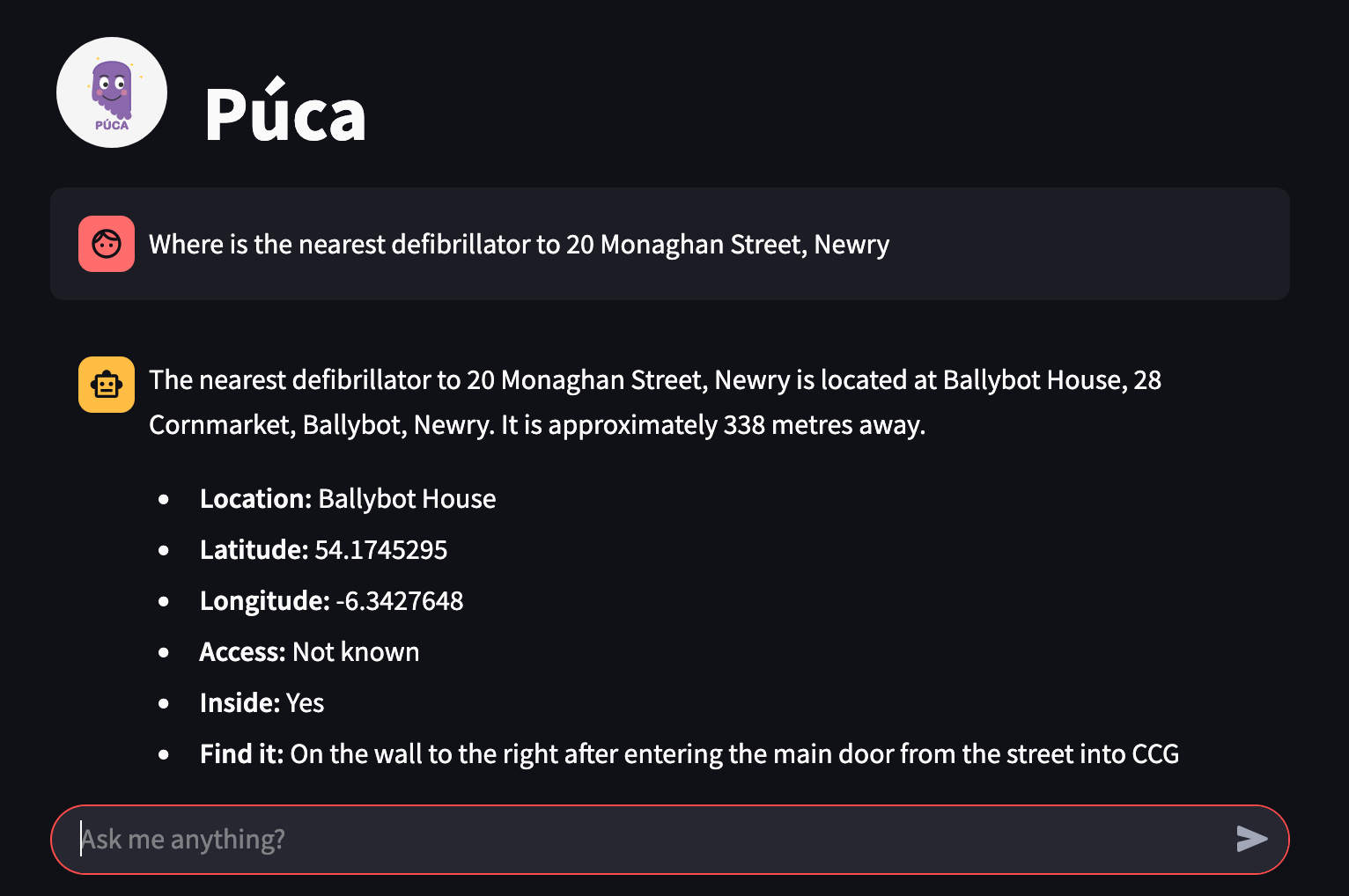
Below is a list of the tools made available via the MCP server:
- get_coordinates_for_address
- get_address_by_coordinates
- get_defibrillators
- get_distance_between_addresses
- get_distance_between_coords
- get_parking
- get_toilets
- get_post_offices
- get_cafes
- get_fast_food_places
- get_irish_street_names
- get_vacant_buildings
- get_overpass_results
Claude Desktop / Cursor
Paste into your MCP client config file to install this server.
{
    "mcpServers": {
        "osm-mcp-puca": {
            "puca": {
                "command": "npx",
                "args": [
                    "mcp-remote",
                    "http://192.168.1.40:3300/sse"
                ]
            }
        }
    }
}McpServers
{
    "puca": {
        "command": "npx",
        "args": [
            "mcp-remote",
            "http://192.168.1.40:3300/sse"
        ]
    }
}
An MCP server for use with LLM chatbots providing tools related to OpenStreetMap
Usage
This MCP server can be integrated with your client that supports MCP.
Docker
The docker-compose.yaml file included will run both the púca UI and MCP server so that you can enter queries into the UI.
To do so you will need to add your own OpenAI API Key in the .env file then start the containers with:
docker compose up -d
Check the logs for any issues and visit the web interface at http://your.ip.address:3301
Pydantic AI
See the example file client.py for how to use this MCP server with Python's pydantic_ai
Claude
Anthropic's Claude supports adding MCP servers if you edit the file:
vi ~/Library/Application\ Support/Claude/claude_desktop_config.json
adding the following but amending the URL:
{
    "mcpServers": {
      "puca": {
          "command": "npx",
          "args": [
            "mcp-remote",
            "http://192.168.1.40:3300/sse"
          ]
        }
    }
}
Tools
Below is a list of the tools made available via the MCP server:
- get_coordinates_for_address
- get_address_by_coordinates
- get_defibrillators
- get_distance_between_addresses
- get_distance_between_coords
- get_parking
- get_toilets
- get_post_offices
- get_cafes
- get_fast_food_places
- get_irish_street_names
- get_vacant_buildings
- get_overpass_results
Acknowledgements
This MCP server makes use of the freely available APIs from OSRM, Overpass and Nominatum.
The data in OpenStreetMap is contributed by dedicated volunteers.
Sign in to leave a review
Use Google, GitHub, or an email account so ratings stay tied to real people.
No reviews posted yet.



